AI Image Expander

STYLES

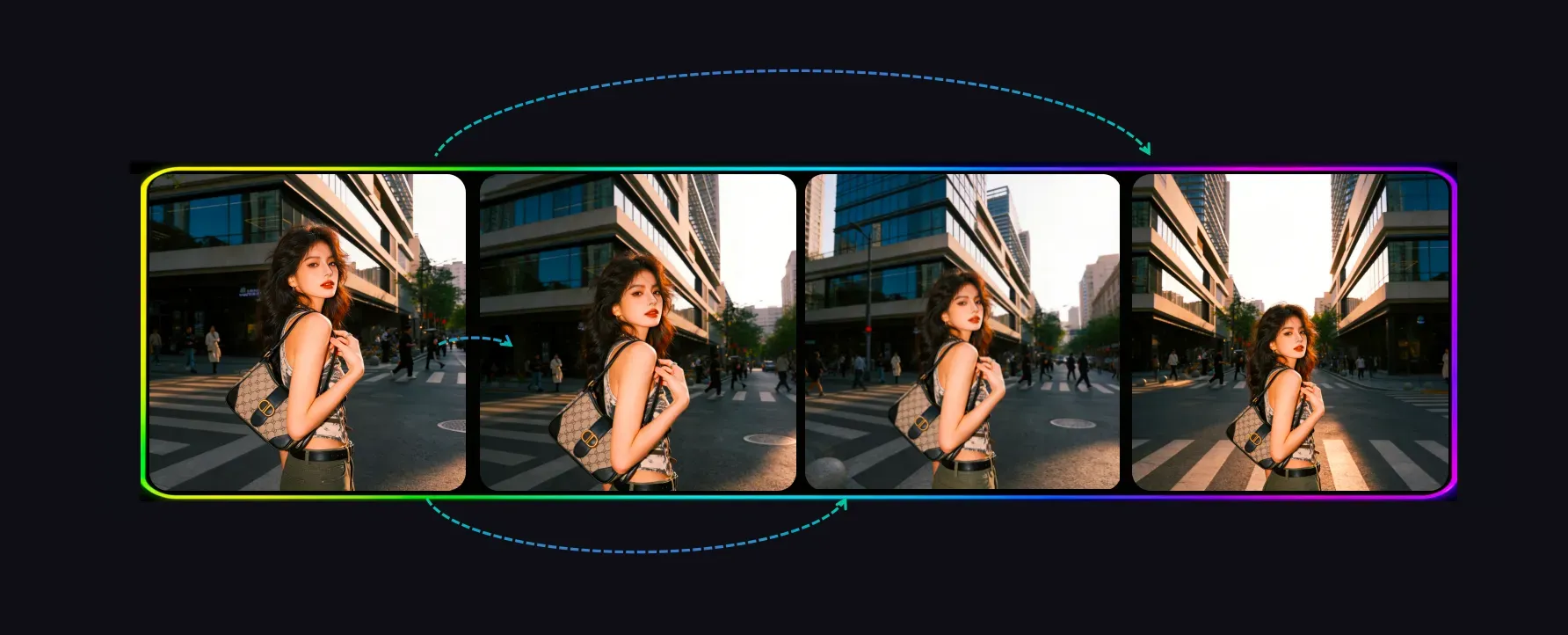
Expand Images with Different Camera Distance Styles

Expand Images with Different Camera Distance Styles

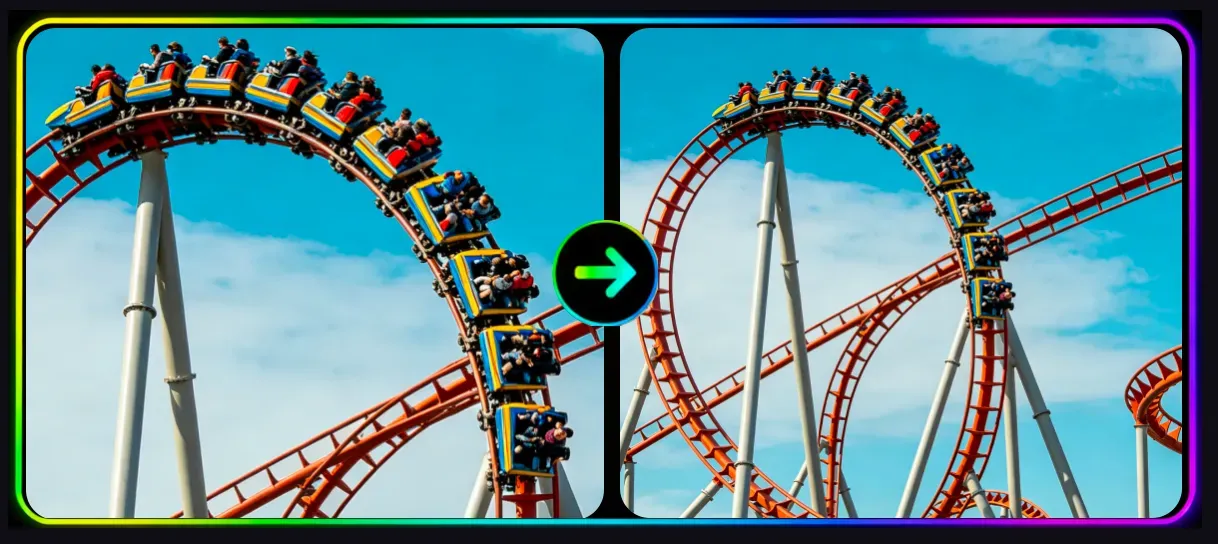
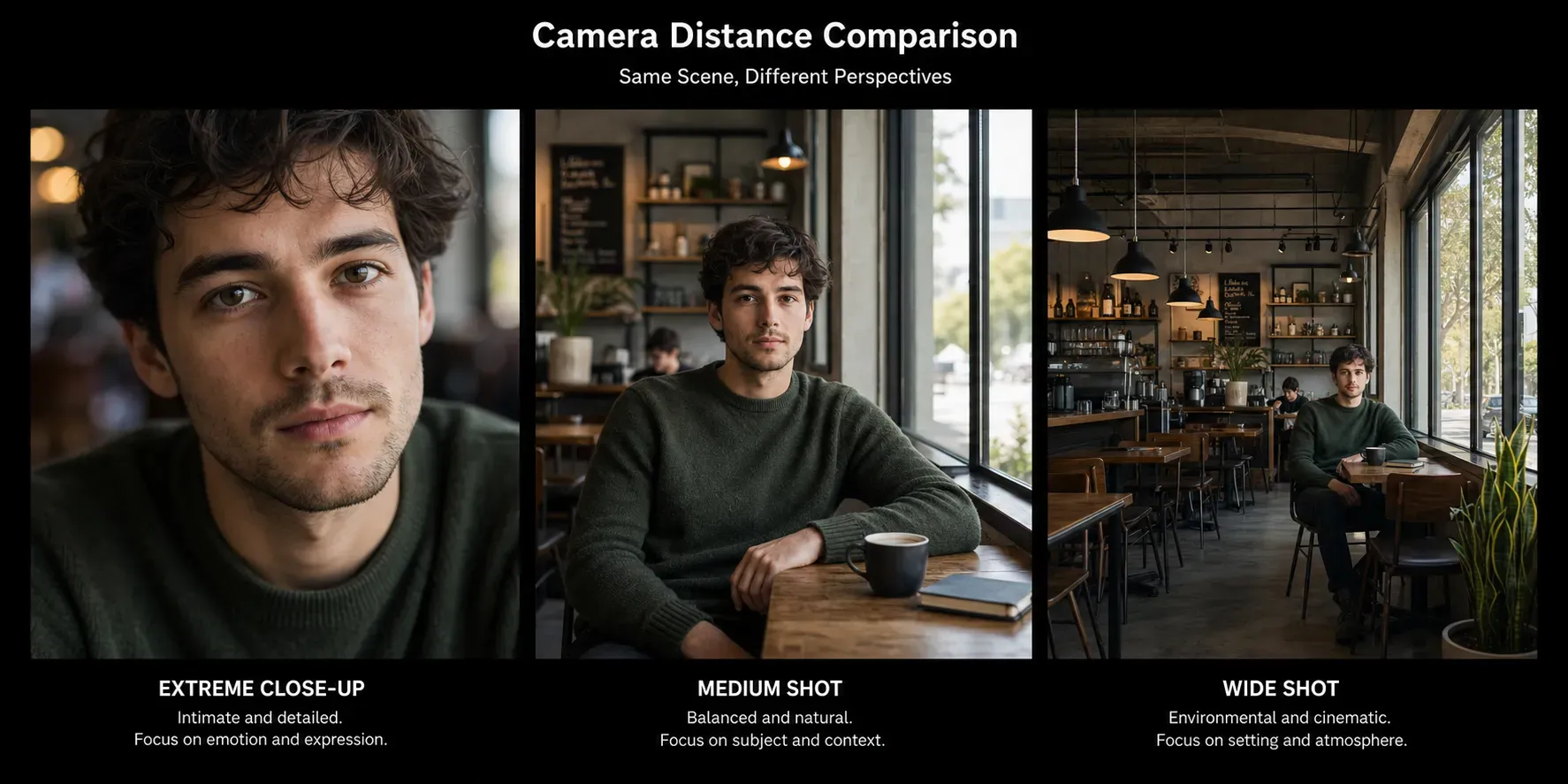
AI Image Expander is an online tool that extends images by generating more surrounding content with AI. A key part of the experience is using different shot-distance styles, such as close-up, medium shot, and wide shot, to expand the frame in visually different ways.

Try AI Image Expander Free Now
Turn Tight Crops into Wider and More Cinematic Frames

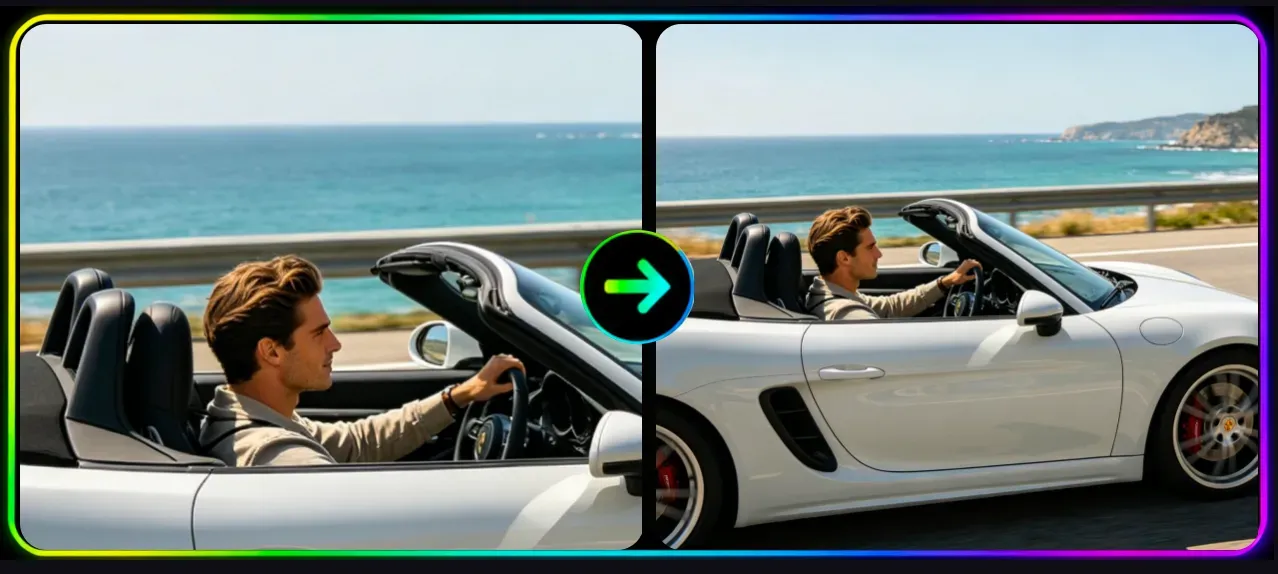
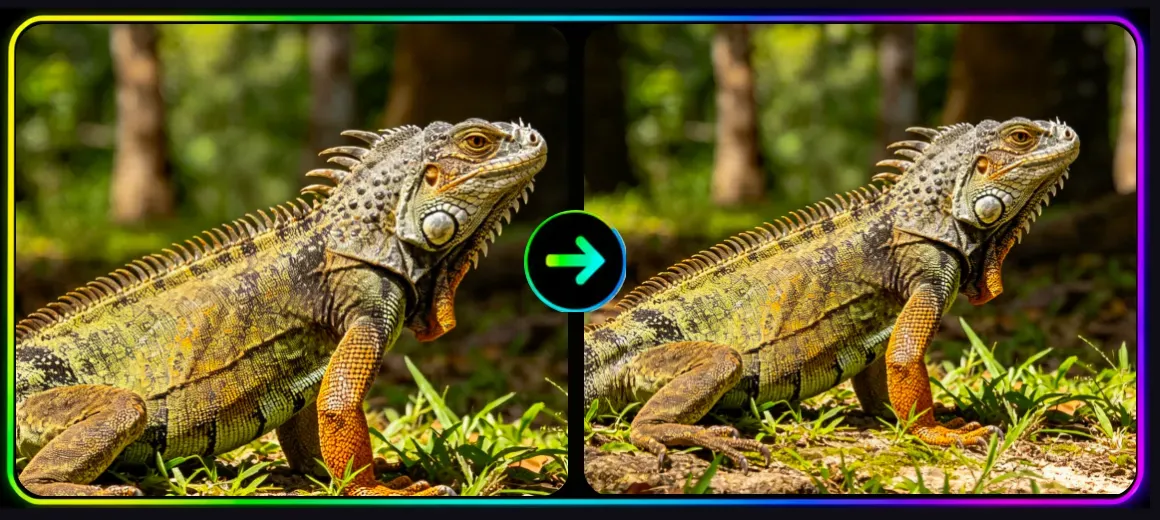
Turn Tight Crops into Wider and More Cinematic Frames

AI Image Expander helps you zoom out from the original composition by simulating a broader camera view. Whether you want a slightly expanded portrait or a much wider scene, the tool can create a more complete image while keeping the subject and visual style consistent.

Zoom Out Your Image Now
Use Shot Distance Variations for More Flexible Visuals

Use Shot Distance Variations for More Flexible Visuals

Different expansion styles are especially useful when you need multiple framing options for design and publishing. You can generate a closer, medium, or wider composition to fit banners, thumbnails, hero sections, social media layouts, and other marketing placements more naturally.

Expand More With Vidoly Now
Create Natural Outpainting Based on Framing and Composition

Create Natural Outpainting Based on Framing and Composition

Instead of simply stretching pixels, AI Image Expander adds new visual space around the image in a way that feels more like changing the camera distance. This makes it useful for reframing portraits, extending backgrounds, and creating wider storytelling compositions without awkward distortion.

Create Natural Outpainting Now

How To Use Vidoly AI Image Expander

1

Choose a Shot Distance or Expansion Style

Select the framing style you want, such as a closer crop, a medium shot feel, or a wider zoomed-out composition, and let the AI generate new surrounding content.

2

Upload the Image You Want to Expand

Start by uploading the photo you want to enlarge beyond its original crop.

3

Review and Download the Expanded Result

Check the new composition, confirm the expanded area looks natural, and download the final image for design, social media, or marketing use.

FAQs

What is AI Image Expander?

AI Image Expander is a tool that extends an image beyond its original edges with AI-generated content.

How does AI Image Expander work?

It analyzes the original image and creates matching visual details around it.

What is AI outpainting?

AI outpainting is the process of generating new image areas outside the original frame.

What images can I expand?

Portraits, landscapes, product photos, and many creative visuals can be expanded.

Is this useful for social media resizing?

Yes, it helps adapt images to different aspect ratios and platform formats.

Will the expanded area match my original image?

Normal resizing can crop or distort images, while AI expansion adds new visual content.

Can I add more space for text or banners?

Yes, the tool is useful when you need extra layout room for design elements.

Why use AI expansion instead of normal resizing?

Normal resizing can crop or distort images, while AI expansion adds new visual content.

Is it useful for marketing creatives?

Yes, it can help create stronger hero images, ad visuals, and web banners.

Is AI Image Expander free?

Yes. Vidoly AI offers free plan, and each month users receive free credits.

Close-Up vs Medium Shot vs Wide Shot: What Is the Difference in AI Image Prompts

Close-Up vs Medium Shot vs Wide Shot: What Is the Difference in AI Image Prompts

Close-Up vs Medium Shot vs Wide Shot: What Is the Difference in AI Image Prompts

Camera distance is one of the most important details in image creation, whether you are working with photography, video, design mockups, or AI image generation prompts. If your image looks too tight, too empty, or not focused on the right subject, the problem is often not the style or lighting. The real issue is that the camera distance is not clearly defined.