
Close-Up vs Medium Shot vs Wide Shot: What Is the Difference in AI Image Prompts
 By Marvin/1 min read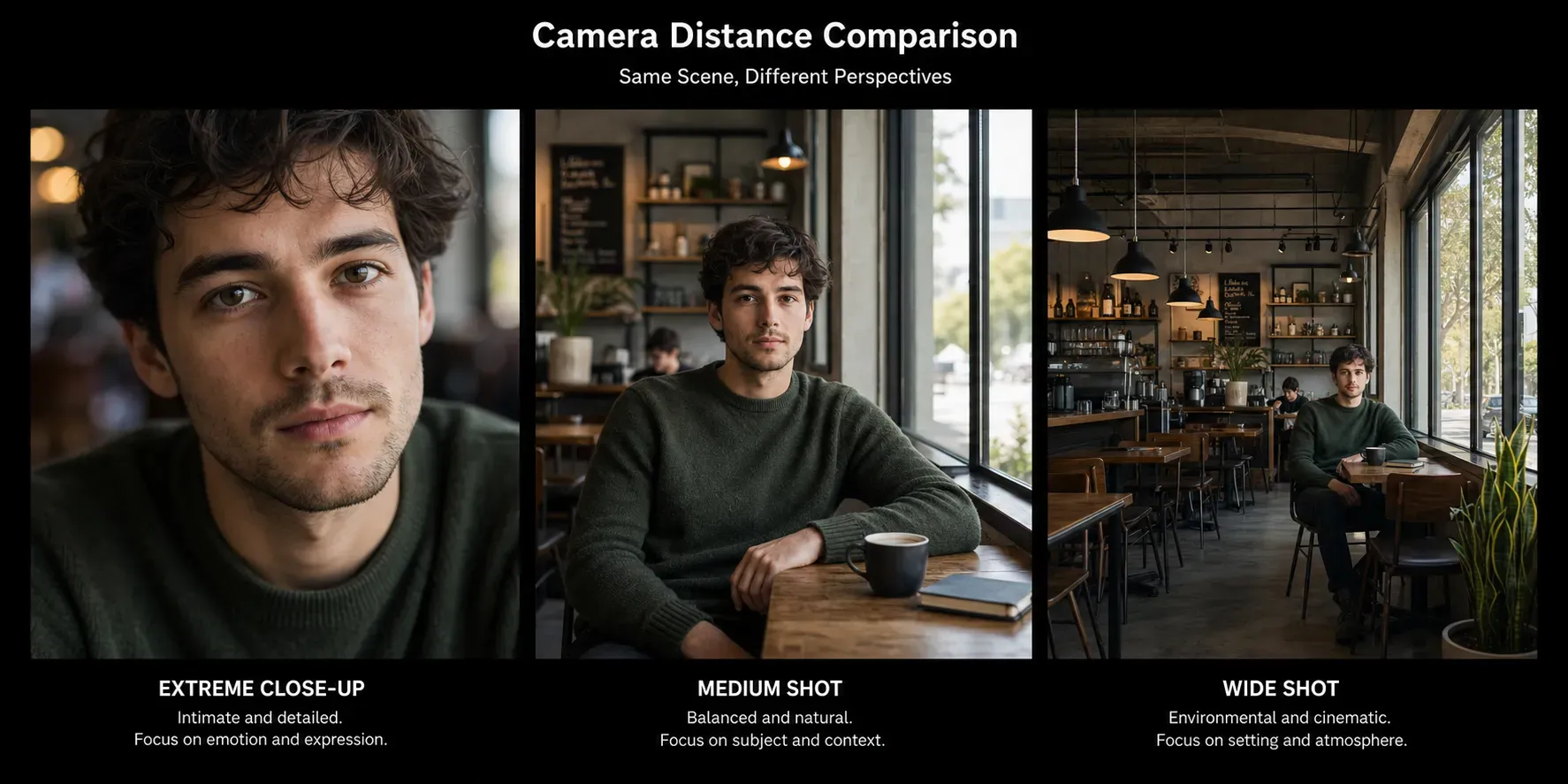
This guide explains how to adjust camera distance, how different shot types change the feeling of an image, and how to describe camera framing more clearly in natural language prompts. If you want better control over portraits, product shots, cinematic scenes, or social media visuals, learning camera distance vocabulary is a practical skill.
Why Camera Distance Matters
Camera distance controls how much of the subject and environment the viewer sees. A close-up creates intensity and attention. A medium shot feels balanced and natural. A wide shot shows context, scale, and atmosphere. Even when the subject stays the same, changing the distance can completely change the emotional impact of the image.
In prompt writing, this matters because many vague requests like make it cinematic or make it dramatic are not enough. If you do not define the framing, the model may choose a composition that does not match your intention.
The Main Camera Distance Types
Close-Up Shot
A close-up shot frames the subject tightly. In portraits, this often means the face fills most of the image. In product photography, it may focus on texture, labels, details, or materials. A close-up is useful when you want emotion, detail, intimacy, or emphasis.
close-up portrait of a woman, soft natural light, sharp eyes, blurred background
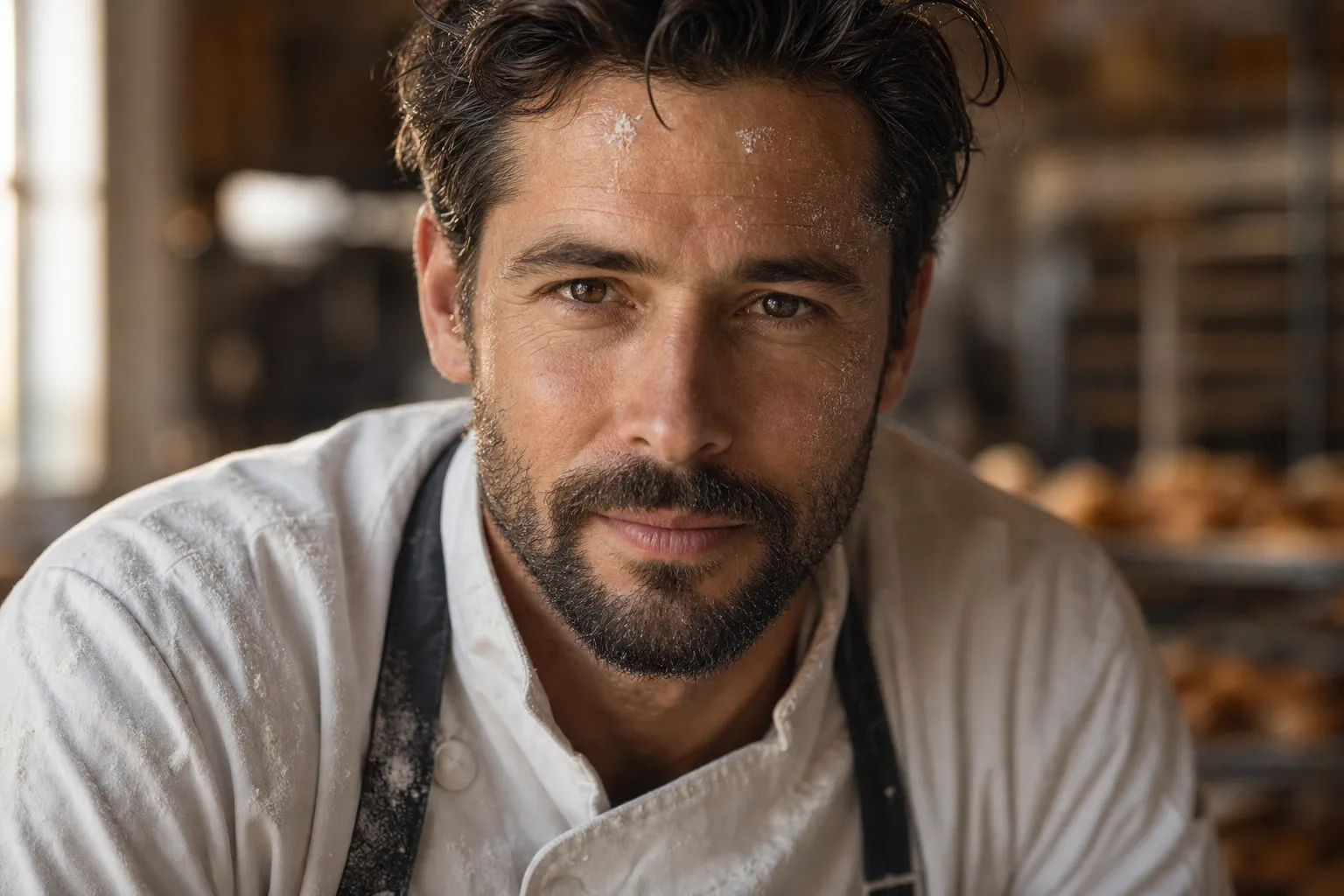
Close-up example: a bakery kitchen scene that uses tight facial framing to emphasize emotion, personality, and visual detail.
Medium Shot
A medium shot usually shows part of the body, such as from the waist up, or a product with enough surrounding space to feel balanced. This is one of the most flexible shot types because it shows both subject and context without feeling too tight or too distant.
medium shot of a businesswoman in a modern office, clean composition, natural daylight
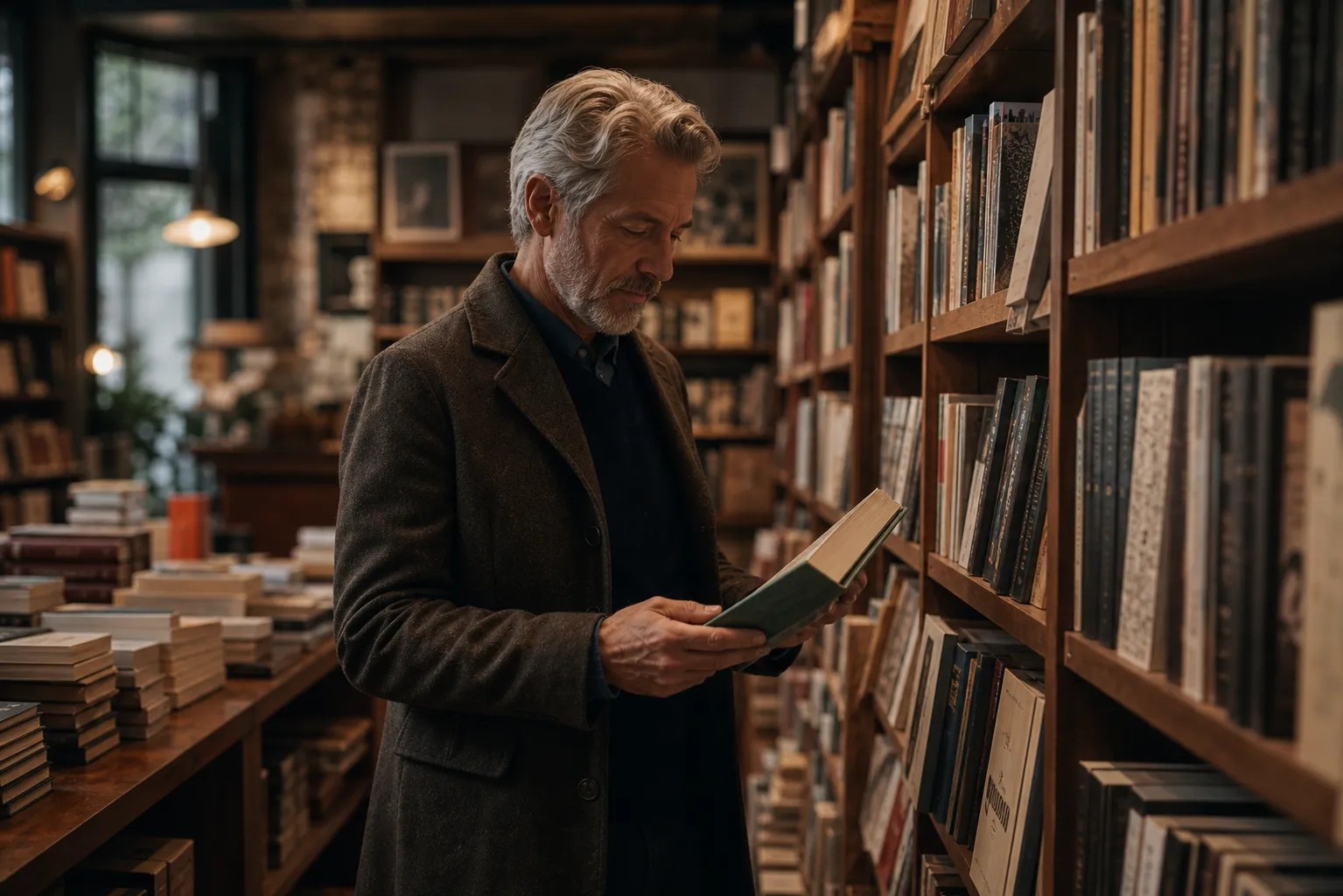
Medium shot example: a bookstore scene with enough subject detail and enough background context to feel balanced.
Wide Shot
A wide shot places the subject farther from the camera and includes more of the environment. This is useful when you want storytelling, architecture, travel scenes, cinematic scale, or room for text in a design layout.
wide shot of a person standing in a desert landscape at sunset, cinematic sky, dramatic scale
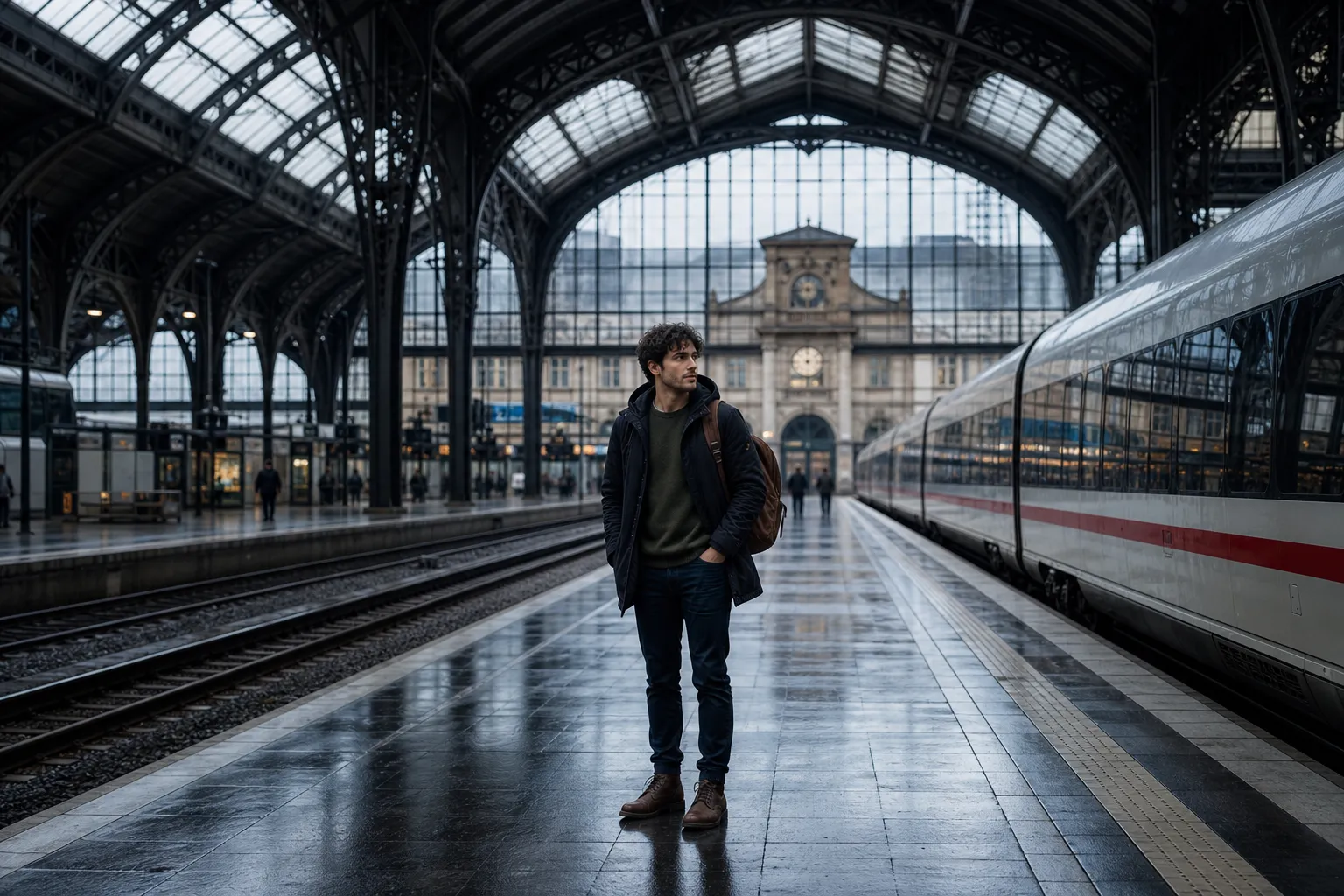
Wide shot example: the subject appears smaller in frame, while the station architecture and surrounding space become part of the story.
How Camera Distance Changes Visual Meaning
Close-up shots make the subject feel personal, emotional, and important.
Medium shots feel practical, balanced, and easy to use for branding or editorial content.
Wide shots create atmosphere, scale, and stronger environmental storytelling.
Tighter framing increases focus and reduces distractions.
Looser framing gives more context but can weaken the main subject if not controlled well.
How to Describe Camera Distance in Prompts
The easiest way is to state the framing directly. Do not assume the model will infer the right distance from the subject alone. If the shot distance matters, write it clearly near the start of the prompt.
Useful prompt phrases include:
extreme close-upclose-up shothead-and-shoulders portraitmedium shotwaist-up framingfull-body shotwide shotlong shotsubject small in frame
Best Practices for Adjusting Camera Distance
Match the Shot to the Goal
If you want facial expression and emotion, use a close-up. If you want a clean portrait or product ad, use a medium shot. If you want location, mood, and storytelling, use a wide shot. Do not choose camera distance randomly. Choose it based on what the viewer should notice first.
Combine Distance With Composition
Camera distance works better when paired with framing instructions such as center composition, symmetrical framing, or negative space on the left. This helps the model understand not only how far the camera is, but also how the subject should sit within the frame.
Do Not Mix Conflicting Distance Terms
A prompt like close-up full-body portrait with wide environmental framing sends mixed signals. If you need both detail and context, write separate prompts and test them one at a time.
Use Distance to Leave Space for Text
For thumbnails, banners, ads, and landing page visuals, a slightly wider shot often works better because it creates empty space for headlines, buttons, or logos. This is especially useful in commercial image generation.
Adjust One Variable at a Time
If your image is not working, do not rewrite the whole prompt at once. Keep the subject, style, and lighting stable, then only change the framing from close-up to medium shot or from medium shot to wide shot. This makes prompt testing more controlled and easier to evaluate.
Examples of Camera Distance Prompt Changes
The comparison image below uses the same cafe scene and the same subject, but changes the prompt from close-up to medium shot to wide shot. This makes it easier to see how camera distance changes emotional focus, subject size, and environmental context.
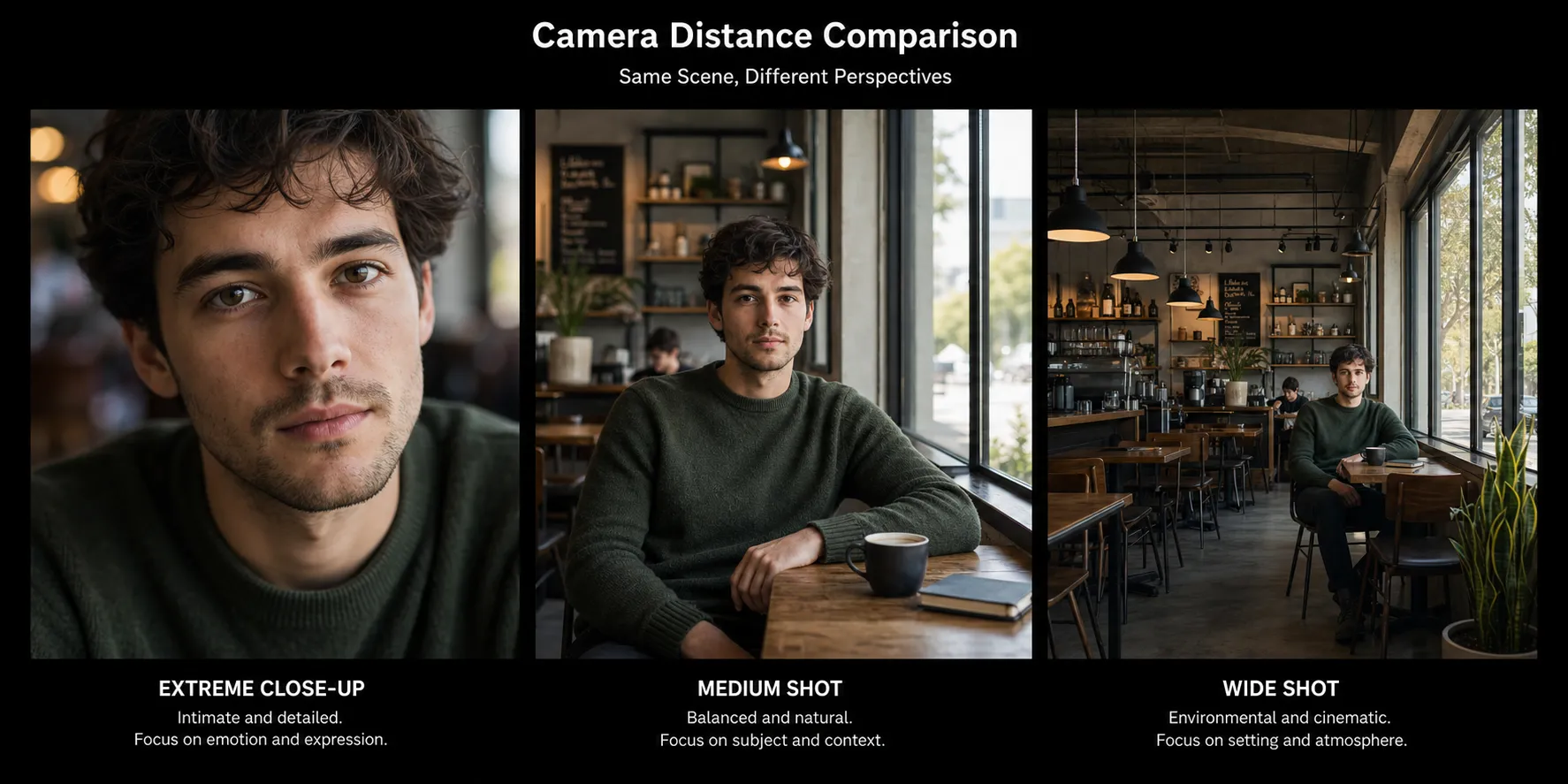
Left: close-up. Center: medium shot. Right: wide shot. The subject, lighting, and scene stay consistent so the framing difference is easier to evaluate.
Shot Type | Prompt Used | Best Use Case |
|---|---|---|
Close-Up | close-up portrait of a young man sitting alone in a quiet modern cafe by a window, soft natural daylight, realistic editorial photography, blurred cafe background, strong focus on the face and eyes | Portraits, facial emotion, beauty visuals, product detail shots |
Medium Shot | medium shot of a young man sitting alone in a quiet modern cafe by a window, soft natural daylight, realistic editorial photography, upper body visible, balanced framing, clear subject and background context | Editorial portraits, ads, branding content, balanced character framing |
Wide Shot | wide shot of a young man sitting alone in a quiet modern cafe by a window, soft natural daylight, realistic editorial photography, full cafe environment visible, cinematic atmosphere, subject smaller in frame | Storytelling scenes, travel visuals, cinematic layouts, environment-focused images |
Portrait Example
close-up portrait of a young man, soft window light, calm expression, blurred background
medium shot portrait of a young man sitting by a window, soft daylight, relaxed posture, editorial style
wide shot of a young man sitting alone in a quiet cafe, natural light, cinematic atmosphere
Product Example
close-up shot of a luxury watch face, metallic reflections, premium detail, dark background
medium shot of a luxury watch on a stone pedestal, studio lighting, elegant product ad
wide shot of a luxury watch product scene with architectural background, dramatic lighting, premium campaign look
Common Mistakes When Adjusting Camera Distance
Using vague terms like
nice framinginstead of specific shot types.Adding too many conflicting instructions in one prompt.
Ignoring background context when using a wide shot.
Choosing a close-up when the design needs room for text or branding elements.
Blaming style or quality when the real issue is framing distance.
Quick Checklist
Decide whether the image needs detail, balance, or environment.
Choose close-up, medium shot, or wide shot intentionally.
Add framing terms directly into the prompt.
Pair camera distance with composition guidance.
Test one distance change at a time.
More To Know
If you want stronger image results, camera distance is one of the easiest variables to control and one of the most overlooked. A small framing change can turn a generic image into a focused portrait, a polished product visual, or a cinematic scene with real atmosphere.
The key is simple: say the distance clearly, match it to your goal, and refine it through iteration. Once you get comfortable using close-up, medium shot, and wide shot language, your prompts will become much more precise and much more effective.
If you want to put these prompt ideas into practice, you can also try Vidoly AI tools built for visual creation. The AI Image Expander is useful for testing different camera distance for your image.