
AI Hair Color Changer: Preview Hair Color Before Dyeing (Free Online Tool)
 By Vivi/1 min read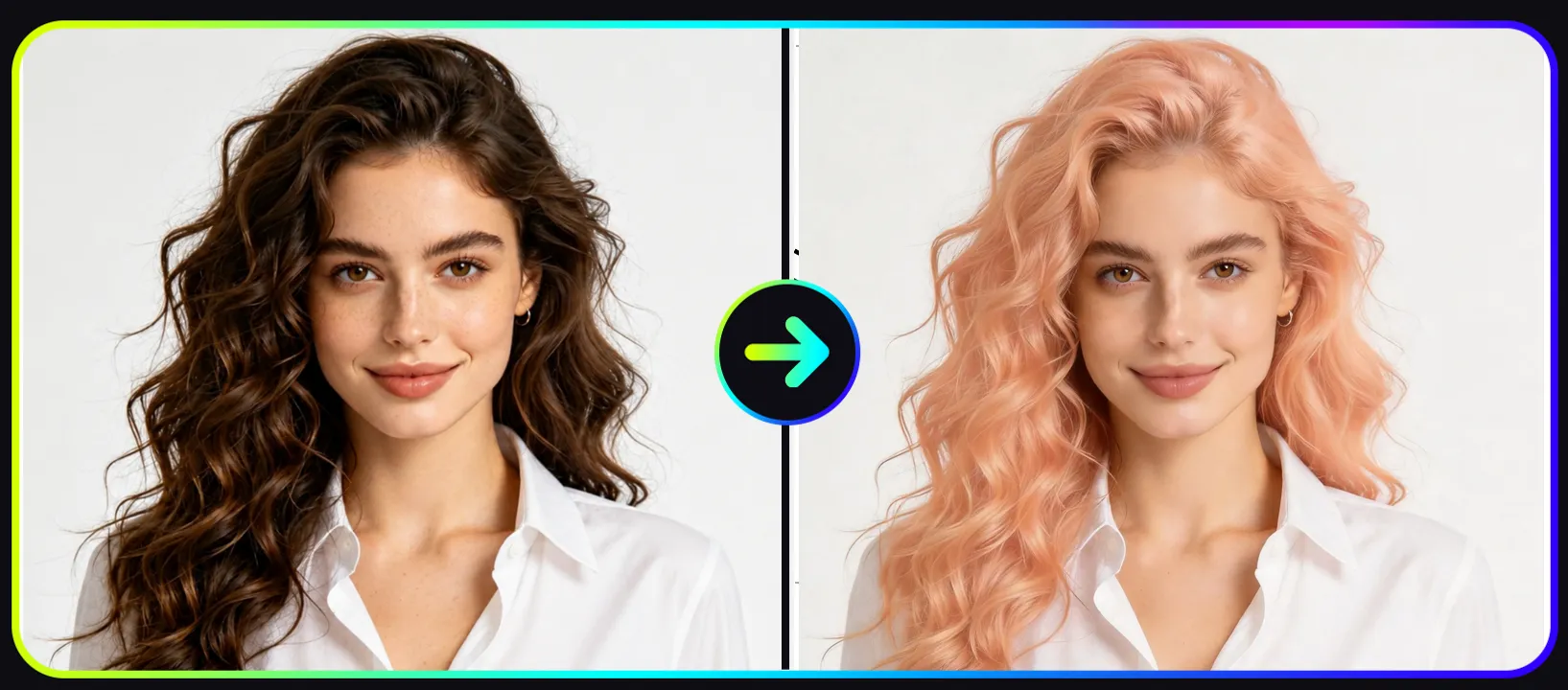
Changing your hair color can dramatically transform your appearance, but committing to a new shade can also feel risky. Many people hesitate to dye their hair because they are unsure whether the color will suit their skin tone, style, or personality.
AI Hair Color Changer: Preview Hair Color Before Dyeing (Free Online Tool)
Changing your hair color can dramatically transform your appearance, but committing to a new shade can also feel risky. Many people hesitate to dye their hair because they are unsure whether the color will suit their skin tone, style, or personality.
Thanks to modern AI technology, you can now preview new hair colors instantly without visiting a salon.
Using an AI hair color changer, you can upload a photo and test different shades in seconds. The system automatically detects your hair and applies realistic color transformations while preserving lighting and texture.
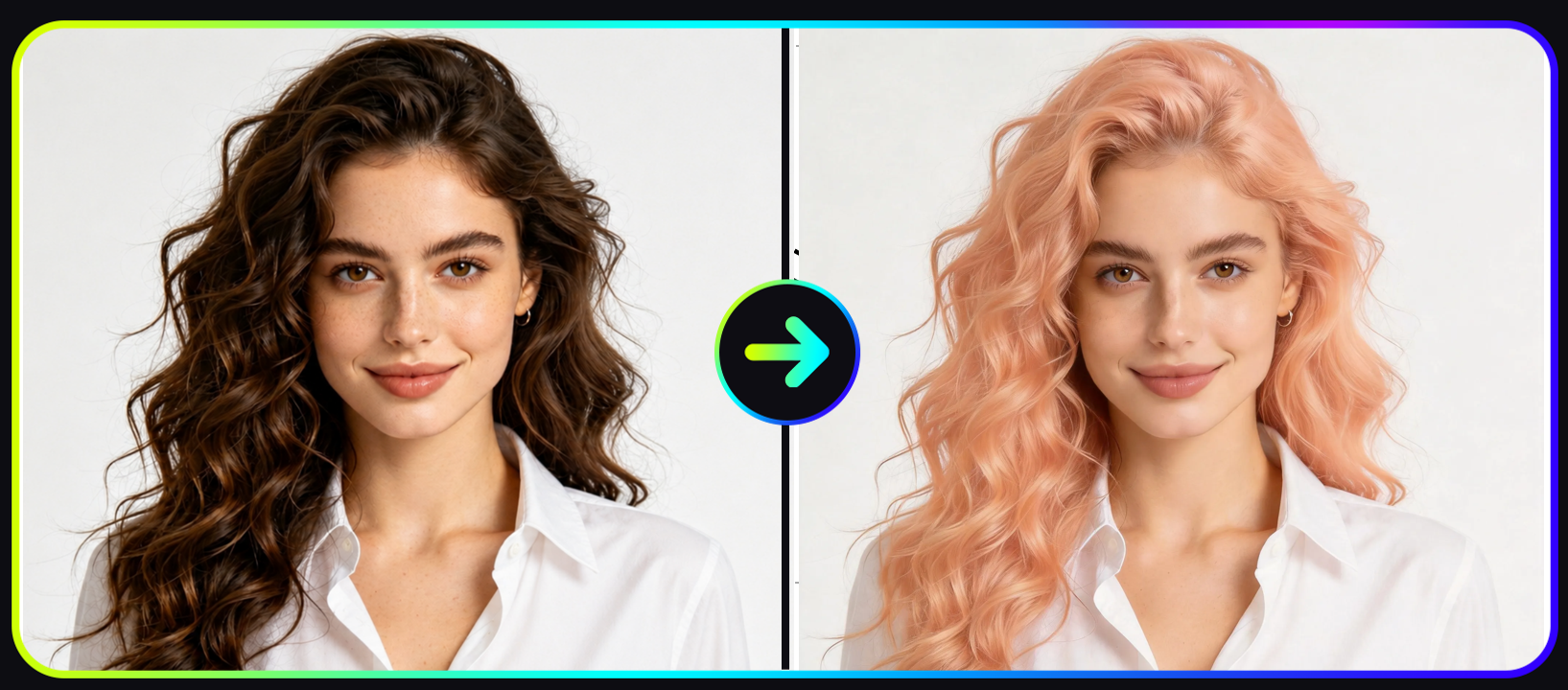
See how an AI hair color changer instantly transforms hair color in photos with realistic results.
If you want to experiment safely, you can try the free AI hair color changer here.
This AI-powered tool makes it easy to test new looks, explore creative styles, and make confident hair color decisions.
What Is an AI Hair Color Changer
AI hair color changer is an intelligent image editing tool that uses machine learning to modify hair color in photos automatically. AI hair color changers allow users to preview hair colors digitally before dyeing their hair in real life. By uploading a photo, the AI automatically detects hair regions and applies realistic color simulations. This helps users compare different shades such as blonde, brown, red, or fashion colors instantly and choose the most suitable style.
Instead of manually editing images with complex software, AI analyzes the photo and identifies the hair region before applying realistic color adjustments.
Key features typically include:
• automatic hair detection
• realistic color blending
• support for multiple shades
• fast processing in seconds
Compared with traditional photo editing tools, an AI hair color changer automatically detects hair regions and applies realistic color transformations, making the process much faster and easier.
Tools like an AI hair color simulator allow users to test many shades quickly before making a real-life change.
Why Use a Virtual Hair Color Try-On Tool
Many people want to change their hairstyle but hesitate because they cannot visualize the final result.
A virtual hair color try-on tool helps users preview hair colors digitally before dyeing their hair in real life.
Benefits include:
• preview hair color before dyeing
• compare different shades instantly
• find colors that match your skin tone
• avoid expensive salon mistakes
Instead of guessing which color might look best, you can preview hair color before dyeing and make styling decisions more confidently.
Best AI Hair Color Changer for Virtual Hair Try-On
Modern AI tools make it easier than ever to test hairstyles online.
With a powerful AI hair color simulator, users can quickly explore multiple color styles without any design skills.
Some popular hair color options include:
• blonde
• brown
• black
• red
• silver
• fashion colors such as pink or blue
These shades cover both natural hair colors and bold fashion styles, allowing users to explore subtle changes or dramatic transformations before making a real-life decision.
If you want to start experimenting right now, you can test styles using this AI hair color changer.
AI Hair Color Changer vs Traditional Hair Dye Testing
Before AI tools became widely available, previewing hair color in photos often required professional editing software such as advanced graphic design programs.
These traditional methods usually involved manual masking, layer adjustments, and color grading, which required significant time and editing experience.
AI hair color changers simplify this process dramatically by automatically detecting hair regions and applying realistic color transformations in seconds.
Trying hair colors digitally now offers several advantages compared to traditional hair dye testing.
| Feature | AI Hair Color Changer | Traditional Hair Testing |
|---|---|---|
| Cost | Usually free | Expensive salon visits |
| Speed | Instant results | Takes hours |
| Risk | No hair damage | Possible hair damage |
| Experimentation | Unlimited colors | Limited options |
Traditional editing methods require complex manual adjustments, while AI tools use computer vision to detect hair areas automatically and simulate realistic color changes.
Key advantages of AI hair color tools include:
• automatic hair detection
• instant hair color preview
• realistic lighting and shading preservation
• beginner-friendly workflow
Instead of learning complex editing software, users can simply upload a photo and preview new hairstyles using an AI hair color simulator.
While virtual previews may not perfectly match real-life dye results, they provide a reliable estimate that helps users choose a color more confidently.
This makes AI-powered hair color tools one of the most convenient ways to experiment with new hair styles before committing to a permanent change.
How to Change Hair Color Using AI
Trying a new hair color with AI takes only a few simple steps.
Step 1: Choose a Hair Color Style
First, select the hair color you want to try.
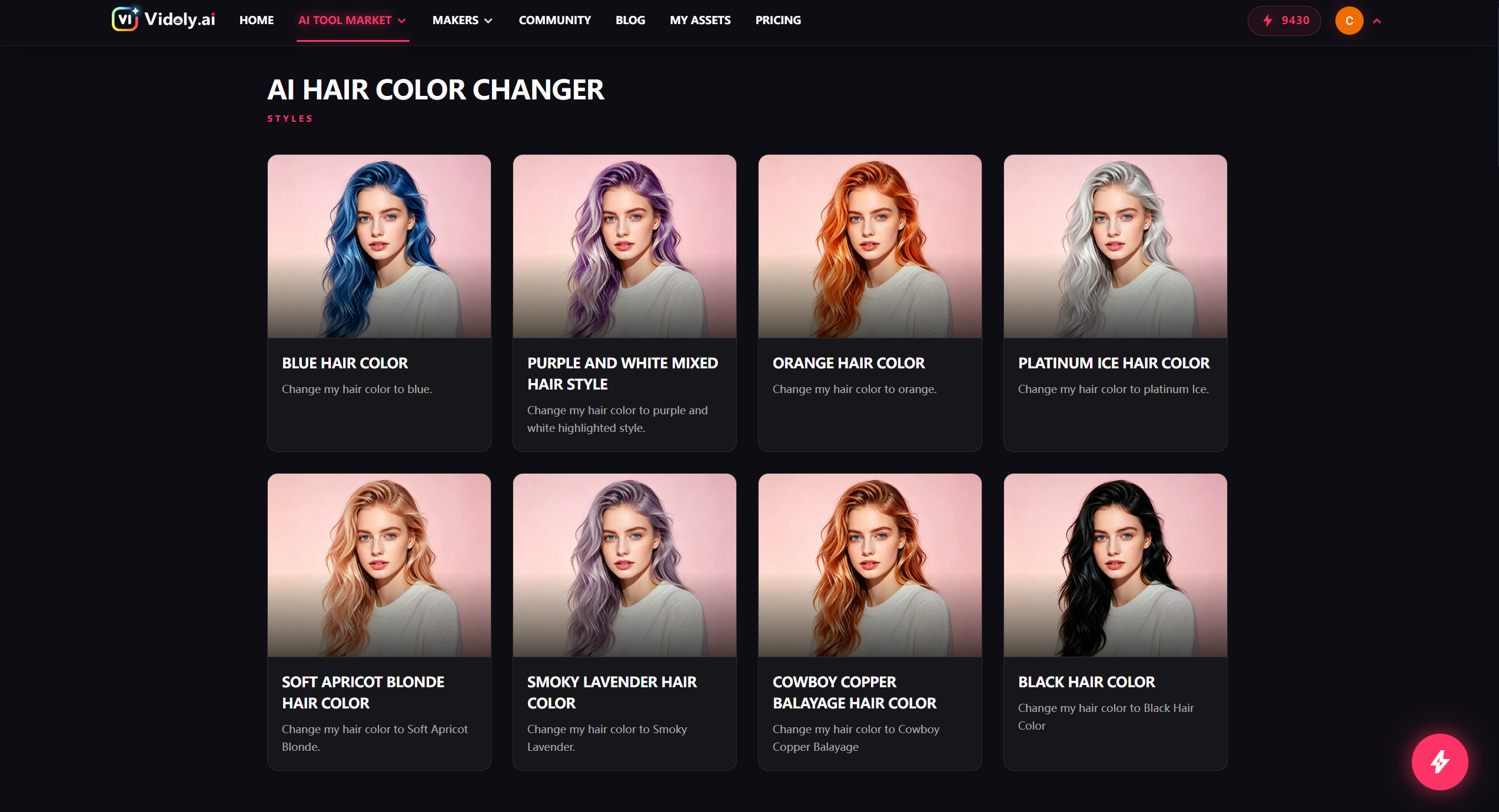
Step 1: Choose from natural shades or trendy colors to preview your new hairstyle.
Popular choices usually fall into two categories: natural shades and fashion colors.
Natural tones such as blonde, brown, black, and red are commonly used for realistic hair transformations, while fashion colors like silver, pink, or blue allow users to experiment with more creative styles.
The AI system automatically detects the hair region and applies the selected color while maintaining natural shading and texture.
Step 2: Upload Your Photo
Next, upload a clear portrait photo.
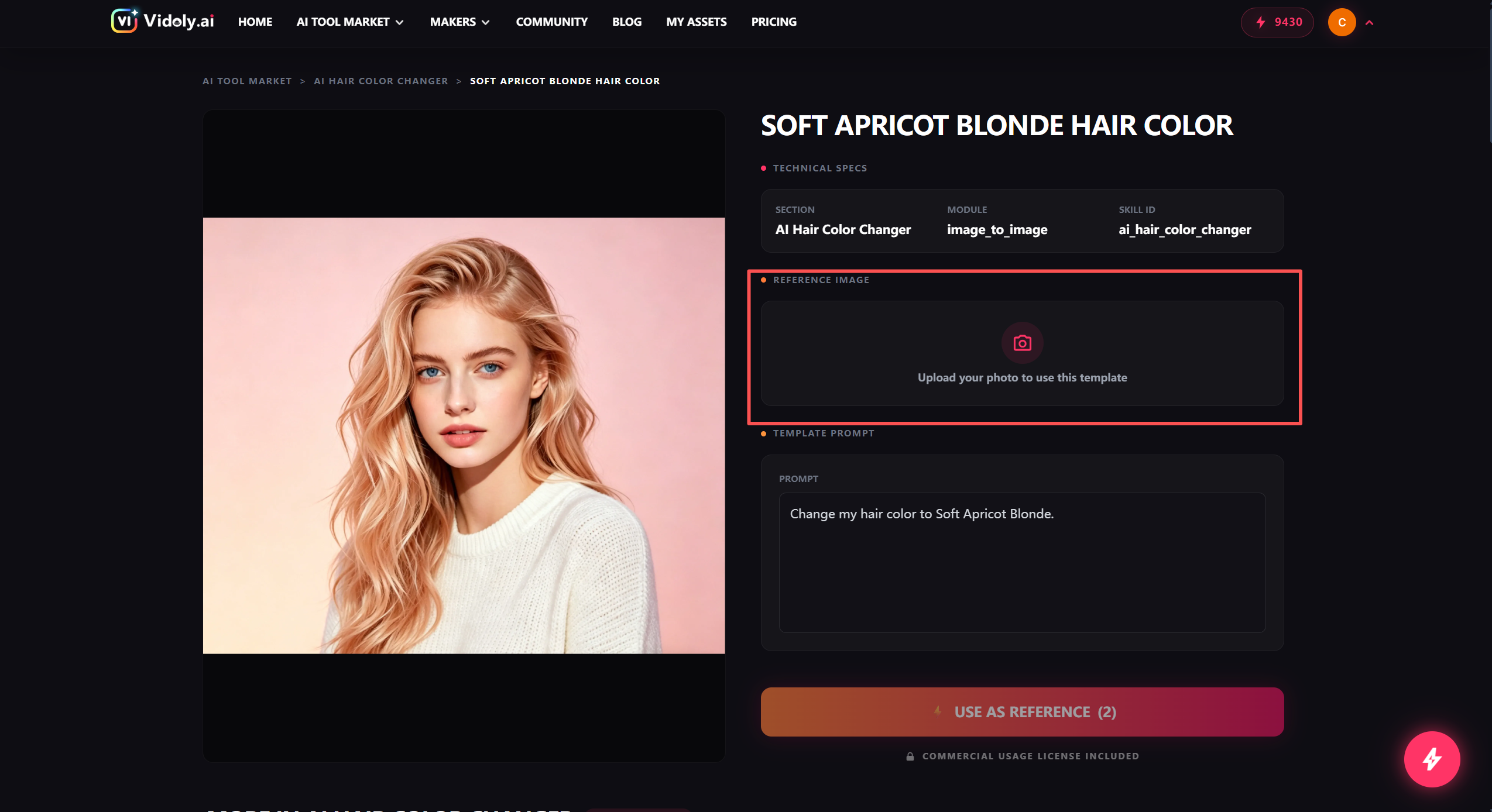
Step 2: Upload a clear portrait photo to begin testing new hair colors with AI.
For best results:
• choose a high-resolution image
• ensure the hair is clearly visible
• avoid photos where hair is blocked by objects
• use natural lighting when possible
Portrait photos usually produce the most realistic transformations.
Step 3: Generate Your New Look
Once the color is selected, the AI begins processing the image. You can click on "MY ASSETS", the most recent one is the photo you generated.
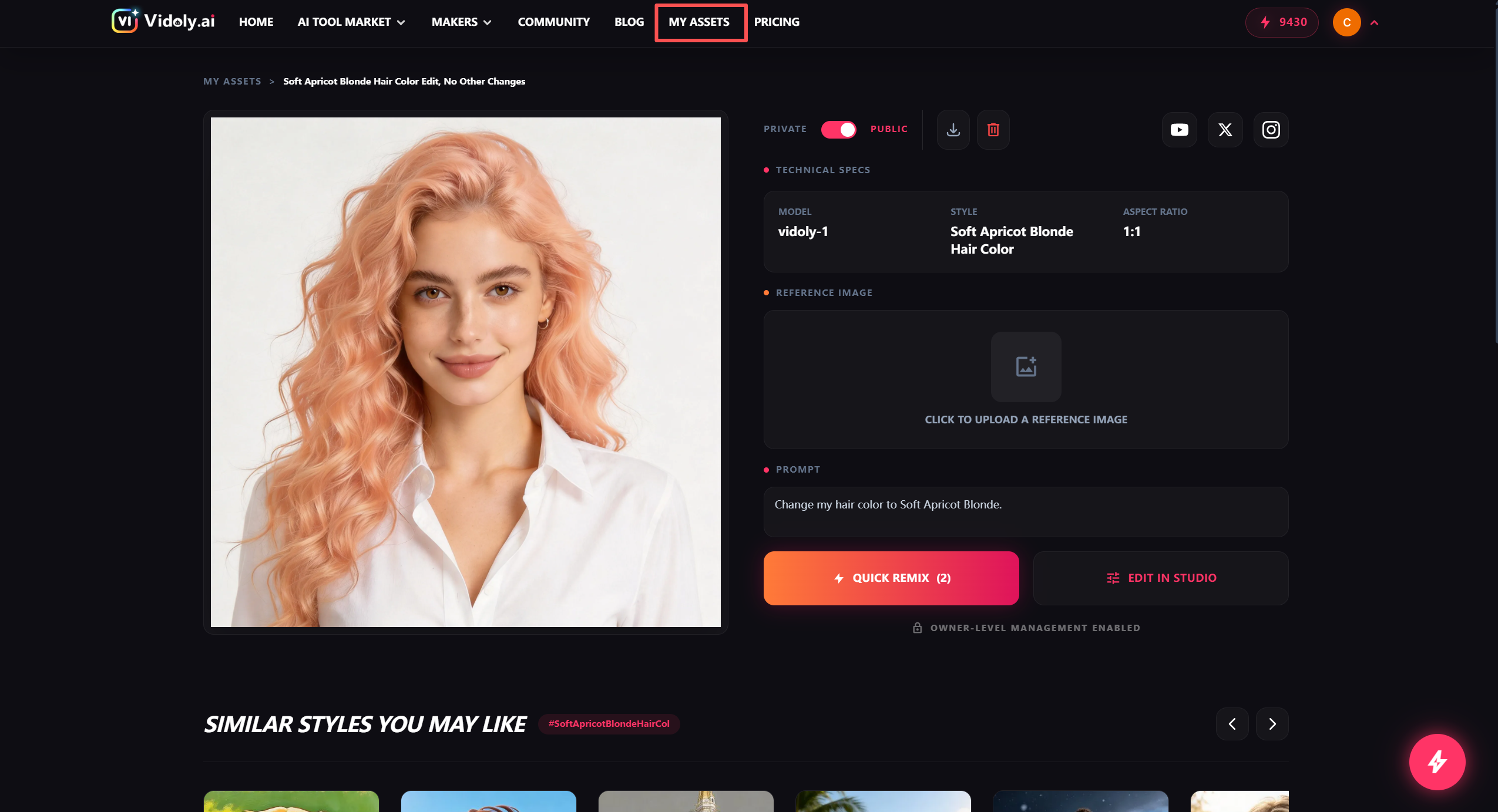
Step 3: AI automatically applies the new color while preserving natural lighting and texture.
Within seconds, you will see a new version of your photo with the updated hair color applied realistically.
You can repeat the process and test multiple colors to find the best look.
To begin experimenting, simply open the free AI hair color changer and upload your photo.
How to Choose the Best Hair Color for Your Skin Tone
Skin tone plays a major role in determining which hair colors look most flattering.
The table below shows common recommendations:
| Skin Tone | Recommended Hair Colors |
|---|---|
| Cool undertones | ash blonde, platinum, silver, cool brown |
| Warm undertones | golden blonde, caramel, copper, warm brown |
| Neutral undertones | most hair colors work well |
Choosing a color that complements your skin tone usually results in a more natural and balanced appearance.
AI hair color tools allow users to experiment with different shades instantly to find the best match.
Tips for Getting the Most Realistic Hair Color Results
While AI tools are powerful, following a few best practices can improve the final results.
Use High-Quality Images
Clear photos allow the AI to detect hair boundaries more accurately.
Avoid Complex Backgrounds
Simple backgrounds make hair segmentation easier.
Ensure Hair Is Visible
Hair that is hidden behind objects or heavy shadows may reduce accuracy.
Test Multiple Colors
Trying several shades helps you discover the most flattering style.
With an advanced AI hair color simulator, even subtle shade differences can be previewed easily.
Who Can Benefit From an AI Hair Color Changer
AI hair color tools are useful for many different users.
People Considering Hair Dye
Preview colors before committing to a permanent change.
Hairstylists
Show clients possible results during consultations.
Content Creators
Experiment with different visual styles for photos or videos.
Fashion Enthusiasts
Test bold or creative hair colors without real-world risk.
Many users prefer using an AI hair color simulator to experiment with new looks safely.
Frequently Asked Questions
Is the AI hair color changer free to use
Yes. The tool allows users to test hair colors online without needing advanced editing skills.
You can try the free AI hair color changer here.
Can AI realistically change hair color in photos
Yes. Modern AI models analyze lighting, texture, and hair structure to create natural-looking color transformations.
What is the best AI tool to try hair color online
The best tools use AI-based hair detection and realistic shading technology.
Platforms like the AI hair color changer allow users to upload a photo and test different colors instantly.
Can I try multiple hair colors with the same photo
Yes. You can test many different shades using a single uploaded image.
This makes it easy to compare styles before making a final decision.
Does the AI work on all hair types
Most AI hair color tools work on straight, curly, or wavy hair, as long as the hair is clearly visible in the photo.
Do I need editing skills to use the tool
No. AI tools are designed for beginners and require no design experience.
Simply upload a photo and select the desired hair color.
Can I use the AI hair color simulator on mobile
Yes. Most modern AI tools work directly in your browser, making them accessible on both desktop and mobile devices.
How can I see what hair color suits me
The easiest way to determine which hair color suits you is to test multiple shades using an AI hair color preview tool.
By uploading your photo to an AI hair color simulator, you can instantly compare different styles and see which colors match your skin tone and facial features.
This helps users make confident hair styling decisions before visiting a salon.
Is it safe to use AI hair color tools?
Yes. Most online hair color simulators simply process uploaded images and do not require downloading software.
Can AI change hair color realistically?
Advanced AI systems preserve lighting, texture, and shadows when applying color changes, which helps produce realistic previews.
Conclusion
Changing your hair color no longer requires guesswork.
With the help of AI technology, anyone can preview different styles instantly and make confident decisions before visiting a salon.
A powerful AI hair color simulator allows you to test multiple shades, compare looks, and find the perfect color for your style.
If you want to experiment with new looks safely, try the free AI hair color changer today.
Discover how easy it is to test hair colors and transform your appearance using AI.
Related Articles
Free Photo to Sketch AI Generator: Convert Any Photo to a Pencil Sketch Online
AI Art Generator: Turn Photos into Oil Paintings with AI (Free Online Tool)