
Free Photo to Sketch AI Generator: Convert Any Photo to a Pencil Sketch Online
 By Vivi/1 min read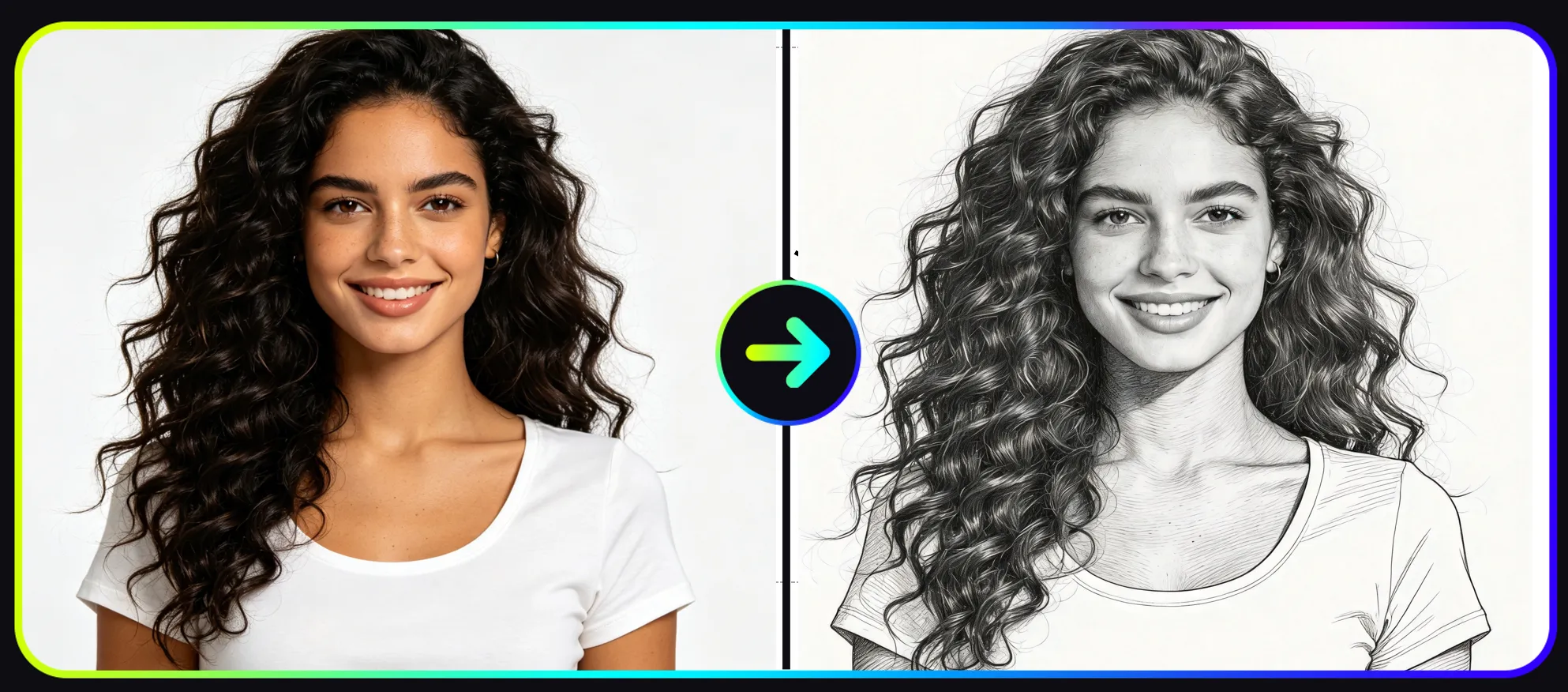
Convert photos into realistic pencil drawings instantly using a free Photo to Sketch AI Generator. Learn how to turn images into sketch artwork online with AI Art Generator.
Free Photo to Sketch AI Generator: Convert Any Photo to a Pencil Sketch Online
Artificial intelligence has made digital creativity dramatically easier. Today, anyone can transform ordinary photos into artistic images using an AI-powered art generator.
One of the most popular visual transformations is photo to sketch, where a photograph is converted into a realistic pencil drawing that looks like it was created by hand.
With a free photo to sketch AI generator, you can instantly convert portraits, landscapes, pets, or product images into elegant pencil-style artwork.
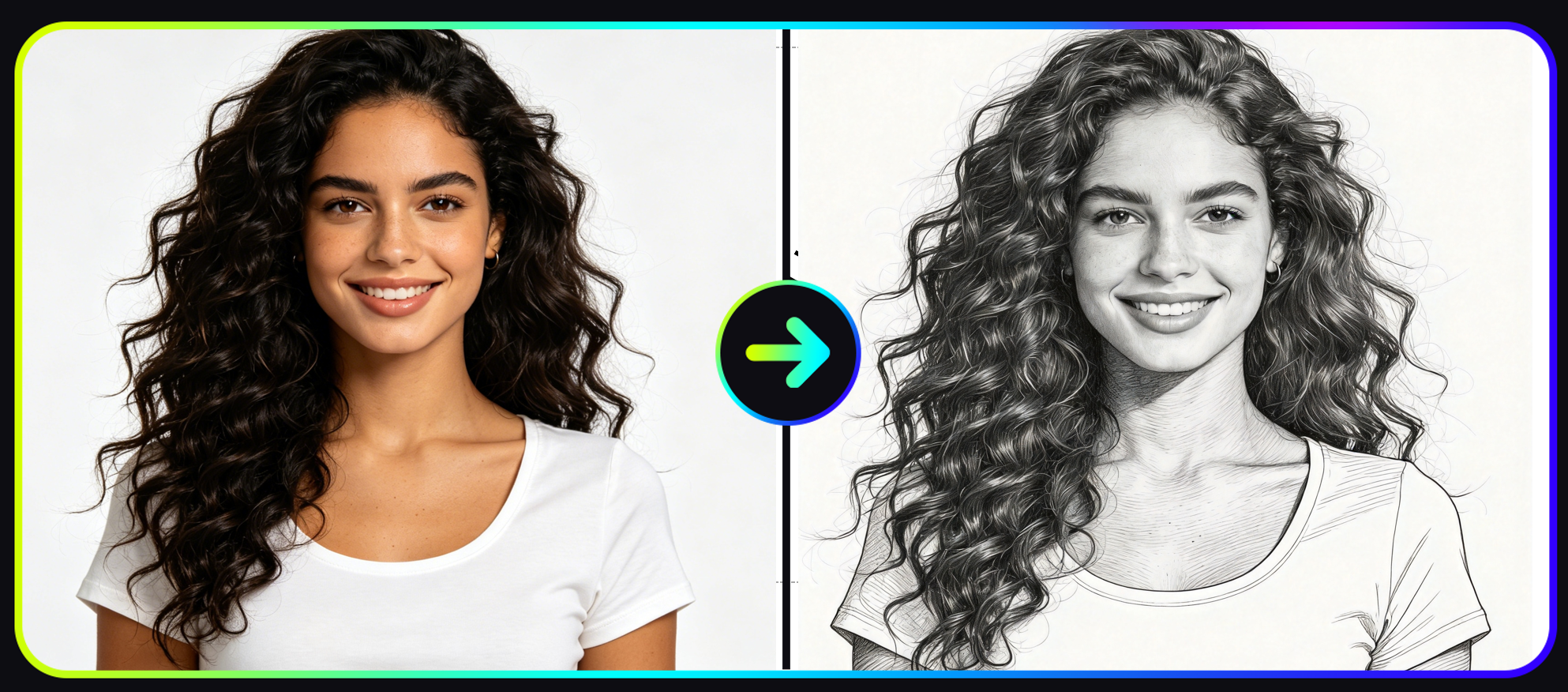
AI automatically converts a photo into a hand drawn pencil sketch.
If you want to try it yourself, you can start here: try the Photo to Sketch AI Generator
In this guide you will learn:
• What a photo to sketch AI generator is
• Why AI sketch tools are becoming popular
• How to turn a photo into a sketch step by step
• AI art generator skills that improve your results
• Tips to generate better sketch images
• Creative ways to use AI sketch artwork
What Is a Photo to Sketch AI Generator
A photo to sketch AI generator is an artificial intelligence tool that converts a photo into a hand-drawn style sketch automatically.
Instead of drawing outlines manually, AI models analyze image structure and recreate it with sketch elements such as:
• pencil lines
• contour outlines
• shading strokes
• cross-hatching textures
These models are trained on millions of images including photographs, drawings, and paintings.
Because of this training, the AI can generate artwork that resembles a real hand-drawn illustration.
Many modern tools are part of a broader AI art ecosystem where users can generate artwork through different workflows such as text prompts, style transfer, or reference images.
You can explore these creative workflows inside the AI Art Generator
Why Free AI Sketch Generators Are Becoming Popular
The rapid rise of AI image tools has changed how creators produce visual content.
A free AI sketch generator online allows users to generate artwork in seconds without professional design skills.
Here are the main reasons these tools are widely used.
Instant Sketch Creation
Traditional sketch drawing requires time and artistic experience.
With a photo to sketch AI generator, the entire process takes only seconds.
Users simply upload a photo and the AI converts it into sketch style automatically.
No Drawing Skills Required
One of the biggest advantages of an AI sketch generator is accessibility.
You do not need to understand:
• perspective drawing
• shading techniques
• line art composition
The AI handles these artistic processes automatically.
Free Creative Experimentation
Many platforms offer a free photo to sketch AI generator, allowing users to experiment with different artistic styles without paying for design software.
This makes AI sketch tools popular among:
• bloggers
• marketers
• YouTube creators
• social media designers
Photo to Sketch: A Sketch Style Inside the AI Art Generator
The AI Art Generator tool includes multiple artistic styles designed to transform images automatically.
One of the most visually appealing styles is Photo to Sketch, which converts photos into elegant pencil drawings.
You can explore this style directly using the free photo to sketch AI generator
This feature converts photos into sketch drawings by simulating:
• pencil strokes
• sketch outlines
• realistic shading
• hand-drawn texture
The result looks similar to a graphite drawing created by an illustrator.
How to Turn a Photo into a Sketch with AI (Step-by-Step Guide)
Generating a sketch from a photo using AI only takes a few minutes.
Follow the workflow below.
Step 1: Visit the Vidoly AI Platform
First open the Vidoly AI platform
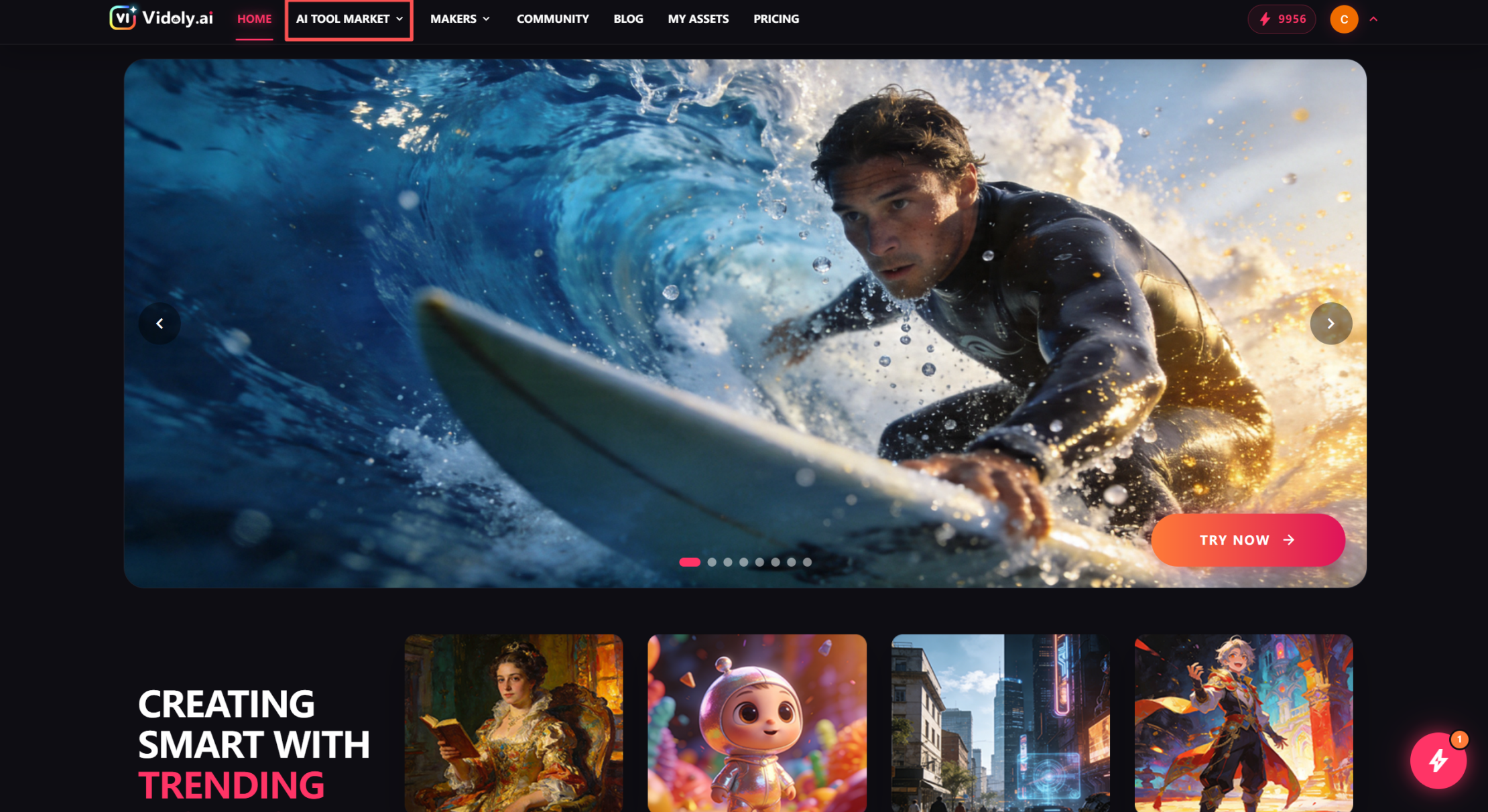
How to find the Photo to Sketch feature in the AI Art Generator.
Once you enter the website, navigate to: AI TOOL MARKET → AI Art Generator
This section contains multiple AI-powered artistic styles.
Step 2: Choose the Photo to Sketch Style
Inside the AI Art Generator, locate the style called Photo To Sketch.
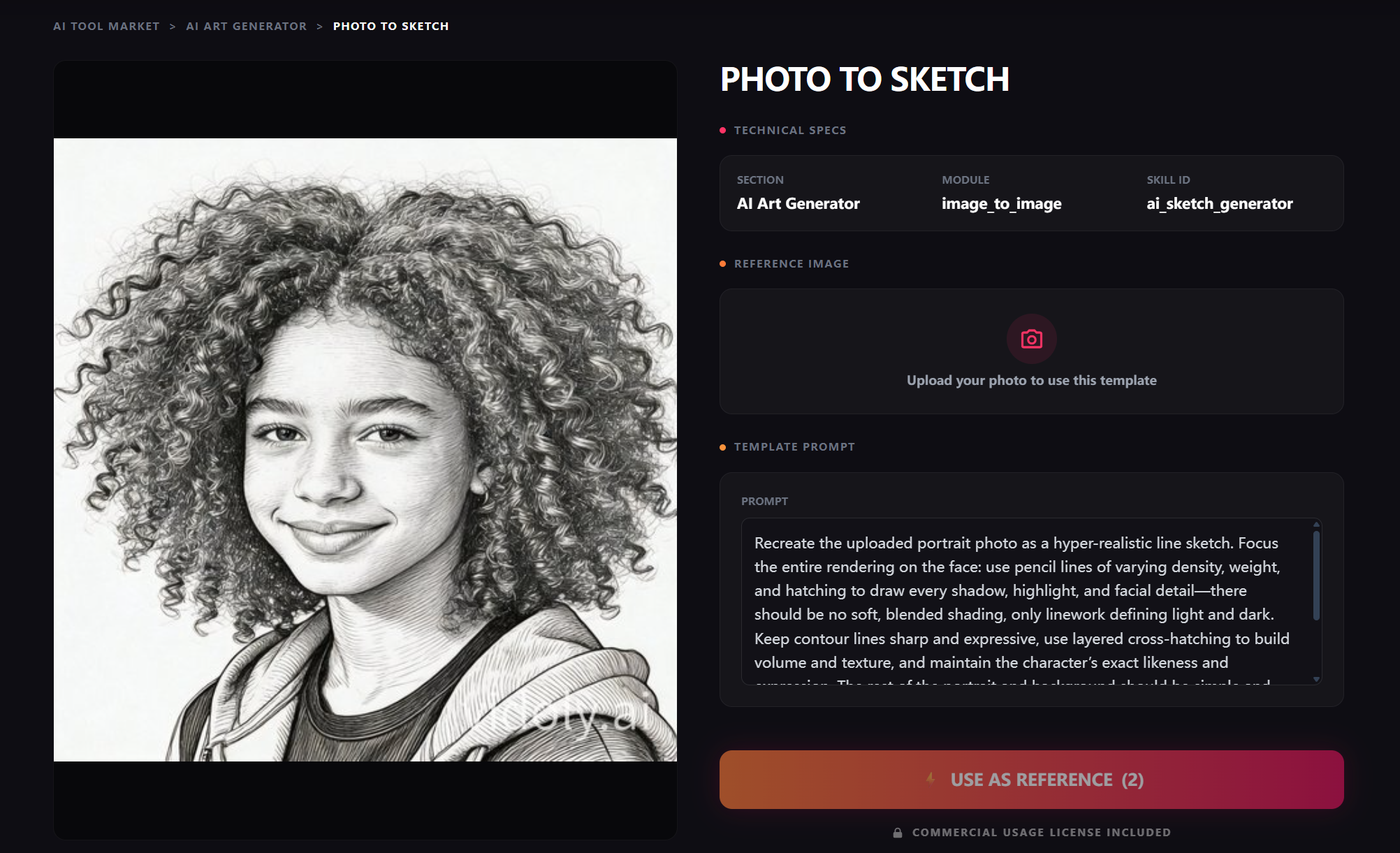
Choose the Photo to Sketch style inside the AI Art Generator tool.
You can also access it directly here: photo to sketch AI generator
This page contains the AI sketch transformation interface.
Step 3: Upload Your Reference Image
Upload the photo you want to convert into a sketch.
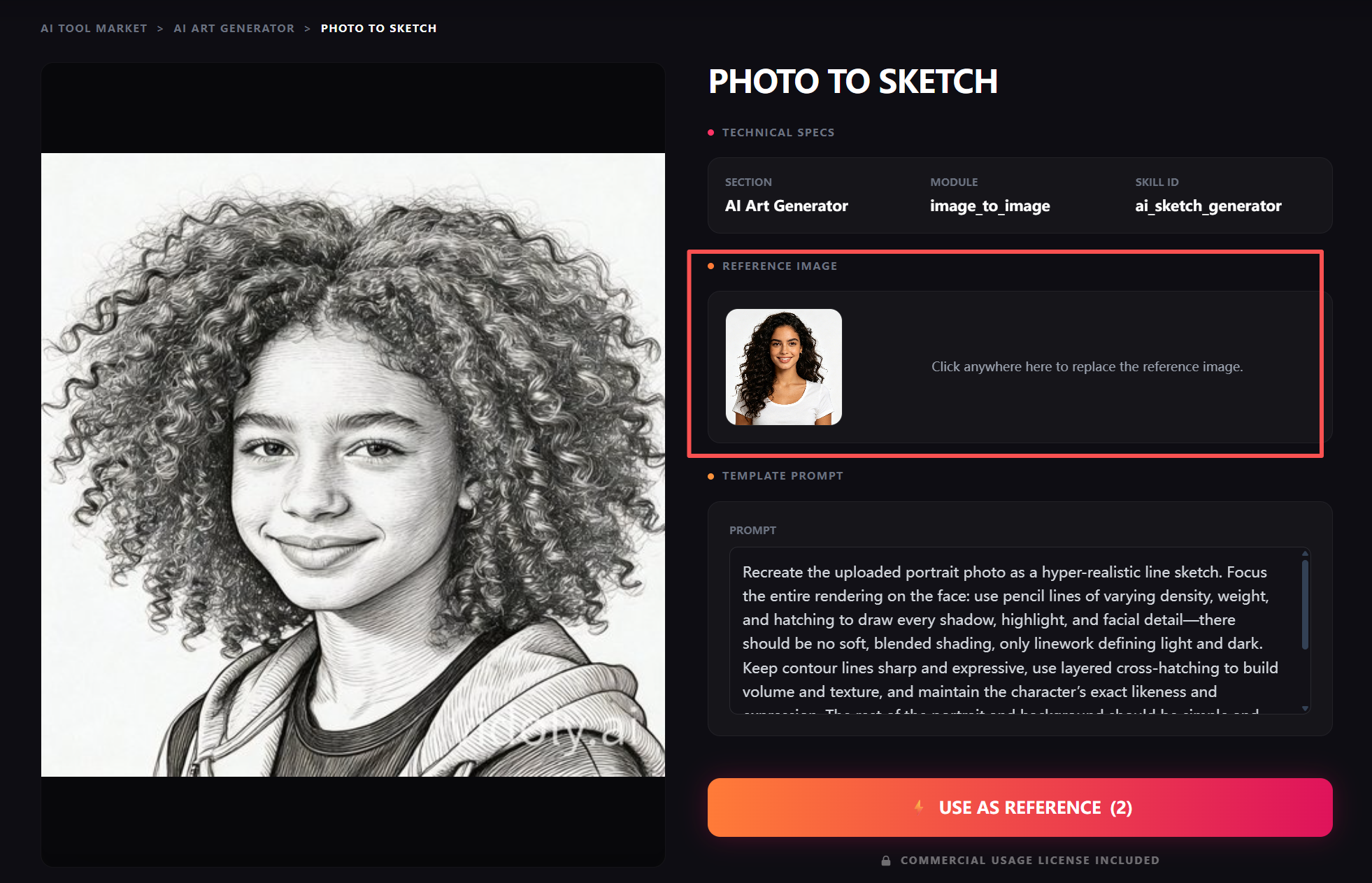
Upload a photo and use it as a reference to generate a sketch.
Common image choices include:
• portrait photos
• selfies
• pet images
• landscapes
• product photos
For best results:
• use high resolution images
• choose photos with good lighting
• avoid complex backgrounds
After uploading, click USE AS REFERENCE.
Step 4: Generate the AI Sketch
After selecting the reference image, start the generation process.
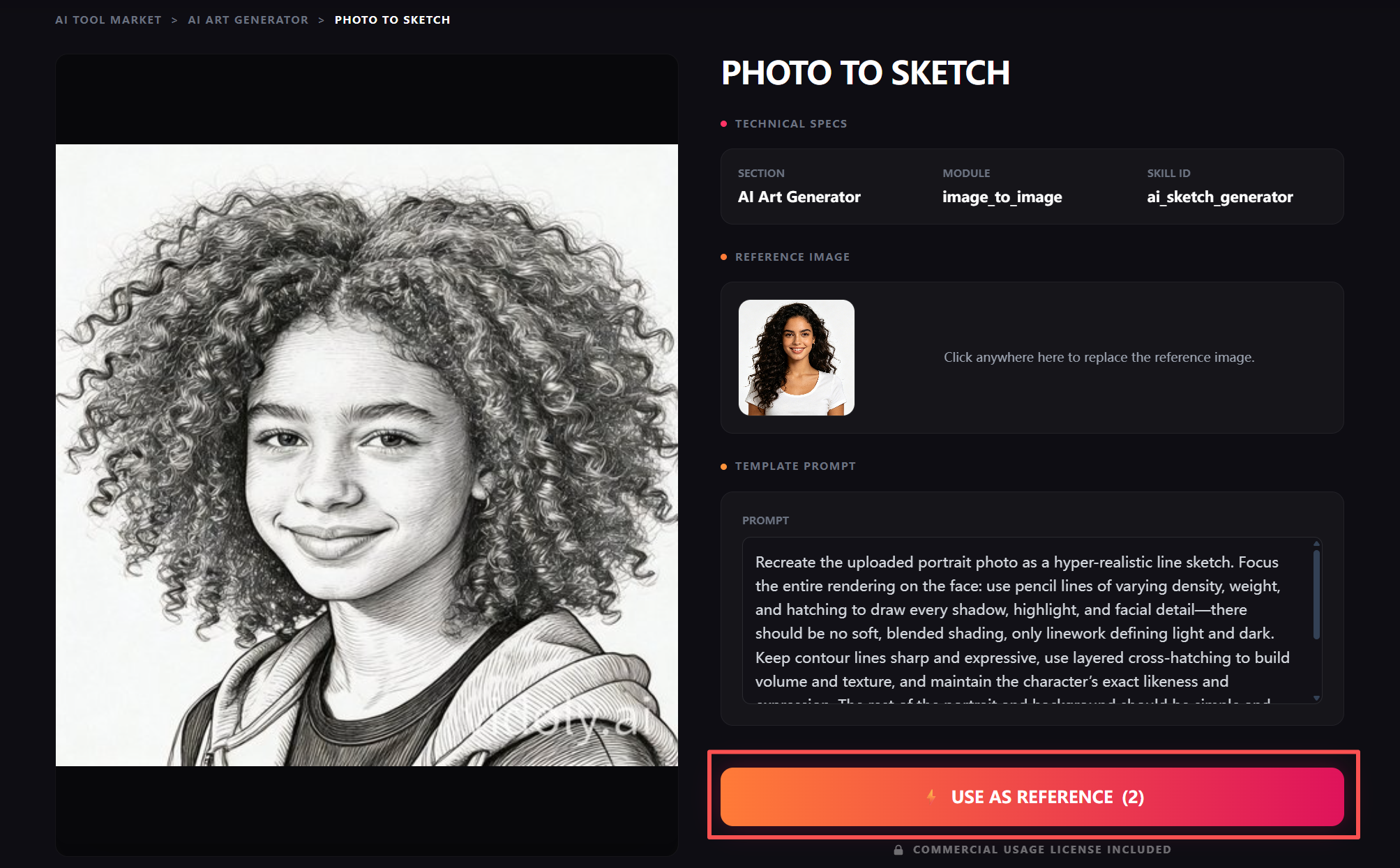
Wait until the AI sketch generation reaches 100 percent.
The AI will analyze the image and recreate it using sketch-style outlines and shading.
During generation you will see a floating progress indicator in the lower right corner.
Wait until the progress reaches 100 percent.
Step 5: View the Generated Artwork
Once the generation is complete, click VIEW FULL TASK CENTER.
This will open the MY ASSETS page where your generated sketch image will appear.
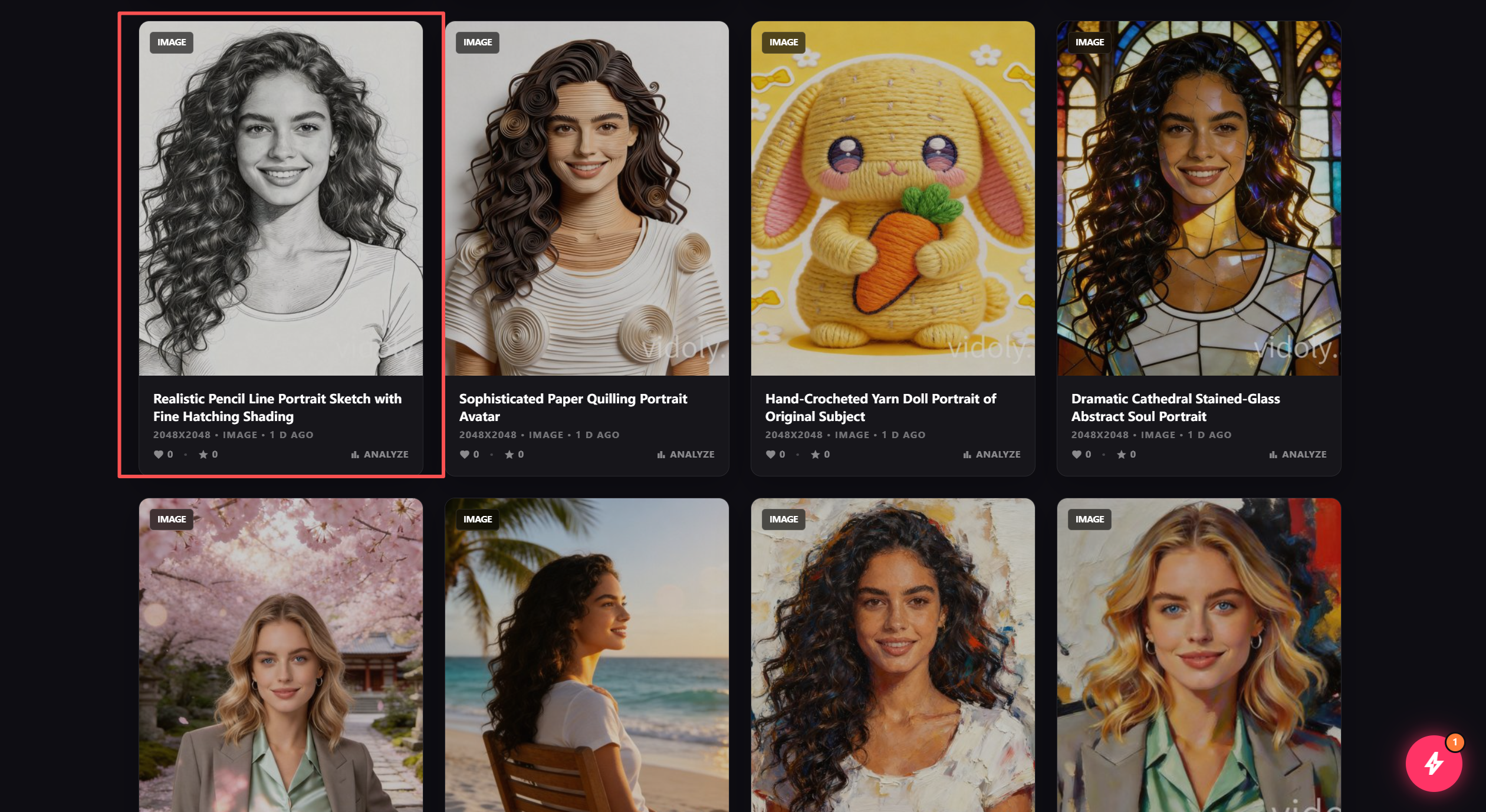
View your generated sketch artwork in the My Assets page.
You can preview, download, or generate additional variations.
AI Art Generator Skills: How to Get Better Sketch Results
Although AI tools automate most of the artistic process, users can still develop AI art generator skills to improve the final result.
Choose Images with Clear Structure
Photos with clear shapes and strong subjects usually produce better sketch results.
Portrait photos work especially well.
Use Good Lighting
Lighting helps the AI detect edges and shading areas.
Photos with strong contrast often generate more dramatic sketches.
Experiment with Multiple Generations
Running the generation several times can produce different sketch styles.
Trying multiple variations increases the chance of getting the best artwork.
Use High Resolution Photos
Higher resolution photos provide more visual data for the AI model.
This improves line accuracy and shading quality.
Creative Use Cases for AI Sketch Images
AI sketch artwork can be used in many creative and marketing scenarios.
Social Media Content
Sketch-style portraits are widely used for social media visuals such as:
• Instagram posts
• TikTok thumbnails
• Facebook profile images
Many creators create sketch images with AI to produce unique profile artwork
Blog Visuals
Bloggers often use sketch style artwork to create unique article illustrations.
Sketch images are particularly effective for storytelling and editorial content.
YouTube Thumbnails
Sketch portraits combined with bold typography can create visually striking thumbnails.
This often improves click-through rates.
Digital Art Experiments
Artists sometimes use photo to sketch AI generators to quickly test visual concepts before producing final artwork.
Tips for Generating Better AI Sketch Images
If you want higher quality results, consider the following tips.
Keep Backgrounds Simple
Clean backgrounds help the AI focus on the subject and produce clearer outlines.
Use Portrait Photos
Portrait images usually produce the most visually appealing sketches.
Generate Multiple Versions
Creating several variations helps you choose the most impressive sketch result.
Frequently Asked Questions
What is a photo to sketch AI generator
A photo to sketch AI generator is an artificial intelligence tool that converts photos into sketch drawings automatically.
Is there a free AI sketch generator online
Yes. Some platforms provide a free AI sketch generator online that allows users to upload photos and convert them into sketch artwork.
You can try the tool here: photo to sketch AI generator
Can AI turn a photo into a pencil sketch
Yes. AI models analyze image edges, lighting, and textures to recreate a photo using sketch-style lines and shading.
What photos work best for AI sketch generators
Photos with good lighting, clear subjects, and simple backgrounds usually generate the best results.
Portrait photos often produce the most realistic sketches.
Can AI sketch images be used commercially
Usage rights depend on the platform's licensing policy. Some AI tools allow commercial use, but users should review the platform terms before using images for business projects.
Conclusion
Artificial intelligence has made artistic image creation more accessible than ever.
With tools like the AI Art Generator, anyone can transform photos into creative artwork without drawing skills.
The Photo to Sketch style is particularly popular because it recreates the timeless aesthetic of pencil drawings.
If you want to experience this transformation, you can try the free AI sketch generator
With the right photo and a bit of experimentation, AI can help you generate stunning sketch artwork within seconds.
Related Articles
AI Art Generator: Turn Photos into Oil Paintings with AI (Free Online Tool)