
AI Remover: Remove Watermarks, Text, and Unwanted Objects from Images Online (2026 Guide)
 By Vivi/1 min read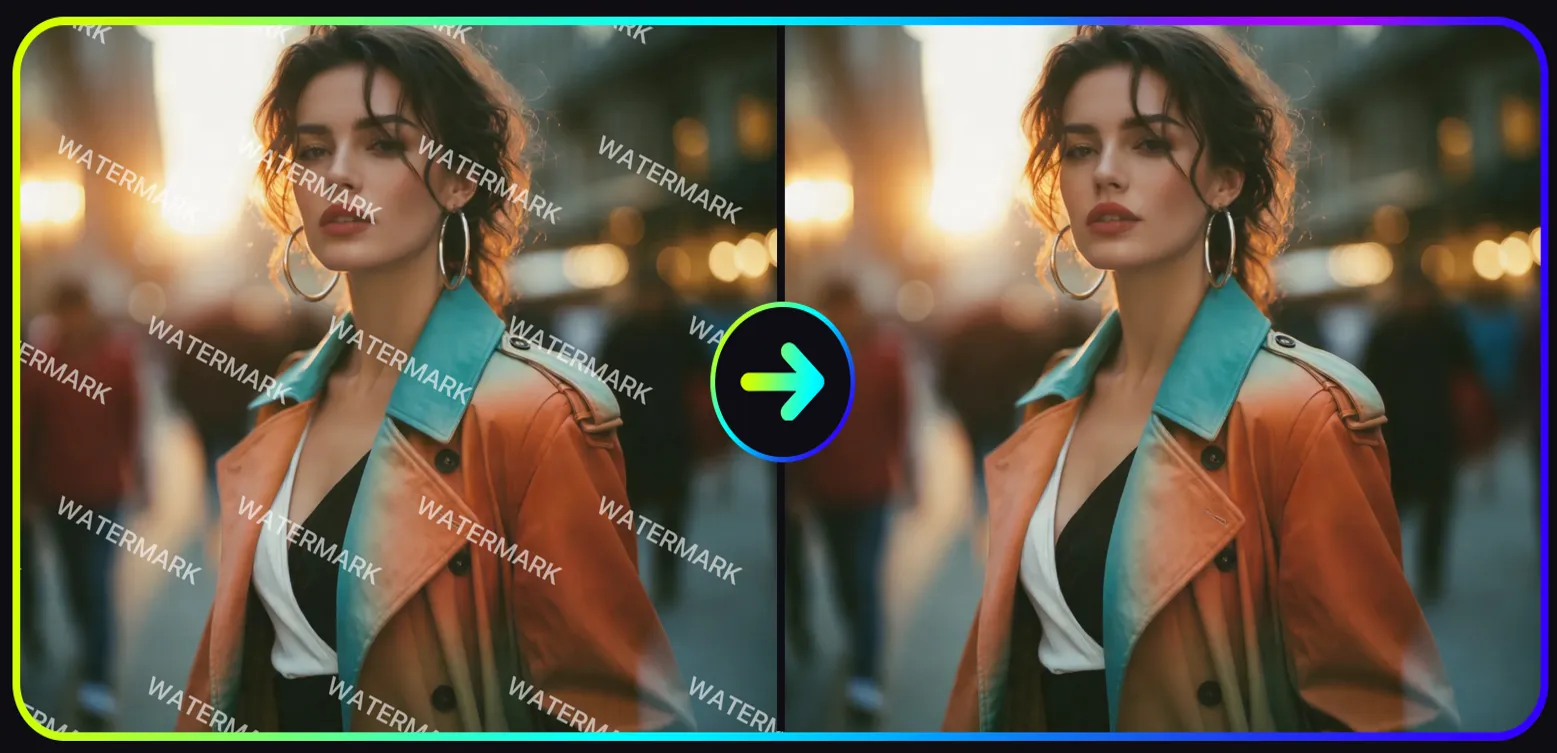
Remove watermark from image online with AI Remover. Instantly remove watermarks, text, and unwanted people from photos using powerful AI editing tools without Photoshop.
AI Remover: Remove Watermarks, Text, and Unwanted Objects from Images Online with AI
Remove watermark from image online with AI Remover. Instantly remove watermarks, text, and unwanted people from photos using powerful AI editing tools without Photoshop.
Images often contain unwanted elements such as watermarks, text overlays, or background people. These elements can make photos difficult to reuse in blogs, marketing materials, social media posts, or design projects.
With modern AI technology, removing these distractions no longer requires complex editing software. An advanced AI Remover can automatically detect unwanted objects and reconstruct the image background in seconds.
Using the AI Remover tool, you can:
• remove watermark from image online
• remove text from image automatically
• remove people from photos
• clean up AI-generated images
• restore professional-looking visuals
If you want to try the most popular feature, you can start with the AI watermark remover tool.
This AI-powered solution makes it easy to remove watermark from photo online without Photoshop or advanced editing skills.
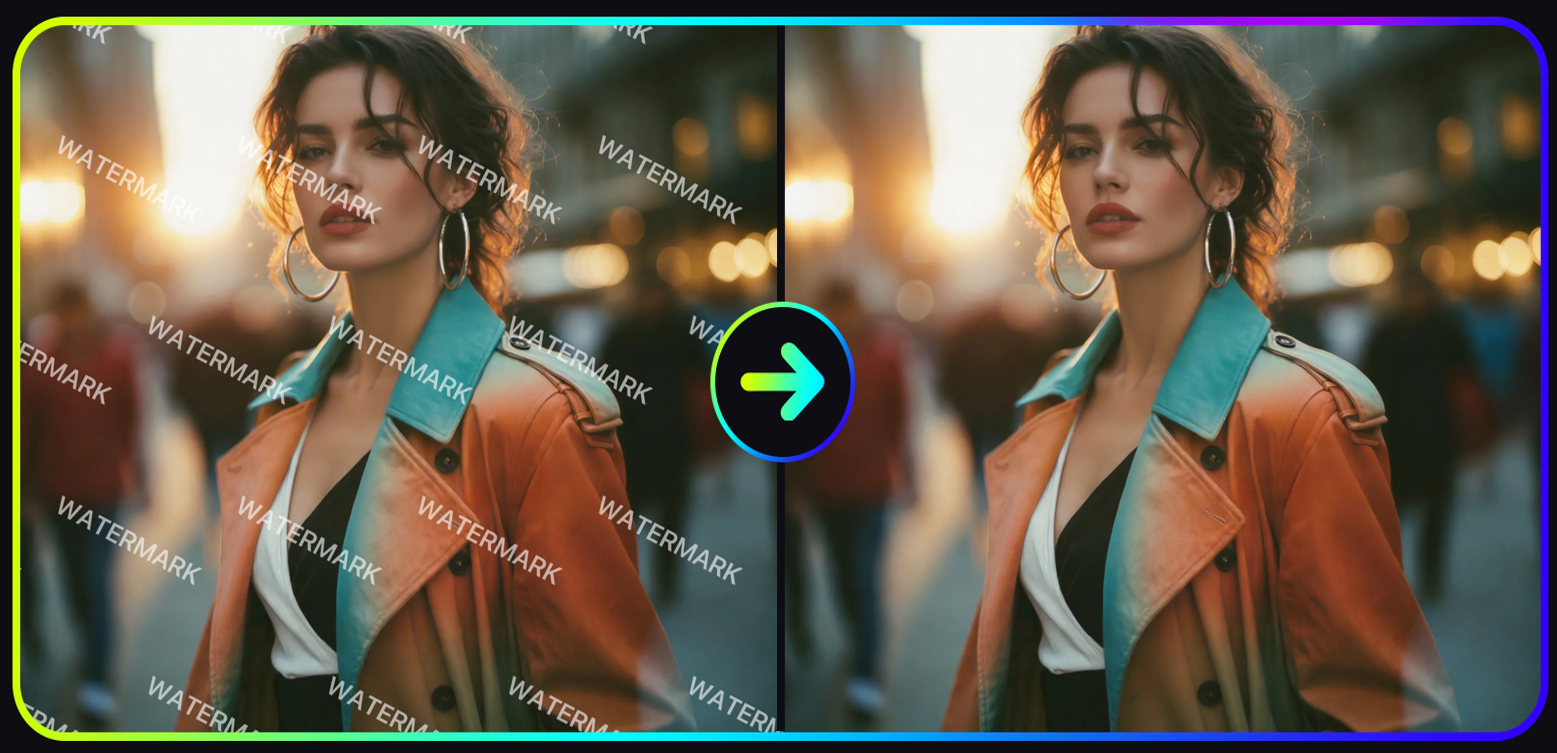
AI watermark remover automatically removes watermarks and restores clean image details within seconds.
What Is AI Remover
AI Remover is an intelligent image editing toolkit that uses computer vision and generative AI to remove unwanted elements from photos.
Unlike traditional editing tools that require manual cloning or masking, an AI Remover tool automatically analyzes the image structure and fills the removed area with realistic textures.
Common elements that AI Remover can delete include:
• watermarks
• text overlays
• unwanted people
• background photobombers
• AI generator watermarks
By combining AI inpainting technology with automatic object detection, the AI Remover tool can clean images within seconds while maintaining natural lighting and color consistency.
You can explore the full AI Remover toolkit.
How to Remove Watermark from Image Using AI Remover
One of the most widely used features in the toolkit is the AI watermark remover, which allows users to remove watermark from image online automatically.
Follow these simple steps.
Step 1: Open the AI Tool Market
Visit the Vidoly website and navigate to the AI Tool Market.
From the available tools, select the AI watermark remover.
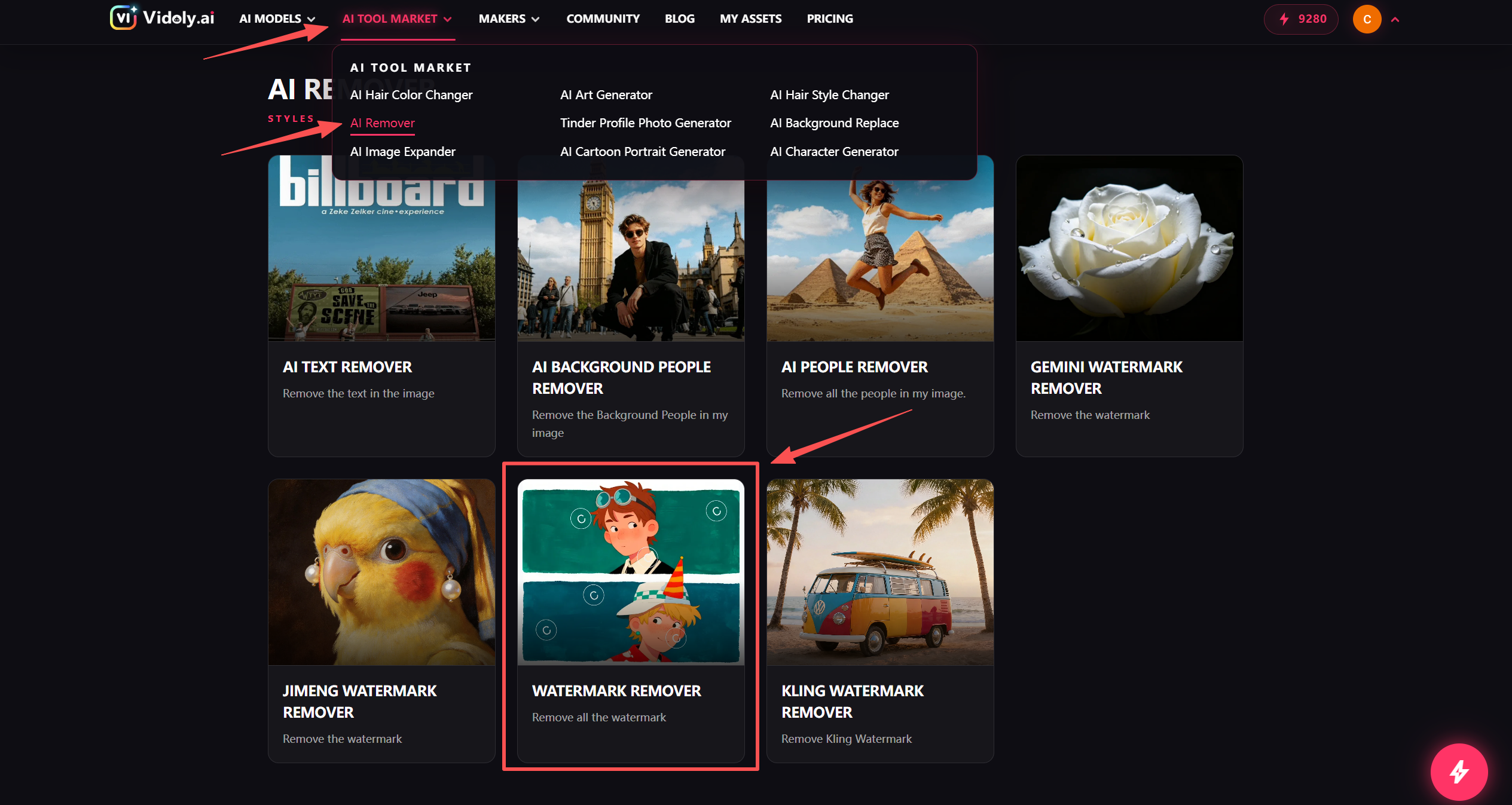
Step 1: Open the AI Tool Market and select the AI watermark remover tool.
This tool is specifically designed to remove watermark from photo online with AI.
Step 2: Upload the Image
Upload the image that contains the watermark.
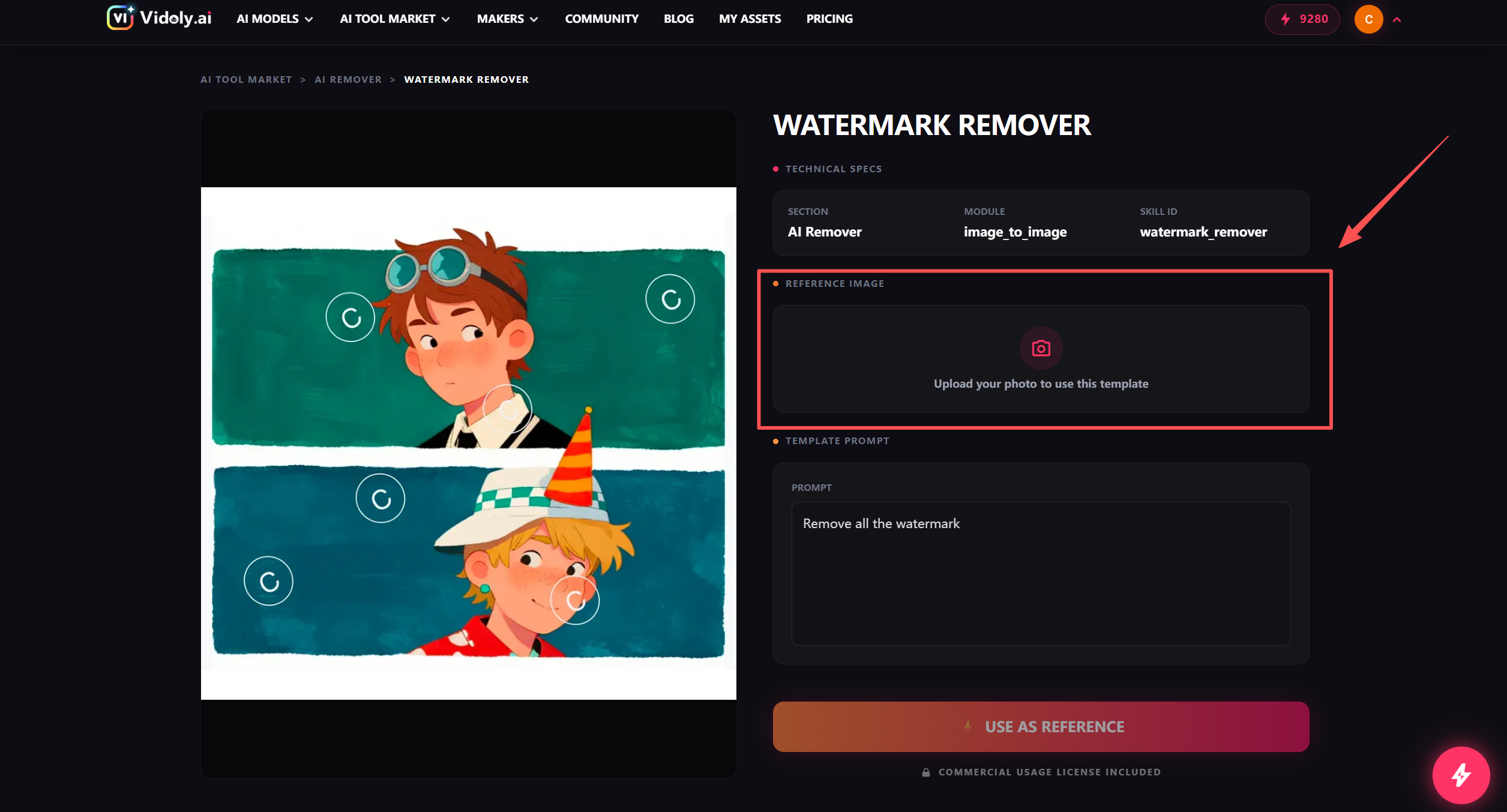
Step 2: Upload the image that contains the watermark you want to remove.
Supported formats usually include:
• JPG
• PNG
• WEBP
The AI watermark remover will automatically analyze the image to detect watermark regions.
For best results, use high-resolution images where the watermark is clearly visible.
Step 3: Click "USE AS REFERENCE"
After uploading the image, click the USE AS REFERENCE button.
This triggers the AI processing pipeline.
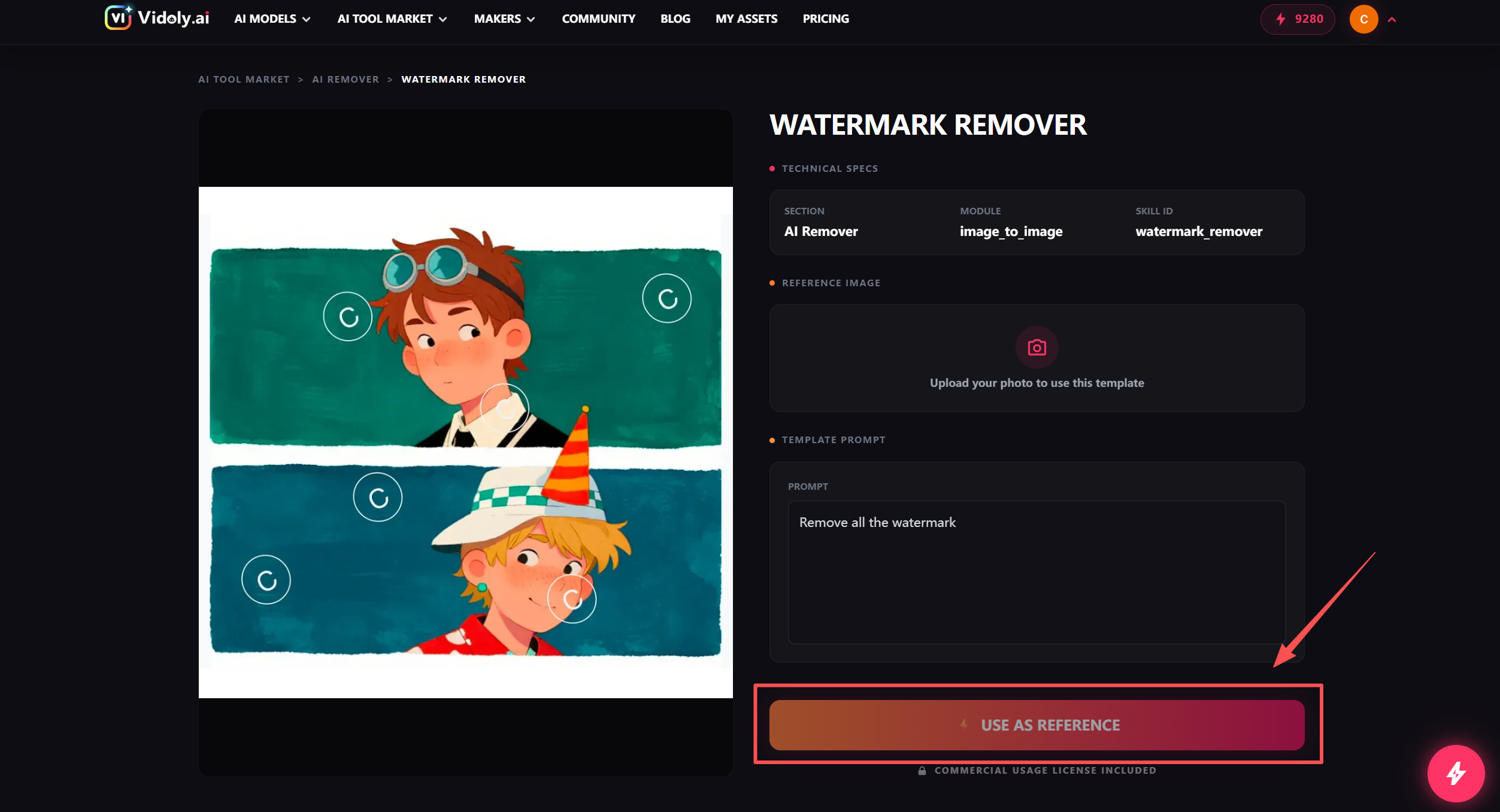
Step 3: Click "USE AS REFERENCE" to start the AI watermark removal process.
The AI system then begins analyzing the image and reconstructing the background after removing the watermark.
Step 4: Wait for the Processing to Finish
During processing, a floating progress indicator appears in the bottom-right corner.
Once the progress reaches 100%, the image processing task is complete.

Step 4: Wait for the floating progress indicator to reach 100% while the AI processes the image.
Step 5: Download Your Clean Image
Open MY ASSETS to view the processed image.

Step 5: Open MY ASSETS to download the final watermark-free image.
You can download the final image that has been cleaned by the AI watermark remover tool.
The output image will preserve the original lighting and texture as naturally as possible.
Why Use AI Remover Instead of Traditional Editing Tools
Traditional image editing software such as Photoshop can remove watermarks, but the process usually requires advanced skills and manual editing.
An AI Remover tool simplifies the workflow dramatically.
| Feature | AI Remover | Traditional Editing |
|---|---|---|
| Ease of use | Beginner friendly | Requires expertise |
| Speed | Instant processing | Time consuming |
| Automation | Fully automated | Manual editing |
| Accessibility | Works online | Requires software |
Using an AI remover online tool, creators can clean images much faster and focus on content creation instead of complex editing workflows.
Other Powerful AI Remover Tools You Can Use
In addition to removing watermarks, the AI Remover toolkit includes several specialized tools designed for different editing tasks.
Remove Background People from Photos
The AI background people remover automatically detects and removes photobombers from images.

AI background people remover automatically removes unwanted background people from photos.
This tool is useful for:
• travel photography
• product photography
• social media content
• marketing visuals
You can remove background people from photos using the AI background people remover.
Remove People from Image with AI
The AI people remover tool allows users to remove specific people from an image while preserving the surrounding environment.

AI people remover removes unwanted people while preserving the original background.
This feature is helpful when editing:
• group photos
• event photography
• travel images
Try the AI people remover.
Remove Text from Image Online
The AI text remover tool automatically detects and removes text overlays from images.

AI text remover automatically removes text overlays and restores image details.
Common use cases include:
• removing subtitles
• cleaning screenshots
• editing posters
• removing captions from images
You can remove text from images using the AI text remover.
Remove Gemini Watermark from AI Images
AI-generated images from Gemini sometimes include watermarks.

Gemini watermark remover removes watermarks from Gemini AI-generated images.
The Gemini watermark remover helps creators remove Gemini watermark from images automatically.
Use the Gemini watermark remover.
Remove Jimeng Watermark from AI Images
For images generated using Jimeng AI, the Jimeng watermark remover can restore clean versions of AI-generated images.

Jimeng watermark remover restores clean visuals by removing AI-generated watermarks.
Remove Jimeng watermark from images using this tool.
Remove Kling Watermark from AI Images
If you create visuals with Kling AI, the Kling watermark remover helps remove Kling watermark from generated images.

Kling watermark remover automatically removes watermarks from Kling AI-generated images.
Try the Kling watermark remover.
Best Use Cases for AI Remover
An AI Remover tool can be used in many real-world scenarios.
Content Creation
Creators often remove watermarks from images before publishing them in blogs, videos, or social media posts.
Marketing Materials
Marketers frequently need clean images for advertisements, landing pages, and presentations.
AI Image Cleanup
Many AI image generators add watermarks to generated images. The AI remover toolkit allows creators to clean these images quickly.
Screenshot Editing
Users can remove unwanted watermarks or text from screenshots.
FAQ About AI Remover
What is an AI remover tool
An AI remover is an AI-powered image editing tool that automatically removes unwanted elements such as watermarks, text, and people from images.
How can I remove watermark from images online for free
You can remove watermark from images online using an AI watermark remover tool.
Upload the image, start the processing task, and download the cleaned result.
Can AI remover remove text from images
Yes. AI remover tools can detect text overlays and automatically reconstruct the background after removing the text.
Is it possible to remove people from photos using AI
Yes. Tools like the AI people remover and AI background people remover can automatically remove unwanted people from images.
What is the best AI tool to remove watermarks from images
The best AI tools combine watermark detection with background reconstruction. The AI watermark remover in the AI Remover toolkit is designed for this task.
Can I remove watermark from photos without Photoshop
Yes. With modern AI remover tools, you can remove watermark from photo online without installing any editing software.
Conclusion
Cleaning images no longer requires complex editing software.
With the help of AI Remover, anyone can remove watermarks, delete unwanted text, and remove background people from photos within seconds.
Whether you are editing marketing visuals, cleaning AI-generated images, or preparing content for social media, the AI Remover toolkit makes the process simple and efficient.
If you want to remove watermark from image instantly, try the AI watermark remover tool.
Using AI-powered editing technology, creators can now produce clean and professional images faster than ever.
Related Articles
Free Photo to Sketch AI Generator: Convert Any Photo to a Pencil Sketch Online
AI Art Generator: Turn Photos into Oil Paintings with AI (Free Online Tool)