







Watermark Remover

Watermark Remover

TECHNICAL SPECS

SECTION

AI Remover

MODULE

image_to_image

SKILL ID

watermark_remover

Upload Image
photo_camera

Upload Image

TEMPLATE PROMPT
Commercial usage license included
MORE IN AI Remover
#ai_remover
Remove Watermarks from Images with AI

Remove Watermarks from Images with AI

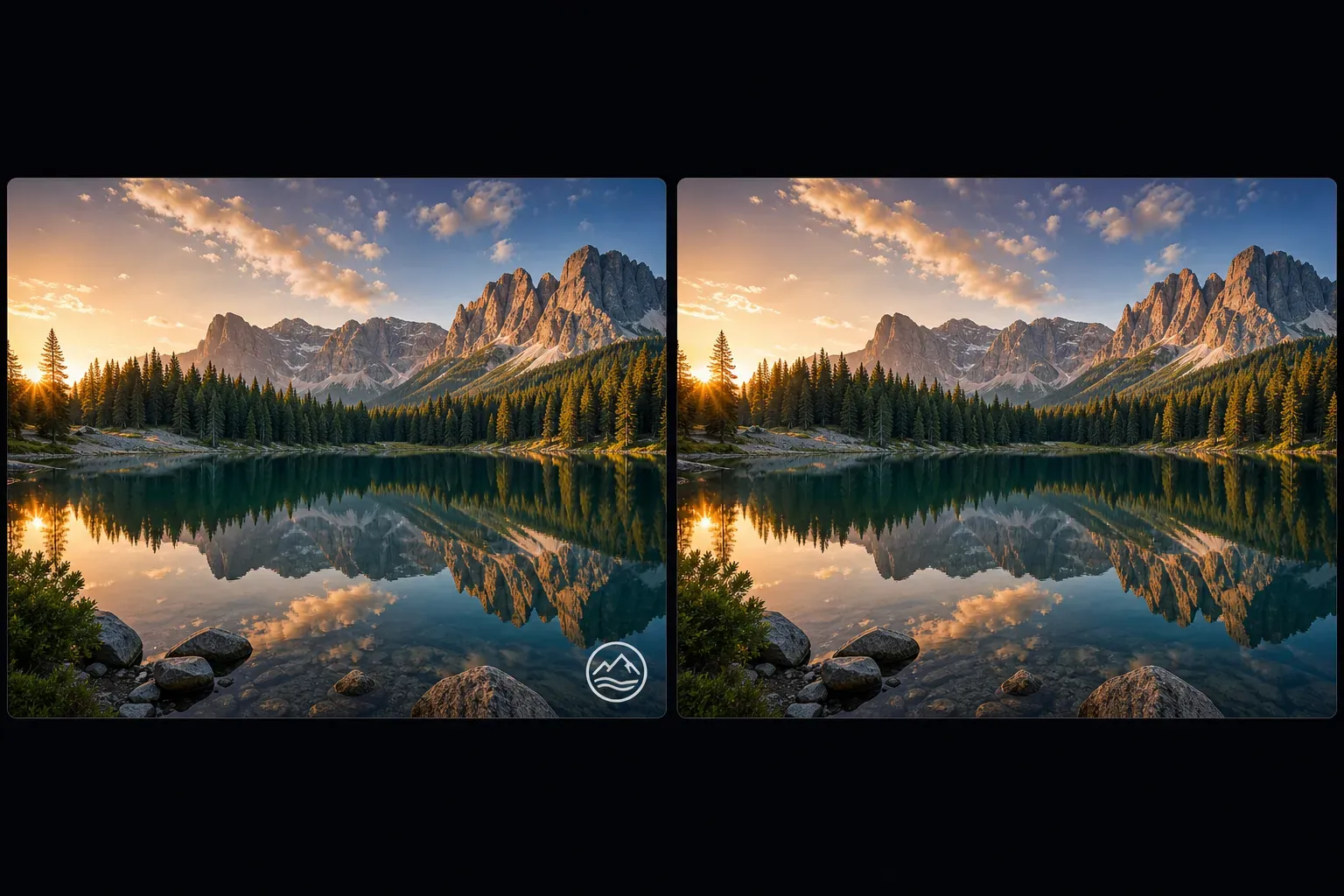
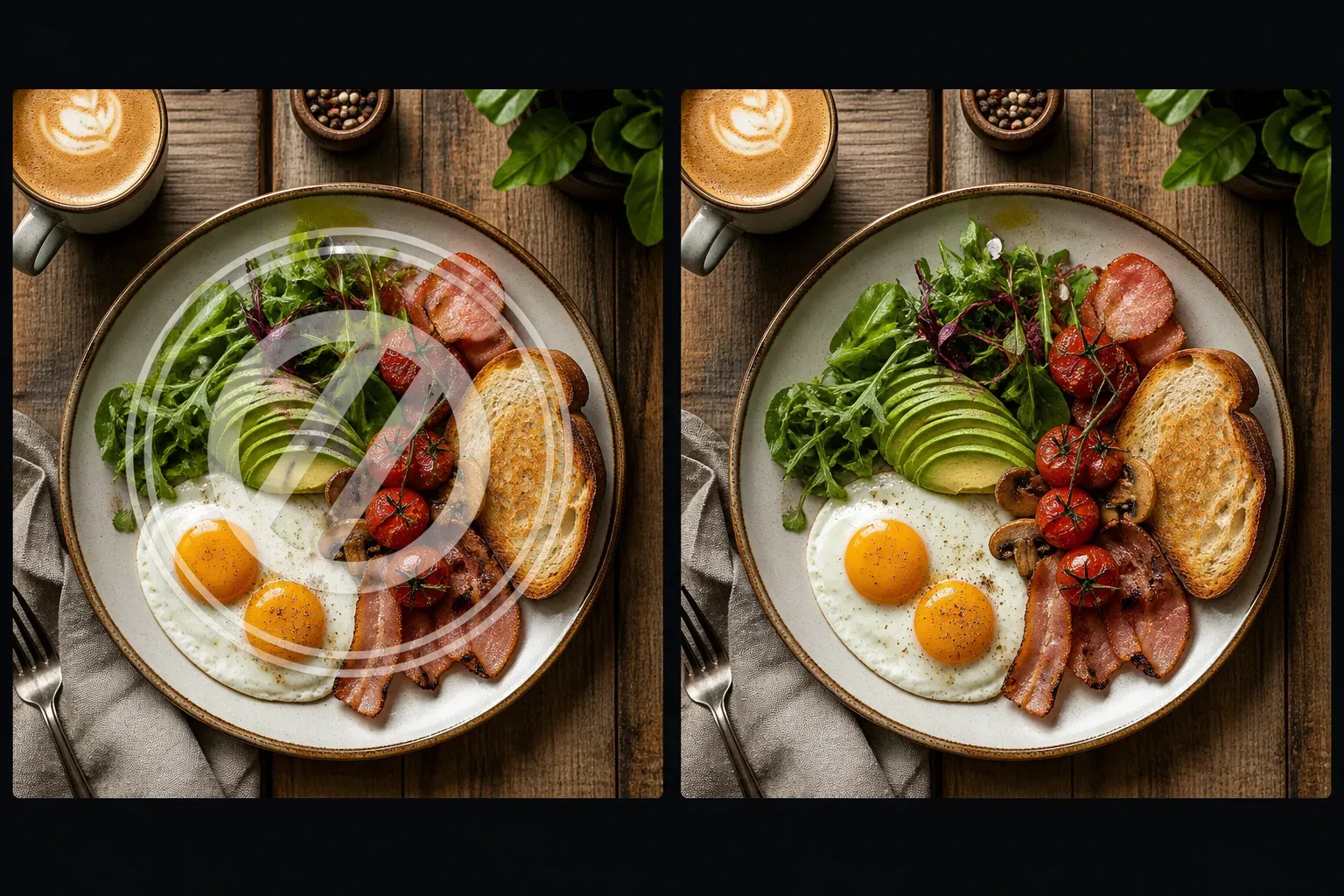
Vidoly AI Watermark Remover is built for cleaning visible marks from images, including text watermarks, logo overlays, date stamps, corner marks, and semi-transparent image stamps. The AI analyzes the area around the watermark and uses image inpainting to reconstruct background texture, color transitions, shadows, and object edges. It is useful when you need a cleaner image without manually using clone stamp, healing brush, or advanced photo editing software.

Remove Watermark Now
How Does AI Watermark Remover Work?

How Does AI Watermark Remover Work?

Vidoly AI Watermark Remover uses image segmentation and inpainting to identify the selected watermark region and rebuild the area underneath it. The model estimates missing pixels from nearby textures, colors, shadows, and object boundaries. For simple backgrounds such as sky, walls, fabric, tables, or blurred areas, the result can look clean because the surrounding image gives the AI enough context to reconstruct the covered section.

What Types of Watermarks Can AI Remove?

What Types of Watermarks Can AI Remove?

The tool can help remove many common watermark types, including text watermarks, logo watermarks, date stamps, transparent overlays, corner marks, center stamps, social media marks, and repeated image patterns. Results depend on the watermark size, opacity, placement, and what image details are hidden underneath. Small watermarks on simple backgrounds are usually easier than large watermarks covering faces, hands, product labels, or complex patterns.

Best Images for Watermark Removal

Best Images for Watermark Removal

AI watermark removal works best when the watermark is small or medium-sized and the surrounding area has enough visual information for reconstruction. Photos with simple backgrounds, repeated textures, blurred depth, sky, walls, grass, fabric, or flat product surfaces are easier to repair. Low-resolution images, heavy compression, strong noise, and watermarks placed over important details can reduce accuracy.

Common Limitations of AI Watermark Removal

Common Limitations of AI Watermark Removal

AI may struggle when a watermark covers a face, hand, product label, fine text, detailed clothing, reflection, or complex background. Repeated full-image watermarks and large opaque center marks can leave blur, distortion, or incorrect reconstruction. For best results, use the clearest original image available and review the cleaned area before publishing or printing.

Responsible Use of AI Watermark Remover

Responsible Use of AI Watermark Remover

Only remove watermarks from images you own, created yourself, licensed, or have permission to edit. Watermarks often indicate copyright, ownership, usage restrictions, or stock-photo licensing. AI watermark removal is useful for cleaning your own exported images, removing accidental overlays, restoring internal assets, or editing authorized content, but it should not be used to misrepresent ownership or bypass licensing rules.

AI Watermark Remover vs General Object Remover

AI Watermark Remover vs General Object Remover

A general AI Object Remover can erase people, signs, trash, wires, and other distractions from images. AI Watermark Remover focuses specifically on overlay marks that sit on top of an image, such as logos, text, transparent stamps, and date marks. This page should target users searching for watermark cleanup, while the parent AI Remover page should cover broader photo cleanup tasks.

How To Use Vidoly AI Watermark Remover

1

Upload Your Image

Choose the photo that contains the watermark, logo, date stamp, or unwanted image mark.

2

Select the Watermark Area

Mark the watermark region as accurately as possible. Include the full text, logo, or overlay so the AI knows what area to reconstruct.

3

Let AI Rebuild the Background

The AI analyzes nearby colors, edges, lighting, and texture, then fills the selected area with reconstructed image details.

4

Review the Cleaned Image

Check whether the repaired area looks natural. Large watermarks or complex backgrounds may need another pass or a cleaner source image.

5

Download the Result

Save the edited image for authorized personal, design, ecommerce, social media, or internal creative use.

FAQs

What is an AI Watermark Remover?

An AI Watermark Remover is an image editing tool that removes visible watermarks, logos, text overlays, and date stamps from photos. It uses AI inpainting to reconstruct the area that was covered by the mark.

Can AI remove text watermarks from photos?

Yes. AI can remove many text watermarks when the covered area has enough surrounding detail for reconstruction. Small text on simple backgrounds usually works better than large text covering faces, products, or fine patterns.

Can AI remove logo watermarks?

Yes. Logo watermarks can often be removed if they are not too large or placed over complex details. Transparent corner logos are usually easier than opaque center logos.

Does AI watermark removal work on transparent watermarks?

It can work on semi-transparent watermarks, but results depend on opacity, size, and background complexity. Repeated transparent patterns across the whole image are harder to remove cleanly.

Can I remove a date stamp from a photo?

Yes. Date stamps are a common use case for AI watermark removal. The result is usually stronger when the date stamp sits on a simple background such as floor, wall, sky, grass, or clothing without fine detail.

Why does the cleaned area look blurry?

Blur can happen when the AI does not have enough surrounding information to reconstruct the hidden area. This is common with large watermarks, low-resolution images, faces, hands, reflective surfaces, and detailed textures.

Is AI Watermark Remover different from AI Object Remover?

Yes. AI Object Remover removes general distractions such as people, signs, wires, trash, and objects. AI Watermark Remover focuses specifically on overlay marks such as logos, text stamps, date stamps, and image watermarks.

What images work best for watermark removal?

High-resolution images with small or medium watermarks work best. Simple backgrounds, repeated textures, and clear lighting give the AI more information for accurate reconstruction.

Can I remove watermarks from stock photos?

Only remove watermarks from stock photos if you have the right to edit or use the image. Watermarks often indicate licensing restrictions, so removing them without permission may violate copyright or platform terms.

Can I use the cleaned image commercially?

You can use the cleaned image commercially only if you own the image or have the correct license and permission. Always check rights, model releases, product usage rules, and platform policies before commercial use.

Can AI remove watermarks from product photos?

Yes, if the product photo is yours or licensed for editing. Results are better when the watermark does not cover product labels, brand details, packaging text, or important texture.

Can I remove multiple watermarks from one image?

Yes. You can remove multiple watermark areas, but repeated full-image watermarks may be difficult. Clean one area at a time and review the result before processing the next area.

Related Reading