AI Transparent Background Maker

AI Transparent Background Maker

TECHNICAL SPECS

SECTION

AI Remover

MODULE

image_to_image

SKILL ID

ai_transparent_background_maker

Upload Image
photo_camera

Upload Image

TEMPLATE PROMPT
Commercial usage license included
MORE IN AI Remover
#ai_remover

AI Transparent Background Maker

Vidoly AI Transparent Background Maker removes the full background from an image and turns the main subject into a clean transparent PNG. Use it for product photos, portraits, logos, stickers, icons, profile images, and design assets. Instead of manually cutting out edges in Photoshop, upload your image and let AI detect the subject, separate it from the background, and export a transparent-background result ready for ecommerce, social media, presentations, and creative design.

What Is AI Transparent Background Maker?

AI Transparent Background Maker is an online tool that removes the background from an image and keeps the subject on a transparent canvas. The final result can be used as a transparent PNG cutout for product listings, profile pictures, logo files, sticker designs, thumbnails, posters, and design mockups. It is especially useful when you need an image without a white, black, or colored background. For example, a product can be placed on a Shopify page, a portrait can be used in a profile design, or a logo can be layered over a poster without a visible background box.

How Vidoly AI Creates Transparent PNG Images

Vidoly AI analyzes the uploaded image, detects the main subject, and separates it from the surrounding background. The tool focuses on subject boundaries such as hair, clothing, product edges, packaging outlines, logo shapes, and object contours. After the background is removed, the subject is placed on a transparent canvas. This makes the output easier to reuse in design tools, ecommerce pages, presentation slides, social posts, sticker layouts, and marketing visuals. The best results usually come from images where the subject is clear, well lit, and not heavily blended into the background. Fine hair, transparent objects, glass, shadows, reflective surfaces, and low-resolution images may need extra review after generation.

What Can You Make with AI PNG Maker?

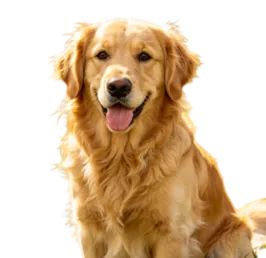
Vidoly can also work as an AI PNG Maker for creating reusable transparent assets. Common outputs include product PNGs, portrait cutouts, logo PNGs, sticker PNGs, icon cutouts, fashion item PNGs, pet cutouts, food product PNGs, and social media design elements. Product sellers can create transparent product images for catalog layouts, Shopify sections, Amazon-style image preparation, marketplace graphics, and ad creatives. Creators can make transparent avatars, reaction stickers, thumbnail elements, and profile graphics. Designers can use the transparent PNG result inside Canva, Figma, Photoshop, PowerPoint, posters, banners, and mockups.

Best Images for Transparent Background Results

Use a clear image where the subject is easy to separate from the background. Product photos, portraits, logos, pets, fashion items, packaged goods, and simple objects usually work well when the edges are visible. Best inputs usually have: Clear subject outline Good lighting High resolution Minimal blur Visible product or portrait edges Simple or contrasting background No heavy shadows covering the subject No important details cut off by the frame Avoid images where the subject blends into the background, such as white clothing on a white wall, transparent glass on a bright surface, dark hair on a dark background, or blurry product photos with unclear edges.

Transparent Background Maker vs Background Remover

A background remover usually focuses on deleting or replacing the background. A transparent background maker is more specific: it removes the background and exports the subject as a transparent PNG-style asset that can be layered into other designs. Use AI Transparent Background Maker when you need a reusable cutout, such as a product image, logo file, sticker, avatar, icon, or design asset. Use a general background remover when you only need to clean or change the image background.

Popular Uses for Transparent PNG Images


1. Product Photos for Ecommerce Create product cutouts for Shopify stores, Amazon listing preparation, marketplace banners, product comparison images, catalog layouts, and ad creatives. Transparent PNGs make it easier to place products on white, colored, seasonal, or branded backgrounds. 2. Logo and Brand Asset Cleanup Remove the background from a logo, symbol, badge, or brand mark so it can be placed on websites, posters, videos, thumbnails, packaging mockups, or presentation slides without a visible background box. 3. Portrait and Profile Picture Cutouts Turn portraits into transparent-background profile assets for resumes, LinkedIn banners, YouTube thumbnails, creator pages, team graphics, and social media posts. 4. Sticker and Icon PNG Creation Create transparent stickers, reaction images, pet cutouts, character assets, icon-style graphics, and digital scrapbook elements for messaging apps, content creation, and design projects. 5. Presentation and Marketing Design Use transparent PNG cutouts in PowerPoint, Canva, Figma, Photoshop, posters, flyers, pitch decks, landing pages, and campaign visuals.

Common Limitations of Transparent PNG Generation

I transparent background tools may struggle when the subject edge is unclear. Hair strands, fur, lace, glass, smoke, shadows, reflections, transparent packaging, and low-resolution screenshots can be difficult to separate cleanly. The result should always be reviewed before commercial use. Check the product edge, logo shape, missing details, softened outlines, leftover background fragments, and whether the transparent area is actually clean. For ecommerce or brand assets, also verify that labels, colors, proportions, and visible product details remain accurate.

How To Use Vidoly AI Transparent Background Maker?

1

Upload Your Image

Choose a product photo, portrait, logo, sticker design, icon, pet image, or object photo with a clear subject.

2

Let AI Remove the Background

Vidoly detects the main subject and removes the surrounding background automatically.

3

Preview the Transparent Result

Check the subject edge, hair, product outline, logo shape, and any fine details.

4

Regenerate or Try a Clearer Image if Needed

If the edge looks soft or background fragments remain, use a higher-resolution image with better contrast.

5

Download the Transparent PNG

Save the transparent-background result for ecommerce, social media, presentations, design tools, or marketing assets.

FAQs

What is an AI Transparent Background Maker?

It is an online tool that removes the background from an image and keeps the main subject on a transparent canvas. The result can be used as a transparent PNG-style cutout for products, portraits, logos, stickers, icons, and design assets.

Is AI Transparent Background Maker the same as AI PNG Maker?

They are closely related. AI Transparent Background Maker focuses on removing the background and creating a transparent result. AI PNG Maker is a broader term that may also include product PNGs, logo PNGs, sticker PNGs, icon cutouts, and transparent design assets.

Can I make a product photo background transparent?

Yes. Upload a clear product image with visible edges, and Vidoly can remove the background to create a transparent product cutout. Review the final result to make sure packaging, labels, shadows, and product edges remain accurate.

Can I remove the background from a logo?

Yes. Vidoly can help turn a logo or brand mark into a transparent-background asset. The best results come from logos with clear contrast and sharp edges. Very small, blurry, or low-resolution logos may need extra cleanup.

Can I create transparent stickers with AI?

Yes. You can create transparent sticker-style PNG assets from characters, pets, portraits, objects, icons, or illustrations. For better sticker results, use images with a clear subject and avoid backgrounds that blend into the edges.

What image format should I use?

Upload a clear JPG, PNG, or supported image file. For the final result, transparent background images are usually best saved as PNG because PNG supports transparency.

Why does the edge look blurry or rough?

Edge problems usually happen when the subject is blurry, low-resolution, transparent, reflective, or too similar in color to the background. Hair, fur, glass, lace, shadows, and fine details can also be harder for AI to separate cleanly.

Does it work for portraits and profile pictures?

Yes. Vidoly can remove the background from portrait photos and create transparent profile cutouts for resumes, LinkedIn graphics, creator thumbnails, social posts, and team visuals. Use a clear portrait with good lighting for better results.

Can I use transparent PNG images for ecommerce?

Yes. Transparent product cutouts are useful for ecommerce pages, product grids, marketplace graphics, ads, catalog layouts, and branded backgrounds. Before publishing, check that the product shape, label, color, and details remain accurate.

Can I use the result in Canva, Photoshop, Figma, or PowerPoint?

Yes. Transparent PNG-style assets are useful in design tools because they can be layered over other backgrounds, slides, posters, mockups, thumbnails, and marketing layouts.

Does Vidoly add a white background or remove it completely?

This tool is designed to remove the background and create a transparent result, not simply replace the background with white. If you need a white product background, use a white background or product image tool instead.

Can I use the generated transparent PNG commercially?

You can use transparent PNG results for product pages, social media, ads, presentations, or design drafts when you have the right to use and edit the original image. For logos, copyrighted images, stock photos, or client assets, check the relevant license and usage rights before publishing.