AI Image Translator Tools

风格

AI Image Translator Tools

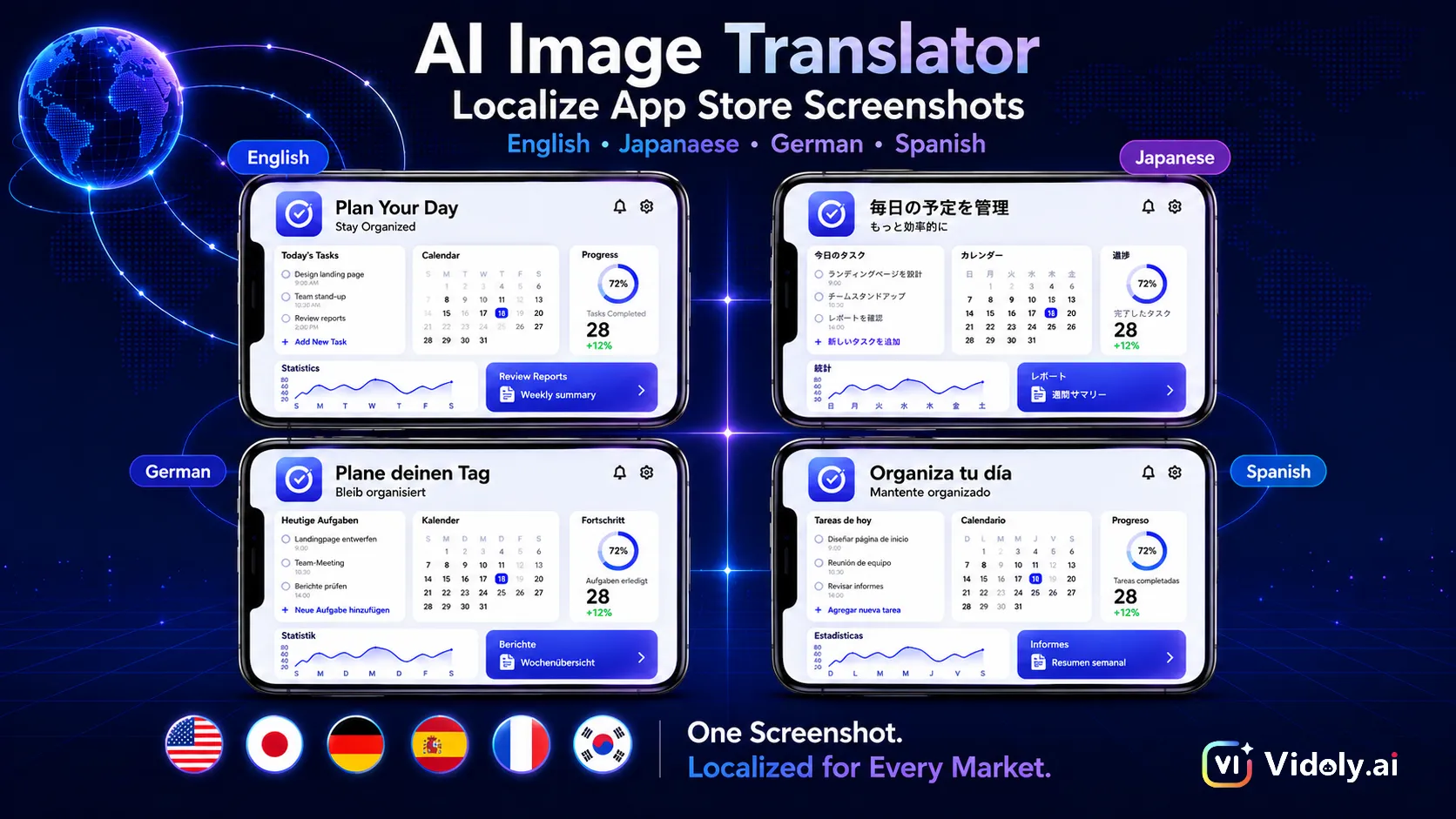
Explore AI tools for translating text inside images. These image translator tools can detect visible text, translate it into another language, remove or cover the original wording, and generate a new image with translated text placed back into the original layout.

What Are AI Image Translator Tools?

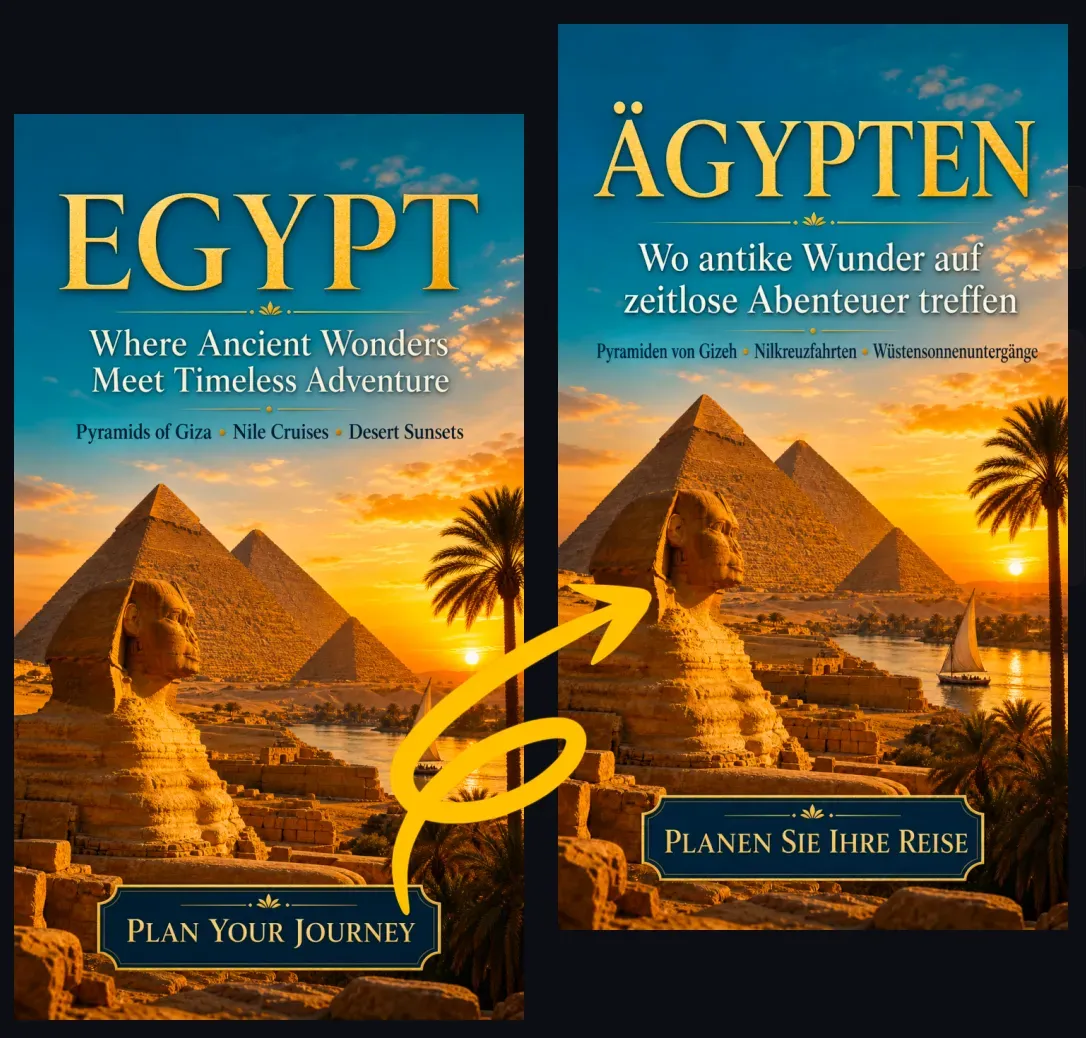
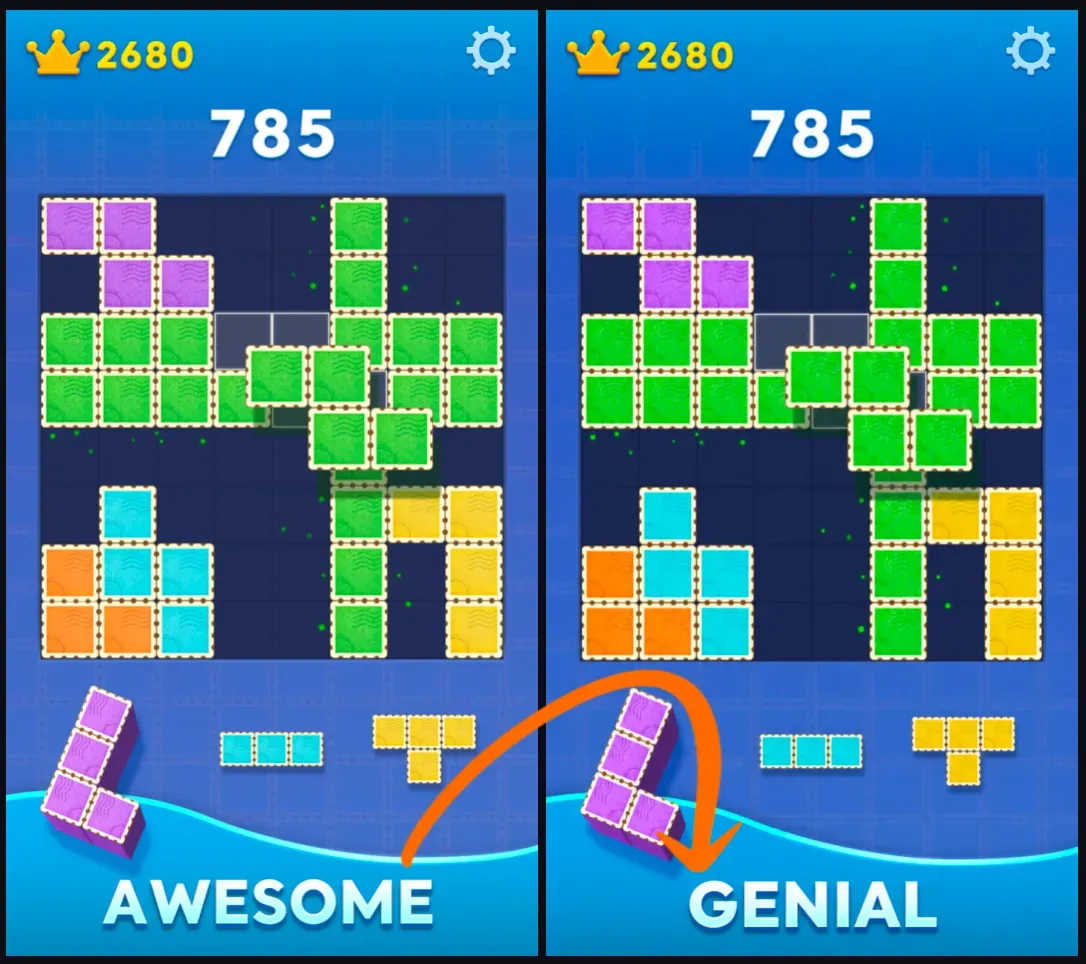
AI image translator tools help turn image-based text into translated visual assets. Instead of only extracting text with OCR, these tools can identify text regions, translate the wording, clean the original text area, and place the translated text back into the image. This makes them useful when the final output needs to remain visual, such as a screenshot, product image, poster, menu, manga panel, ad creative, social media graphic, or presentation image.

Featured Image Translation Tools

1. Translate Text in Image Upload an image, choose a target language, and generate a new image with the translated text replacing the original text. This tool is best for screenshots, posters, menus, product graphics, manga panels, and social media visuals where the translated result should still look like an image. 2. Ecommerce Product Images Translate product image labels, feature highlights, packaging text, badges, and promotional copy for Amazon, Shopify, TikTok Shop, Etsy, and DTC stores. 3. Screenshots and App Interfaces Translate app screenshots, website screens, chat images, game screenshots, software tutorials, and UI walkthroughs. 4. Posters, Banners, and Social Graphics Translate sale graphics, event posters, flyers, campaign banners, Instagram posts, Pinterest images, and TikTok thumbnails. 5. Manga, Comics, and Webtoons Translate speech bubbles, captions, sound effects, and panel text while keeping the visual structure of the comic page. 6. Menus, Signs, and Travel Photos Translate restaurant menus, shop signs, street labels, travel photos, instruction boards, and local service images. 7. Ad Creative Localization Translate visible ad text, campaign headlines, offer copy, call-to-action text, and disclaimers for international marketing campaigns.

Common Limitations of Image Translator Tools

Image translation tools work best when text is visually clear and the background can be reconstructed. Results may be weaker when the original text overlaps faces, products, logos, detailed textures, shadows, gradients, or transparent effects. Translated text may also take more or less space than the original. English-to-German or English-to-French translations often become longer, while Chinese-to-English or Japanese-to-English translations may require different line breaks. Important commercial images should be reviewed before publishing.

How To Choose an Image Translator Tool?

1

1. Decide whether you need translated text only or a translated image output.

2

2. Choose a layout-preserving tool if you need to download a new image.

3

3. Use clear images with readable text for better results.

4

4. Pick the target language and review names, numbers, prices, and claims.

5

5. Download the translated image and check it before publishing.

常见问题

What are AI image translator tools?

AI image translator tools detect text inside images, translate it into another language, and can create edited images where the translated text replaces the original wording.

Which image translator tool should I use?

Use a general text-in-image translator for screenshots, posters, menus, and social graphics. Use specialized tools for product images, manga panels, ad creatives, or other formats that need more layout control.

Are AI image translator tools different from OCR translators?

Yes. OCR translators usually extract and translate text from an image. AI image translator tools can also edit the image by removing the original text and placing translated text back into the layout.

Can these tools translate product images?

Yes. Product image translation is useful for ecommerce sellers who need localized images for Amazon, Shopify, TikTok Shop, Etsy, ads, and international store pages.

Can these tools translate manga or comic images?

Yes. Manga and comic translation is possible, but it is harder because speech bubbles, vertical text, sound effects, and dense panel layouts need careful text placement.

What images work best?

Clear screenshots, product graphics, posters, menus, and social media images with readable text usually work best. Blurry, tiny, handwritten, curved, or heavily stylized text is harder to translate accurately.

Do image translator tools keep the original design?

Layout-preserving tools aim to keep the original design by replacing the old text with translated text in the same visual area. Exact font matching is not always guaranteed.

Can I use translated images commercially?

You can use translated images in commercial workflows, but review translation accuracy, brand terms, legal claims, prices, trademarks, and platform requirements before publishing.

Do these tools support multiple languages?

Most image translator tools are designed to support common target languages such as English, Spanish, French, German, Japanese, Korean, Chinese, Portuguese, Italian, Dutch, Arabic, Thai, Vietnamese, and more.

Why does translated text sometimes not fit?

Some languages require more space than others. When the translation is longer, the tool may need to reduce font size, change line breaks, or adjust spacing to fit the translated text inside the original text area.