Couleur de cheveux noirs

Couleur de cheveux noirs

Importer une image
photo_camera

Importer une image

Prompt
40/2000
Licence commerciale incluse
Plus dans

Preview hair color before AI hair dyeing

Vidoly AI Hair Color Changer allows users to test different hair colors on their photos before deciding on a real hair dye. Upload a clear portrait, and choose from shades like blonde, brown, black, red, silver, light pink, smoky lavender, ice platinum, blue, orange, or balayage. The AI will recolor the hair while preserving the original hair texture, highlights, and light and shadow effects. It is suitable for salon planning, virtual styling transformations, cosplay styling, beauty content creation, and comparing hair dye schemes without permanent hair dyeing.

Free hair color preview
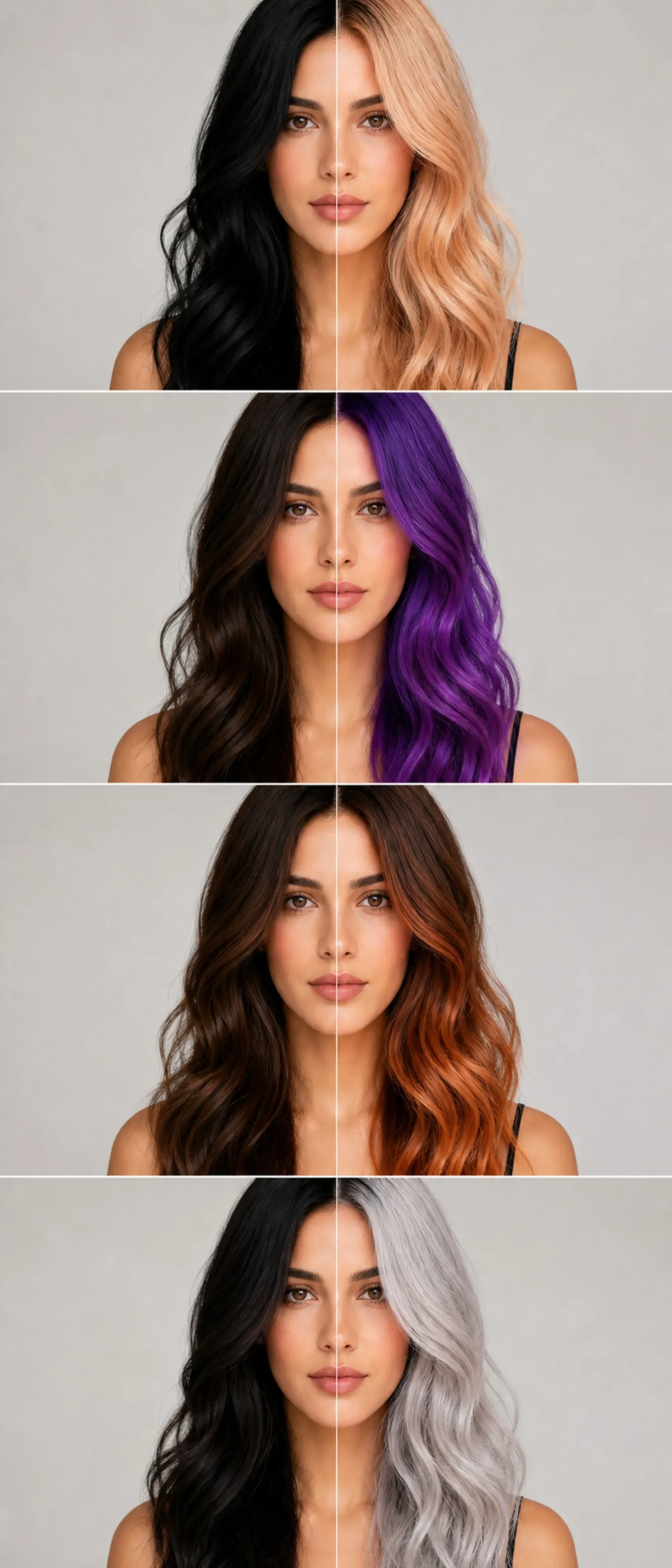
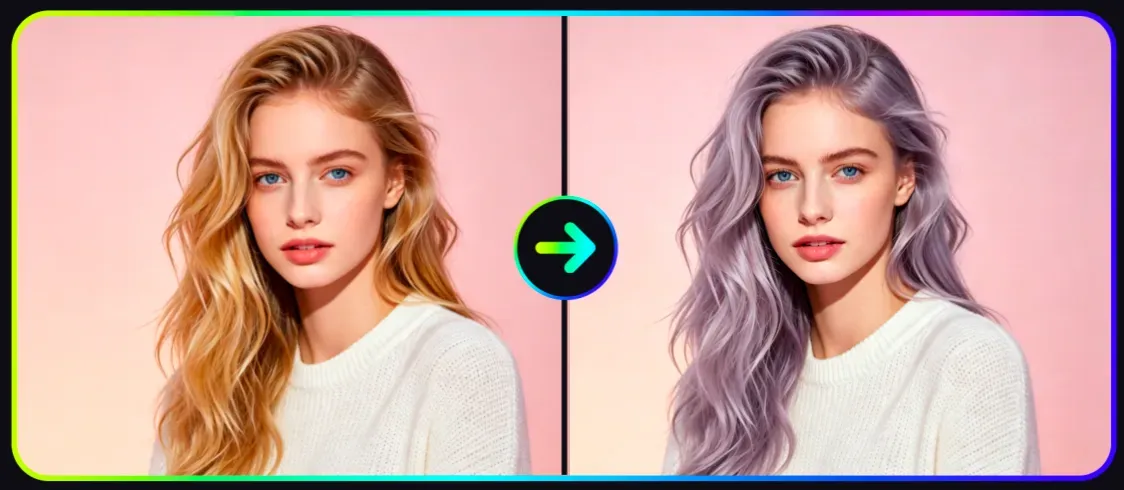
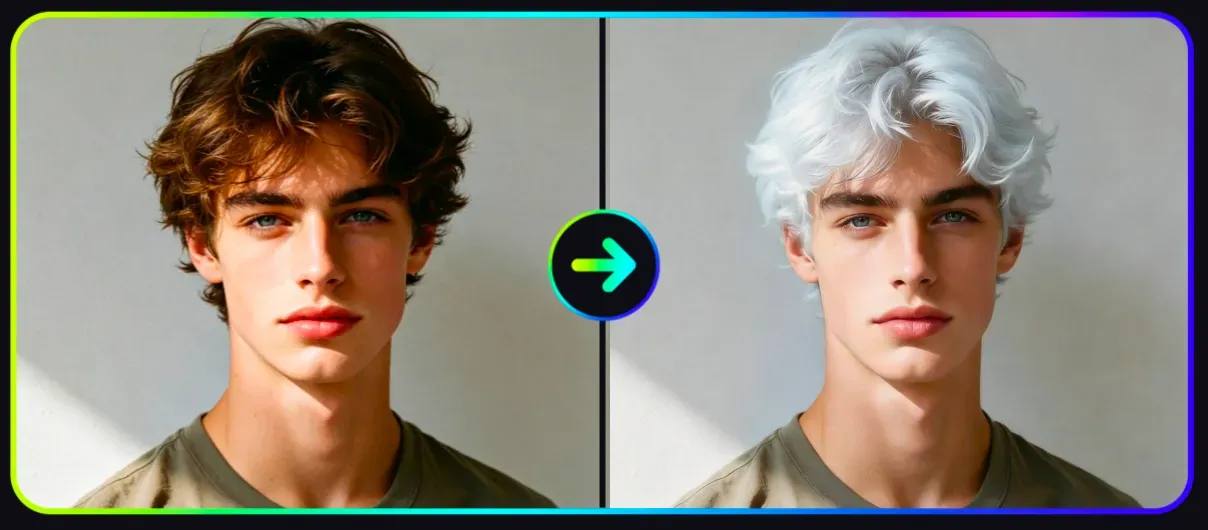
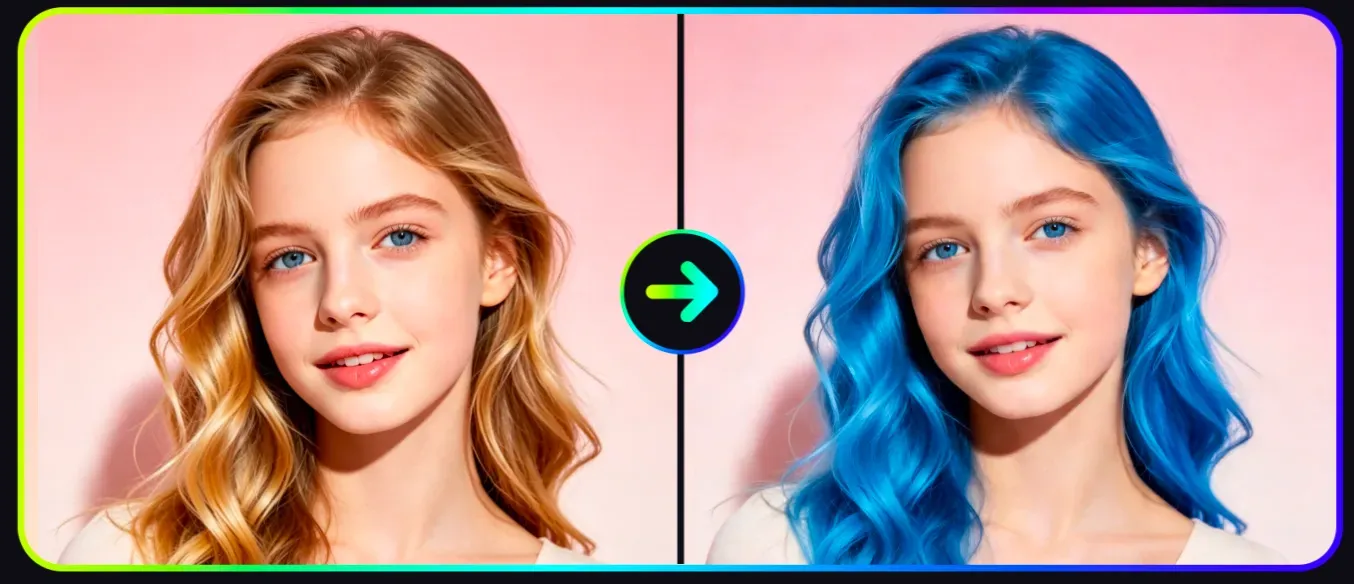
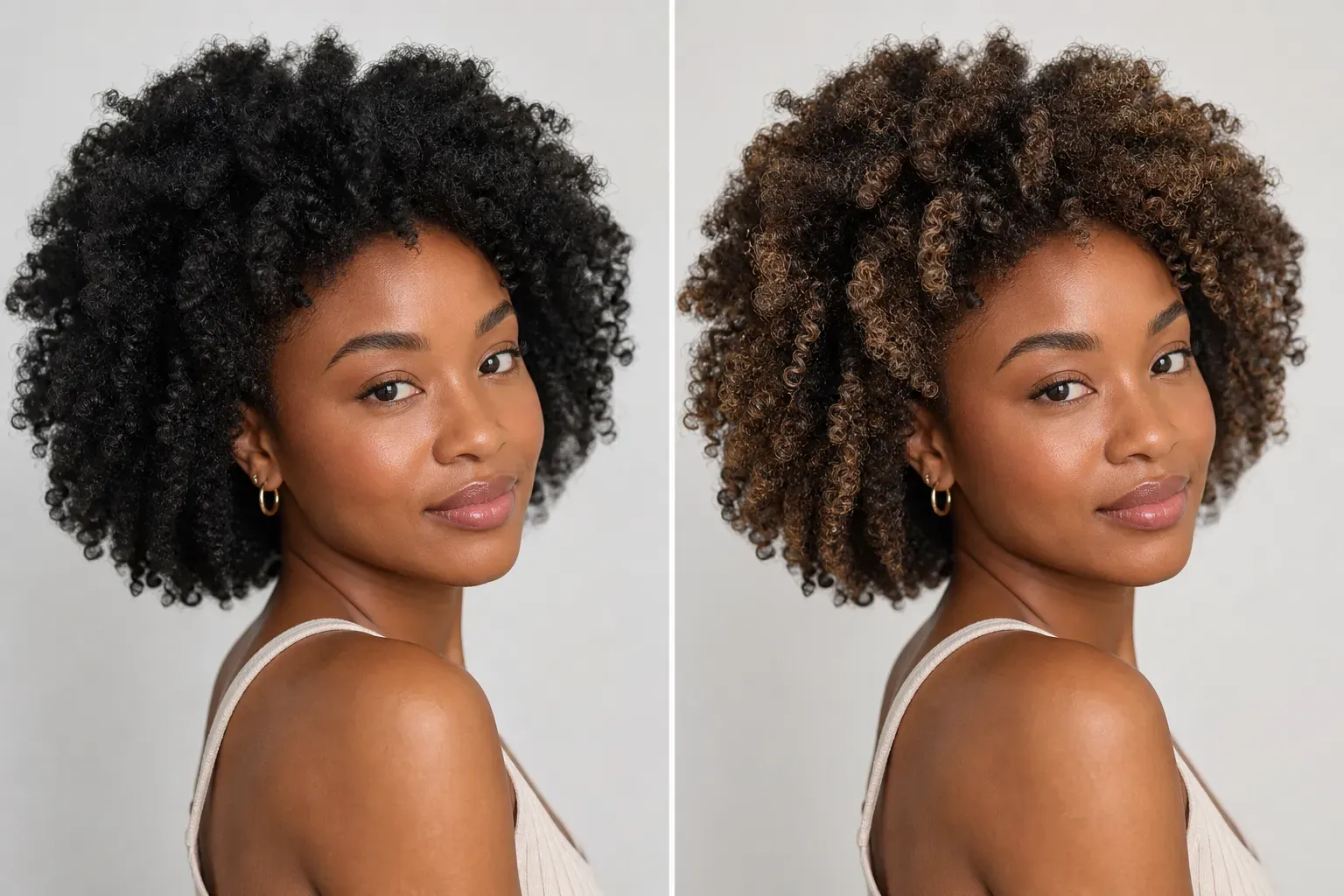
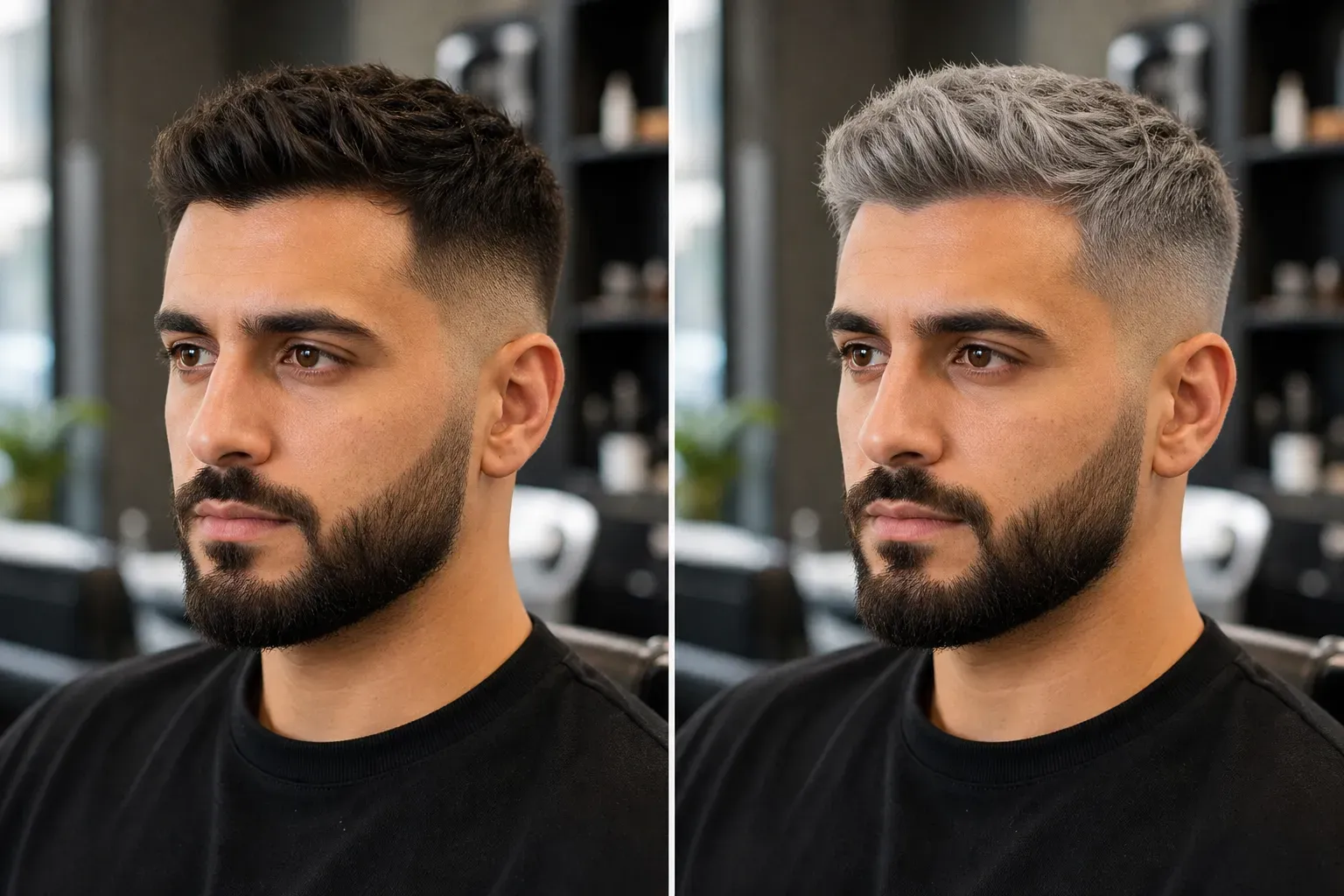
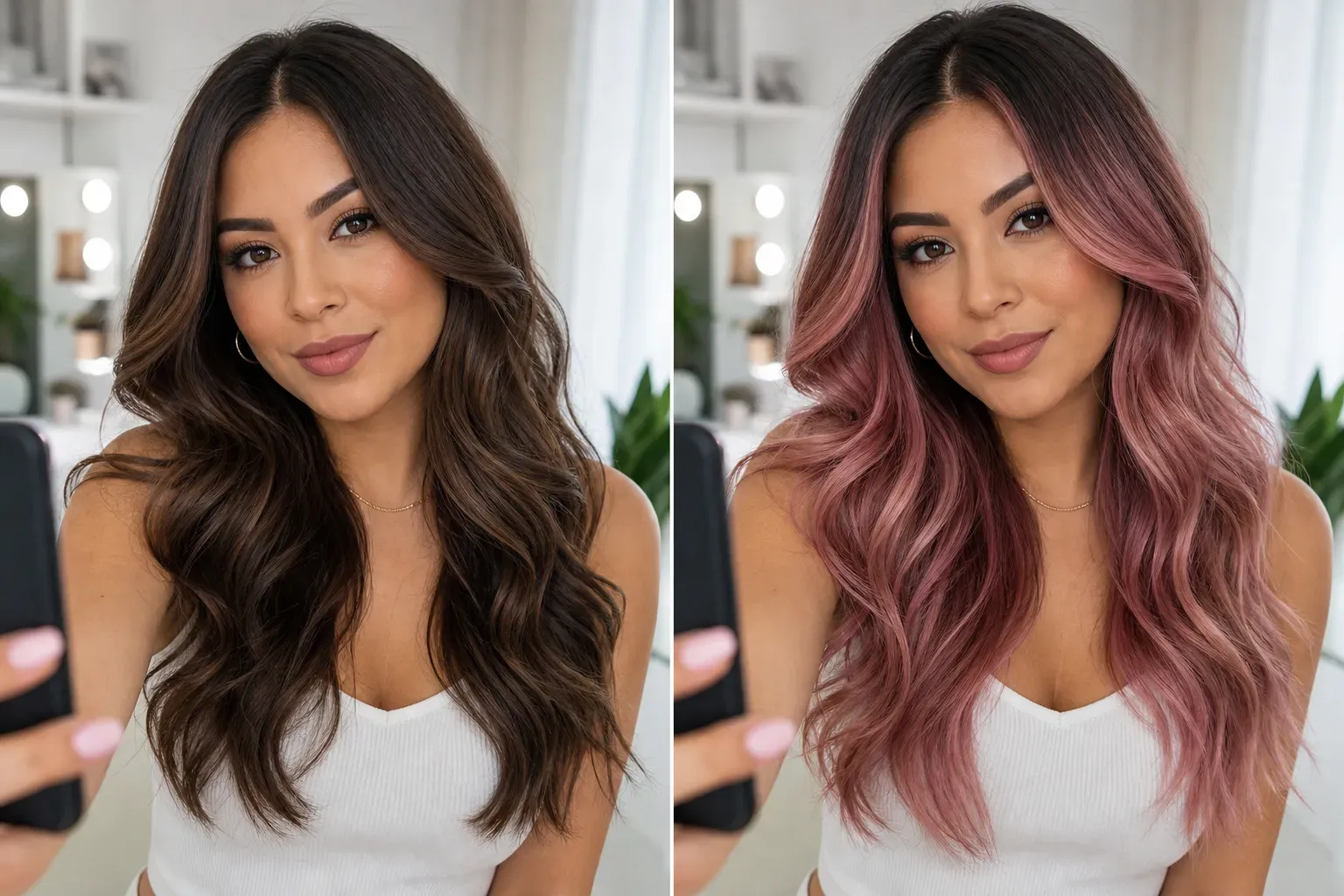
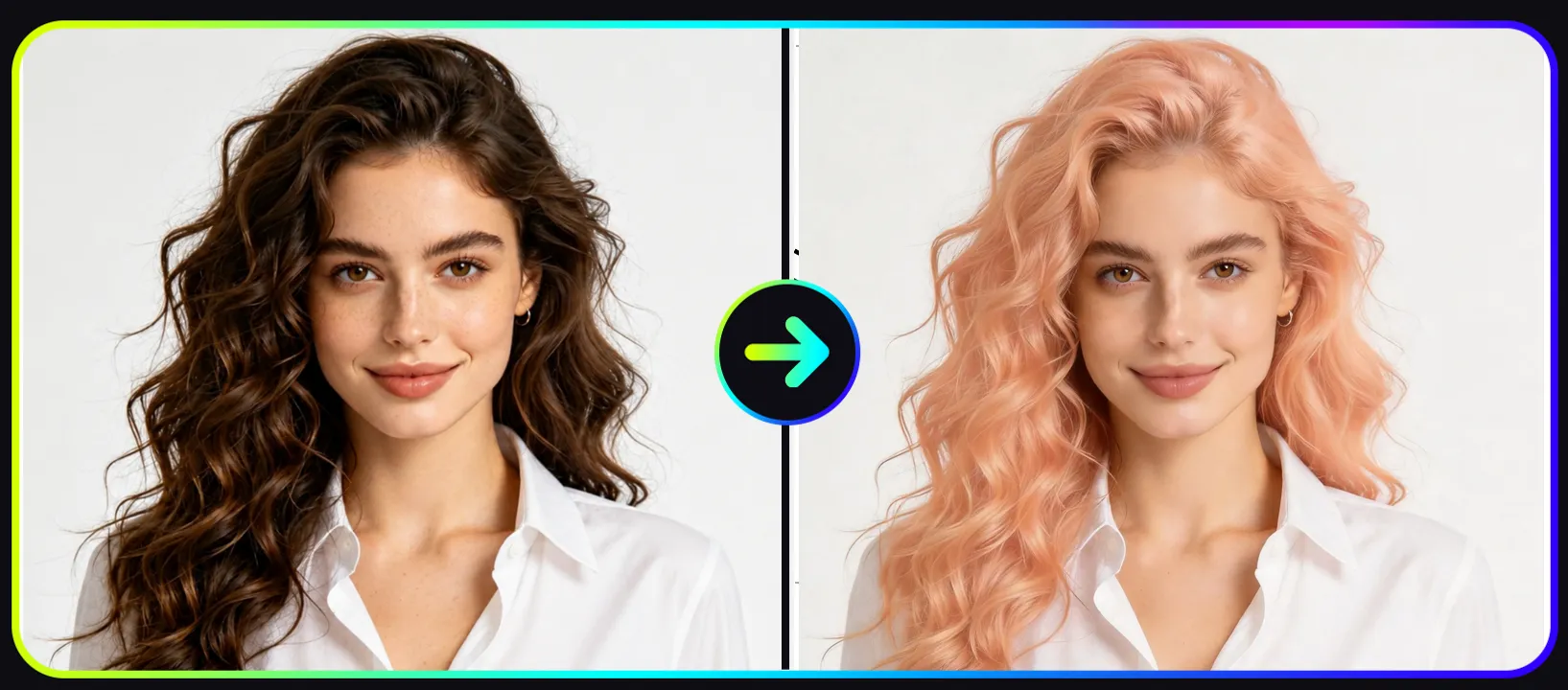
AI hair color real cases: before-and-after comparison effects

AI hair color real cases: before-and-after comparison effects

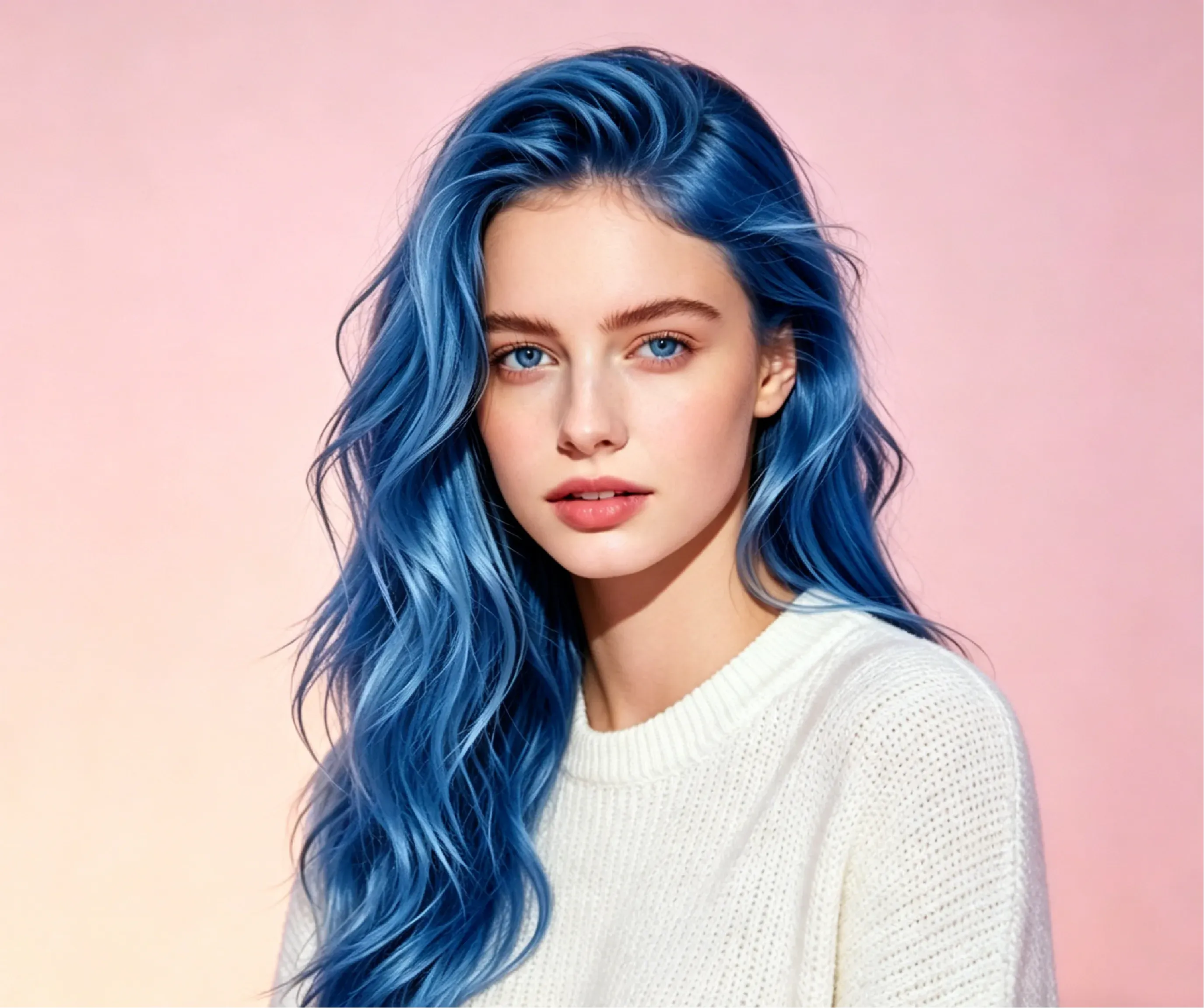
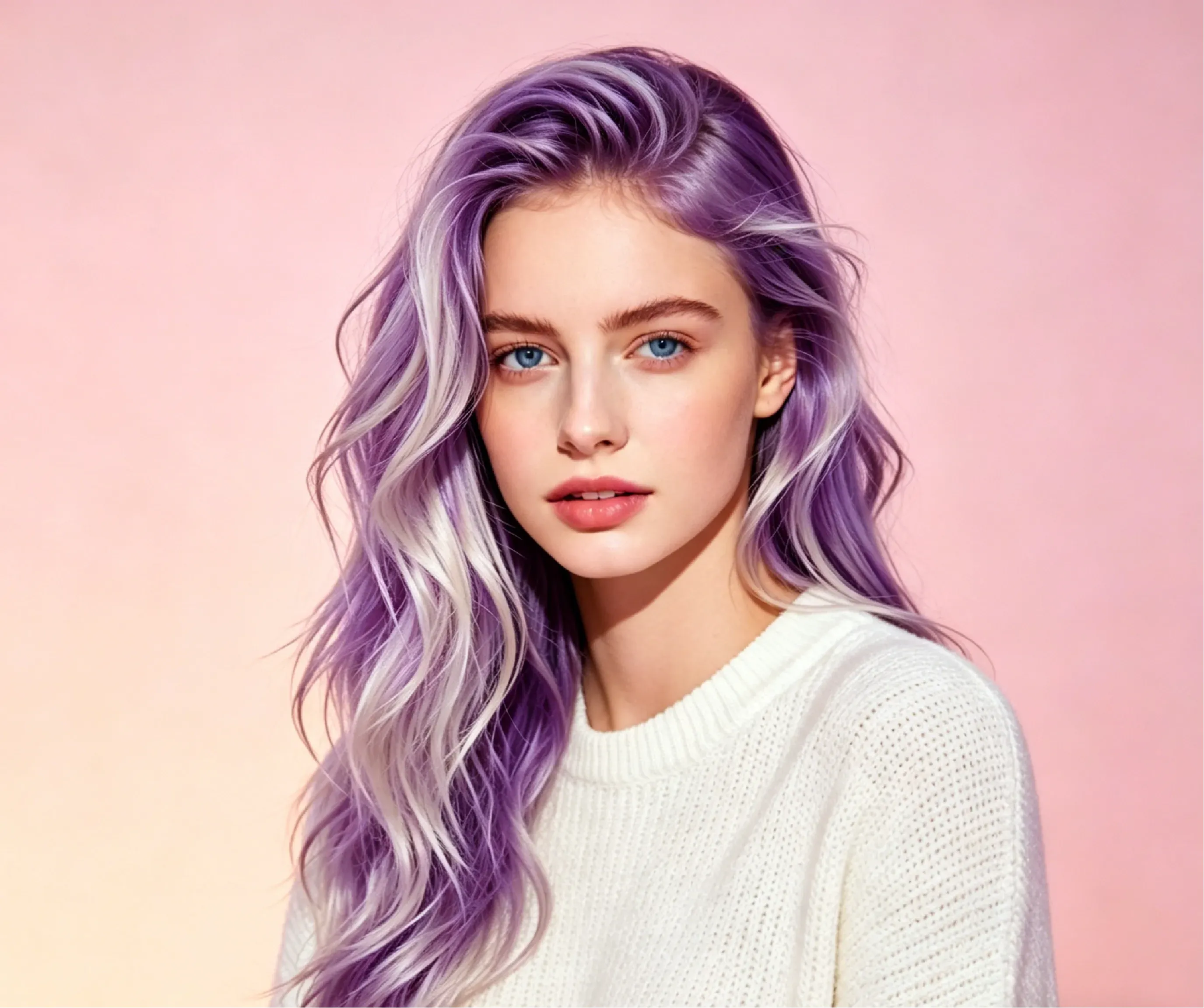
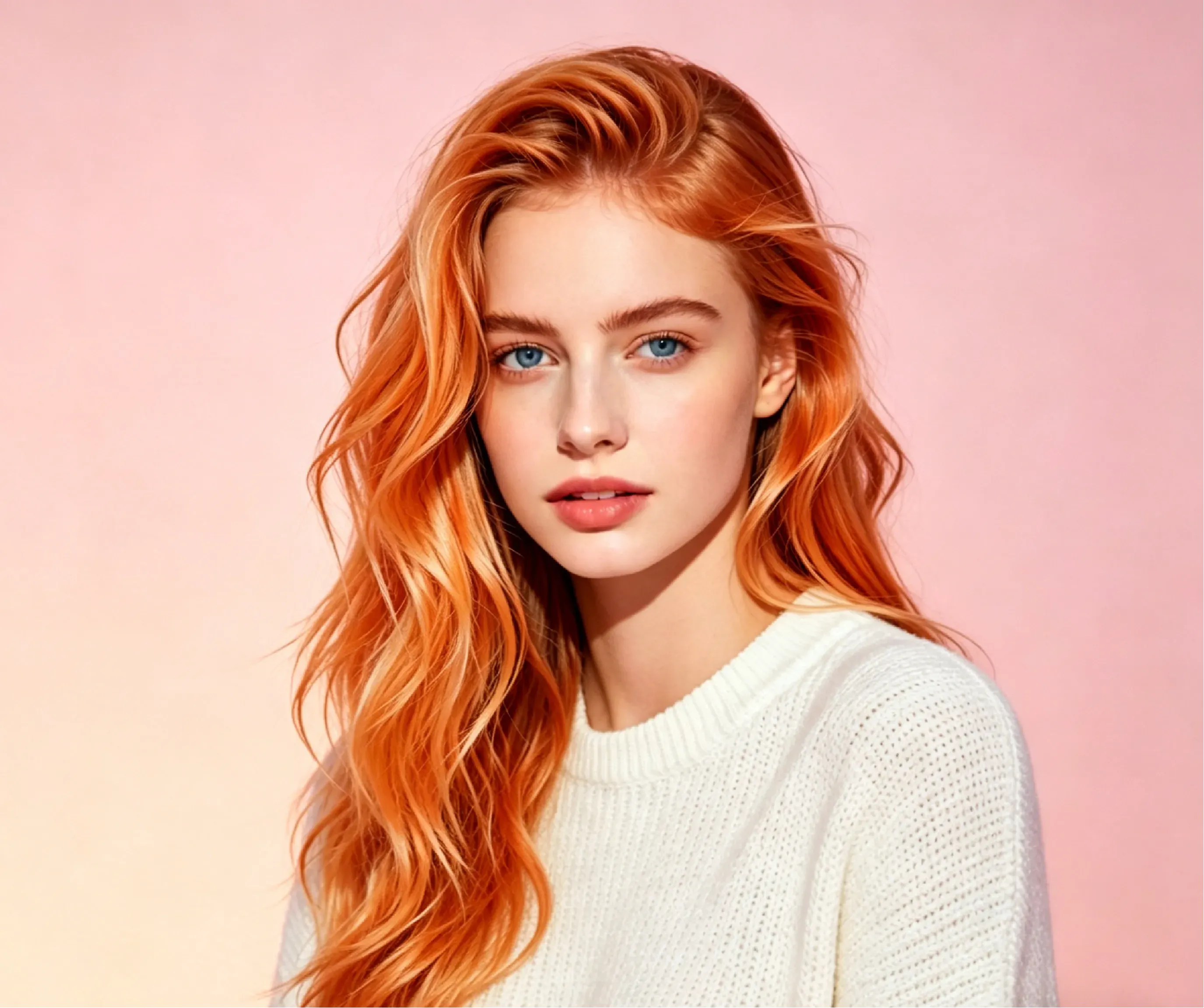
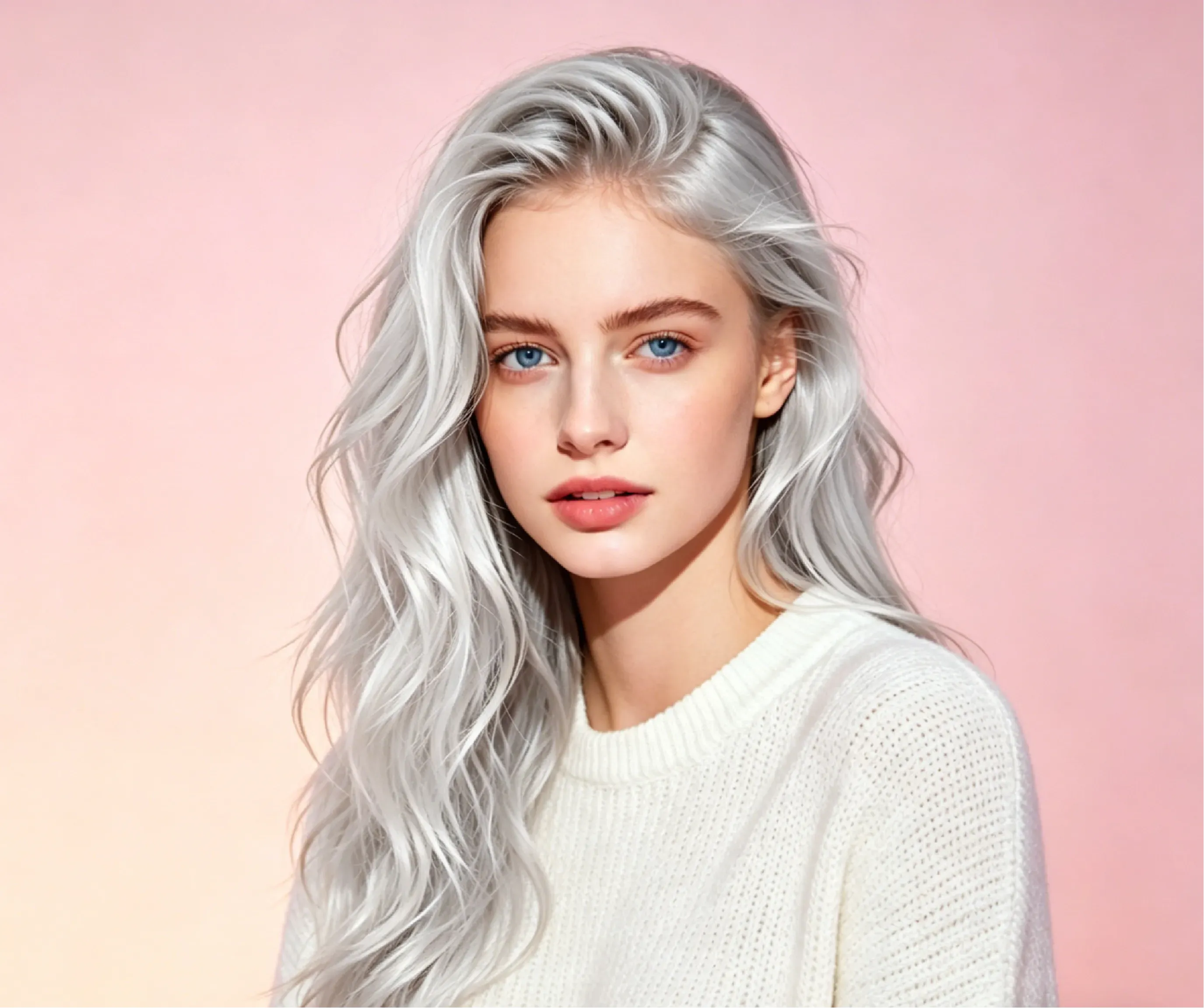
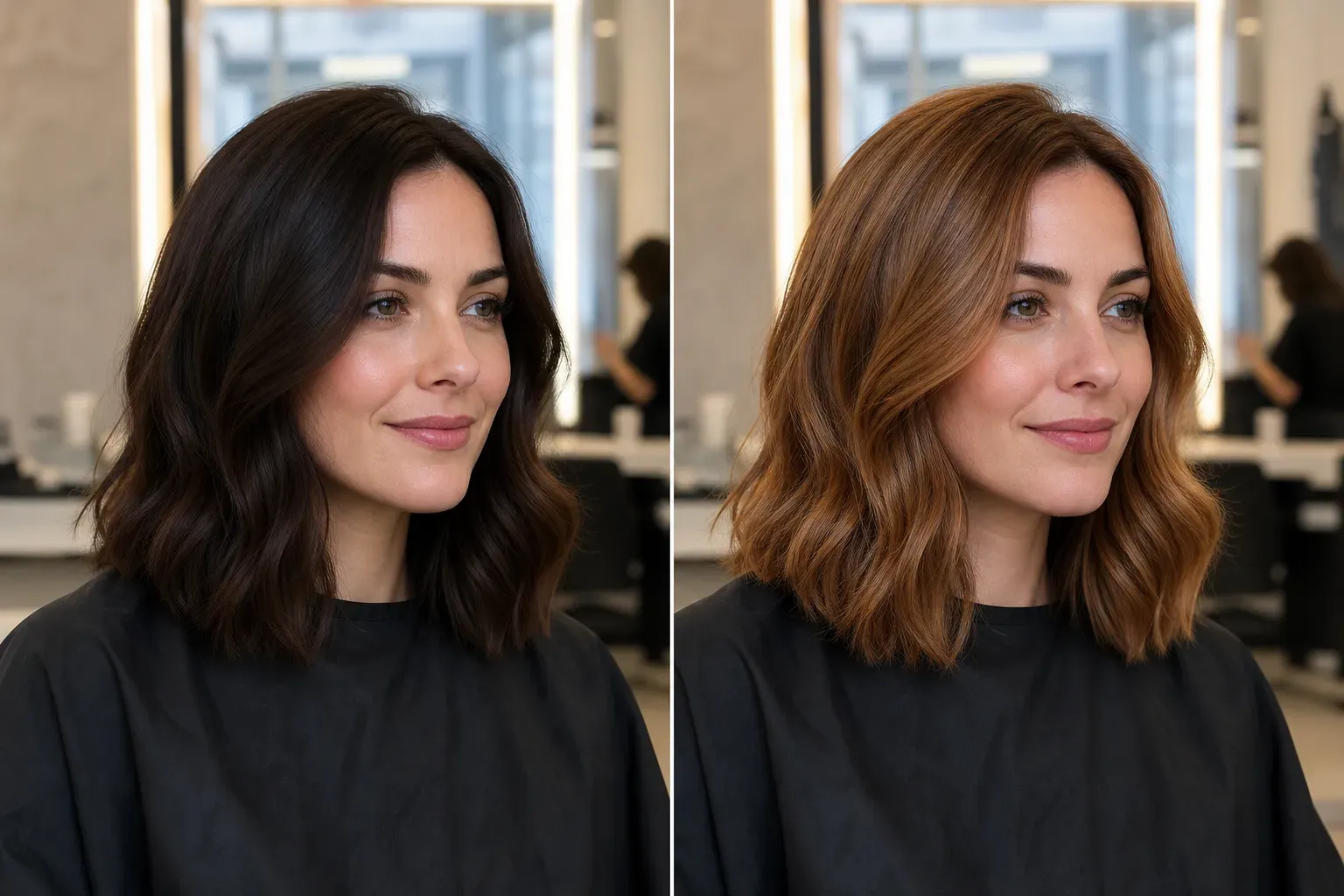
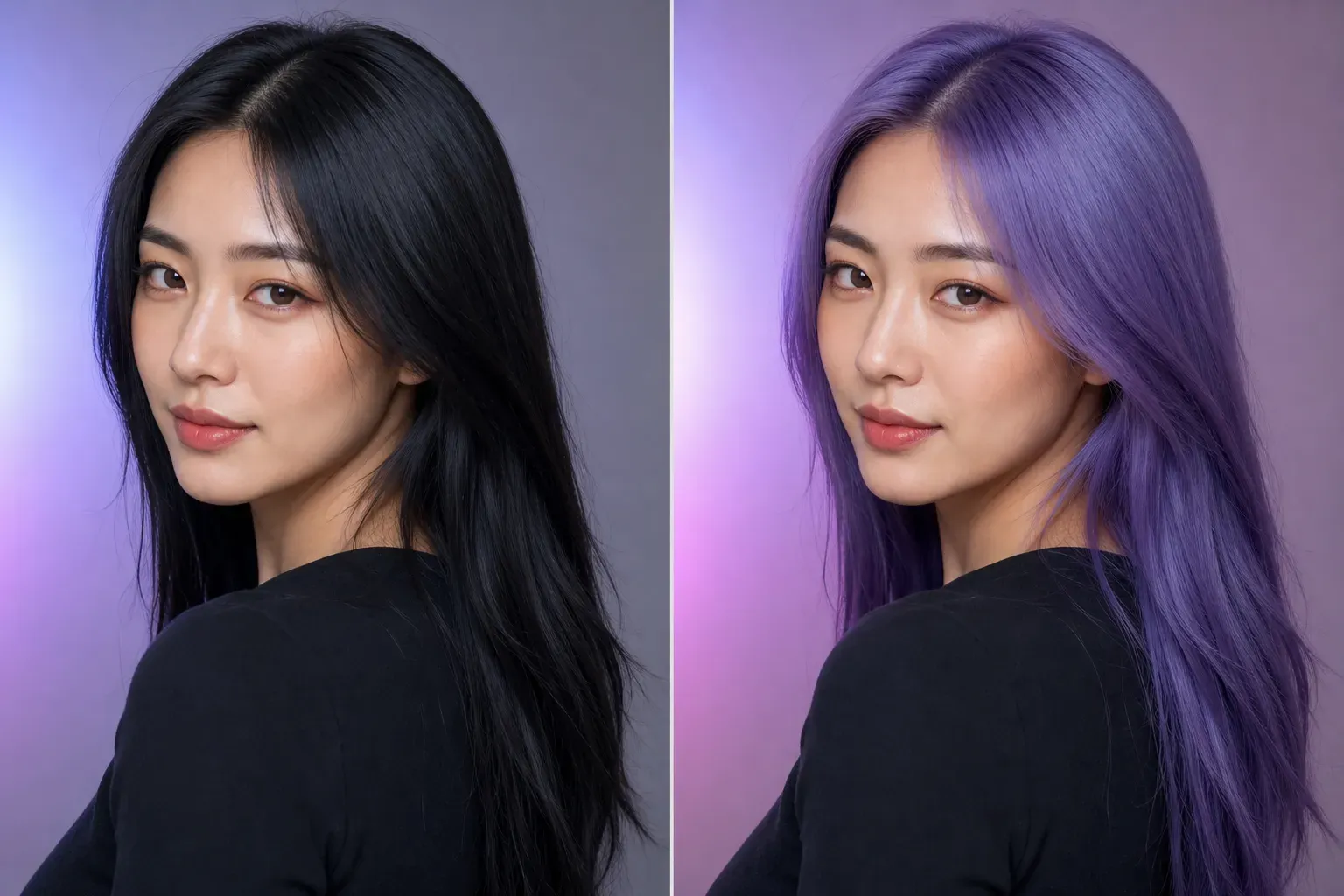
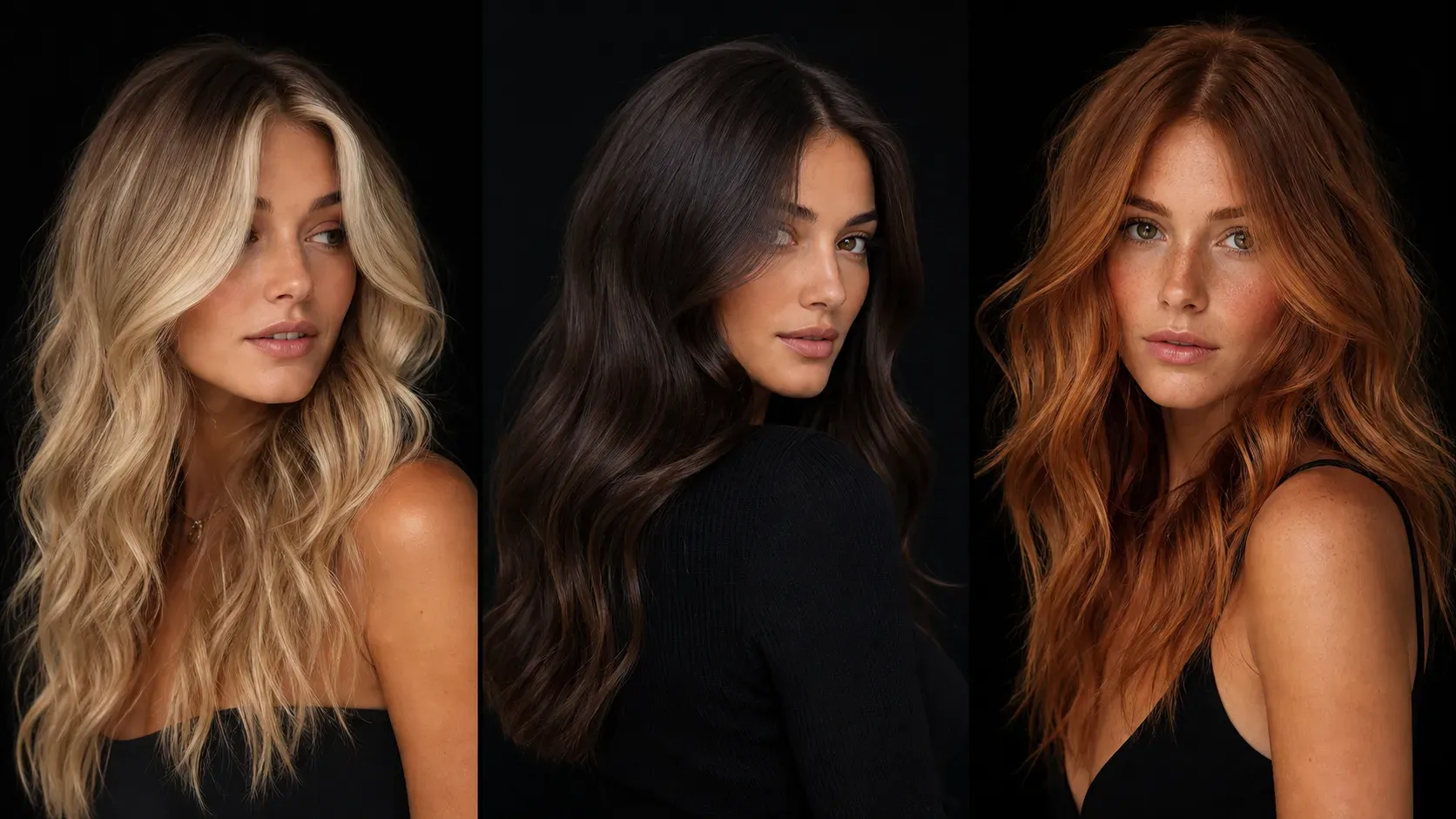
AI hair color preview is most practical when users can compare changes of the same portrait under different hair color schemes. The following cases show how Vidoly AI Hair Color Changer handles dark-to-light hair color transitions, creative hair colors, hair texture preservation, and real light and shadow effects.

How does the AI hair color changer work?

How does the AI hair color changer work?

The AI hair color changer usually first detects the hair area through image segmentation technology, then applies color mapping and tone conversion. The AI will identify visible hair edges, separate the hair from the face and background, and apply the selected color to the hair while preserving shadows, highlights, hair texture, and light and shadow directions. This makes the final preview more natural than a flat color block overlay.

What hair colors can be tried with Vidoly AI?

What hair colors can be tried with Vidoly AI?

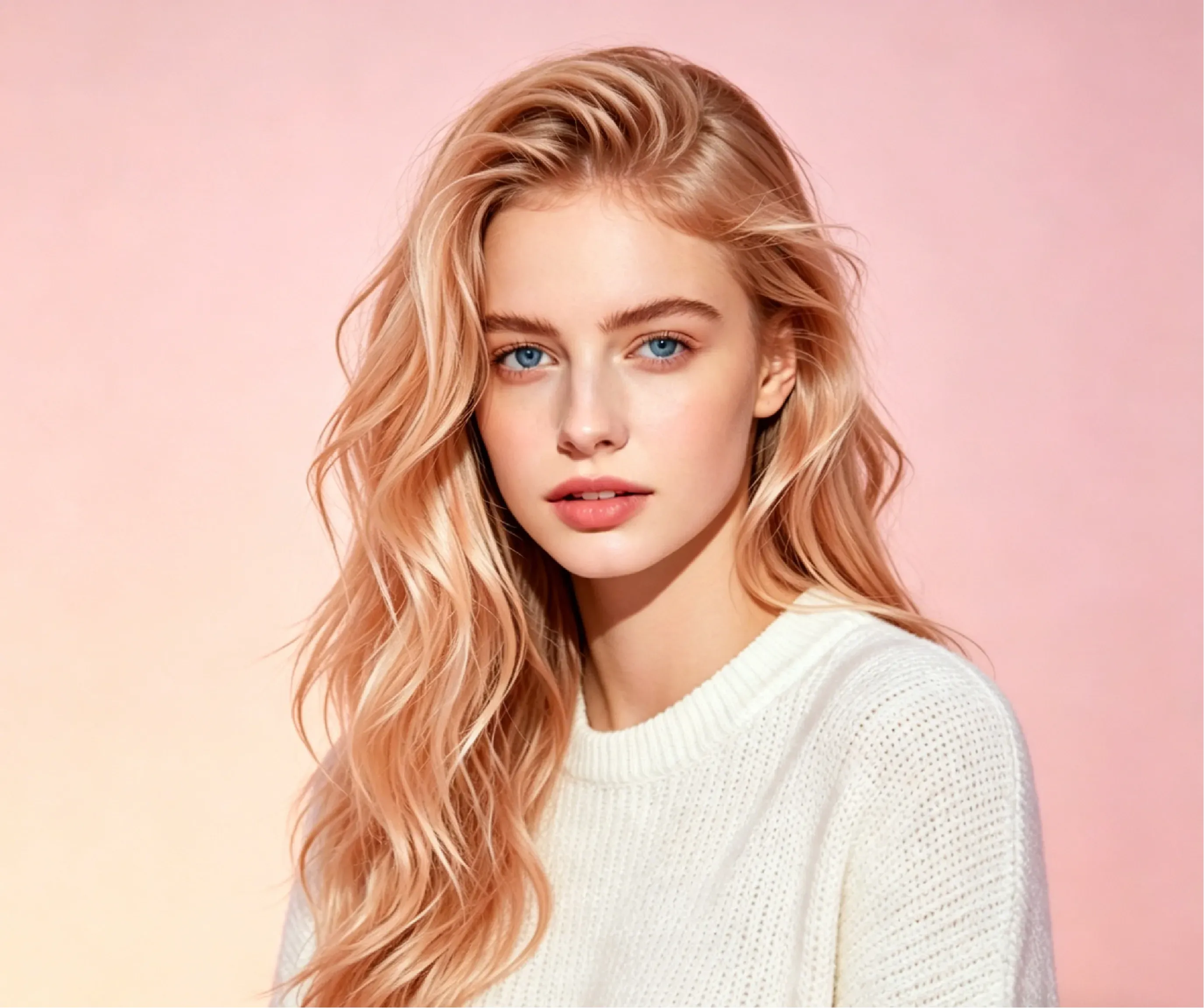
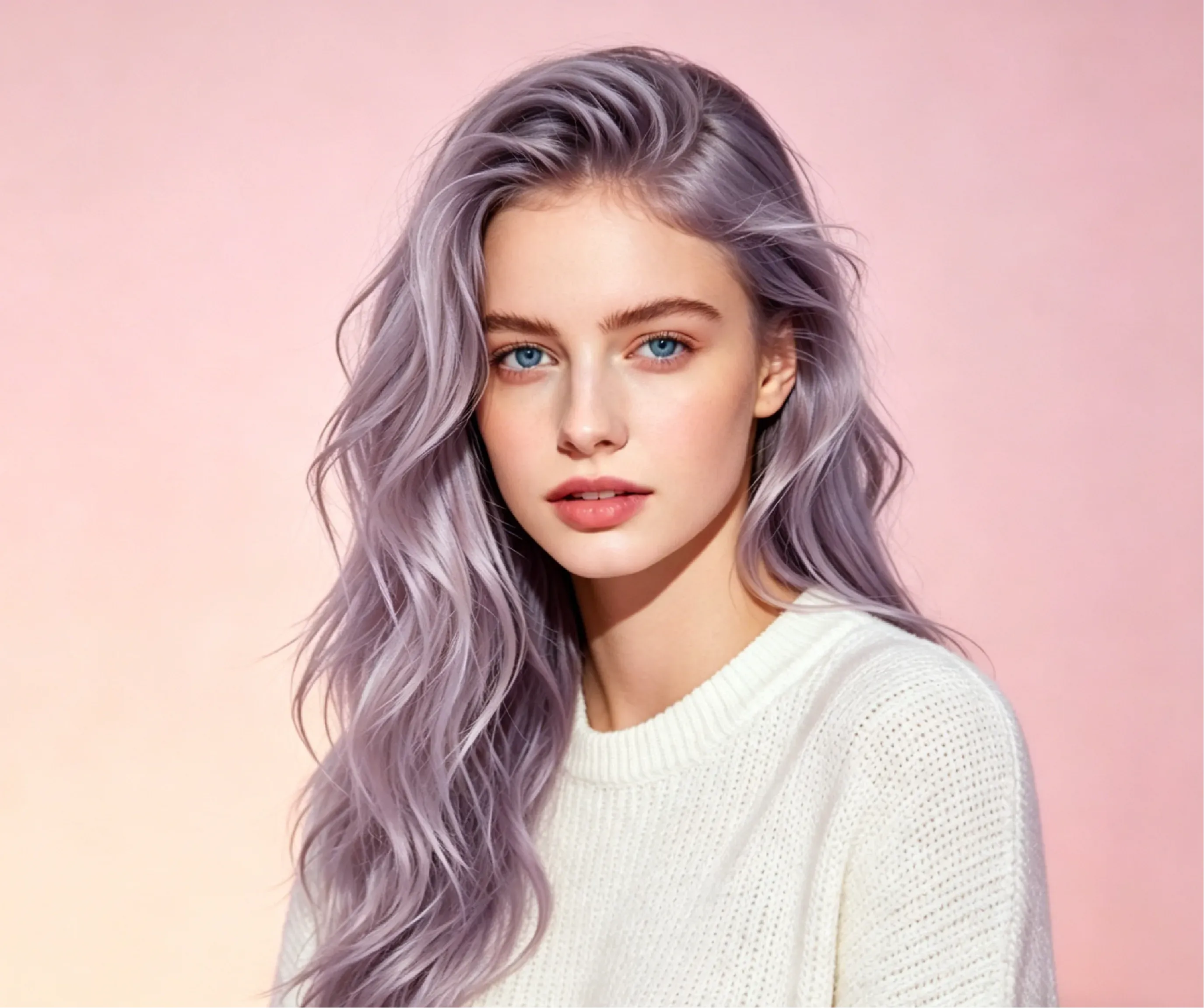
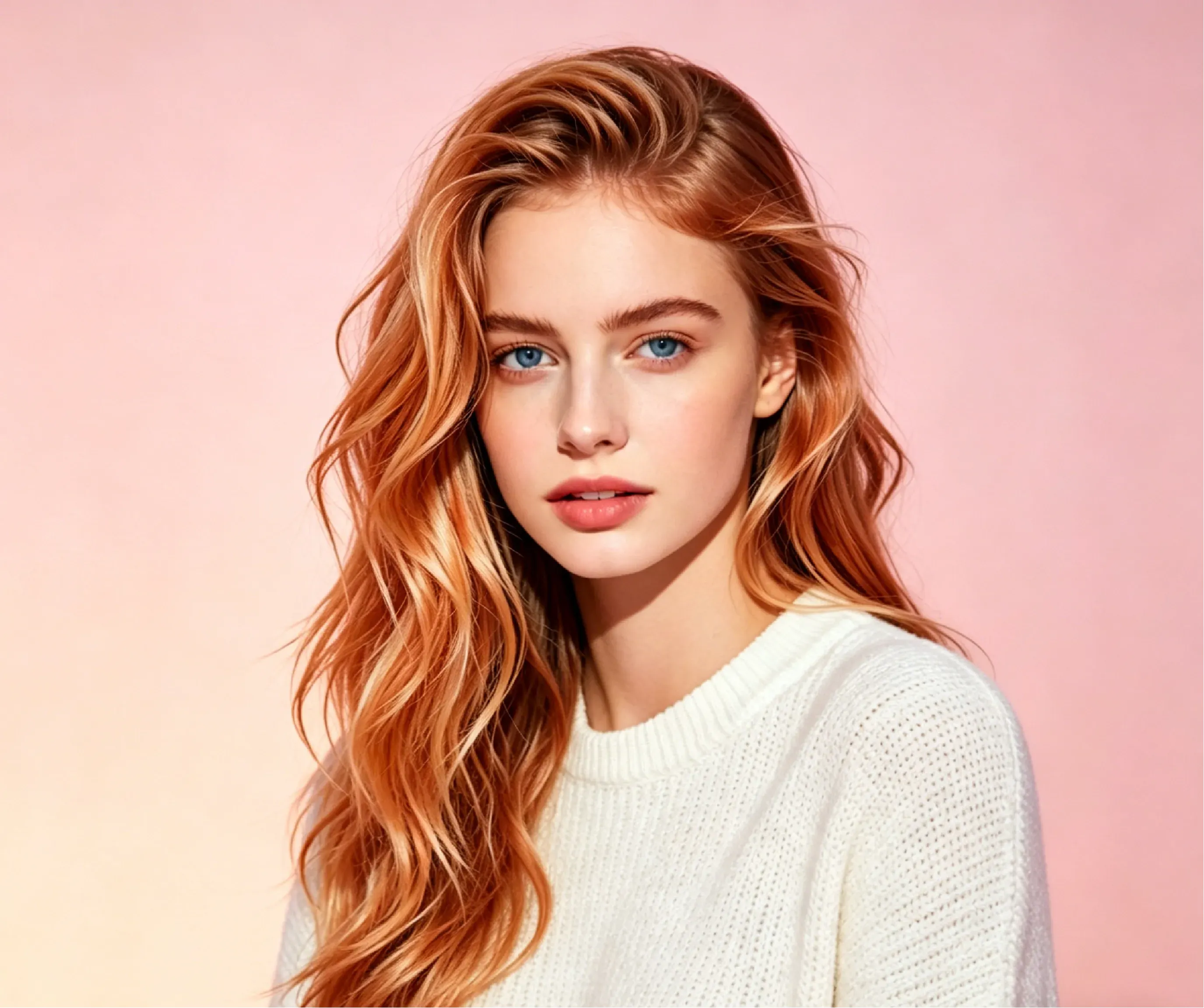
Vidoly AI Hair Color Changer supports natural hair colors and fashion hair colors. Users can preview black, brown, auburn, blonde, soft apricot gold, ice platinum, silver, blue, orange, smoky lavender, purple with white highlights, denim copper balayage, light pink, burgundy, and blue-black. These options help users compare subtle hair color adjustments, salon-style tones, bold fashion looks, and social media transformation styles.

What kind of photos are most suitable for AI hair color change?

What kind of photos are most suitable for AI hair color change?

AI hair color preview usually works best on clear portraits where the hair is clearly visible and separated from the background. Good lighting, clear hair edges, slight motion blur, and front or side angles can improve accuracy. Photos with hats, heavy shadows, cluttered backgrounds, occluded hair, or hair blended with dark clothing may produce inconsistent hair color results.

AI hair color changer vs manual photo editing

AI hair color changer vs manual photo editing

The AI hair color changer is faster than manual editing, because users don't need to create hair masks, draw color layers, adjust blend modes, or retouch highlights in Photoshop. Manual editing allows professionals more control in commercial beauty retouching, but AI is more suitable for quick previews, salon planning, social media posting, and quick comparison of multiple tones. It is especially suitable for users to view multiple hair dye schemes before making a choice.

Best hair colors for different skin tones

Best hair colors for different skin tones

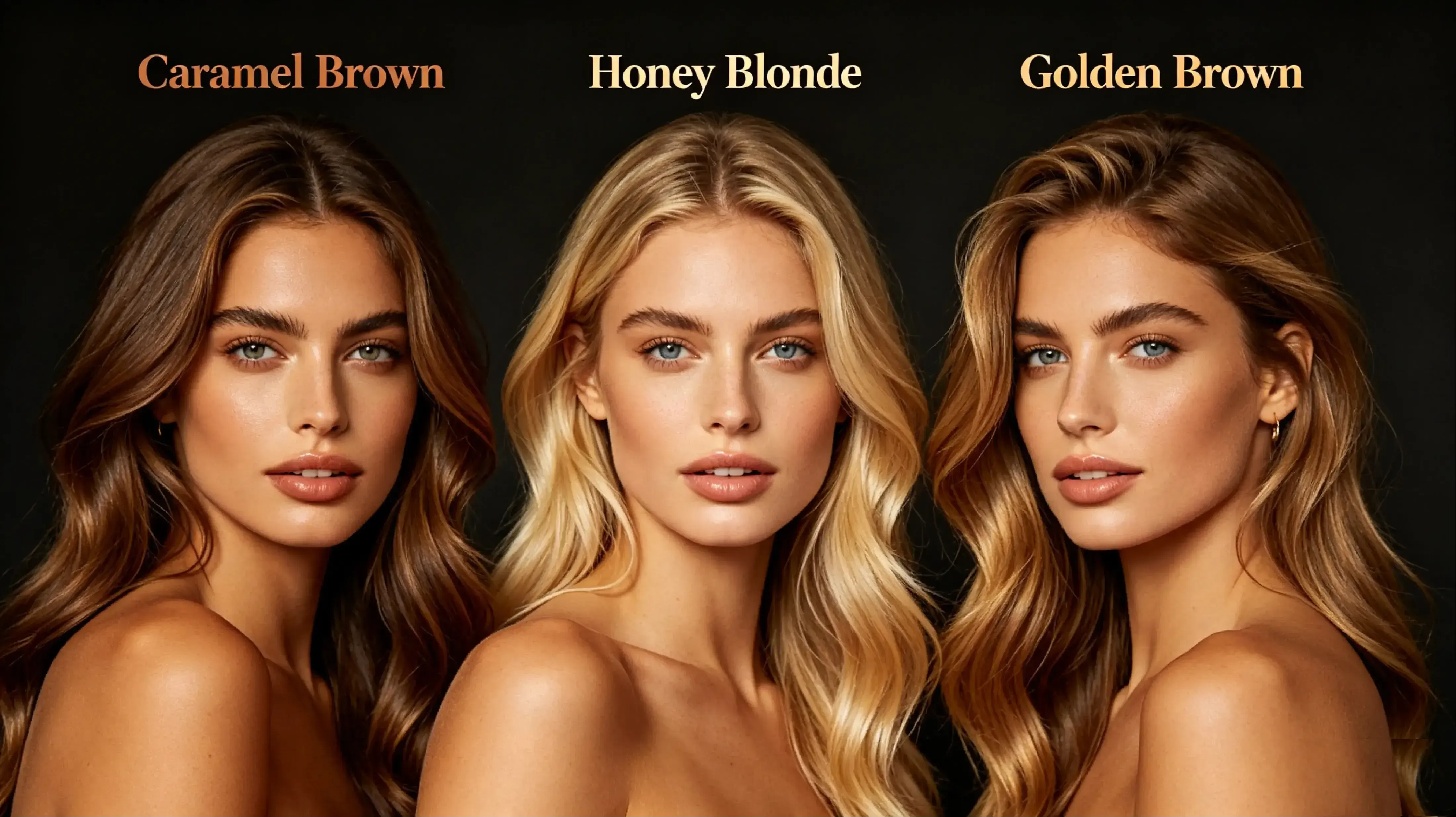
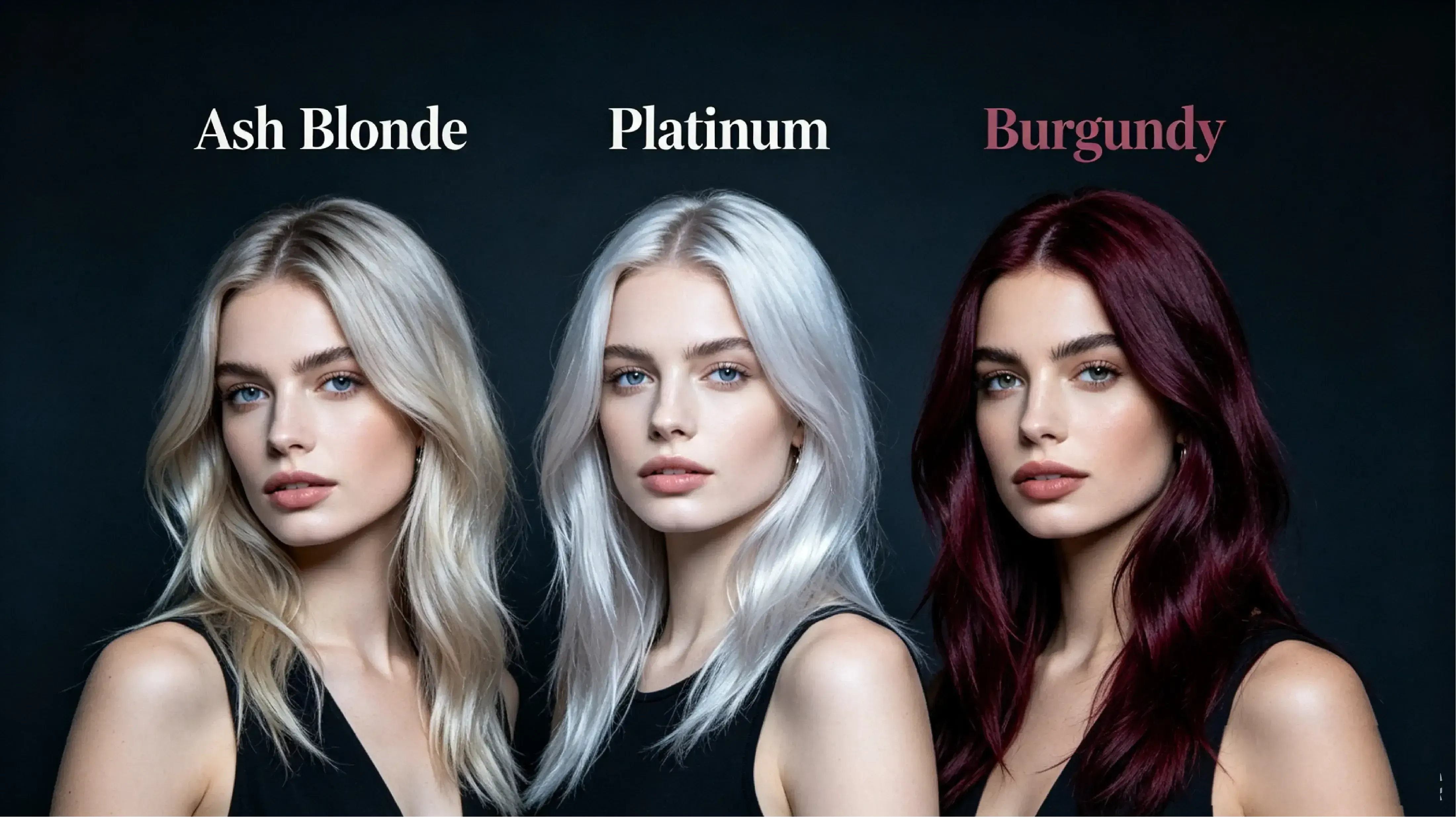
Warm skin tones usually pair well with caramel brown, honey blonde, golden brown, and copper red, as these shades complement golden or olive undertones. Cool skin tones usually match ash blonde, platinum blonde, silver, burgundy, and smoky lavender, as they balance pink or blue undertones. Neutral skin tones can usually try a wider range of shades, including chocolate brown, soft black, beige blonde, auburn, and soft fashion shades.

What are the limitations of AI hair color preview?

What are the limitations of AI hair color preview?

AI hair color preview may have lower accuracy on low-resolution photos, dimly lit images, photos with heavy shadows, or images where hair blends with the background. Dark hair may not show light colors as clearly as light hair, and complex effects like balayage, ombre, highlights, or multi-tone may require multiple attempts. The final result should be regarded as a visual preview, not a guarantee of salon results.

Salon pre-test: preview hair color before hair dyeing

Salon pre-test: preview hair color before hair dyeing

Planning a major color change at the salon? Use Vidoly AI Hair Color Changer to compare blonde, ash brown, copper, red, silver, or light shades on your own portrait before deciding on real hair dye. Users with warm undertones can preview copper, caramel, auburn, or honey blonde schemes, while those with cool undertones can compare ash brown, silver, mushroom brown, or ice blonde styles. The result can be used as a visual reference for stylists, but it cannot guarantee that the salon result will be exactly the same.

Cosplay and character styling: match bold hair colors

Cosplay and character styling: match bold hair colors

Cosplay creators can test bold hair colors like blue, purple, pink, white, orange, silver, or gradient two-tone before buying wigs, hair dye, or costume materials. Upload a clear portrait or costume photo to compare whether the hair color matches the character's color scheme, costume, makeup, and lighting. This is helpful for TikTok, Instagram, event planning, and anime-style profile visuals.

Curly, wavy, and textured hair: preserve shape and layers

Curly, wavy, and textured hair: preserve shape and layers

Curly, wavy, spiral, and layered hair is more challenging for AI tools, as this type of hair has more visible edges, shadows, volume, and overlapping strands. Vidoly is committed to preserving curl shape, wave direction, highlights, and layers while applying the new hair color, so the preview will not look like a flat color mask. For better results, use photos with sufficient lighting and hair clearly separated from the background.

Men's hair color preview: test natural and bold shades

Men's hair color preview: test natural and bold shades

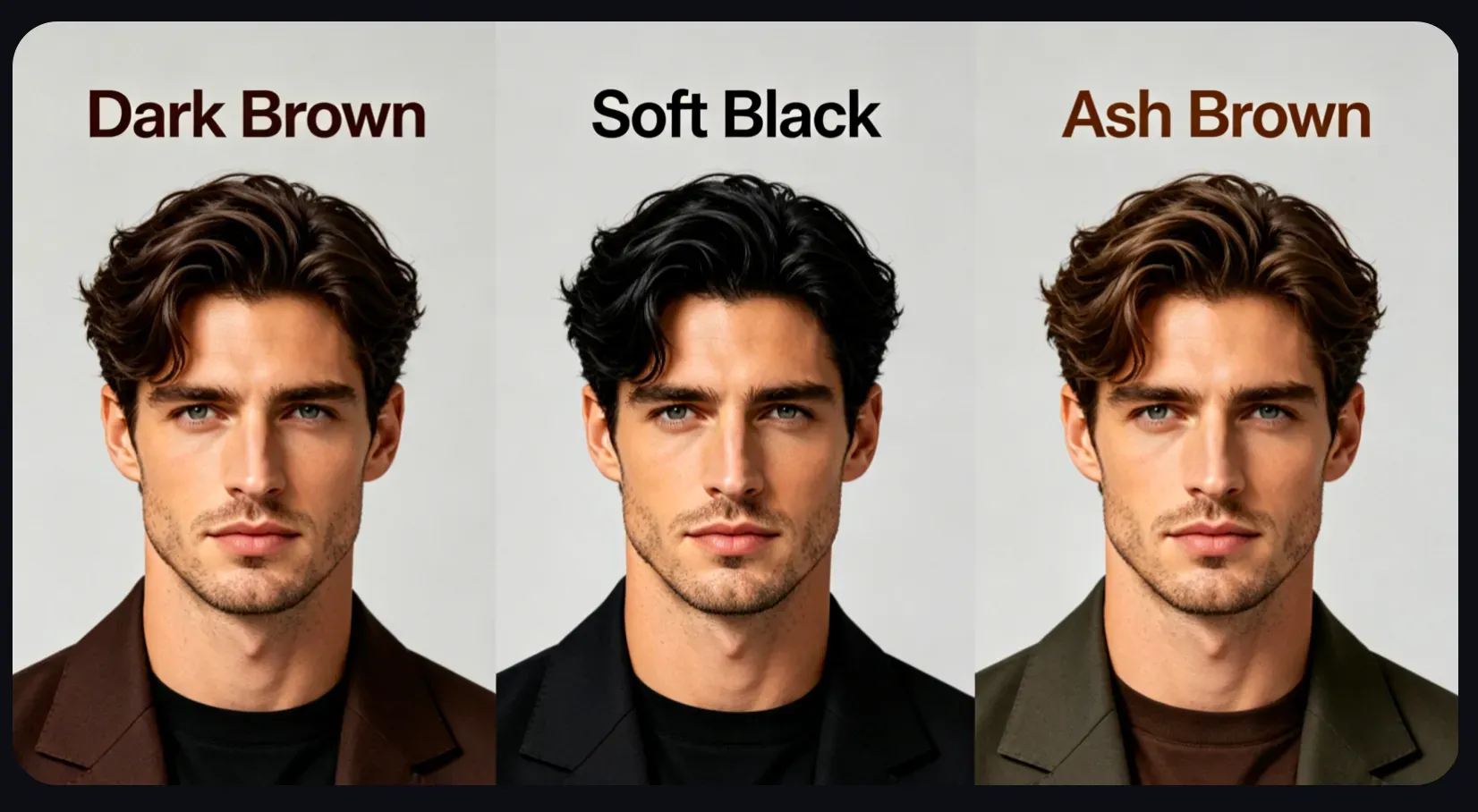
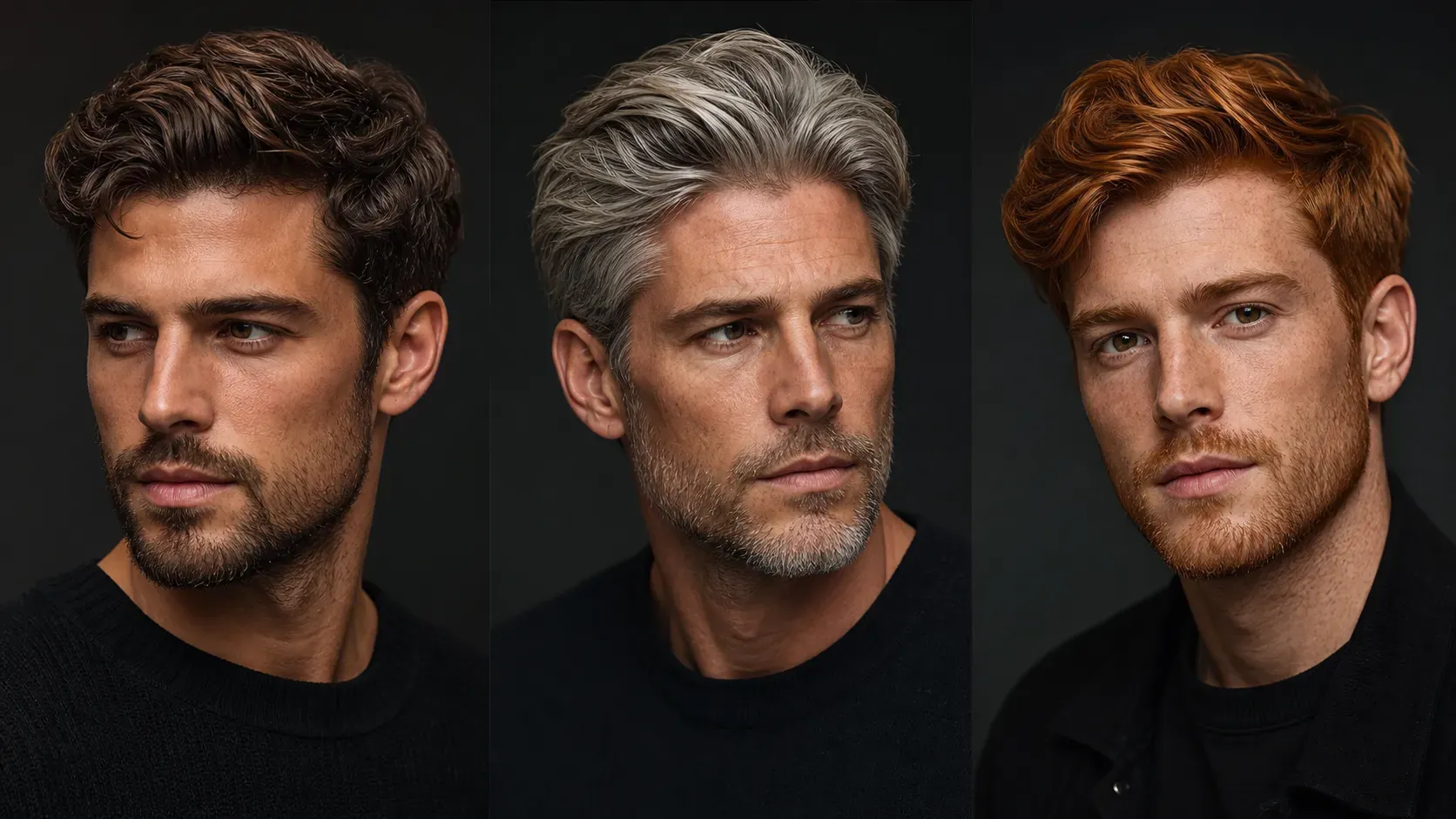
Men can use AI hair color preview to compare natural black, brown, ash brown, silver gray, platinum blonde, blue-black, copper, burgundy, or subtle highlight schemes. This is helpful for checking hair color on short hair, ombre, textured cuts, curls, beards, and hairline before choosing hair dye or salon references.

Beauty content creators: make before-and-after hair color comparison visuals

Beauty content creators: make before-and-after hair color comparison visuals

Beauty creators can generate before-and-after hair color comparison visuals for social media posts, transformation videos, thumbnails, profile updates, and style comparison content. Creators don't need to describe hair color schemes in words; they can show effects of blonde, red, purple, silver, light shades, or balayage style on the same portrait.

How to use Vidoly AI Hair Color Changer?

1

Upload a clear portrait

Choose a photo where hair is visible, well-lit, and separated from the background. A clear portrait helps Vidoly more accurately identify the hair area, including edges near the face, shoulders, and background.

2

Choose natural or creative hair color

You can choose from blonde, brown, copper, red, silver gray, light pink, lavender, purple, blue, or balayage style. Vidoly will take the user-selected shade as the target hair color, rather than simply overlaying a flat color block on the image.

3

Let AI detect the hair area

Vidoly analyzes the portrait and separates visible hair from skin, clothing, and background details. This hair area detection helps the new hair color

4

Preserve Light, Texture, and Hair Volume

The AI applies the new color while aiming to keep natural shadows, highlights, gloss, waves, curls, and strand direction. This makes the preview look closer to a salon-style hair color test rather than a painted digital mask.

5

Review, Compare, and Download

Check the final result around the hairline, roots, face edges, and color intensity. Generate multiple versions if you are comparing shades, then download the preview for salon planning, cosplay styling, beauty content, or social media posts.

FAQ

Can a salon stylist replicate the hair color generated by Vidoly AI?

Vidoly AI Hair Color Changer can be used as a visual reference for a salon consultation, especially when comparing blonde, copper, red, silver, balayage, highlights, or fantasy color ideas. However, the final salon result depends on your natural base color, hair condition, previous dye history, bleaching process, and stylist technique. Treat the AI image as a direction and mood reference, not a guaranteed dye formula.

Why does an AI hair color preview look different from real salon dye?

AI changes the color inside an image, while real dye reacts with your actual hair pigment, porosity, texture, and lighting. Dark hair may need bleaching before pastel, silver, or platinum shades can appear in real life. Use the preview to compare visual options, then ask a stylist whether the color is realistic for your hair type.

Can Vidoly handle dark roots, highlights, balayage, or ombré hair?

Vidoly works best when the hair area is clearly visible and well lit. For multi-tone hair, the AI aims to preserve existing shadows, roots, highlights, and gradient placement while applying the new shade. If you want a rooted blonde, soft balayage, or ombré effect, review the result around the roots and ends before using it as a reference.

Does the AI work on black or very dark hair?

Yes, you can preview lighter colors on black or dark brown hair, including blonde, copper, red, purple, silver, and pastel tones. The preview may look more dramatic than a real salon result because real dark hair often needs bleaching to reach light shades. For realistic planning, generate several options and compare warm, cool, and natural tones.

Will the AI preserve curls, waves, and hair texture?

Vidoly is designed to keep visible hair shape, volume, highlights, shadows, curls, waves, and strand direction while changing the color. Results are usually better when the hair is not heavily blurred, hidden by hats, or blended into a dark background. Curly and coily hair previews should be checked carefully around overlapping curls and fine edges.

Can I use the generated hair color image for social media?

Yes, you can use the generated preview for profile photos, makeover posts, beauty content, cosplay planning, thumbnails, and style comparisons. Before posting, check the hairline, face edges, roots, and any areas where the new color may have touched the skin, clothing, or background.

Can I try fantasy hair colors like pink, blue, purple, or silver?

Yes. Vidoly can preview natural shades and fantasy hair colors, including pastel pink, lavender, neon purple, blue, silver gray, platinum, and split-color looks. Fantasy shades are useful for cosplay, music visuals, festival styling, and social content, but real-world dye results may require bleaching or color correction.

What kind of photo gives the best AI hair color result?

Use a clear portrait where the hair is visible, well lit, and separated from the background. Avoid photos with heavy shadows, motion blur, hats, extreme filters, messy backgrounds, or hair covering too much of the face. Front-facing or three-quarter portraits usually work better than distant full-body photos.

Can men use the AI hair color changer?

Yes. Men can preview black, brown, ash gray, silver, platinum blonde, copper, burgundy, blue black, or subtle highlight ideas. For short hair, fades, textured crops, curls, and beards, check the hairline and side edges carefully because small hair areas leave less visual detail for the AI to preserve.

Is the AI hair color result suitable for a logo, ad, or paid campaign?

It can be used for creative direction, beauty mockups, social visuals, and campaign concepts, but you should review the final image before commercial use. Check resolution, facial consistency, color accuracy, license terms, and whether the image includes any unintended artifacts. For professional ads or printed materials, manual retouching may still be needed.

Can I use the generated hair color image for ads, client previews, or commercial projects?

Vidoly AI Hair Color Changer can be used for creative direction, beauty content drafts, social media campaigns, salon consultation previews, cosplay planning, and client mood boards. Before using the image in paid ads, product pages, or professional campaigns, review the final result for hairline accuracy, face consistency, image resolution, visible artifacts, and platform license terms. For print, brand campaigns, or client-facing deliverables, a designer or retoucher should still check the image before publishing.

À lire aussi