Superviseur d'images par IA

Superviseur d'images par IA

Importer une image
photo_camera

Importer une image

Prompt
42/2000
Licence commerciale incluse
Plus dans

Enlarge HD images online

The KI Image Enlarger is designed for images that are too small, blurry after enlargement, or lack clarity. Vidoly doesn’t just stretch pixels; it uses KI-based image reconstruction technology to enlarge images while restoring edges, textures, and visible details.

How the KI Image Enlarger works

Traditional enlargement tools scale images by duplicating or interpolating existing pixels, often resulting in soft, blocky, or pixelated outputs.

Which images can be enlarged?

1. Portraits and Profile Photos Upscale selfies, headshots, profile pictures, dating photos, LinkedIn photos, and creator portraits. AI upscaling can help improve facial clarity and make small portraits more suitable for larger displays. 2. Product Photos Ecommerce sellers can upscale product images for listings, marketplace previews, ad creatives, and catalog visuals. This is useful when product photos are too small for Shopify, Amazon, Etsy, or social ads. 3. AI Art and Generated Images AI-generated images sometimes look good but export at limited resolution. Use AI Image Upscaler to enlarge AI art, fantasy portraits, concept images, wallpapers, and generated product visuals. 4. Anime and Illustration Images Upscale anime art, character images, cartoon illustrations, comic-style images, and digital drawings while preserving clean outlines and color blocks. 5. Old or Small Photos Old family photos, scanned images, and small digital photos can be enlarged for viewing, sharing, or restoration workflows. If the original image is damaged, combine upscaling with photo restoration or enhancement.

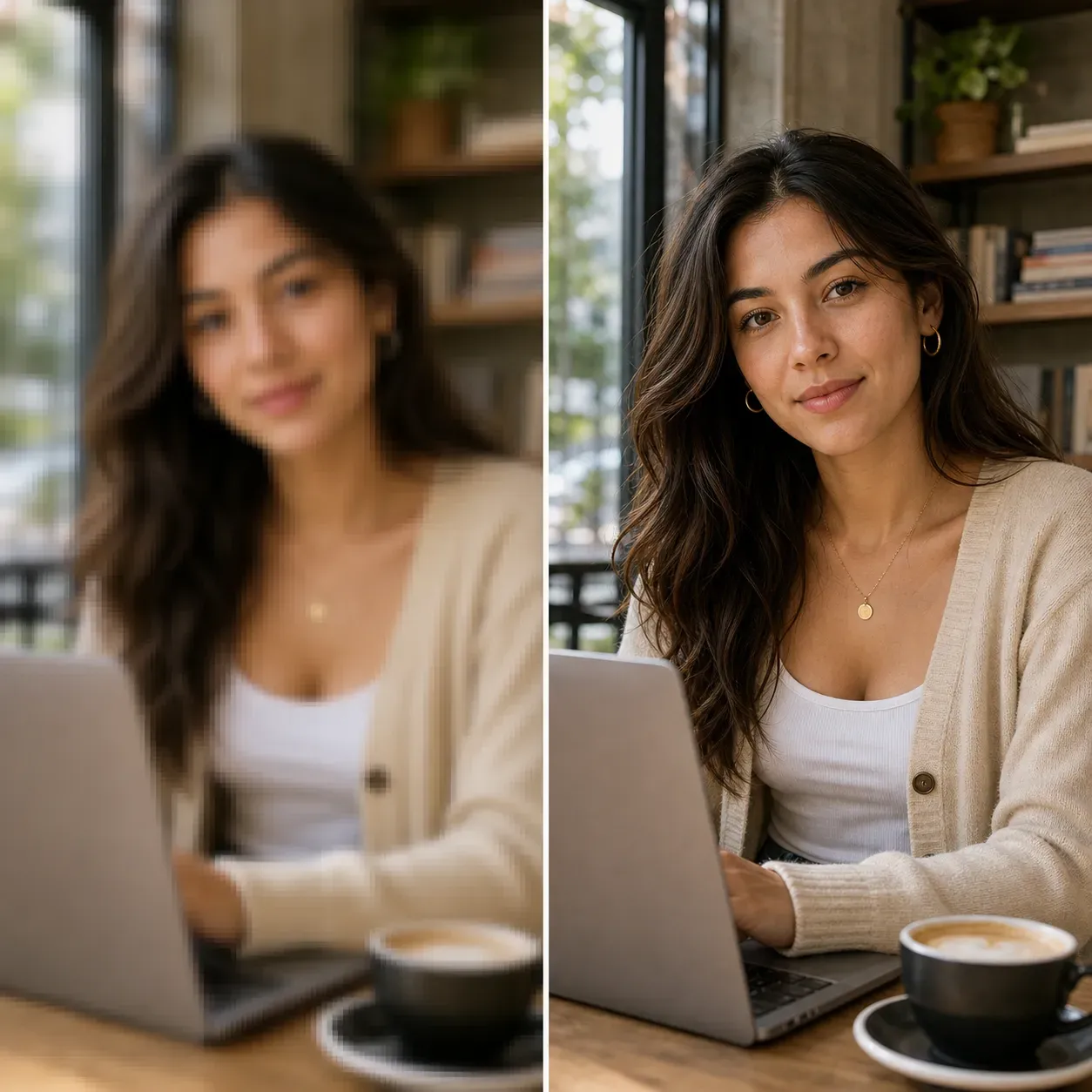
KI Image Enlarger vs. KI Photo Enhancer

The KI Image Enlarger focuses on increasing image size and resolution. It’s the right tool when your image is too small, pixelated, or insufficiently large for its intended use.

Best use cases for the KI Image Enlarger

1. E-commerce product listings

Which inputs work best?

Use images with clear subjects, visible edges, and low compression. Photos with good lighting, distinct outlines, and minimal noise typically yield better enlargement results.

Common limitations

The KI Image Enlarger can enlarge and reconstruct visible details, but perfect accuracy isn’t guaranteed. Tiny text, faces in the background, complex logos, fabric patterns, license plates, or dense product labels may become distorted.

How to use the KI Image Enlarger?

1

Upload an image

Choose a portrait, product photo, KI-generated image, illustration, old photo, or small-sized image.

2

Select an enlargement factor

Choose a target scale or resolution, such as 2x or 4x (if available).

3

Generate the enlarged image

Vidoly will enlarge the image while optimizing edges, textures, and visible details.

4

Check fine details

Review faces, text, logos, product labels, patterns, and edges before final use.

5

Download the result

Save the high-resolution image for web, e-commerce, social media, creative projects, or print preparation.

FAQ

What is the KI Image Enlarger?

The KI Image Enlarger is a tool that scales images to higher resolutions; unlike basic enlargement, it also enhances visible details and clarity.

Is the KI Image Enlarger different from the KI Photo Enhancer?

Yes. The KI Image Enlarger focuses on making images larger and higher-resolution. The KI Photo Enhancer focuses on improving clarity, lighting, and color without enlarging images to the same degree.

Can I enlarge images to 2x or 4x?

Yes, KI enlargement typically supports scaling options like 2x or 4x, depending on the tool’s settings. Higher scaling levels may require closer checks for imperfections.

Can I enlarge product photos?

Yes. Product photos can be enlarged for e-commerce listings, ad creatives, catalog images, and market previews. Check labels, logos, and fine product details before publishing.

Can I enlarge KI-generated images?

Yes. KI-generated images are a key use case for image enlargement, especially when the original export size is too small for posters, wallpapers, covers, or design models.

Can I enlarge portraits or headshots?

Yes. Portraits, selfies, profile pictures, and portrait photos can all be enlarged. After generation, check facial details, especially in areas like eyes, teeth, hair, and skin texture.

Can the KI Image Enlarger fix blurry images?

It can improve the perceived clarity of some images, but it is not the same as a dedicated deblurring tool. If an image is severely blurry, use a KI deblurring tool or photo enhancer first, or apply it after enlargement.

Will image enlargement improve print quality?

It can help prepare small images for print by increasing resolution, but professional print quality isn’t guaranteed. Check the final size, DPI, clarity, and imperfections before printing.

Will small text remain legible after enlargement?

Not necessarily. Small text, dense labels, screenshots, and tiny logos may distort during KI reconstruction. Manually verify text before using the result for commercial purposes.

Can I enlarge old photos?

Yes. Small old photos can be enlarged. If the image has scratches, fading, stains, or damage, combine the enlargement function with old photo restoration or photo enhancement features.

Can I use enlarged images for commercial purposes?

You may use enlarged images for commercial purposes if you own the original image or have permission to use it, and the result meets relevant requirements.

Which image types work best?

Images with clear subjects, good lighting, and low compression work best. Very small, noisy, blurry, or highly compressed images may still have imperfections after enlargement.