
App Store Image Translator

App Store Image Translator

Importer une image
photo_camera

Importer une image

Prompt
26/2000
Licence commerciale incluse
Plus dans

App Store Image Translation Tool

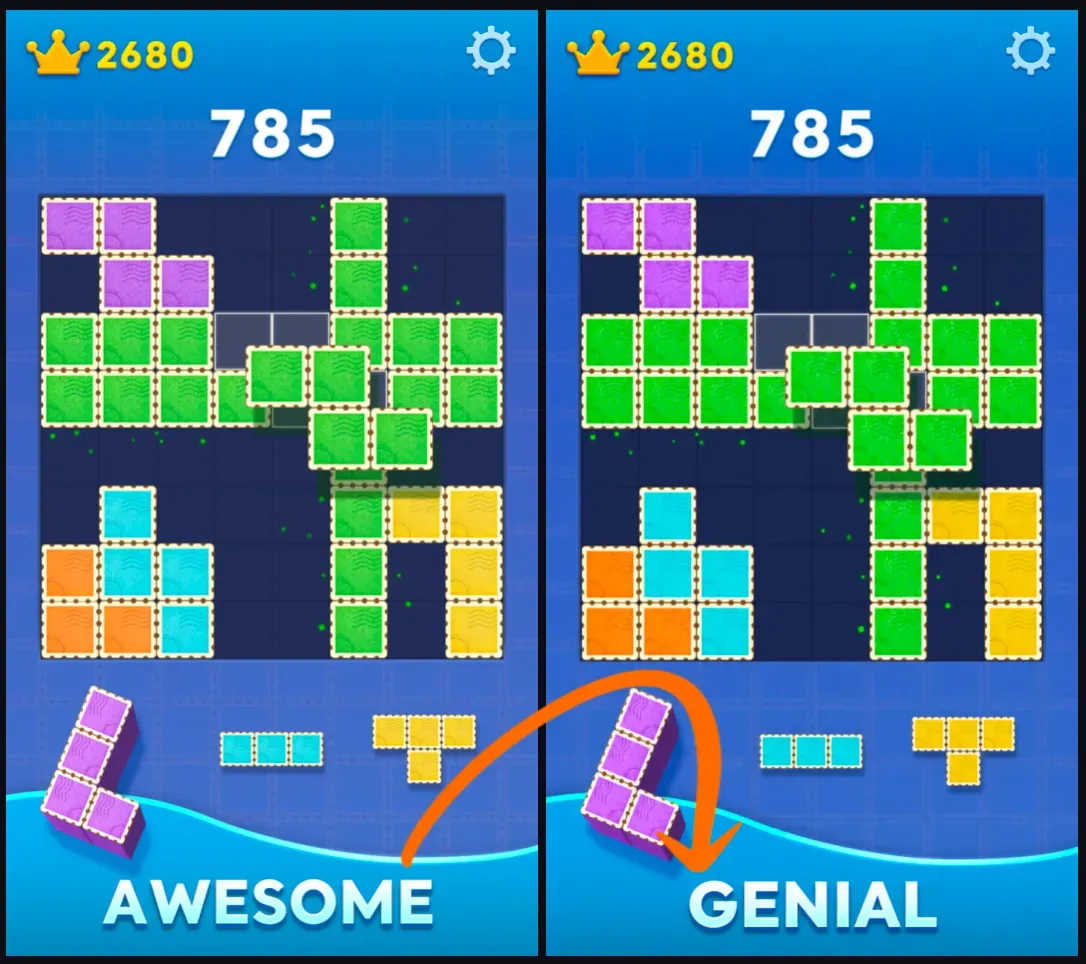
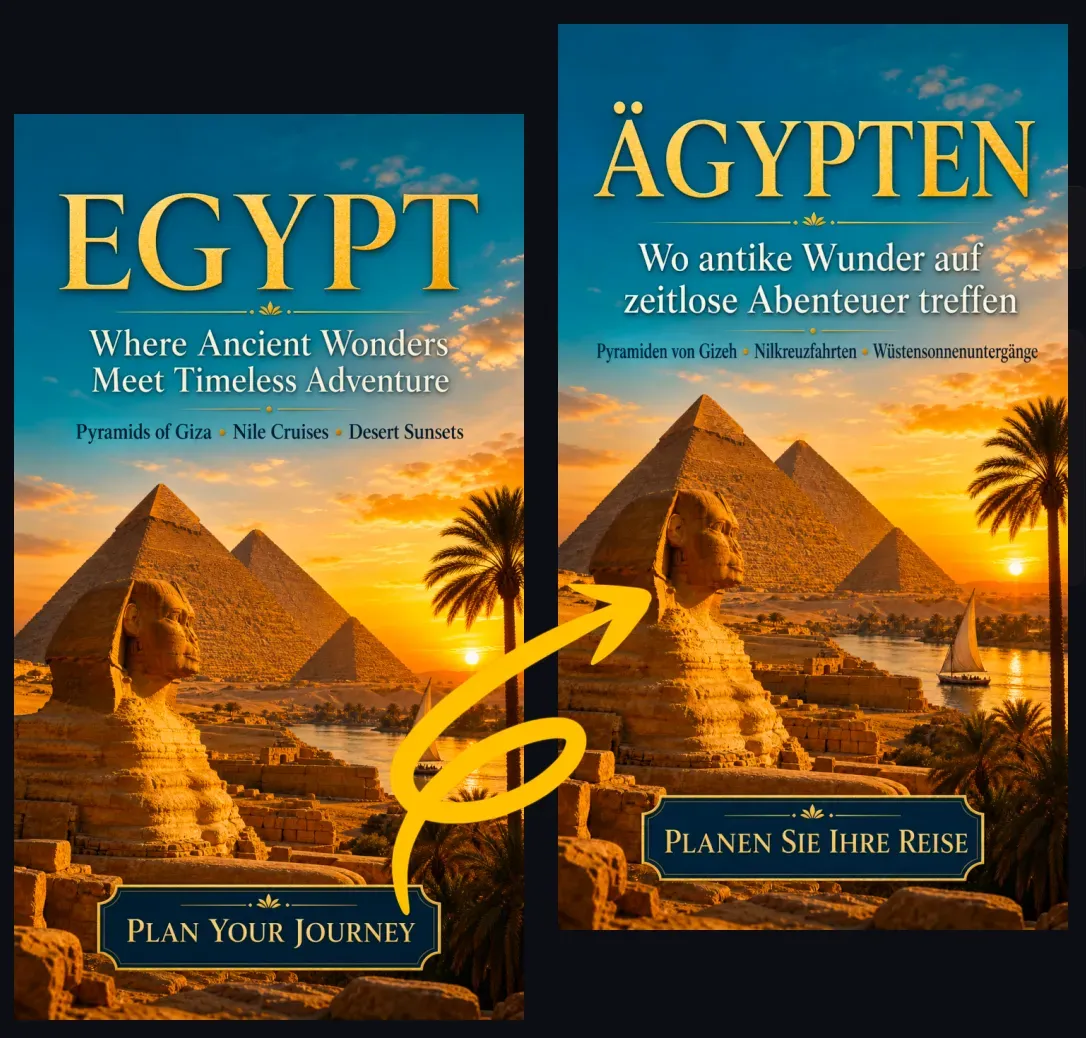
The App Store Image Translation Tool is designed for app teams, enabling store image localization without manually recreating all screenshots. This AI tool identifies visible text in your uploaded App Store images, translates it to the target language, removes or modifies the original text areas, and then retypeset the translated text into the original visual layout.

How to Use the App Store Image Translation Tool?

The App Store Image Translation Tool generates new localized images through visual text recognition, translation, image repair, and layout optimization. It identifies readable text blocks, translates them to your chosen language, and preserves the original background, UI screenshots, spacing, colors, font styles, and text positions as much as possible.

Which App Store Images Can I Translate?

The App Store Image Translation Tool can be applied in the following scenarios:

Translate App Store Images Without Redesigning

Traditional app screenshot localization usually requires designers to open source files, replace each layer of text, check line breaks, export different language versions, and repeat the entire process for various screen sizes. The App Store Image Translation Tool can directly generate translated images from uploaded screenshots, reducing such manual workload.

App Store Image Translation Tool vs. Manual Localization

The App Store Image Translation Tool is ideal for quickly creating initial localization drafts, ASO testing, early market validation, and translating existing store images when source files are missing. For final production materials requiring precise brand specifications, pixel-level alignment, legal text review, or App Store compliance checks, manual design tools remain a better choice.

Best Image Requirements for Accurate App Store Translation

Please use images with clear, readable text and sufficient spacing around each text block. Simple screenshot layouts, high-contrast fonts, and short titles usually yield better translation results than dense paragraphs or small UI labels.

Popular Use Cases

App Developers: With this tool, developers can translate store screenshots for new markets without redesigning all materials from scratch, helping the team prepare localized visual assets for app launches, updates, and market testing.

Common Limitations

The App Store Image Translation Tool may struggle with small UI text, dense screenshots, special fonts, overlapping text, curved text, logos, or highly stylized game fonts. Additionally, translated text may be longer than the original, which could affect line breaks or spacing.

How to Use the App Store Image Translation Tool?

1

1. Upload App Store, Google Play, or app promotional images

2

2. Select the target language for localization

3

3. Let the AI recognize and translate visible text in the image

4

4. Check text adaptability, semantics, and layout of the translated image

5

5. Download the localized image for use as a draft or launch material

FAQ

What is the App Store Image Translation Tool?

The App Store Image Translation Tool is an AI tool that translates visible text in App Store screenshots and store promotional images, then generates a new image with the translated text retypeset into the original layout.

Can I also translate Google Play screenshots?

Yes. The same workflow applies to Google Play screenshots, app feature graphics, Android app showcase images, and mobile game store images.

Is it different from regular image translation tools?

Yes. Regular image translation tools may only extract and translate text, while the App Store Image Translation Tool focuses on generating fully localized images that preserve the screenshot design, UI previews, and marketing layout.

Can it preserve the design of the original app screenshot?

The tool is designed to retain the original composition, colors, UI screenshots, and text positions as much as possible. However, manual checks may still be needed for complex layouts or cases where translated text is too long.

Which languages can I translate App Store images into?

The tool supports major localization languages, including Spanish, French, German, Japanese, Korean, Chinese, Portuguese, Italian, Arabic, Indonesian, Vietnamese, and Thai.

Will the translated text fit the original area?

The AI can adjust line breaks, spacing, or font size to make translated text fit the original area. Some languages have significantly longer text, so a final check is recommended.

Can I use the output directly for App Store Connect?

You can use the output as a draft or launch material, but you must first check translation accuracy, text readability, platform rules, legal promotional content, and brand requirements.

Will it translate text in the app UI?

It can translate text if the text in the uploaded image is clear and readable. Small UI labels, low-resolution text, or heavily compressed screenshots may be difficult to process accurately.

Do brand names or app names need translation?

Usually not. App names, brand names, product names, website addresses, legal marks, and trademarks should generally remain unchanged, unless your localization strategy requires a translated version.

Who should use the App Store Image Translation Tool?

It is suitable for app developers, ASO marketers, mobile game publishers, SaaS teams, localization agencies, and e-commerce app teams that need to prepare App Store visual assets for multiple markets.