Essayage virtuel de vêtements par IA

Essayage virtuel de vêtements par IA

Importer une image
photo_camera

Upload Person Image

photo_camera

Upload Clothes Image

Prompt
50/2000
Licence commerciale incluse
Plus dans

Try on real clothes for people in photos

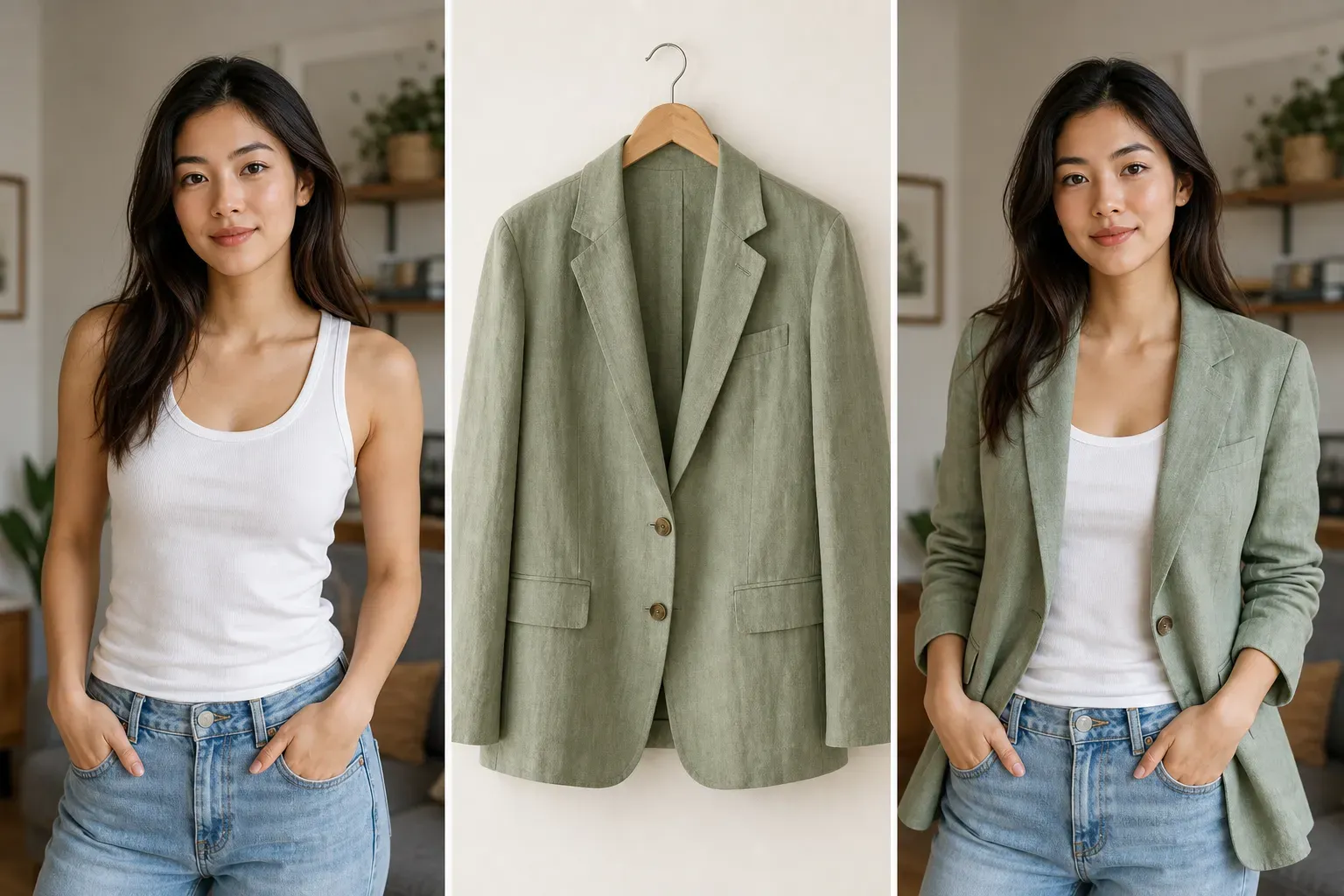
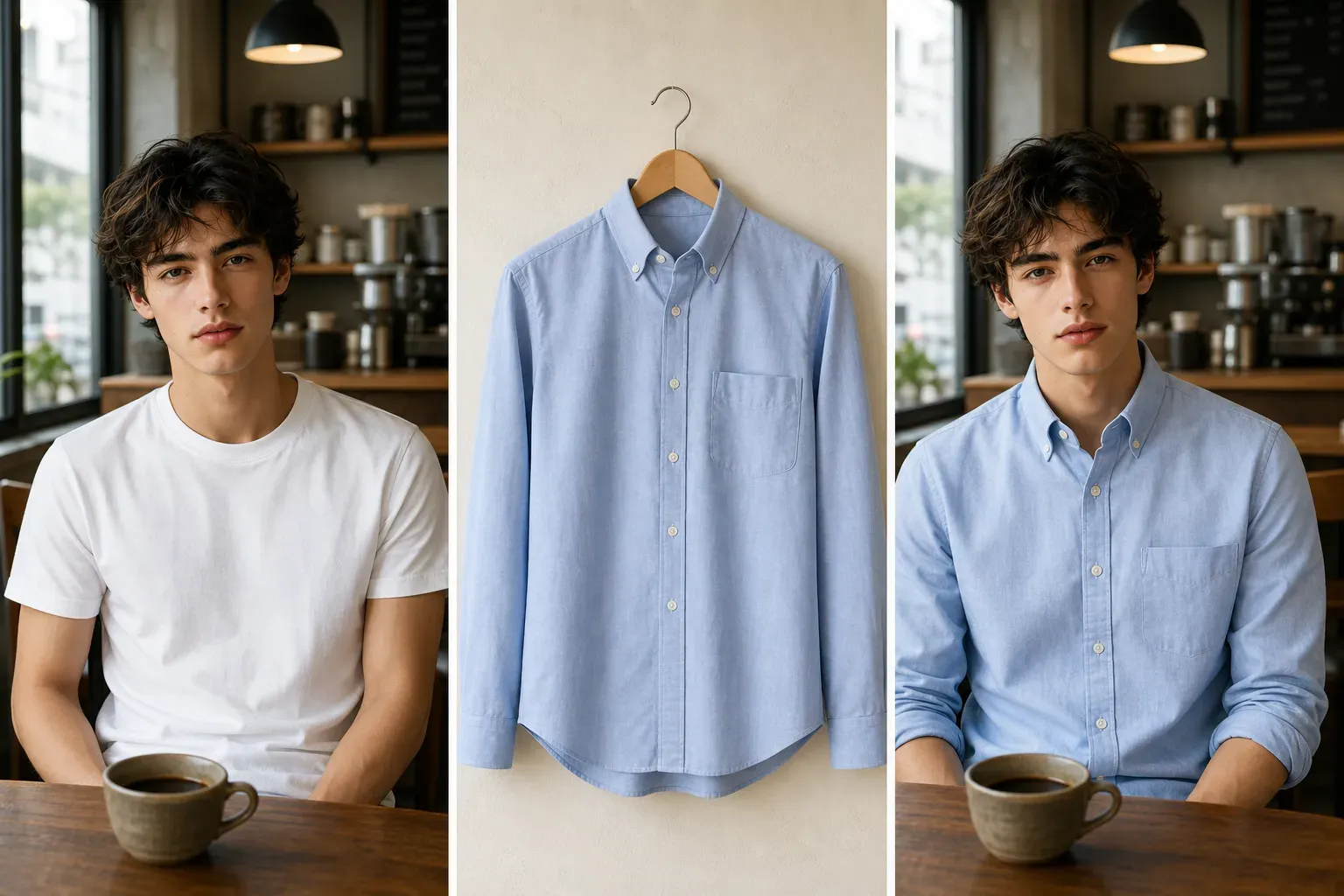
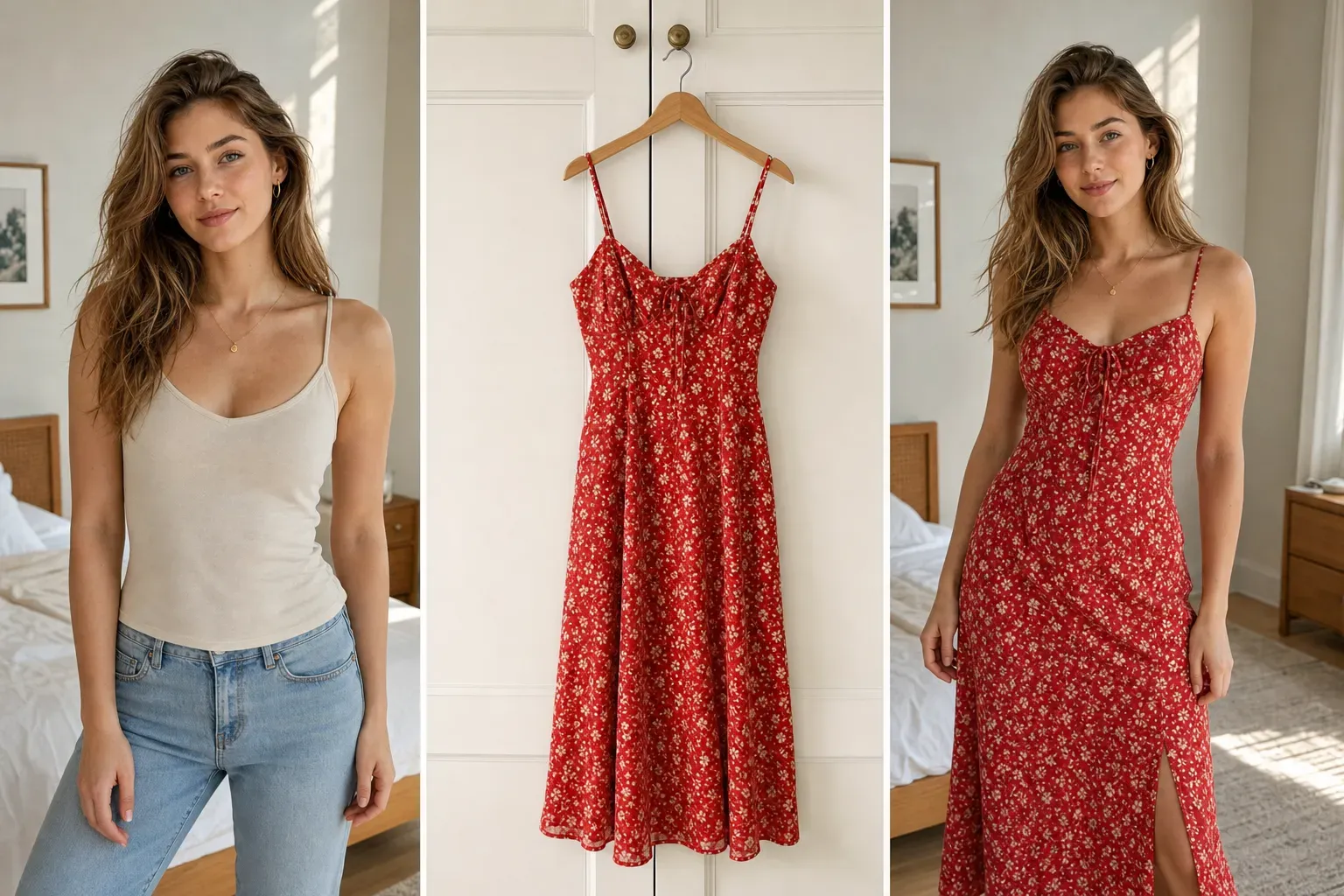
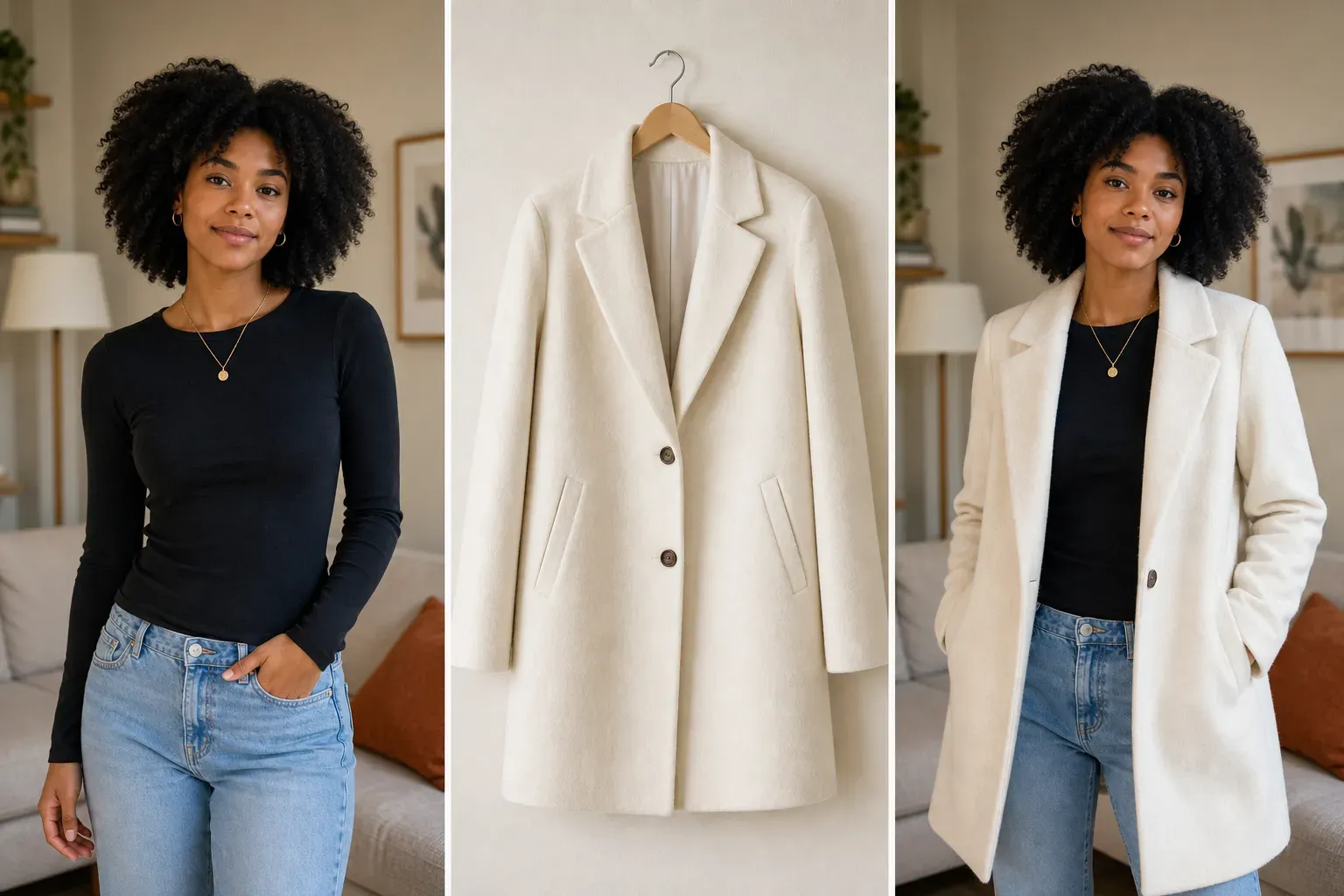
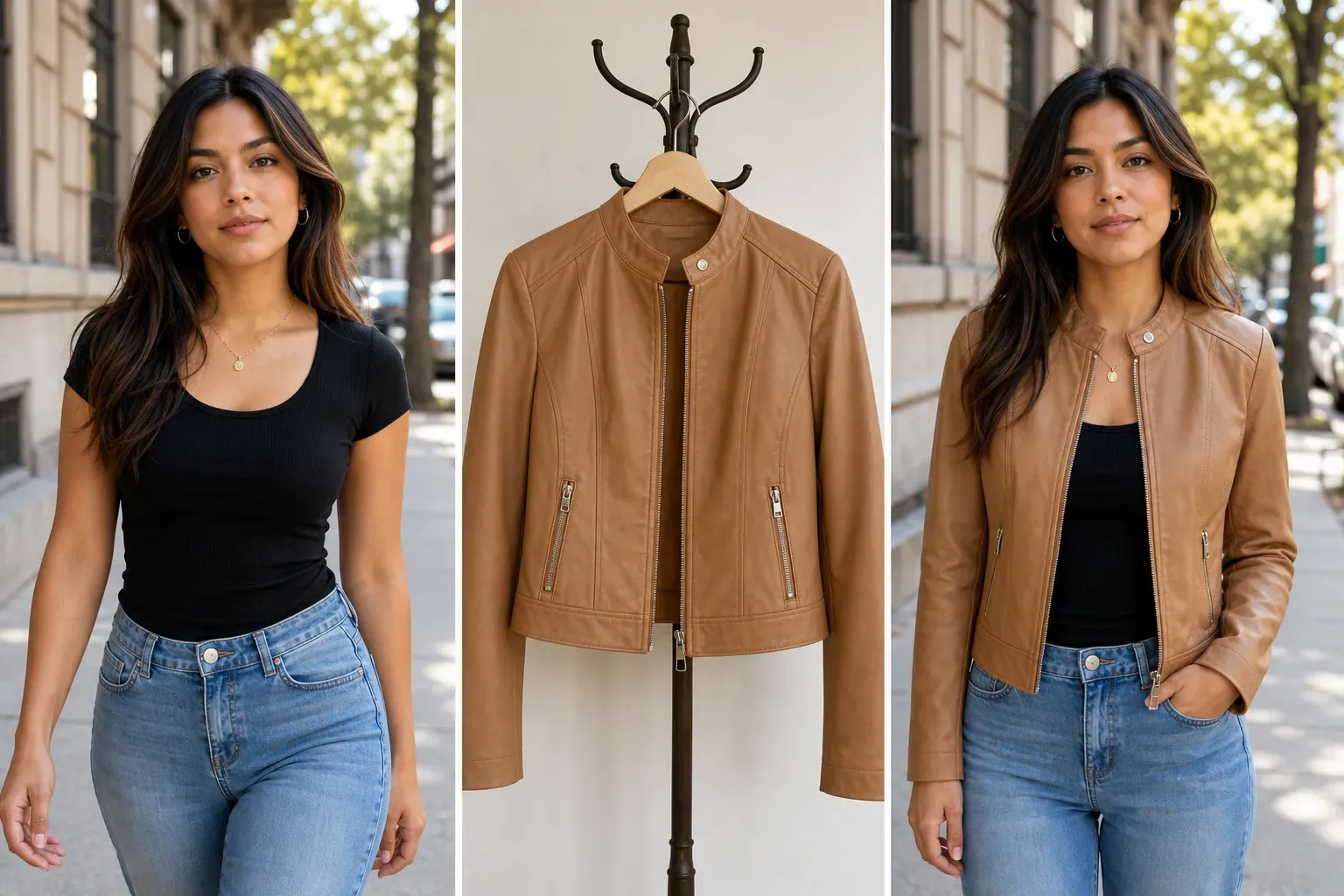
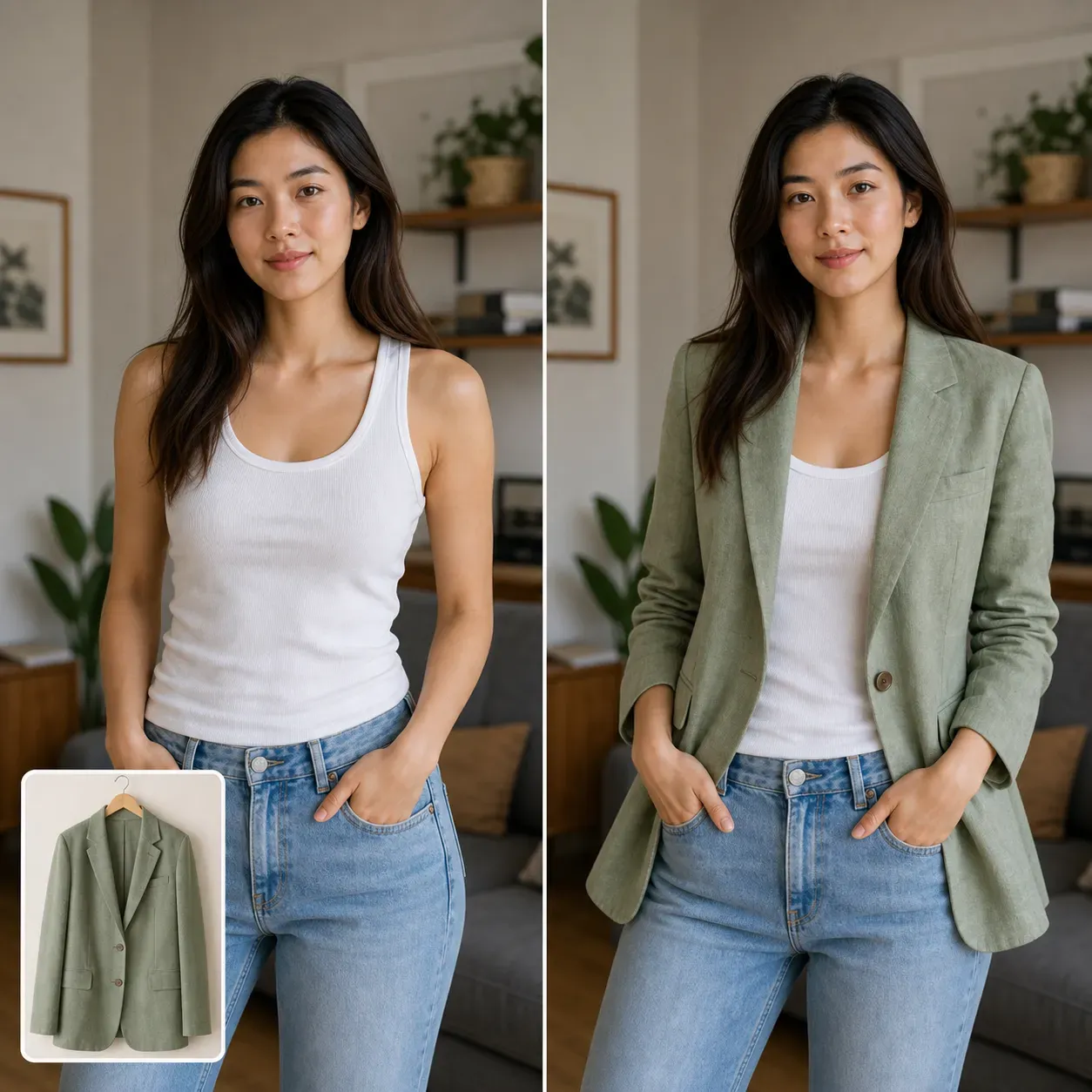
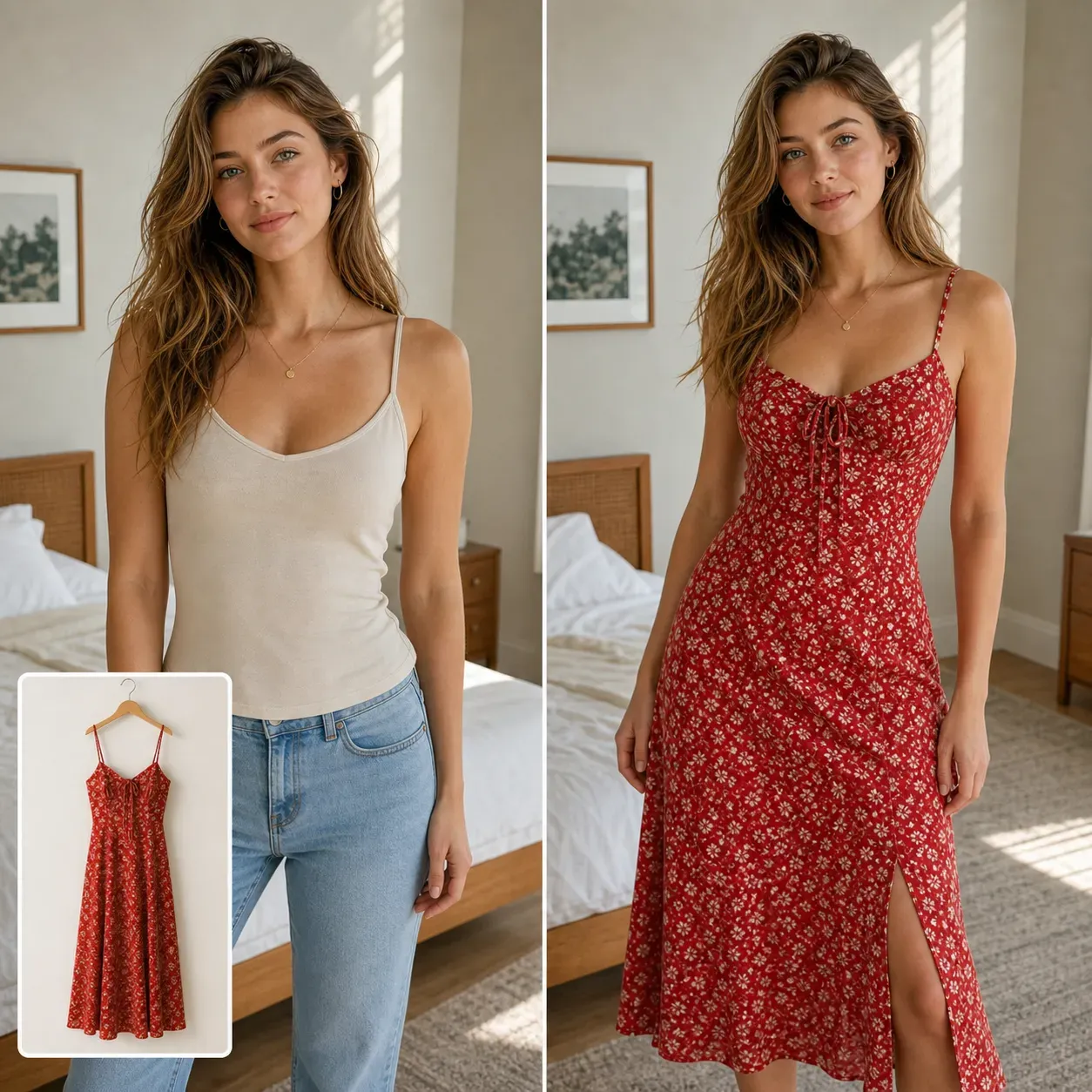
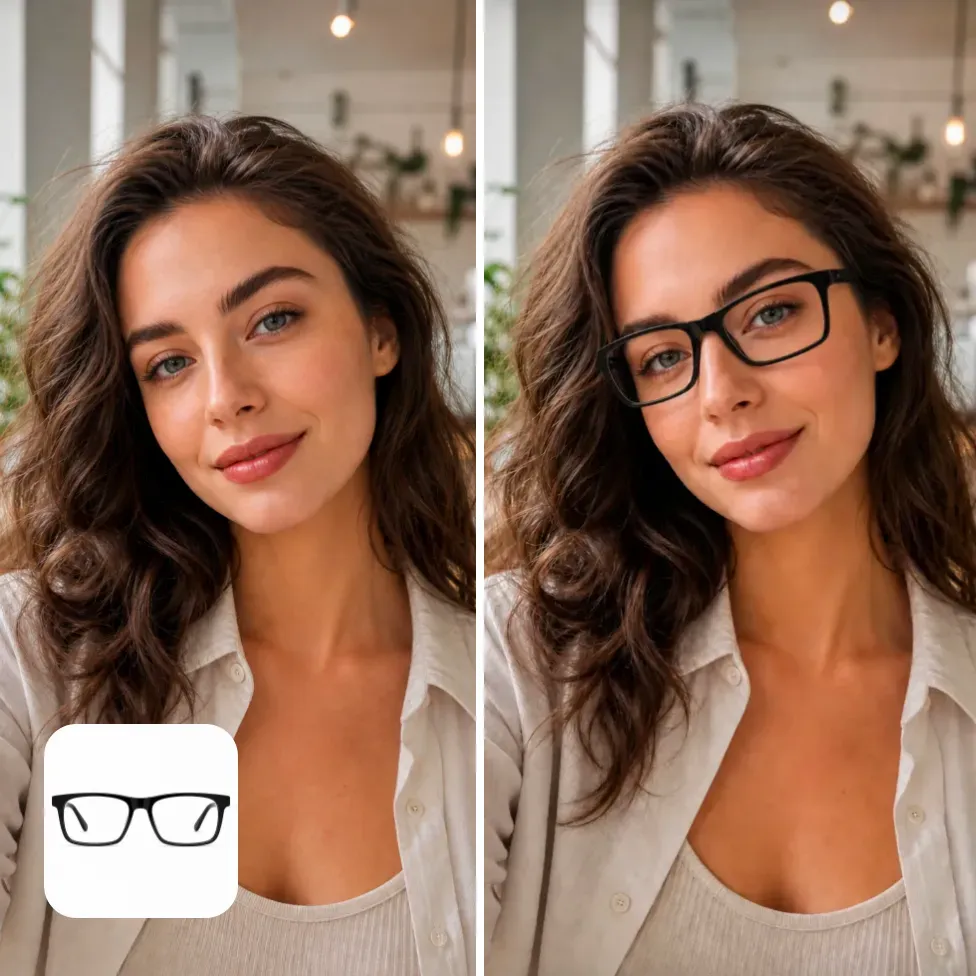
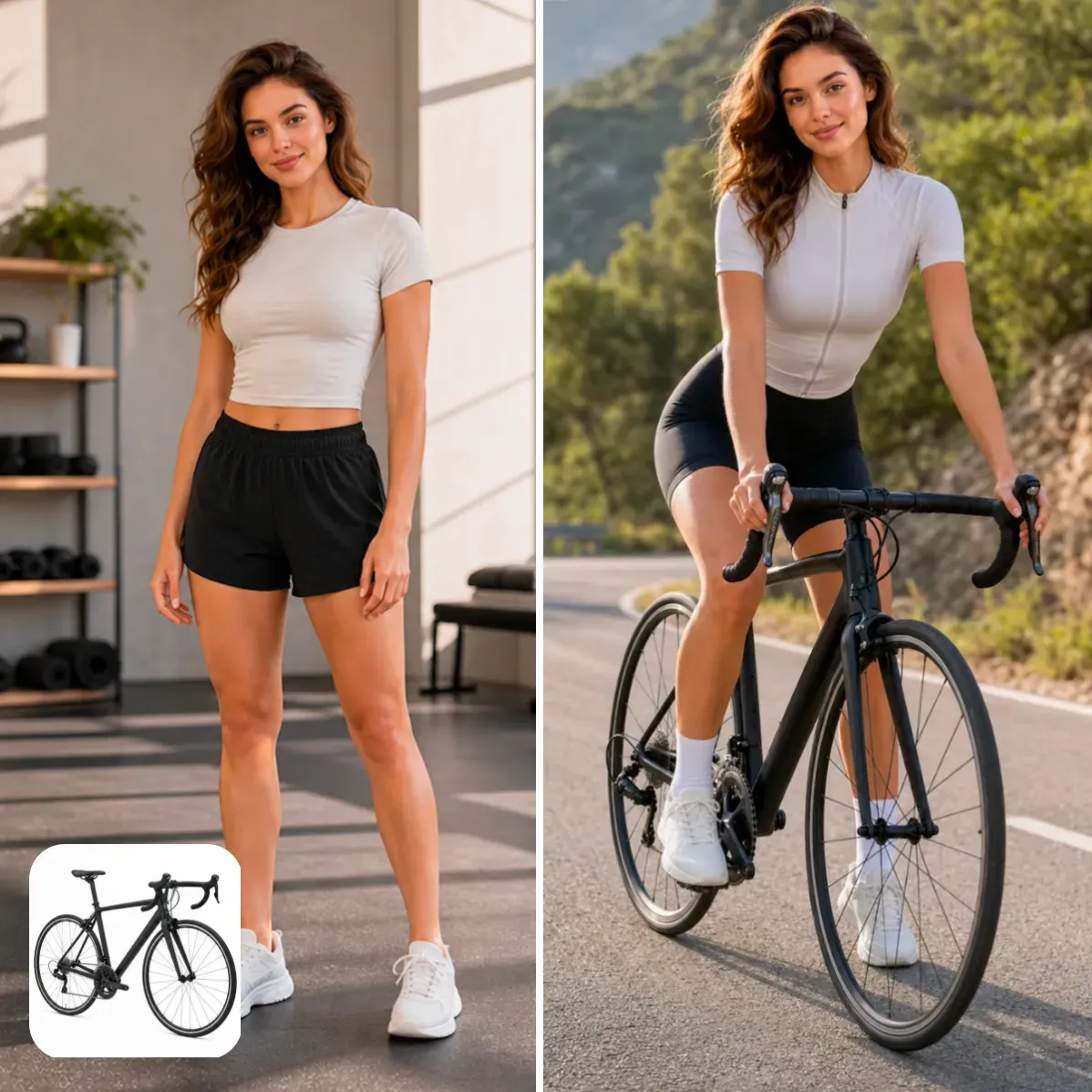
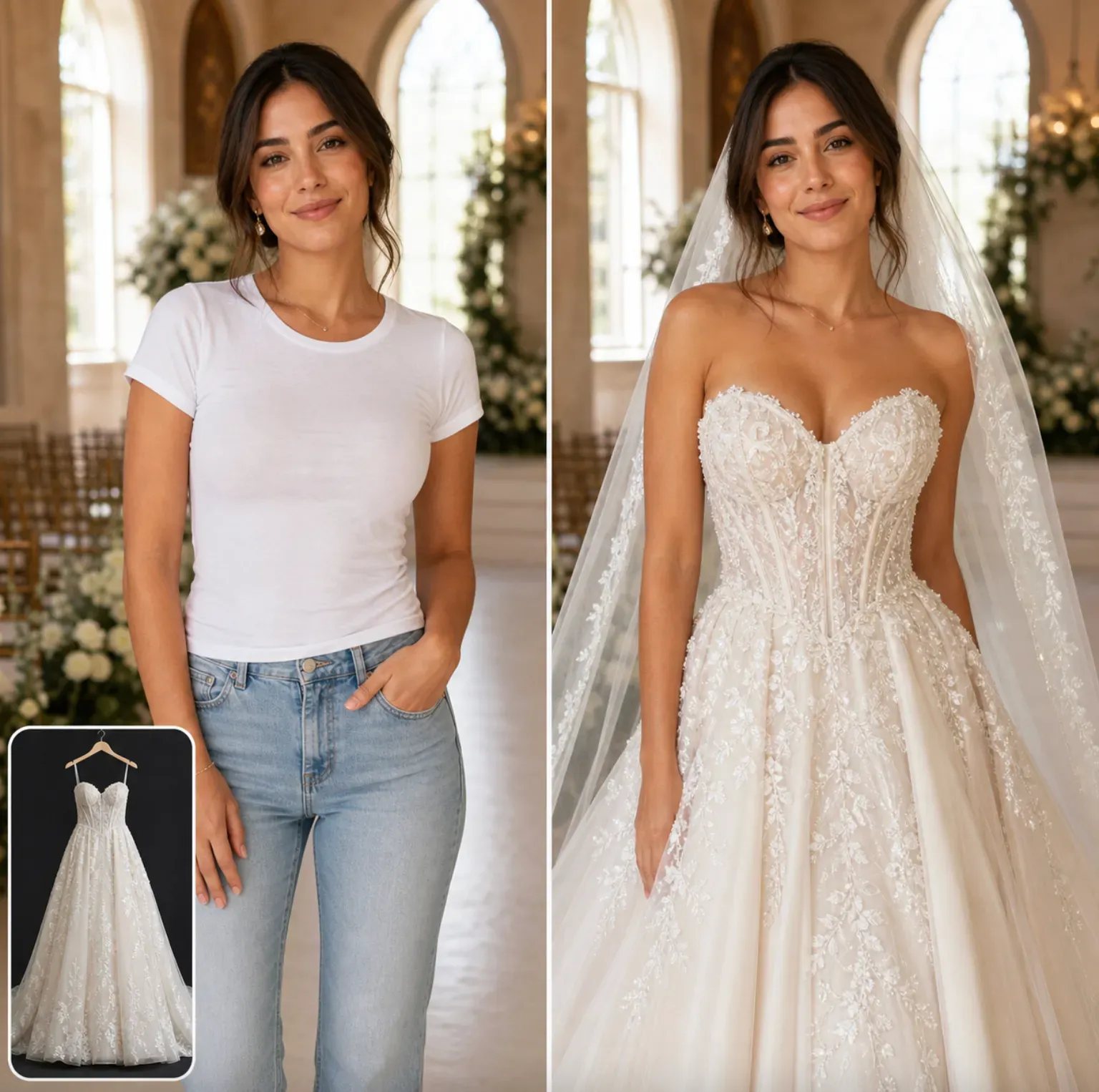
The AI try-on tool is designed for users who already have clothing and want to preview how it will look when worn. Unlike ordinary clothing replacement tools, this tool uses uploaded clothing reference images, such as T-shirts, hoodies, dresses, jackets, shirts, coats, or pants.

Try on clothes for photos
How does the AI try-on tool work?

How does the AI try-on tool work?

Vidoly analyzes both the person’s photo and the clothing reference image simultaneously. The AI identifies the person’s body parts, pose, arms, shoulders, torso, and the boundaries of existing clothing, then reads information from the clothing reference image, including color, neckline, sleeves, fabric texture, pattern, and silhouette.

AI Try-On Tool vs. AI Clothing Replacement Tool

AI Try-On Tool vs. AI Clothing Replacement Tool

The AI try-on tool is used to try on specific uploaded clothing. For example, you can upload a model’s photo along with product images of a black hoodie, floral dress, white shirt, denim jacket, or winter coat.

Best Use Cases for the AI Try-On Tool

Best Use Cases for the AI Try-On Tool

1. E-commerce clothing previews

What is the best image quality?

What is the best image quality?

Please use clear photos of people, showing either the upper body or the full body. Front-facing or slightly side-profile photos usually work better than overly cropped portraits.

Common Limitations

Common Limitations

The AI try-on tool generates a visual preview, not an exact fit result. It may not perfectly replicate clothing size, fabric thickness, stitching, small logos, sheer fabrics, reflective materials, or dense printed patterns.

How to Use the AI Try-On Tool?

1

Upload a photo of a person

Select a clear portrait of a model, either a half-body or full-body shot.

2

Upload a clothing reference image

Add the shirt, dress, hoodie, jacket, coat, pants, or full outfit you want to try on.

3

Generate a try-on preview

Vidoly will apply the selected clothing to the person while preserving their face, pose, and body shape.

4

Check the result

Verify the clothing’s color, neckline, sleeves, logo, pattern, texture, and fit.

5

Download the image

Save the result for e-commerce previews, fashion planning, social media content, or visual comparisons.

FAQ

What is the AI try-on tool?

The AI try-on tool is a virtual try-on tool that applies specific clothing to a person in a photo. It typically uses two inputs: a person’s image and a clothing reference image.

Is the AI try-on tool the same as AI virtual try-on?

The AI try-on tool is a specific type of AI virtual try-on focused on the clothing industry. AI virtual try-on is a broader category that can be used to try on all kinds of clothing for people.

Is it different from the AI clothing replacement tool?

Yes. The AI try-on tool uses uploaded clothing images, while the AI clothing replacement tool usually generates new clothing based on text prompts.

Can I upload product images of clothing?

Yes. Clear product images can be used as clothing reference images. The clothing must be clearly visible, well-lit, and free of obvious wrinkles.

What types of clothing can I try on?

You can try on shirts, T-shirts, hoodies, dresses, jackets, coats, sweaters, pants, and full outfits, depending on the uploaded person’s photo and clothing images.

Can it show a real fit?

No. The result is a visual preview, not an exact size or silhouette simulation. It can be used to compare styles, colors, and silhouettes, but it cannot guarantee a real-life fit.

What kind of person’s photo works best?

Please use a clear photo that shows the body and clothing area. Front-facing, half-body, or full-body shots usually work better than close-up portraits of the head.

Will it preserve the person’s face?

The tool is designed to preserve the person’s face, identity, pose, and the overall composition of the photo when replacing the clothing area.

Will it preserve logos and patterns?

It will try to retain visible clothing details, but small logos, text, embroidery, and dense patterns should be checked manually after generation.

Can e-commerce sellers use it?

Yes, e-commerce sellers can use it for product previews, listing concept design, and promotional mockups. When using it for final commercial purposes, be sure to check image copyright, clothing accuracy, and platform requirements.

Why does clothing sometimes look distorted?

Distortion may occur when the clothing reference image has wrinkles, low resolution, partial occlusion, or a pose that differs too much from the person’s. Using clean clothing images and clear model photos usually improves the result.

Can I use this result for advertising?

You can use the result if your model’s photo, clothing image, brand assets, and platform conditions allow commercial use. Be sure to check copyright issues before using the generated image for paid ads or product listings.