Qu'est-ce qu'un générateur d'arrière-plan transparent par IA ?
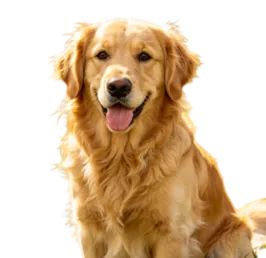
C'est un outil en ligne qui supprime l'arrière-plan d'une image, laissant le sujet sur un canevas transparent. Le résultat peut être utilisé comme élément PNG transparent pour des produits, des portraits, des logos, des autocollants, des icônes et des supports de design.
Un générateur d'arrière-plan transparent par IA est-il identique à un générateur de PNG par IA ?
Ils sont étroitement liés. Le générateur d'arrière-plan transparent par IA se concentre sur la suppression des arrière-plans et la génération de résultats transparents. Le générateur de PNG par IA est un concept plus large qui couvre également les PNG de produits, les PNG de logos, les PNG d'autocollants, les découpes d'icônes et les éléments de design transparents.
Puis-je rendre l'arrière-plan d'une image de produit transparent ?
Oui. Téléchargez une image produit avec un contour net, et Vidoly supprimera l’arrière-plan pour générer un découpage produit transparent. Vérifiez le résultat final pour vous assurer que l’emballage, les étiquettes, les ombres et les bords du produit sont préservés.
Puis-je supprimer l’arrière-plan d’un logo ?
Oui. Vidoly peut vous aider à convertir un logo ou une identité de marque en un élément à arrière-plan transparent. Les logos avec un fort contraste et un contour net donnent généralement les meilleurs résultats. Les logos très petits, flous ou de faible résolution peuvent nécessiter un nettoyage supplémentaire.
Puis-je créer des autocollants transparents avec l’IA ?
Oui. Vous pouvez créer des PNG d’autocollants transparents à partir de personnages, d’animaux, de portraits, d’objets, d’icônes ou d’illustrations. Pour de meilleurs résultats d’autocollants, utilisez des images avec un sujet net et évitez les images dont le contour se fond dans l’arrière-plan.
Quel format d’image dois-je utiliser ?
Téléchargez des fichiers image clairs au format JPG, PNG ou d’autres formats pris en charge. Le résultat final est mieux enregistré au format PNG, car le PNG prend en charge la transparence.
Pourquoi le contour apparaît-il flou ou irrégulier ?
Les problèmes de contour surviennent généralement lorsque le sujet est flou, de faible résolution, transparent, réfléchissant ou a une couleur trop similaire à celle de l’arrière-plan. Les cheveux, la fourrure, le verre, la dentelle, les ombres et les détails fins sont également difficiles à séparer proprement par l’IA.
Est-ce adapté pour les portraits et les avatars ?
Oui. Vidoly peut supprimer l’arrière-plan des photos de portrait, générant des découpes d’avatar transparentes pour les CV, les photos de profil LinkedIn, les miniatures de créateurs, les publications sur les réseaux sociaux et les visualisations d’équipe. Les portraits bien éclairés et nets donnent de meilleurs résultats.
Puis-je utiliser des images PNG transparentes pour l’e-commerce ?
Oui. Les découpes de produits transparentes sont adaptées à l’e-commerce.
Puis-je utiliser ce résultat dans Canva, Photoshop, Figma ou PowerPoint ?
Oui. Les ressources PNG transparentes sont utiles dans les outils de conception car elles peuvent être superposées sur d’autres arrière-plans, diapositives, affiches, maquettes, miniatures et mises en page promotionnelles.
Vidoly ajoutera-t-il un arrière-plan blanc ou supprimera-t-il complètement l’arrière-plan ?
L’outil est conçu pour supprimer les arrière-plans et générer des résultats transparents, plutôt que de simplement remplacer l’arrière-plan par du blanc. Si vous avez besoin d’un arrière-plan blanc pour votre produit, veuillez utiliser stat
Puis-je utiliser le PNG transparent généré à des fins commerciales ?
Lorsque vous avez le droit d’utiliser et de modifier l’image d’origine, vous pouvez utiliser le résultat PNG transparent pour les pages produits, les réseaux sociaux, la publicité, les présentations ou les projets de conception. Pour les logos, les images protégées par des droits d’auteur, les photos de banque d’images ou les ressources clients, vérifiez les licences et droits d’utilisation pertinents avant publication.