AI Image Translator

AI Image Translator

Upload Image
photo_camera

Upload Image

TEMPLATE PROMPT
26/2000
Commercial usage license included
MORE IN AI Image Translator Tools

AI Image Translator

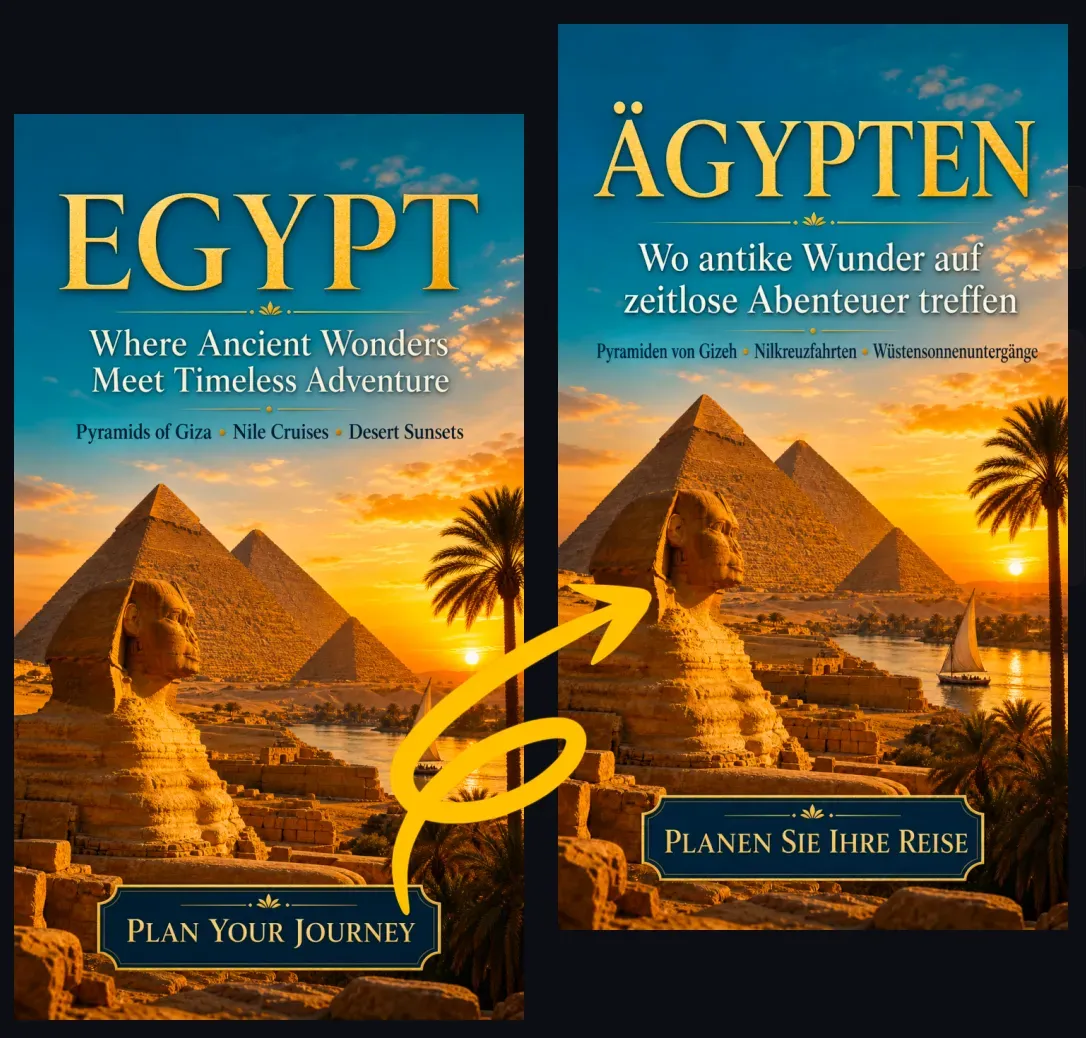
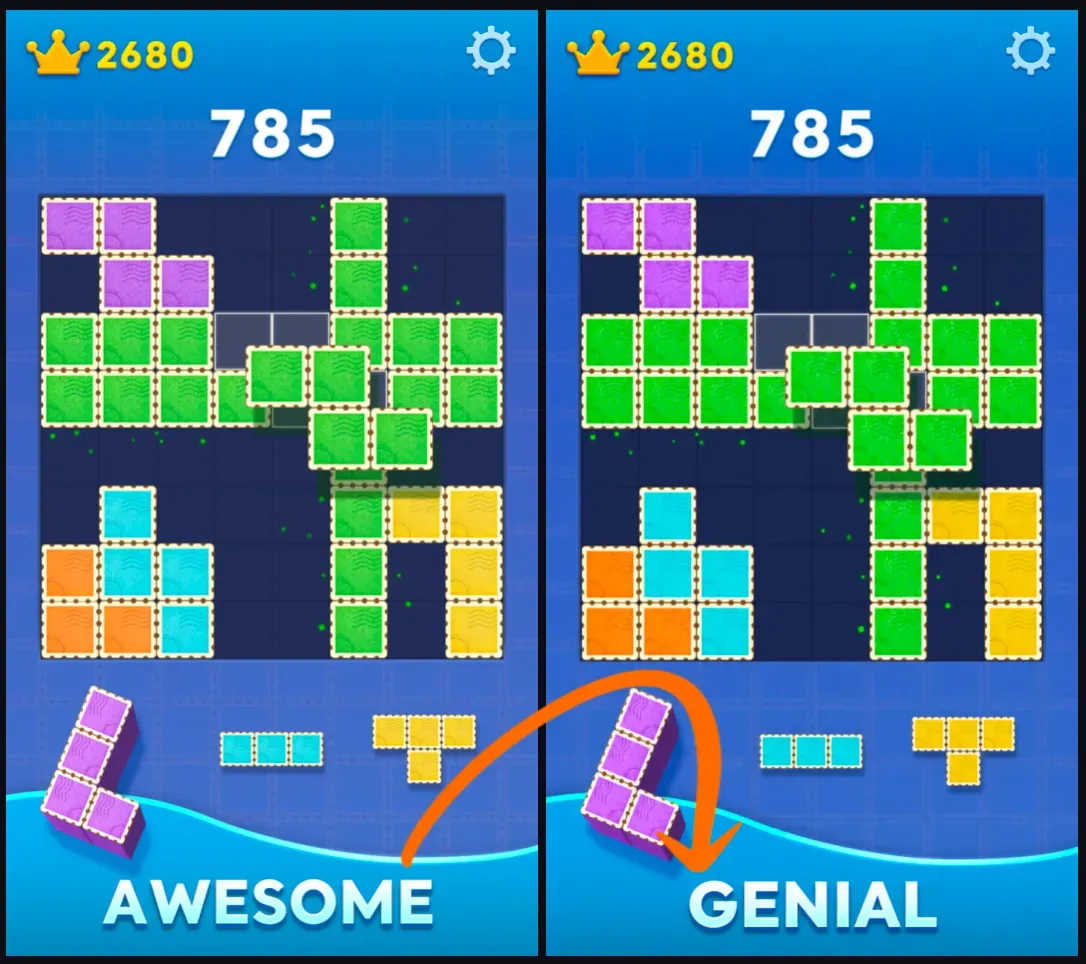
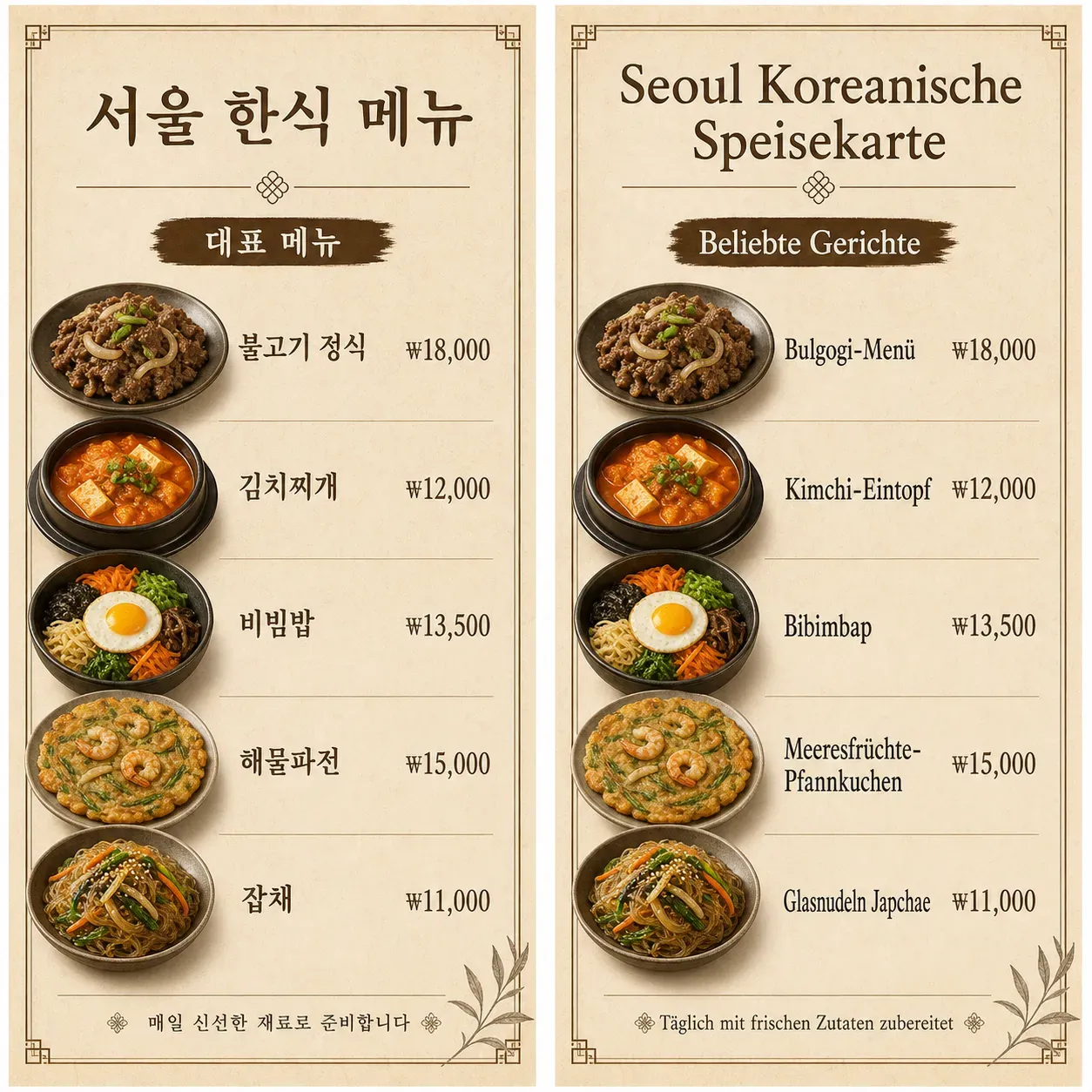
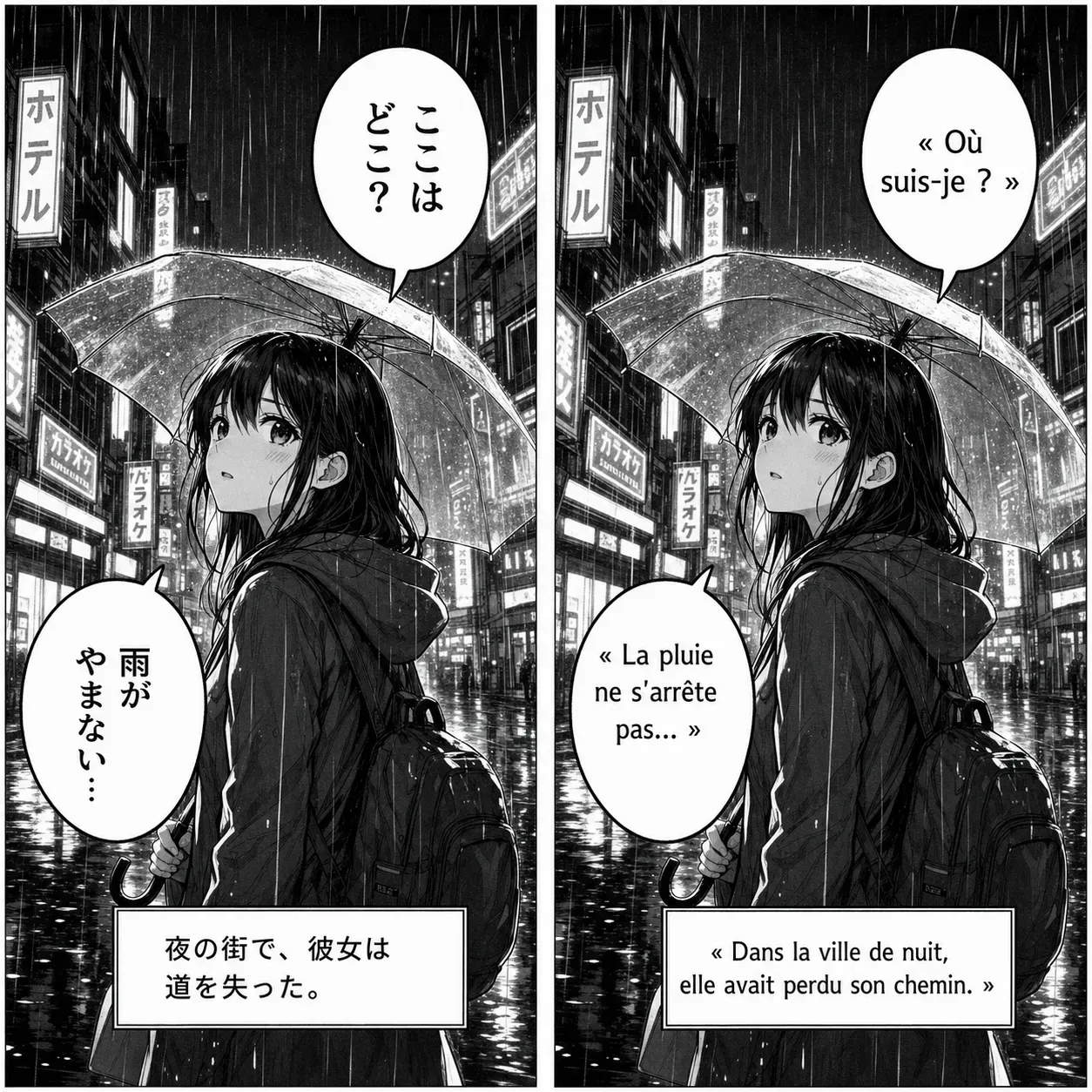
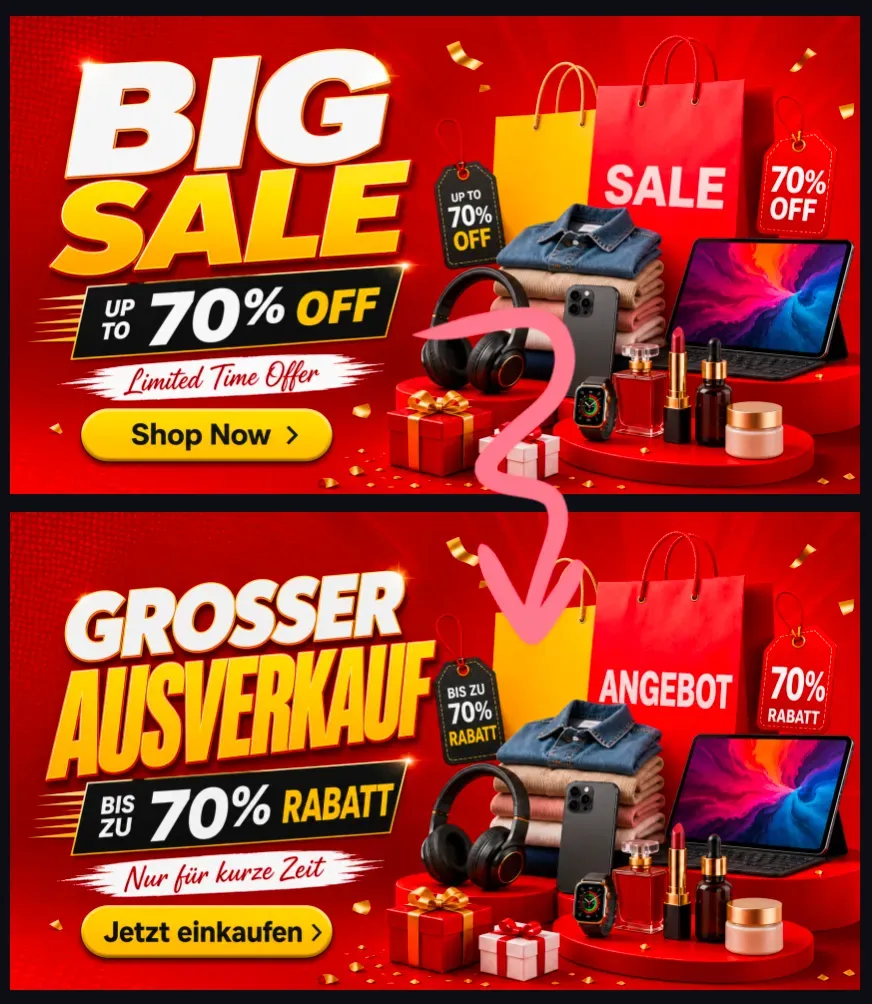
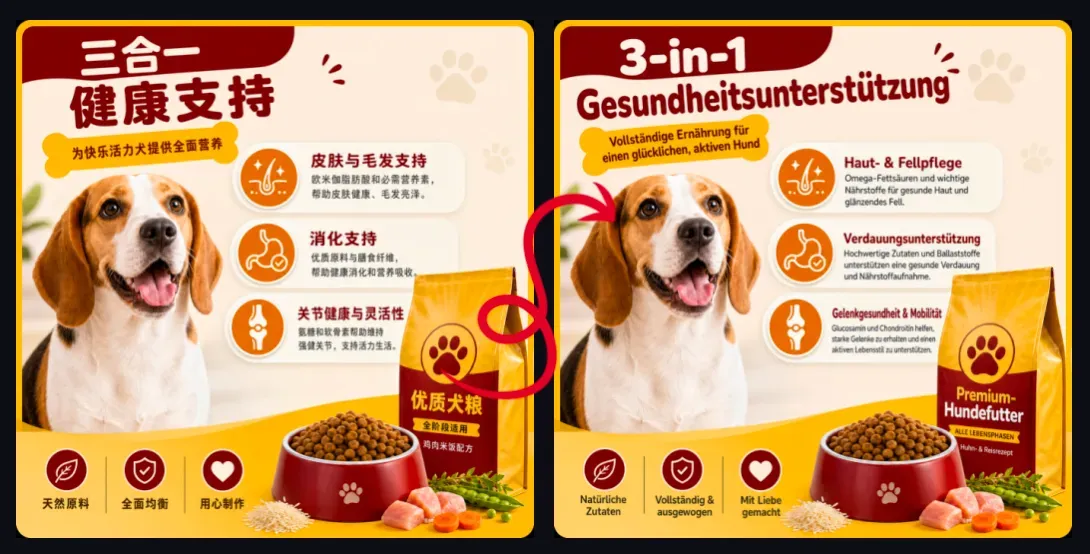
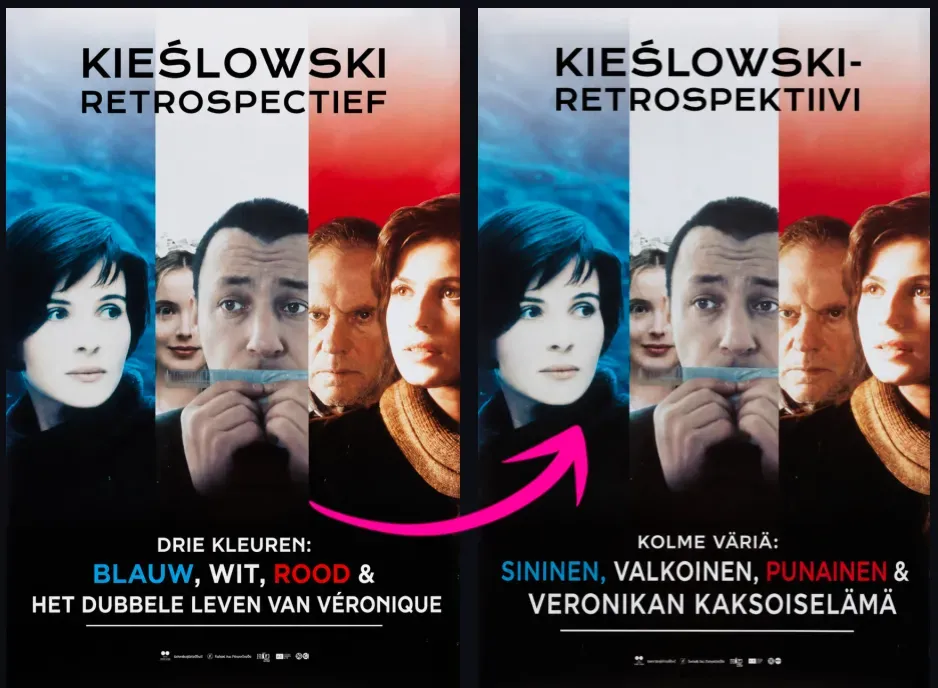
Translate text in an image and generate a new image with the translated text placed back into the original design. Upload a screenshot, poster, product image, manga panel, menu photo, or social media graphic, choose a target language, and get an edited image instead of only a text translation.

Translate Text in Image and Keep the Original Design

Translate Text in Image and Keep the Original Design

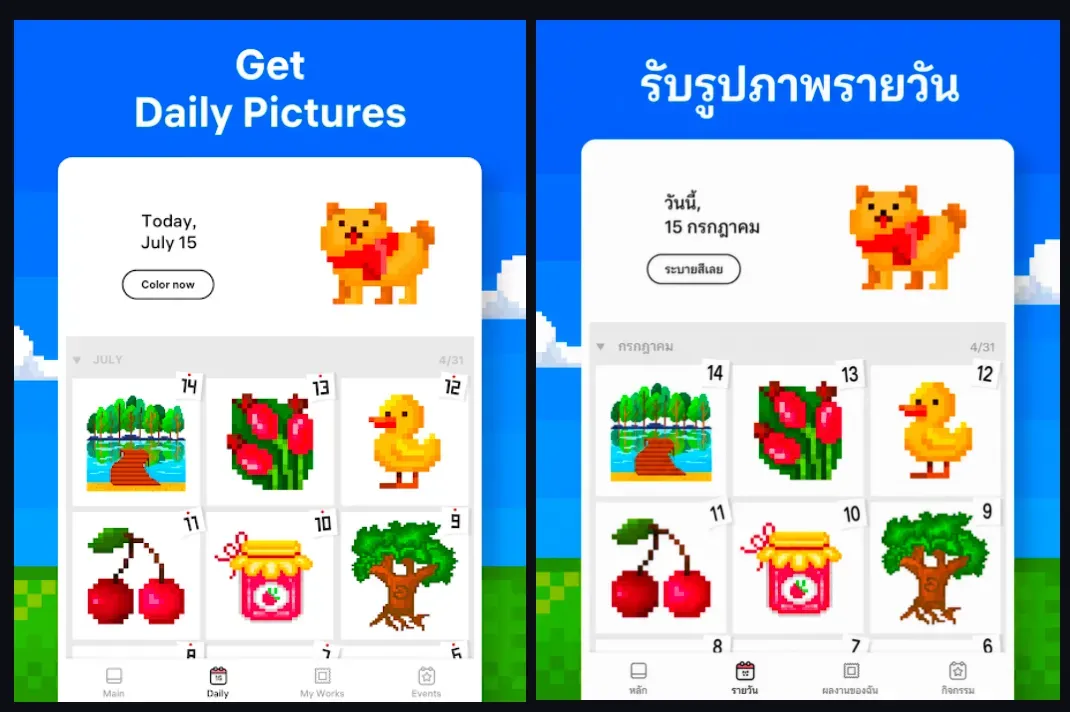
AI Image Translator helps you turn image-based text into a translated visual asset. It detects readable text in the uploaded image, translates the wording into your selected language, removes or covers the original text area, and places the translated text back into the same visual layout. This is useful when the final result needs to remain an image, such as a localized product graphic, translated poster, app screenshot, menu, manga panel, ad creative, or social media image.

How AI Image Translator Works

How AI Image Translator Works

The tool combines OCR, machine translation, image inpainting, and layout reconstruction. OCR detects text regions in the image, translation converts the detected wording into the target language, and image editing reconstructs the background where the original text appeared. After the original text is removed, the translated text is placed back with attention to position, line breaks, text size, color, and visual readability. The goal is to create a translated image that looks like it was designed in the target language, not a rough overlay.

What Images Can You Translate?

What Images Can You Translate?

Use AI Image Translator for images where text is part of the visual design: - Screenshots from apps, websites, chats, games, or software tutorials - Product images with selling points, feature labels, badges, packaging text, or promotional copy - Posters, flyers, banners, event graphics, and sale announcements - Manga panels, comic pages, speech bubbles, captions, and webtoon images - Restaurant menus, signs, labels, travel photos, and instruction images - Social media graphics for Instagram, TikTok, Facebook, Pinterest, and X - Ad creatives for international campaigns - Presentation slides, infographic screenshots, or image-based documents

Best Images for Accurate Text Translation

Best Images for Accurate Text Translation

Clear, high-resolution images usually produce better translated results. The tool works best when the text is readable, separated from important objects, and placed on a background that can be reconstructed cleanly. Results may be weaker when the text is tiny, blurred, handwritten, heavily stylized, curved, vertical, distorted, transparent, or placed on a complex patterned background. If the translated language is much longer than the original, the layout may need smaller text, adjusted line breaks, or a slightly different text box arrangement.

Translate Text in Image vs OCR Translation

Translate Text in Image vs OCR Translation

OCR translation usually extracts text from an image and shows a translated text result. That is useful when you only need to understand the content. AI Image Translator is different because it creates a new edited image. It removes the original text and places the translated version back into the image layout, making it more useful for publishing, ecommerce, marketing, design, and social sharing. OCR Translation: Image -> Detected Text -> Translated Text AI Image Translation: Image -> Detected Text -> Translation -> Text Removal -> Layout Reconstruction -> New Translated Image

Use Cases for AI Image Translation

Use Cases for AI Image Translation

1. Product Image Localization Translate product image text for Amazon, Shopify, TikTok Shop, Etsy, DTC stores, and international marketplaces. This helps sellers adapt feature labels, promotional badges, usage instructions, and product benefits for different markets. 2. Screenshot Translation Translate app screens, website screenshots, game screens, chat screenshots, and software tutorials. The output can be downloaded as a new translated screenshot instead of copied text. 3. Poster and Banner Translation Translate posters, flyers, sale banners, event graphics, and campaign images while keeping the original layout and visual style. 4. Manga and Comic Translation Translate speech bubbles, captions, and panel text in manga, comics, and webtoons. Review is especially important for vertical Japanese text, dense panels, sound effects, and stylized lettering. 5. Menu and Travel Image Translation Translate restaurant menus, street signs, labels, travel photos, and local service graphics into your target language while keeping the image readable. 6. Ad Creative Translation Translate visible ad text, campaign headlines, offers, call-to-action text, and disclaimer copy for international advertising workflows.

Common Limitations of Image Text Replacement

Common Limitations of Image Text Replacement

Image translation works best when text is clearly separated from the background. Results can be weaker when text overlaps faces, products, logos, detailed textures, shadows, gradients, or transparent design effects. The translated wording may also take more or less space than the original. For example, English-to-German and English- to-French translations often become longer, while Chinese-to-English or Japanese-to-English translations may require more words. Review important commercial images before publishing them in ads, listings, packaging, or client work.

How To Use AI Image Translator?

1

1. Upload an image that contains readable text.

2

2. Choose the source language or use auto-detect.

3

3. Select the target language for translation.

4

4. Let the AI detect, translate, remove, and replace the text.

5

5. Review the result and download the translated image.

FAQs

What does AI Image Translator do?

AI Image Translator translates text inside an image and generates a new image with the translated text placed back into the original layout. It is designed for users who need a translated image, not only translated text.

Can I translate text in an image and keep the design?

Yes. The tool is designed to preserve the original image composition while replacing the visible text with translated text. Exact font matching is not always guaranteed, but the result aims to keep the layout readable and visually consistent.

Is this different from an OCR translator?

Yes. An OCR translator extracts and translates text from an image. AI Image Translator also edits the image by removing the original text and placing translated wording back into the visual design.

Can I translate screenshots?

Yes. Screenshots are one of the best use cases because the text is usually clear and the background is structured. App screenshots, website screenshots, game screenshots, and chat screenshots usually work well.

Can I translate product images?

Yes. Product images are a strong use case for ecommerce sellers who need localized visuals for Amazon, Shopify, TikTok Shop, Etsy, ads, or international landing pages.

Can I translate manga or comics?

Yes. The tool can translate manga and comic images, especially speech bubbles and captions. Complex panel layouts, vertical text, sound effects, and decorative lettering may need manual review.

Does the tool remove the original text?

The tool attempts to remove, cover, or reconstruct the original text area before adding the translation. Results depend on the background, text size, shadows, outlines, and how much the text overlaps important image details.

Does it keep the same font?

It aims to match the visual style of the original text, including size, weight, color, alignment, and placement. Exact font matching may vary depending on the image and target language.

Why does translated text sometimes look smaller?

Some languages need more space than others. If the translated text is longer, the tool may reduce font size, adjust line breaks, or slightly change spacing to keep the translation inside the original text area.

What image types work best?

High-resolution images with clear, readable text work best. Product graphics, screenshots, posters, menus, and social media images are easier than blurry photos, handwritten notes, tiny text, or complex textured backgrounds.

Can I use translated images for ads or ecommerce?

You can use translated images in marketing and ecommerce workflows, but review the result before publishing. Check translation accuracy, brand terms, legal claims, prices, disclaimers, trademarks, and platform rules.

Which languages can I translate image text into?

The tool should support common target languages such as English, Spanish, French, German, Japanese, Korean, Chinese, Portuguese, Italian, Dutch, Arabic, Hindi, Thai, Vietnamese, and more, depending on your available language options.