
AI Video Ad Generator for Ecommerce: How to Create More Ad Creatives Faster
 By Vivi/1 min read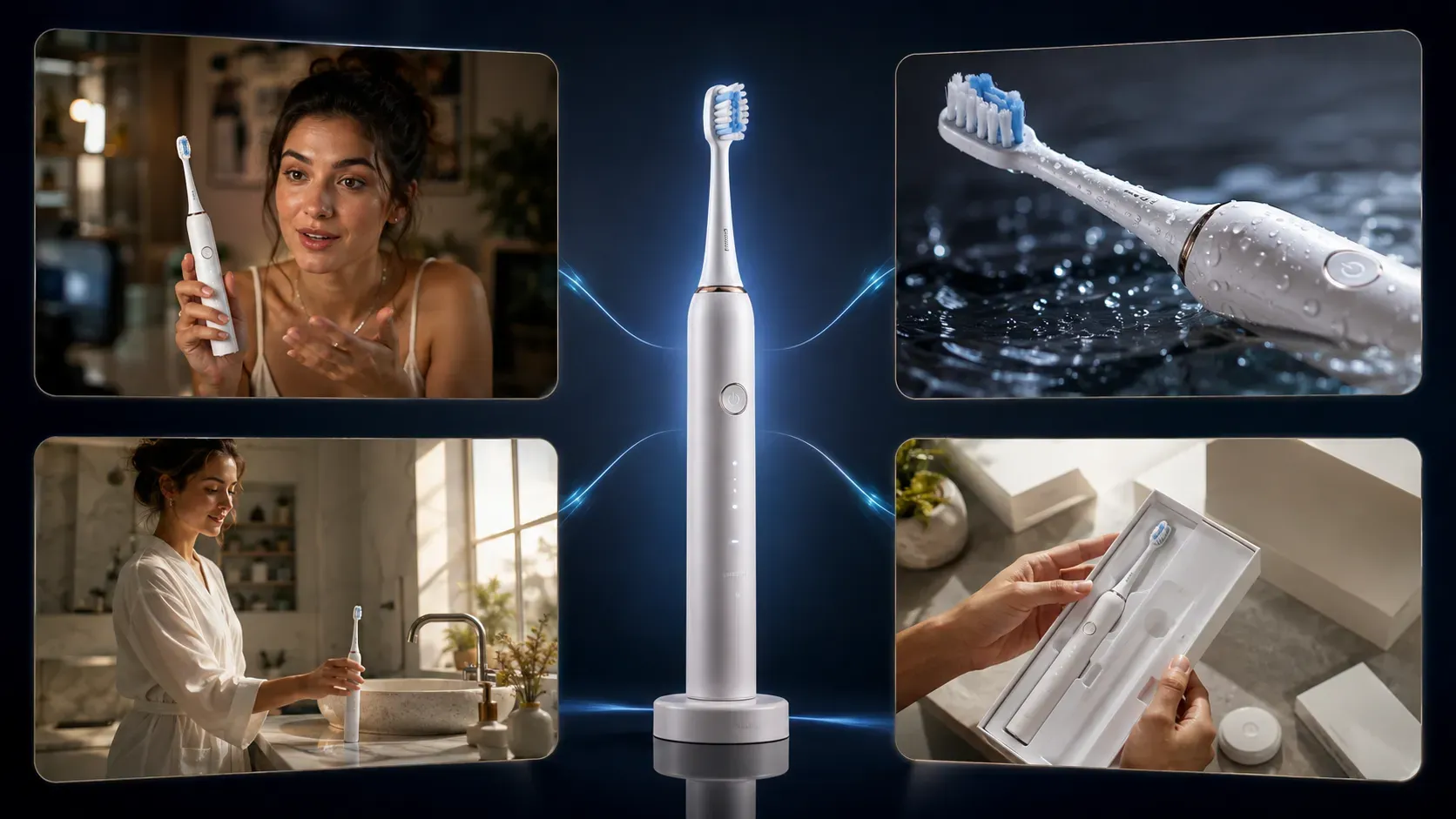
Ecommerce marketers rarely struggle to produce a single video ad. The bigger operational challenge is producing enough variations to test different hooks, messages, formats, and presenters before creative fatigue degrades advertising performance.
AI Video Ad Generator for Ecommerce: How to Create More Ad Creatives Faster
Ecommerce marketers rarely struggle to produce a single video ad. The bigger operational challenge is producing enough variations to test different hooks, messages, formats, and presenters before creative fatigue degrades advertising performance.
Traditional production makes this iterative process slow and expensive. Creator sourcing, physical sample delivery, filming, editing, and usage-rights management all add friction to what should be a rapid testing cycle. While open-ended text-to-video AI tools reduced initial generation times, they introduced another hurdle: inconsistent product representation, unpredictable scene compositions, and repeated prompt iteration.
This is where structured AI ad creation becomes useful. Instead of generating every commercial from scratch, ecommerce teams can start with a predefined advertising template and adapt it to different products, characters, and creative directions.
To demonstrate how a structured workflow handles commercial assets, we mapped out a 5-Format Creative Workflow Test using a single product image in Vidoly Ad Studio. This playbook breaks down the setup, evaluates five distinct advertising structures, and outlines a reusable creative testing system for paid social campaigns.
💡 Quick Answer: What Is an AI Video Ad Generator?
An AI video ad generator is a software tool that uses AI to turn product assets and advertising instructions into short-form video advertisements. Depending on the tool, it may use AI-generated presenters, scenes, motion, and predefined commercial templates.
For ecommerce brands, the primary advantage is creative iteration: one product photo can be adapted into multiple advertising concepts without producing every variation through a traditional shoot.
Vidoly Ad Studio executes this through a template-driven workflow where users select an advertising layout, replace product and character assets, adjust the creative direction, and render the resulting video.
• Key Applications: UGC-style social ads, product feature demos, lifestyle product clips, unboxing reveals, and short-form video creatives for TikTok, Meta, and landing pages.
• Performance Boundary: AI accelerates creative velocity and lowers production friction, but final ad performance still depends on offer quality, audience alignment, landing page friction, and media buying strategy.
Key Takeaways
• Prioritize Creative Velocity: Testing speed across social feeds is often the strongest lever for preventing creative fatigue and managing customer acquisition costs.
• Template-Driven Workflow: Replacing product and character assets inside pre-built ad layouts provides more predictable visual framing than open-ended text-to-video generation.
• 1 Asset → 18 Variations: Pairing a single product asset with 3 hooks, 3 ad formats, and 2 AI avatars creates a structured testing matrix in minutes.
• Strategic Format Selection: UGC formats drive social proof on TikTok and Reels, while feature demos work well on product pages and retargeting campaigns.
Why Ecommerce Brands Need More Ad Creatives
In paid acquisition campaigns across Meta, TikTok, and YouTube, creative variety and testing frequency heavily influence performance. When target audiences see the same visual setup repeatedly, click-through rates often drop while acquisition costs rise.
Performance marketing teams routinely encounter three production bottlenecks:
1. Logistics Friction: Sourcing creators, shipping physical samples across regions, and managing usage contracts inflates costs before an ad angle is market-validated.
2. Text-to-Video Trial and Error: Prompting general-purpose AI models with "a person using a product" often distorts logos or alters packaging design, requiring continuous prompt tweaking.
3. Iteration Overhead: Testing five distinct angles (e.g., UGC Review vs. Unboxing vs. Feature Demo) traditionally requires five separate shoots or complex manual re-editing.
AI Video Generator vs. Structured Ad Creation
To choose the right video generation tool for paid social campaigns, it helps to distinguish between open-ended text-to-video models and a structured commercial ad workflow:
OPEN-ENDED TEXT-TO-VIDEO WORKFLOW
Text Prompt ➔ Open Interpretation ➔ Render Attempt ➔ Product Distortion ➔ Prompt Refinement ➔ Inconsistent Rendition
STRUCTURED COMMERCIAL AD WORKFLOW (VIDOLY AD STUDIO)
Product Asset + AI Avatar + Creative Direction ➔ Pre-Built Ad Template ➔ Render ➔ Ready to Test
• General Text-To-Video Generators: Built for open-ended artistic creation from text descriptions. They typically lack built-in commercial pacing, brand preservation frameworks, or pre-configured advertising layouts, requiring more prompt engineering to produce consistent products.
• Structured Commercial Ad Workflows: Approach video creation as an asset-driven assembly process. By anchoring the generation around a clear product image inside a commercial template, the workflow guides visual output using defined advertising parameters.
How Vidoly Ad Studio Works: Step-by-Step
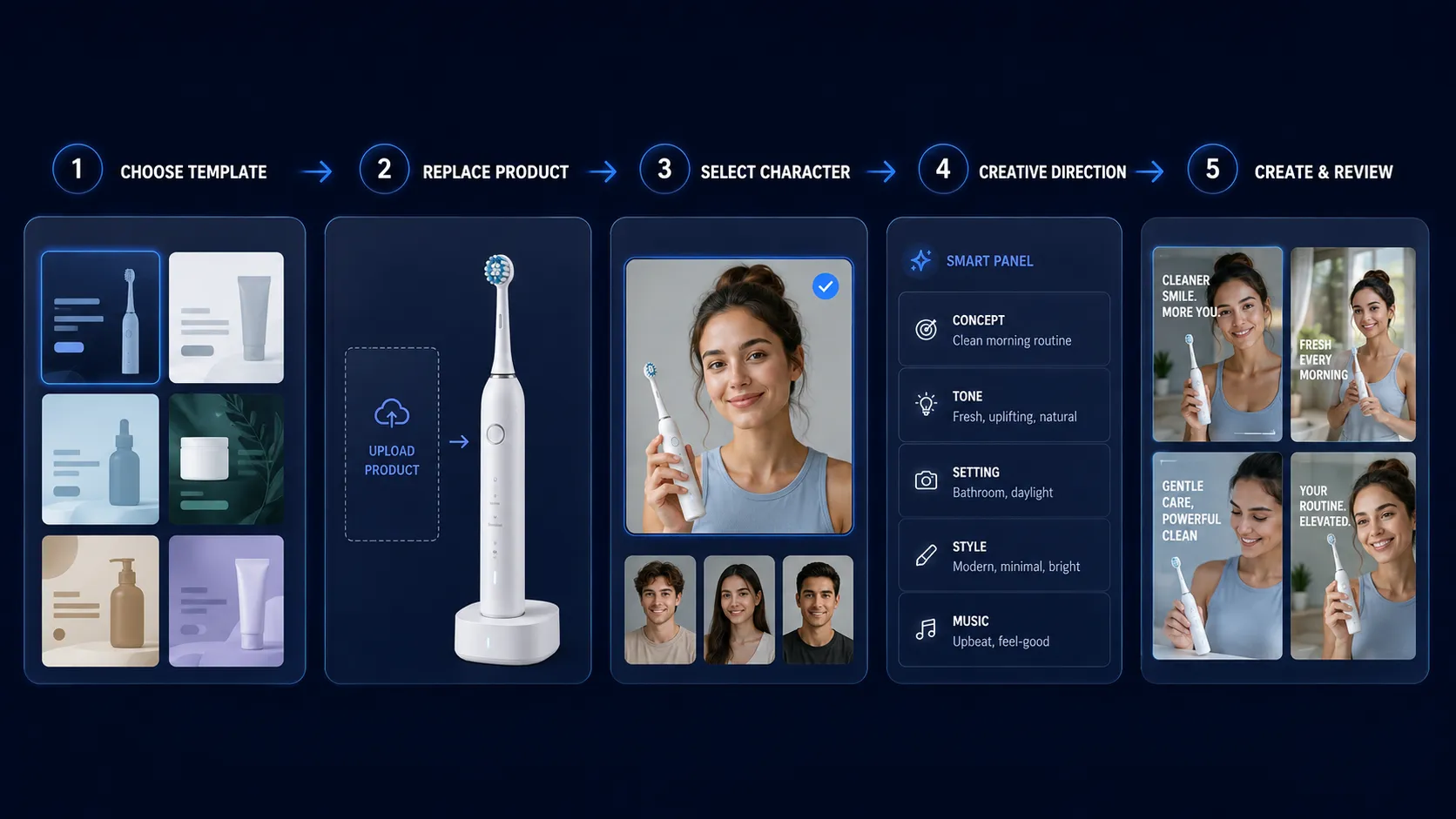
The workspace inside Vidoly Ad Studio replaces trial-and-error prompting with a structured asset replacement workflow:
• Step 1 — Choose an Advertising Template: Select a commercial layout based on your campaign goal (e.g., UGC-style product ads, product demos, lifestyle clips, or unboxing concepts).
• Step 2 — Replace the Product Asset: Upload a clear product photo. The template uses the uploaded image as the primary product reference while generating the surrounding scene and motion.
• Step 3 — Select or Replace the Character Asset: Choose a digital presenter from the built-in library or upload a character reference image to align with your demographic.
• Step 4 — Adjust the Creative Direction: The Smart Panel uses pre-prepared template prompts so you do not need to write a complete video script or storyboard from scratch. When customizing, keep instructions concise and commercially focused.
• Step 5 — Generate & Review: Click Create to render the full video sequence with pre-configured lighting, motion pacing, and framing transitions.
👉 Explore the ecommerce AI video generator to test structured ad templates.
5 AI Video Ad Formats to Test With One Product
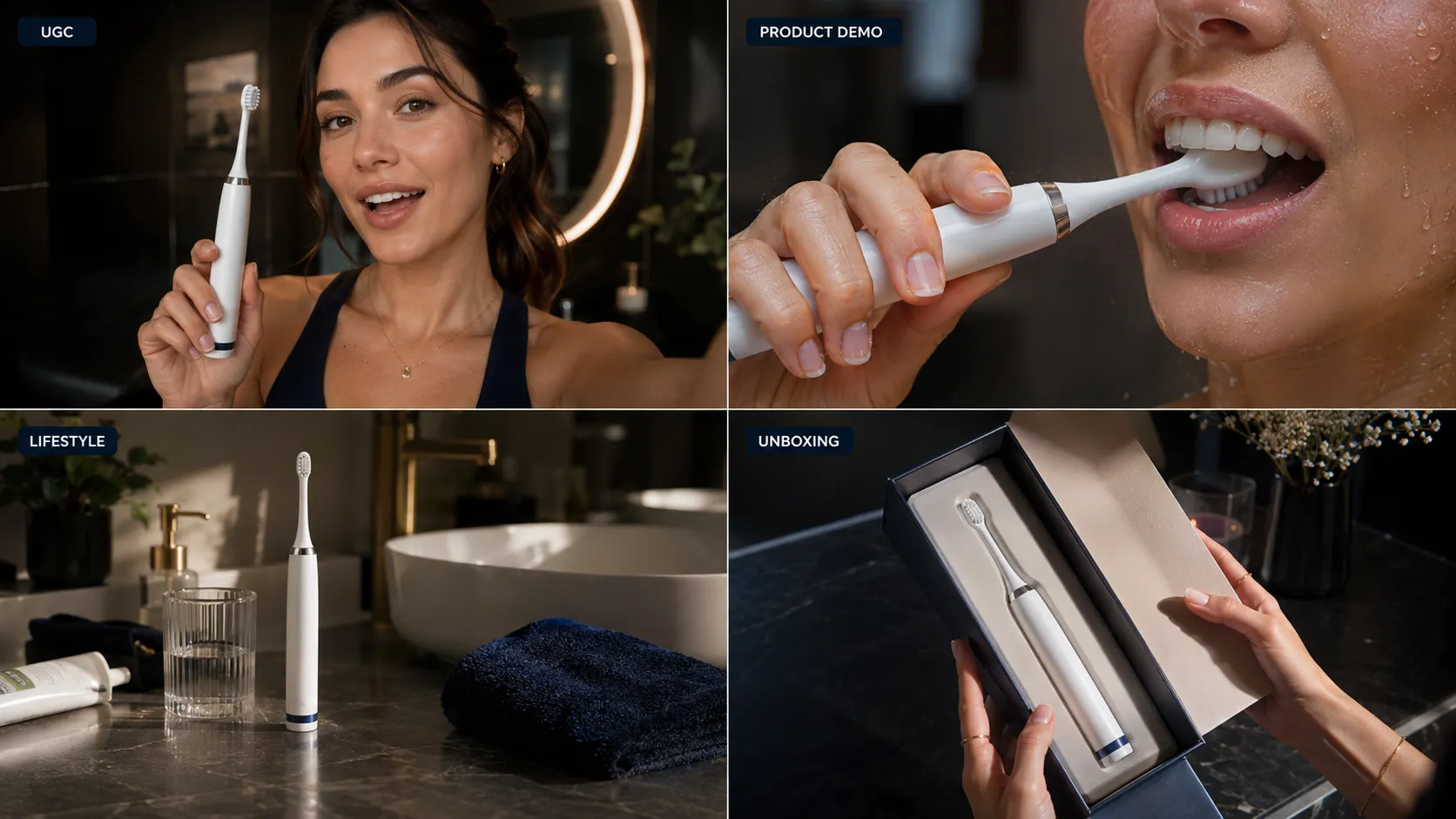
To evaluate how a structured workflow adapts a single product asset across different direct-response concepts, we mapped out a controlled testing framework using a single product image: a Wireless Electric Toothbrush.
Test Setup:
• Product Asset: 1 clean high-resolution cutout photo.
• Core Offer & Brand Positioning: Constant across all formats.
• Creative Variables: Template structure, AI avatar presenter, backdrop setting, and hook framing.
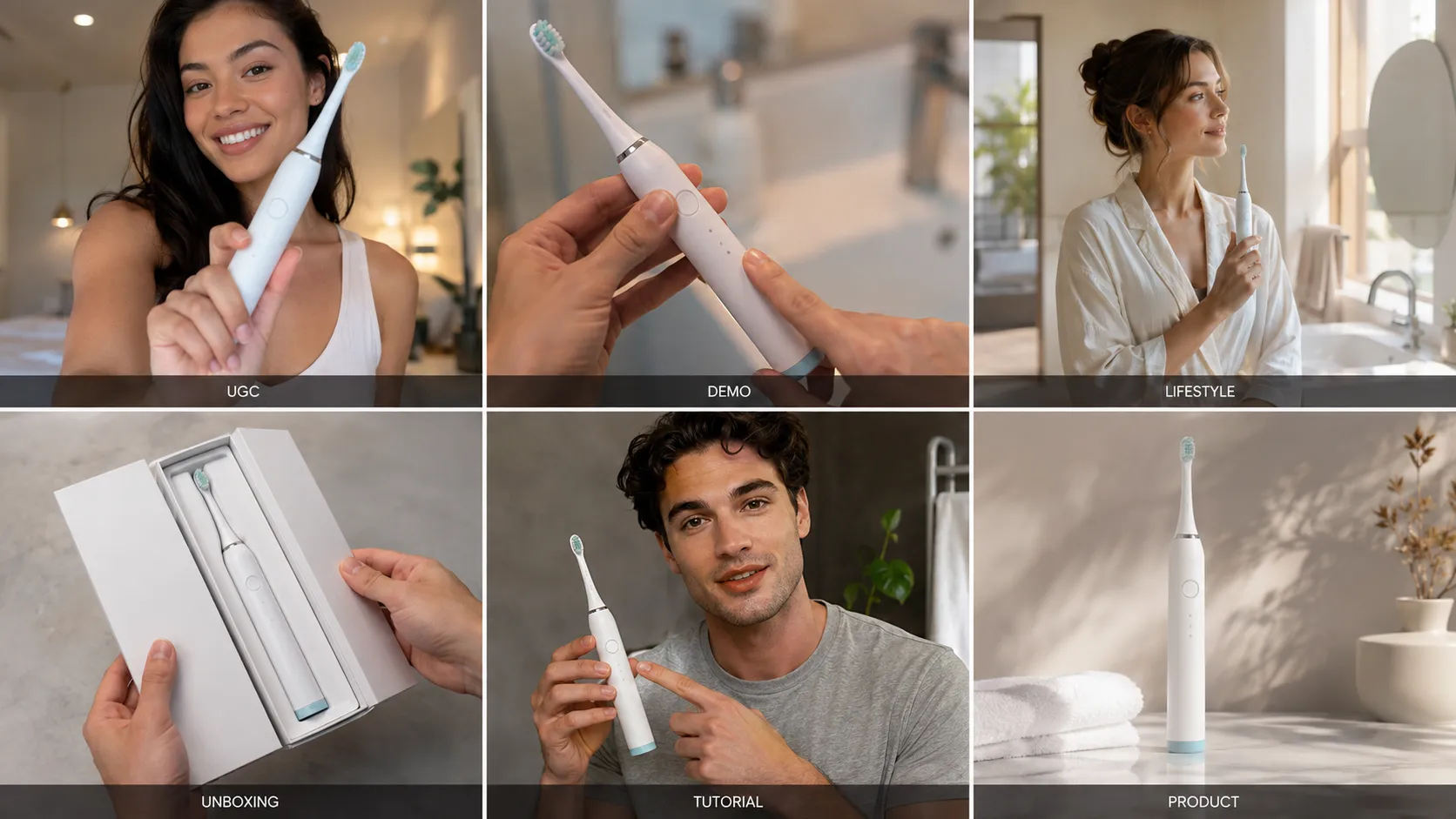
UGC-Style Product Ad
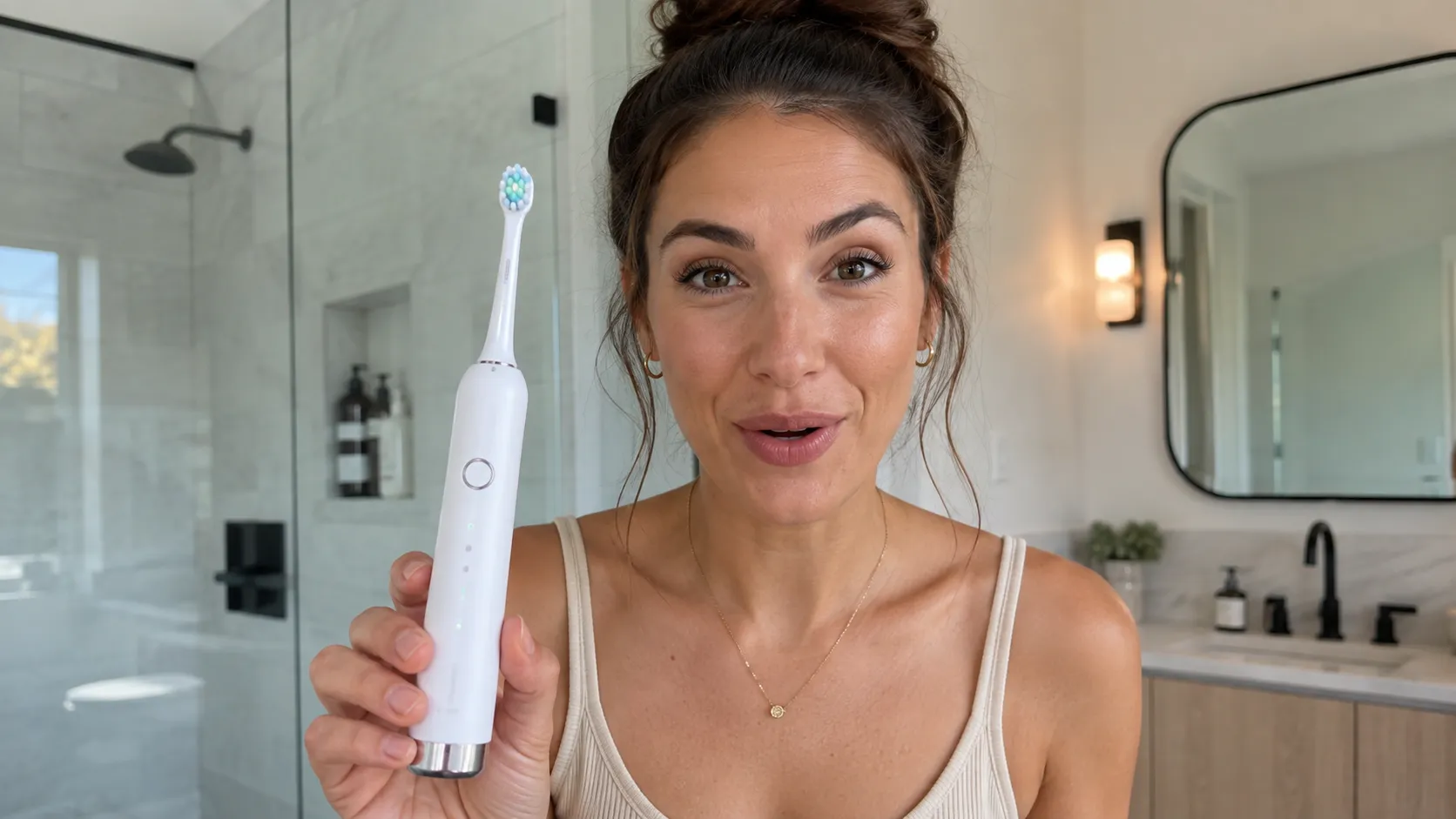
• Creative Angle: First-person creator testimonial focusing on daily usage, convenience, and personal satisfaction.
• Inputs Used: Toothbrush photo + Female AI Avatar + Modern Bathroom Setting + Problem/Solution Hook.
• Why Test This Format: Native social-feed presentation that is well suited to creator-led advertising placements on TikTok and Reels.
• Recommended Placement: TikTok Ads, Instagram Reels feed.
Product Unboxing Format
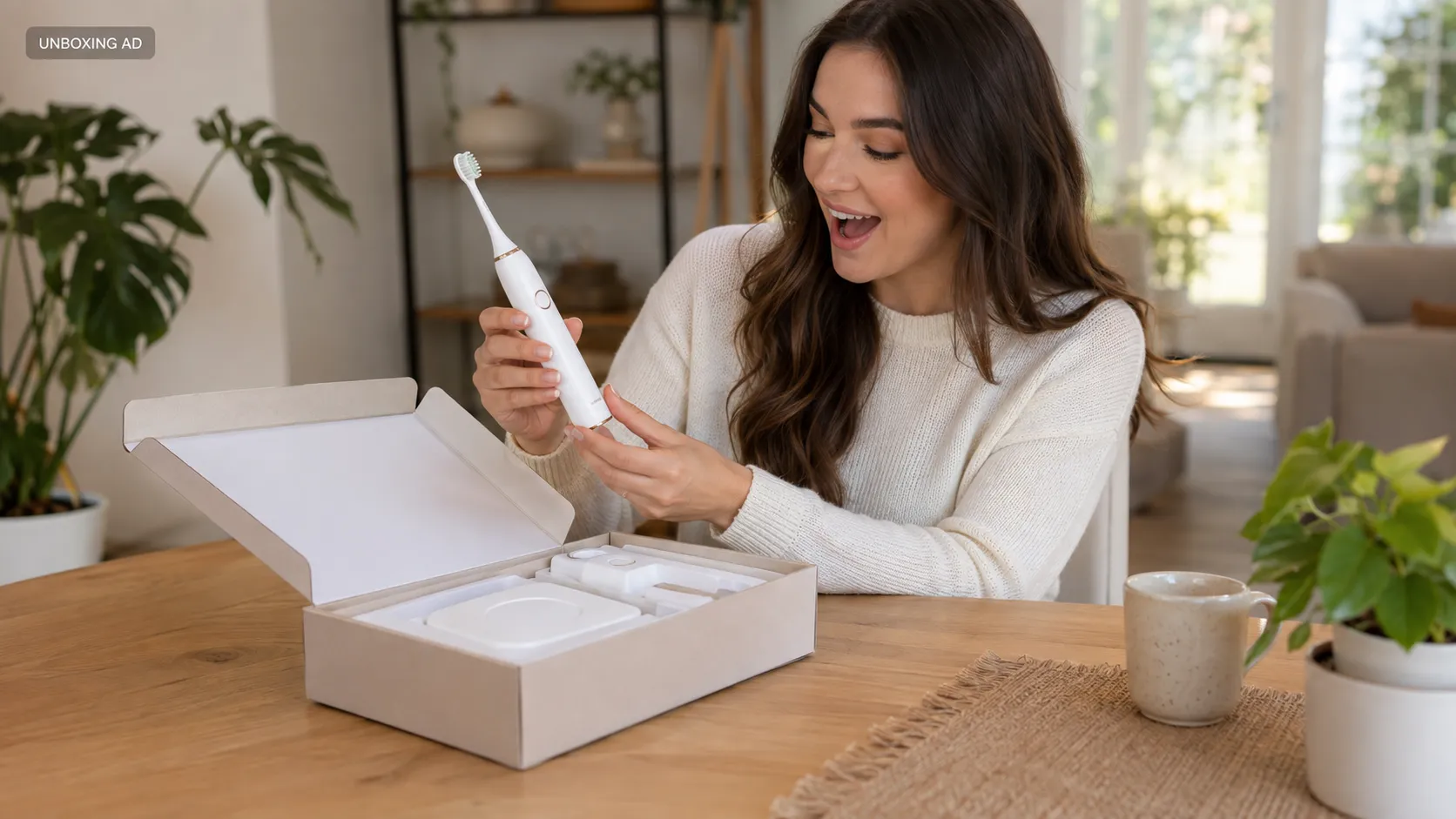
• Creative Angle: First-person unboxing reveal showcasing packaging layout, extra brush heads, and charging base.
• Inputs Used: Toothbrush photo + First-Person Hand Reference + Wooden Table Setting + Product Reveal Hook.
• Why Test This Format: High product visibility that builds curiosity and showcases product completeness for interested buyers.
• Recommended Placement: Instagram Stories, TikTok Shop product listings.
Step-by-Step Tutorial Format
• Creative Angle: Instructional demonstration showing daily routine integration, mode selection, and ease of use.
• Inputs Used: Toothbrush photo + Female AI Avatar + Bathroom Setting + Instructional Hook Sequence.
• Why Test This Format: Breaks down product operation into simple sequential steps, helping educate prospective customers and reduce purchase friction.
• Recommended Placement: YouTube Shorts, Facebook Feed consideration campaigns.
Feature Product Demo Format
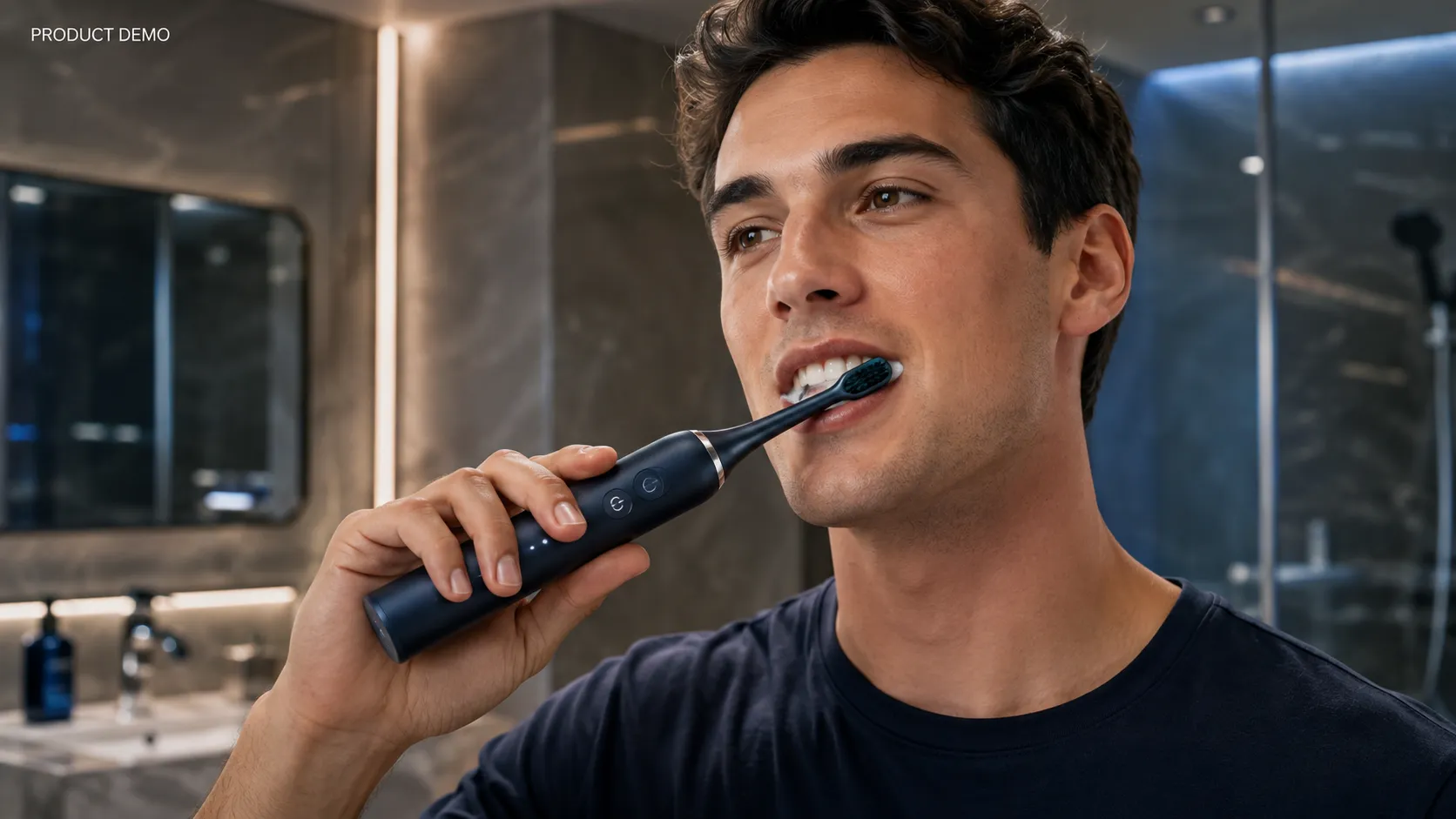
• Creative Angle: Close-up technical focus on hardware engineering, sonic vibration modes, and waterproof build.
• Inputs Used: Toothbrush photo + Close-up Macro Setting + Technical Feature Description.
• Why Test This Format: Maximizes visual focus on physical build quality and functional value with minimal presenter distraction.
• Recommended Placement: Meta Feed Ads, E-commerce Product Detail Pages (PDPs).
Modern Lifestyle Ad Format
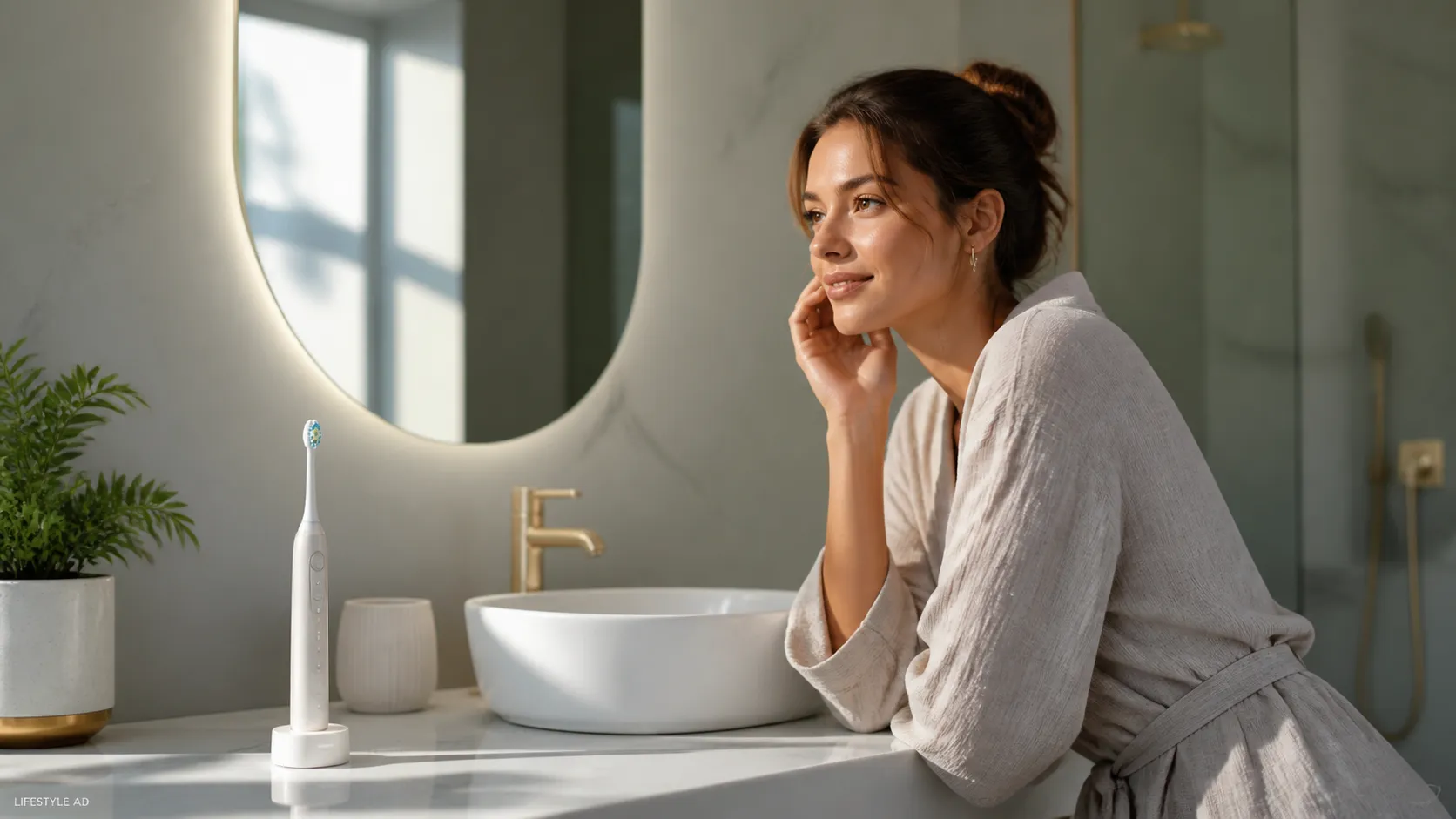
• Creative Angle: Premium aesthetic placement positioning the product within an elevated home interior context.
• Inputs Used: Toothbrush photo + Minimalist Marble Countertop + Warm Ambient Lighting Description.
• Why Test This Format: Establishes aspirational brand positioning and integrates the product into an attractive lifestyle scene.
• Recommended Placement: Instagram Feed, Pinterest video placements.
Which AI Ad Format Is Best for Your Campaign?
There is no single "best" video ad format. The right layout depends on your target campaign objective, product category, and audience awareness stage:
| Ad Format | Product Focus | Presenter Focus | Primary Marketing Objective | Recommended Placement |
|---|---|---|---|---|
| UGC Review | High | High (AI Avatar) | Social Proof & Feed Engagement | TikTok Ads, Instagram Reels |
| Unboxing | Very High | Moderate (First-Person) | Package Reveal & Build Quality | Instagram Stories, TikTok Shop |
| Tutorial | High | Moderate | Practical Education & Usability | YouTube Shorts, Facebook Feed |
| Product Demo | Maximum | Low / Hardware Close-up | Feature Highlighting & Detail | Meta Feed, Amazon & PDP Embeds |
| Lifestyle | Moderate | Moderate / Ambient | Premium Brand Positioning | Instagram Feed, Pinterest |
What Makes an AI Video Ad Look Convincing?
Generating an AI video ad is only the first step. When evaluating an AI-generated ad, five factors are particularly important:
1. A Clear 3-Second Hook: Posing a relatable problem or visual action immediately to capture feed attention.
2. Recognizable Product Details: Maintaining clear product features, packaging shapes, and logos throughout motion sequences.
3. Natural Presenter Lighting: Ensuring the AI avatar shares environmental lighting and shadow depth with the backdrop setting.
4. Contextual Environment Logic: Placing products in natural settings (e.g., skincare in bathrooms, kitchenware on countertops). If you need to generate static lifestyle assets before creating videos, generating clean AI product marketing images helps establish baseline visuals.
5. Direct Call-to-Action (CTA): Providing unambiguous instruction guiding the viewer to the next step (e.g., "Tap Shop Now for 20% off").
5 AI Video Ad Prompt Examples for Ecommerce
Inside Vidoly Ad Studio, the Smart Panel uses pre-prepared template prompts, so you do not need to write a complete video script from scratch. When customizing creative directions, keep instructions concise and commercially focused:
Prompt Formula: Hook (First 3s) + Audience Problem + Product Benefit + Visual Action + CTA
Note: Verify product claims, pricing, discounts, and CTAs before publishing your ad campaigns.
1. Beauty & Skincare (UGC Angle):
"Hook: 'Stop scrolling if your skin feels dry this winter.' Show a female creator in a bright bathroom demonstrating the hydrating serum, highlighting the smooth texture and glowing finish. CTA: 'Get 15% off your first bottle today.'"
2. Fashion & Apparel (Lifestyle Angle):
"Show a model wearing a minimalist trench coat walking through a modern urban setting with warm autumn lighting. Tracking shot highlighting fabric drape and fit. Text overlay: 'Designed for everyday comfort.' CTA: 'Shop the new collection.'"
(For apparel brands producing model visuals prior to video generation, using an AI Virtual Try-On workflow allows you to test realistic garment fit options on static images first).
3. Electronics & Hardware (Product Demo Angle):
"Close-up macro shot of wireless noise-canceling headphones on a dark wooden desk. Demonstrate tactile touch controls and ambient LED indicator lights. Text overlay: '30-Hour Battery Life.' CTA: 'Upgrade your audio setup.'"
4. Home & Kitchen (Tutorial Angle):
"First-person perspective brewing coffee with a compact espresso machine. Step 1: Insert coffee pod. Step 2: Press brew button. Step 3: Show rich espresso pouring into a glass mug. CTA: 'Order yours on sale today.'"
5. Fitness & Sports Equipment (Unboxing Angle):
"Unboxing a compact resistance-band set on a gym floor. Show hands opening the gym bag, displaying the adjustable handles and exercise guide clearly. CTA: 'Start your workout today.'"
How to Build a Creative Testing Matrix
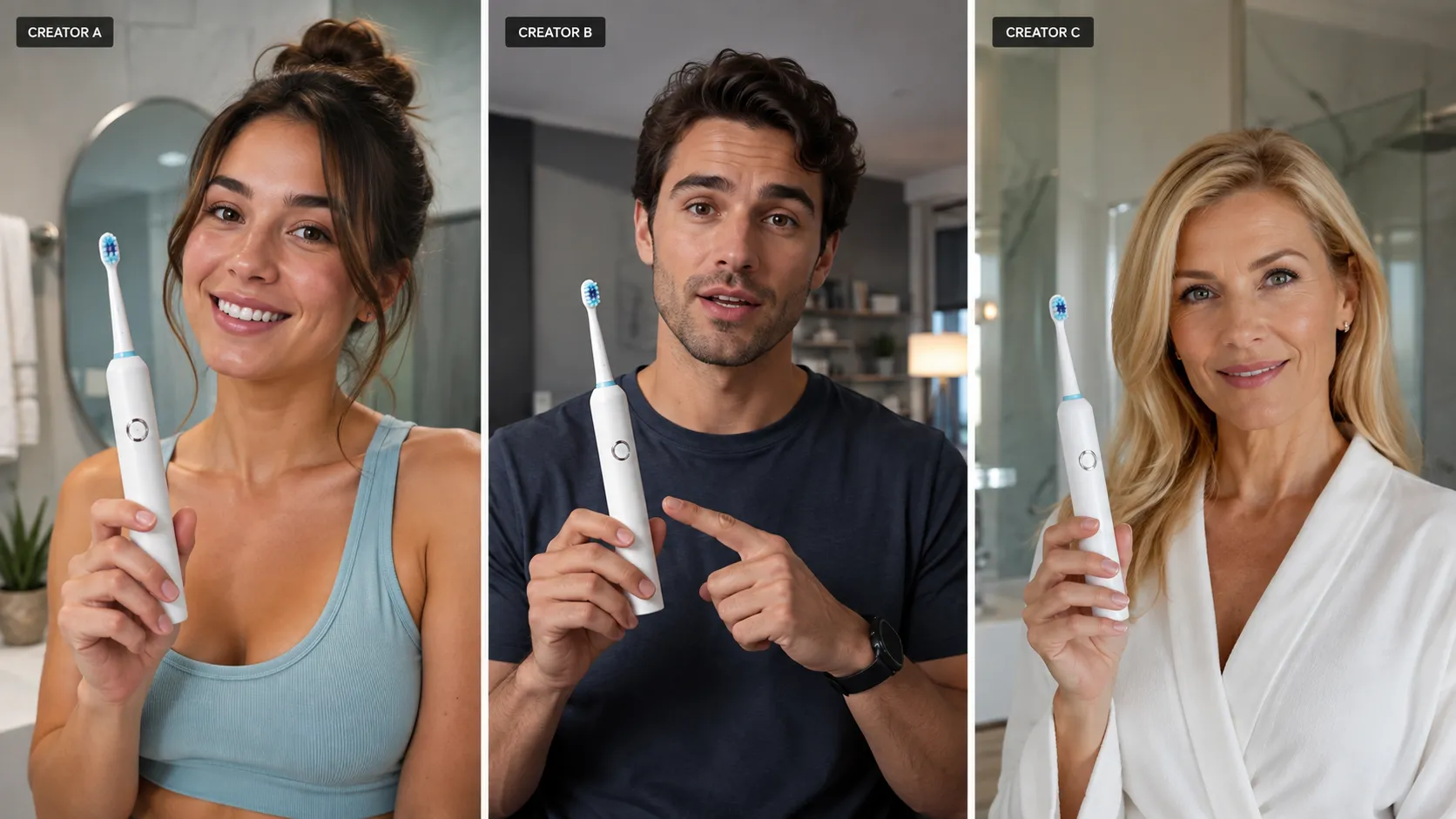
The core strategic benefit of an AI advertising workflow is establishing a Controlled Creative Testing System.
To turn ad variations into a controlled test, isolate one major creative variable at a time where possible. If the hook, avatar, format, and promotional offer all change simultaneously, identifying which element drove performance becomes difficult.
The 18-Variation Creative Matrix:
1 Product Asset × 3 Hooks × 3 Formats × 2 Avatars = 18 Creative Variations
The formula shows how many creative combinations you can generate. It does not mean all 18 should be tested simultaneously. For cleaner performance analysis, group variations into controlled experiments where one major variable changes at a time.
[ 1 Product Asset ]
│
├── Hook A (Problem/Solution) ──┬── UGC Review ───── Avatar 1 (Female) ➔ Variation 01
│ │ └──── Avatar 2 (Male) ➔ Variation 02
│ ├── Product Demo ─── Avatar 1 ➔ Variation 03
│ │ └──── Avatar 2 ➔ Variation 04
│ └── Unboxing ─────── Avatar 1 ➔ Variation 05
│ └──── Avatar 2 ➔ Variation 06
│
├── Hook B (Social Proof) ──────┴── (Repeat Across 3 Formats × 2 Avatars) ➔ 6 Variations
│
└── Hook C (Special Offer) ─────┴── (Repeat Across 3 Formats × 2 Avatars) ➔ 6 Variations
Metrics to Track During Creative Testing:
• 3-Second Hook Rate: Measures how effectively the opening hook captures initial feed attention.
• Average Watch Time: Evaluates scene pacing and avatar engagement.
• Click-Through Rate (CTR): Measures audience interest in the offer and CTA alignment.
• Cost Per Acquisition (CPA): Determines final conversion efficiency.
👉 Build your testing matrix with our AI ad creative video generator.
What You Need Before Creating an AI Video Ad
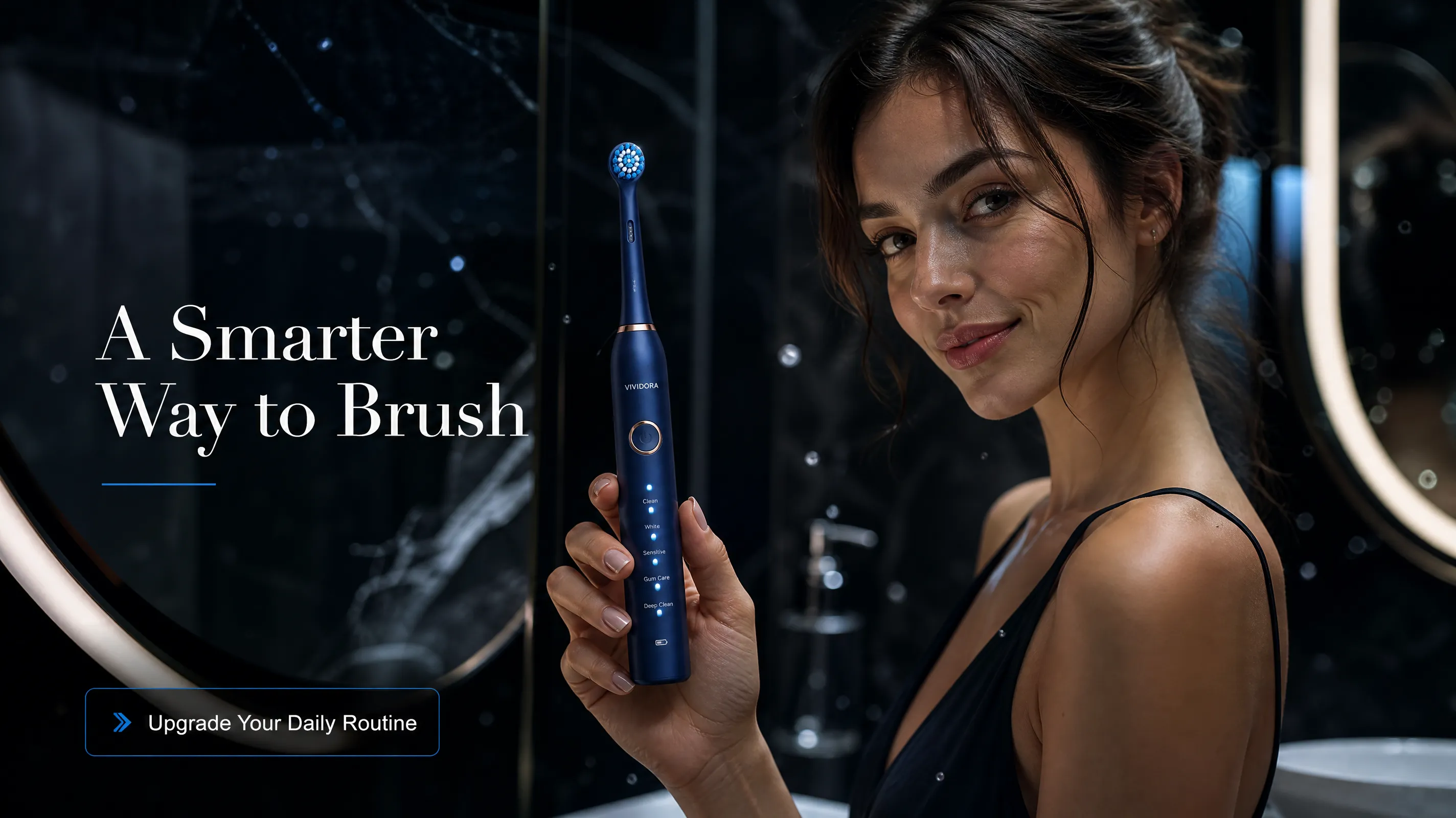
To achieve clean visual results in Vidoly Ad Studio, prepare these foundational inputs prior to generation:
1. Clear Product Image:
• A clear product image that fully shows the product with minimal obstruction. Front or three-quarter views are often useful when they clearly expose the product's shape and key details.
• Sharp resolution with readable packaging text and visible branding.
2. Core Offer & Selling Points:
• Primary value proposition (e.g., "Waterproof," "10-Minute Setup," "Hydrating Formula").
• Clear promotional offer or call-to-action.
3. Defined Audience Demographic:
Specific customer persona to select the appropriate AI avatar gender, age group, and styling.
Ecommerce Use Cases
• Performance Marketers & Media Buyers: Rapidly iterate on visual hooks and presenters to combat creative fatigue across Meta Ads and TikTok Campaign Manager.
• Shopify & DTC Brands: Produce multi-angle ad sets and embed feature demo videos directly onto storefront product pages.
• Dropshipping Merchants: Test different product angles and advertising messages before investing heavily in inventory or creator production.
• TikTok Shop & Amazon Sellers: Support store listings with short-form unboxing clips and UGC-style demonstrations to enrich listing content.
AI Ad Studio vs. Traditional Production vs. Generic Text-To-Video
| Feature / Dimension | Traditional Production | DIY Video Editing | Generic Text-to-Video AI | Vidoly AI Ad Studio |
|---|---|---|---|---|
| Workflow | Physical production & crews | Manual editing & stock | Prompt-driven generation | Template-driven asset replacement |
| Product Input | Physical item / filmed footage | Existing stock assets | Text description or image | Product photo + character asset |
| Creative Structure | Custom storyboard | Manually assembled | Open-ended output | Built-in commercial layouts |
| Iteration Friction | High (costly re-shoots) | Medium (manual editing) | High (prompt trial & error) | Low (asset & text swapping) |
| Presenter Assets | Physical creators | Stock or creator footage | AI-generated figures | AI character / presenter assets |
| Best Used For | Hero brand commercials | Simple manual tweaks | Open creative visuals | Performance ad testing |
Frequently Asked Questions (FAQ)
Q1: What is an AI video ad generator?
An AI video ad generator is a software tool that uses artificial intelligence to turn product photos, character references, and text instructions into short-form marketing videos based on commercial templates.
Q2: Can I create an ecommerce video ad from one product photo?
Yes. Vidoly Ad Studio allows you to upload a single product photo, select a commercial template, choose an AI presenter, and generate short-form video creatives for social media campaigns.
Q3: How does Vidoly Ad Studio preserve product details?
Instead of generating product imagery purely from open text prompts, Vidoly Ad Studio places your uploaded product image inside defined template composition slots, helping maintain recognizable logos and packaging details. However, small text, reflections, fine packaging details, and complex hand-object interactions may still require manual review.
Q4: Can I create UGC-style ads with AI avatars?
Yes. Vidoly Ad Studio provides UGC-style creator layouts that combine AI presenter assets with product-focused advertising structures, simulating organic recommendation formats without requiring physical video shoots.
Q5: Can AI video ad generators create TikTok and Reels ads?
Yes. Ad Studio can be used to generate short-form ecommerce video creatives for vertical feed formats on platforms like TikTok, Instagram Reels, and YouTube Shorts.
Q6: How many ad variations should I test per campaign?
A simple starting matrix is 1 product asset × 3 hooks × 3 ad formats × 2 avatars, producing 18 creative variations to test across paid social channels.
Q7: What makes a good AI video ad prompt?
A concise advertising description works best. Include a 3-second hook, the primary audience problem, the core product benefit, a visual demonstration action, and a clear call-to-action (CTA).
Q8: Can I use AI-generated videos for Amazon and Shopify products?
Yes. AI-generated video creatives can support Shopify campaigns, Amazon product videos, landing pages, and paid social campaigns.
Q9: Is AI video production better than traditional video production?
AI video tools excel at rapid creative testing, asset iteration, and lowering production costs. However, traditional video shoots remain valuable for high-budget brand films requiring custom physical staging and bespoke cinematic direction.
Q10: Can an AI video ad generator guarantee better ad performance?
No. An AI video ad generator reduces production friction and speeds up testing, but it cannot guarantee higher CTR or conversion rates. Final campaign performance still depends on offer quality, audience targeting, landing page friction, and overall media strategy.
Final Verdict
The primary value of Vidoly Ad Studio is not the promise of automatic performance gains. It is about removing the creative production bottleneck that stops ecommerce brands from testing enough ad variations.
By turning proven advertising structures into reusable, asset-driven templates, performance marketers and DTC brands can transform a single product asset into a structured pipeline of creative concepts in minutes.
One product asset. Multiple ad concepts. Test more creative without booking a new shoot for every variation.
Use UGC-style, product demo, lifestyle, and other reusable ad templates to build your next ecommerce creative testing campaign.
Try Vidoly Ad Studio FreeRelated Articles
Can Gemini Remove Image Backgrounds? We Benchmark Tested 6 Complex Scenarios
Can ChatGPT Really Do AI Virtual Try-On? We Tested It vs. Vidoly (With Real Examples)
How AI Replaces a Traditional Fashion Photoshoot: A Step-by-Step E-Commerce Case Study