
Shopify Image Translation: A Practical Guide to Multilingual Product Images
 By Vivi/1 min read
Shopify Image Translation: A Practical Guide to Multilingual Product Images
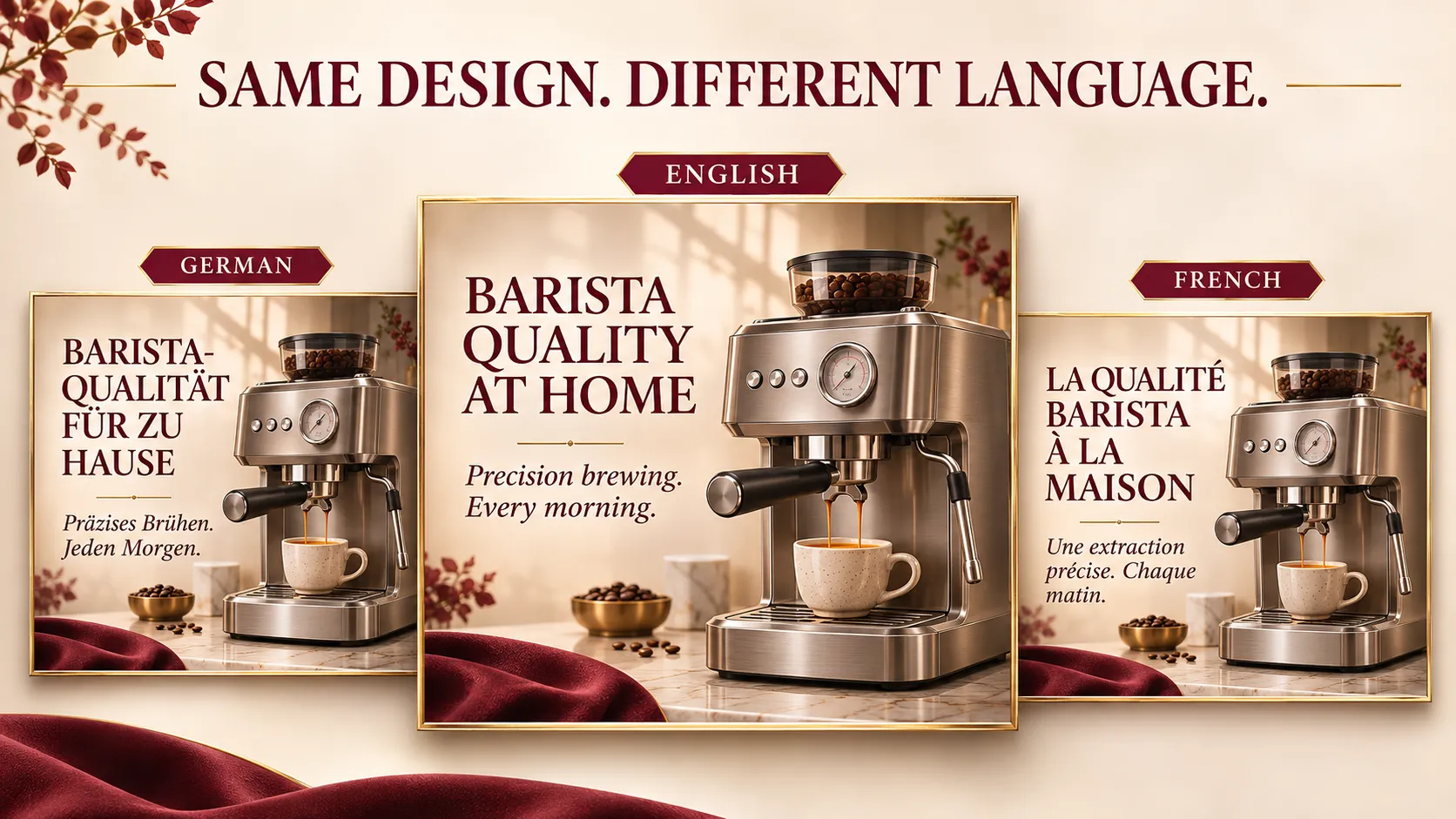
A shopper visits your Shopify store after discovering a product on Google, TikTok, or another shopping platform. Your product title and description are available in their preferred language, but the images still contain English text.
They can see the product, but can they understand its features, measurements, instructions, and other important details?
This is a common gap in multilingual ecommerce. Translating storefront text does not automatically translate the words embedded in product images.
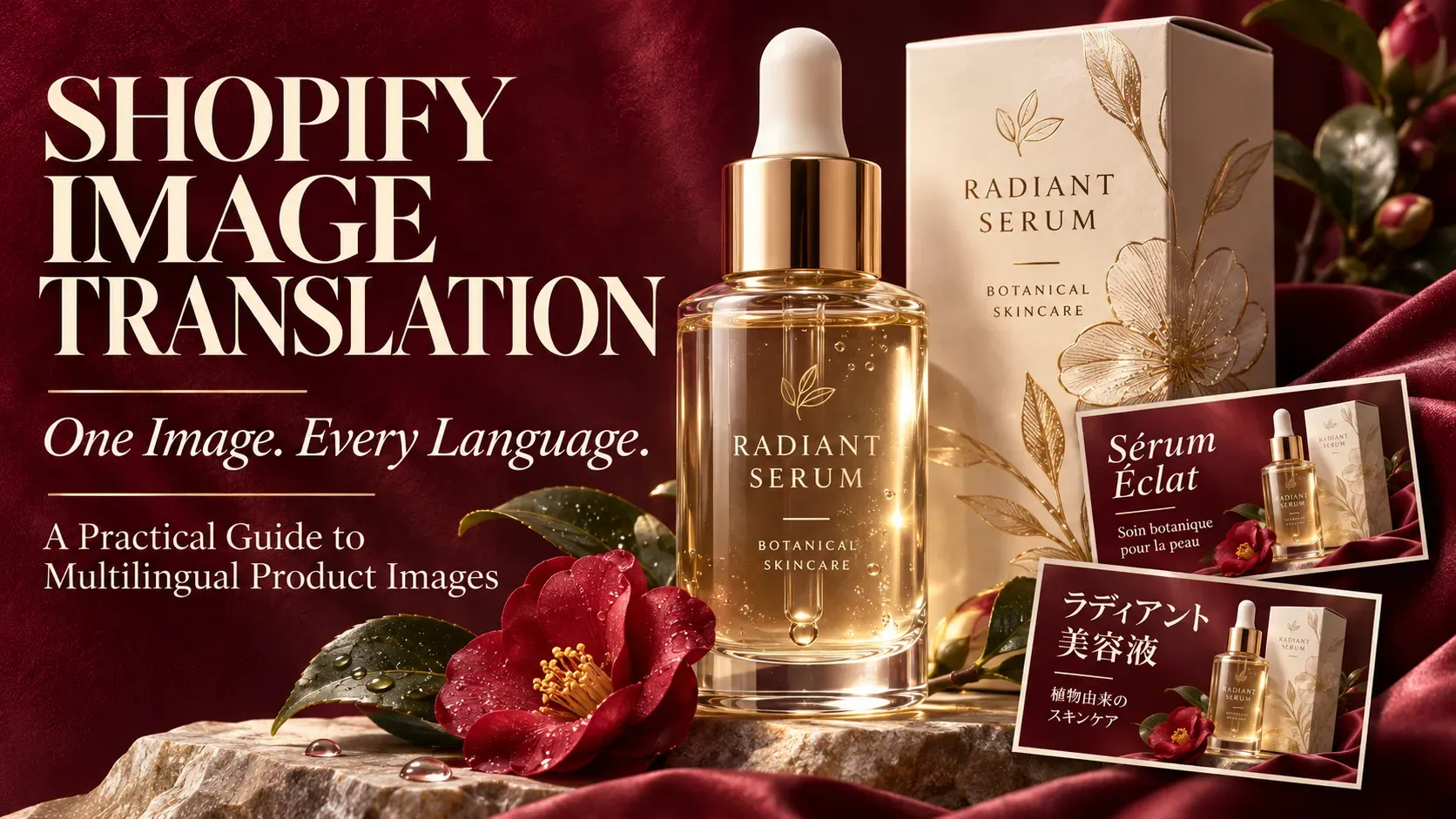
Shopify image translation is the process of translating text inside product images and preparing localized image versions for different store languages.
It helps international shoppers understand visual product information without requiring merchants to redesign every graphic manually.
For Shopify stores expanding into multiple language markets, image translation is an important part of a consistent product localization workflow.
Why Shopify Stores Need Multilingual Product Images
Product images are more than visual decoration. They often communicate information that shoppers need before making a purchase.
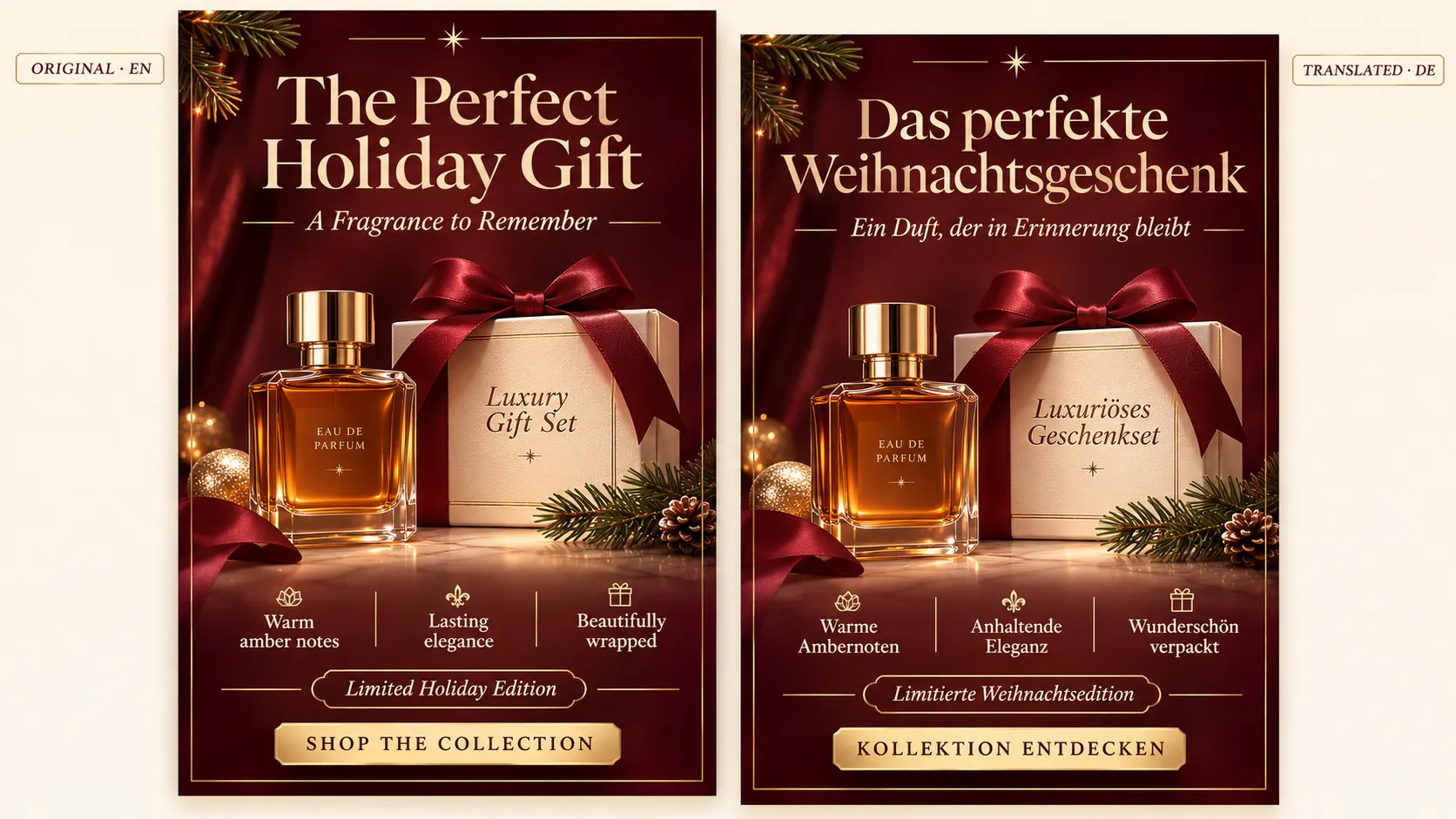
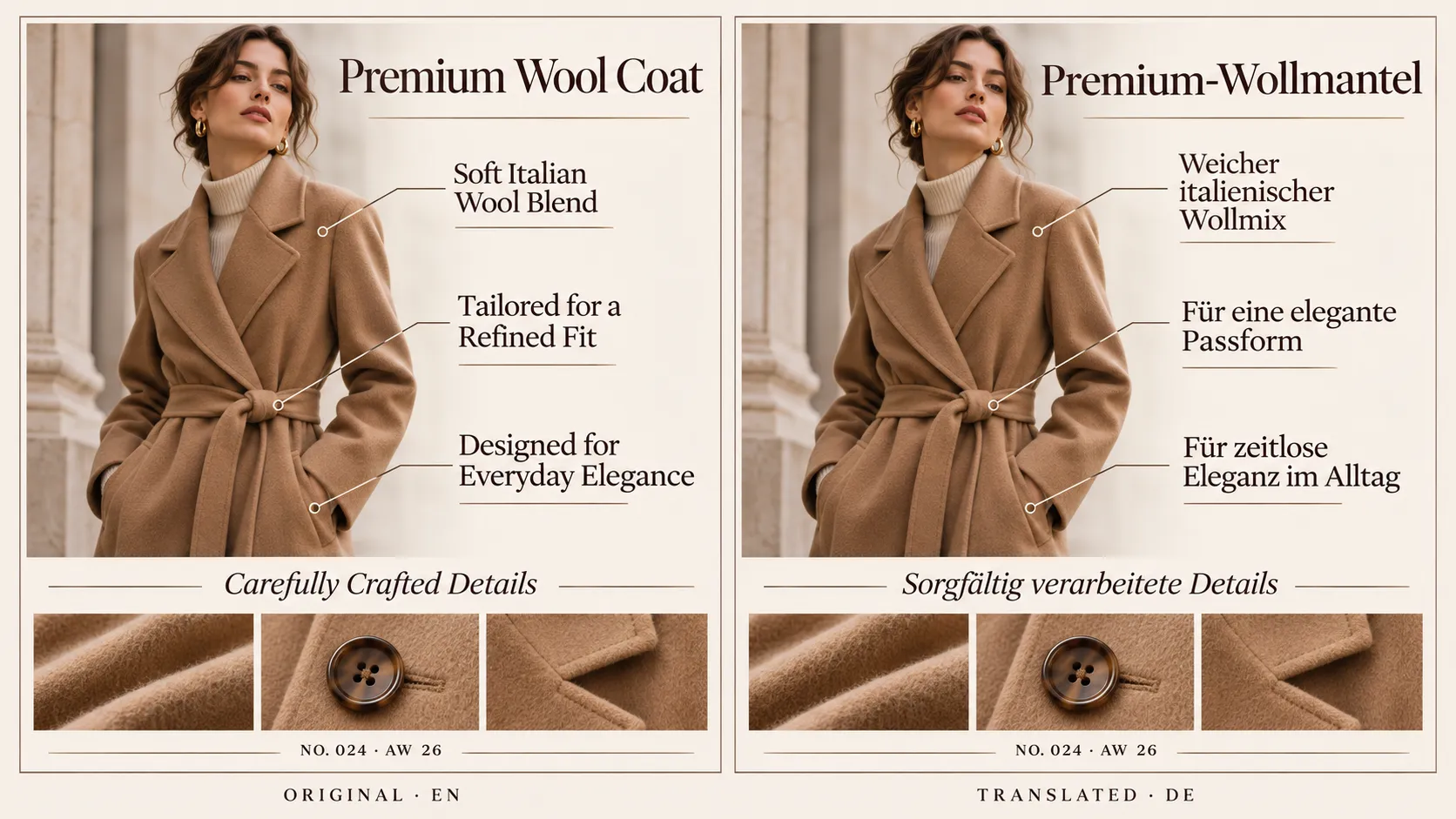
A product infographic might explain its main features. A size chart might show measurements. A skincare graphic might list ingredients or application instructions. A promotional banner might contain a discount message or seasonal offer.
When these images remain in the original language, international shoppers may struggle to understand information that is not repeated elsewhere on the product page.
Consider a US skincare brand selling to customers in Germany and France. Its product description may already be translated, but the product gallery still contains English labels such as:
- Hydrating Formula
- Suitable for Sensitive Skin
- Apply 3 Drops Daily
- Fragrance-Free
The translated description may explain the product, but shoppers still encounter unfamiliar wording when they examine the images.
This creates an inconsistent experience between the written and visual parts of the product page.
The issue is not limited to skincare. Different product categories rely on visual information in different ways:
| Product category | Common text in product images |
|---|---|
| Fashion and apparel | Size charts, fabric details, fit guides |
| Beauty and skincare | Ingredient labels, benefits, usage instructions |
| Electronics | Feature descriptions, technical specifications |
| Home and furniture | Dimensions, assembly instructions, material details |
| Sports and outdoor products | Usage guides, performance features, safety instructions |
Not every image needs translation. A plain product photograph without embedded text can often be reused across languages. The priority should be images that communicate information shoppers need to understand.
Which Product Images Should You Translate First?
If your Shopify store has hundreds of products, translating every image at once may not be practical.
A more efficient approach is to prioritize images according to their informational value, product importance, and relevance to your target markets.
1. Product Feature and Specification Graphics
These images explain what a product does and why shoppers might choose it.
They commonly contain:
- Material and fabric descriptions
- Product dimensions
- Technical specifications
- Feature labels
- Ingredient information
- Product comparison points
These graphics deserve high priority because they help customers evaluate whether a product meets their needs.
When translating them, preserve the original meaning and verify technical terminology. Do not turn a simple product description into a stronger performance claim.
2. Size Charts and Measurement Guides
Size charts are particularly important for fashion, footwear, and accessories.
Common labels include:
- Bust
- Waist
- Hip
- Length
- Foot Length
- Size Guide
- How to Measure
Translating these labels makes the chart easier to understand, but there is an important distinction: translating a size chart does not automatically convert its sizing system or measurement units.
For example, translating “Waist” into German does not convert inches into centimeters or change a US clothing size into an EU size.
If your target market uses different measurement units or sizing conventions, prepare the appropriate chart separately and verify every value before publishing.
3. Product Usage and Care Instructions
Instructions help customers understand how to use, maintain, or handle a product.
Examples include:
- Assembly instructions
- Cleaning and washing guidance
- Application steps
- Storage recommendations
- Product maintenance
- Safety instructions
These images require careful translation because unclear wording can affect how customers use a product.
Pay particular attention to technical terms, warnings, and instructions. If the original wording is ambiguous, translating it without correcting the source will not solve the underlying problem.
4. Promotional and Marketing Graphics
Promotional images often contain messages such as:
- Holiday Sale
- Limited-Time Offer
- Best Seller
- New Arrival
- Buy One, Get One
- Free Shipping
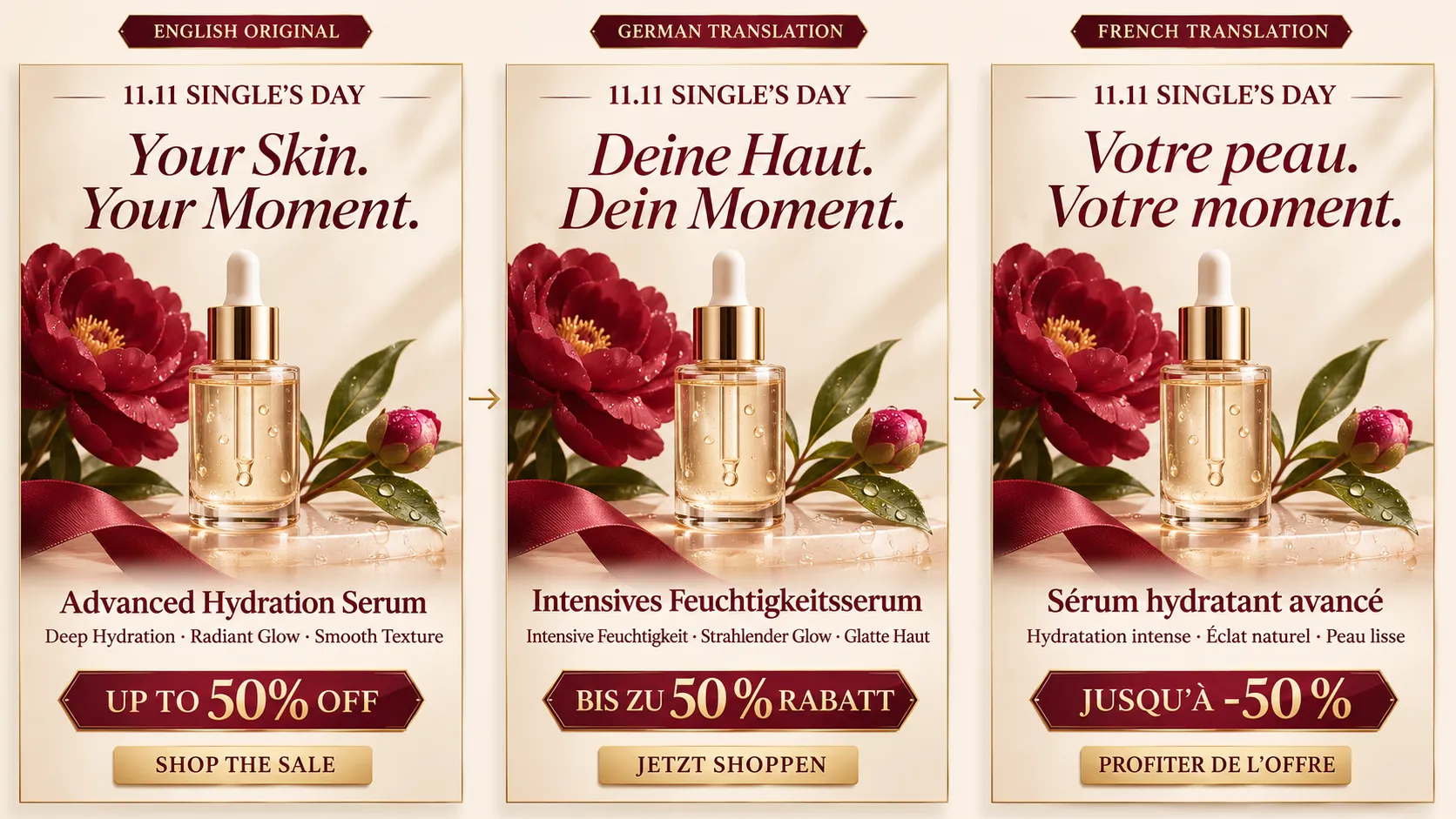
These graphics may need different language versions depending on the markets and campaigns you serve.
However, translation should not change the actual promotion. Before publishing, verify that the offer, eligibility, dates, and conditions are valid in the target market.
5. Lifestyle and Decorative Images
Lifestyle photography, product-in-use scenes, and decorative visuals are often primarily visual.
If an image contains no meaningful text, a separate language version may not be necessary.
If it includes slogans, labels, or promotional messages, review whether those elements should be translated, replaced, or removed.
This helps merchants avoid spending time on images that do not meaningfully affect product understanding.
How to Prioritize Product Images for Different Markets
A useful way to organize image translation is to evaluate three factors.
Information importance: Does the image communicate specifications, measurements, instructions, or other essential details?
Product importance: Is the image associated with a best-selling product, a priority collection, or an item currently receiving marketing investment?
Market relevance: Is the product actively available or being promoted in the target market?
Use the following framework as a starting point:
| Image type | Suggested priority | Reason |
|---|---|---|
| Size charts and measurement guides | High | Important for understanding fit and dimensions |
| Product specifications and feature graphics | High | Communicate essential product information |
| Usage and care instructions | High | Help customers understand correct product use |
| Promotional graphics | Medium to high | Relevant when campaigns differ by market |
| Lifestyle images with embedded text | Medium | Depends on the importance of the text |
| Decorative images without text | Low | Usually do not require translation |
These priorities are not fixed rules. For example, a promotional graphic for a major campaign may be more urgent than a specification image for a product that is no longer being sold.
The goal is to translate the images that matter most to customers and the business first.
A Practical Example: Localizing Product Images for a Winter Boot Store
Consider a footwear brand selling winter boots in the United States, Germany, and France.
The original product gallery contains six images:
| Original image | Information shown | Localization approach |
|---|---|---|
| Main product photo | Product appearance | Usually keep unchanged |
| Feature infographic | Waterproof material, insulation, grip | Translate embedded text |
| Material graphic | Upper material and lining | Translate labels and descriptions |
| Size chart | US sizes and measurements | Translate labels and verify market-specific sizing |
| Care instructions | Cleaning and storage guidance | Translate instructions |
| Lifestyle image | Winter styling scene with a slogan | Review whether the slogan needs translation |
The merchant does not need to recreate all six images for every language.
Instead, the feature infographic, material graphic, and care instructions can receive localized versions first. The size chart needs a separate check to determine whether a European sizing version is required.
The main product photograph can usually remain the same because the product itself does not change between language markets.
This approach keeps the product's visual identity consistent while adapting the information international shoppers need to understand.
Three Ways to Translate Product Images on Shopify
Shopify merchants generally have three practical approaches to image translation. The right choice depends on catalog size, available design resources, and the number of languages being supported.
Option 1: Redesign Images Manually
Open the original design file in Canva, Photoshop, Figma, or another image editing tool.
Replace the original text with the translated copy, adjust the layout, and export a separate image for each language.
Best for: Small product catalogs, highly customized graphics, and brands that need detailed control over typography and visual design.
Limitations: Every additional product and language creates more design and quality-control work. Managing multiple versions can become difficult as the catalog grows.
Option 2: Upload Pre-Translated Images
A design team, translation partner, or localization agency can prepare the graphics in advance.
Merchants then upload and organize those files through a workflow that supports the relevant language-specific product images.
Best for: Established brands with existing design resources and strict visual guidelines.
Limitations: The team still needs to manage file naming, product mapping, language versions, and updates. Uploading multiple images alone does not guarantee that the correct version will appear for every language.
Option 3: Use a Shopify Image Translation App
A dedicated image translation app provides a more repeatable workflow when merchants need to localize text-heavy product images across multiple products and languages.
Vidoly Image Translator for Shopify supports AI-powered translation of text embedded in product images, uploading custom translated images, and reviewing and publishing localized assets.
This can reduce repetitive image preparation and make multilingual product image management more organized.
AI-generated translations should still be reviewed. Merchants need to verify wording, text placement, specifications, and product claims before publishing.
How to Translate Product Images on Shopify: Step by Step
Once you have chosen an approach, establish a consistent workflow. The following steps can help prevent missing language versions, inaccurate translations, and outdated images.
Step 1: Identify Your Target Languages
Start by confirming which markets your store serves and which languages are available on your Shopify storefront.
You do not need to prepare every possible language immediately. Begin with the markets that are most important to your business.
For example, a store selling to Germany and France may prioritize German and French image versions.
Also remember that language and market are not always interchangeable. Different regions may share a language but use different currencies, sizing conventions, shipping conditions, or promotional offers.
Step 2: Audit Your Existing Product Images
Review your priority product pages and identify images containing embedded text.
Group them by purpose:
- Product specifications
- Feature explanations
- Size charts
- Usage and care instructions
- Promotional graphics
- Lifestyle images with text
Create a simple inventory to track the translation work.
| Product | Image type | Target language | Status |
|---|---|---|---|
| Skincare A | Benefit infographic | German | To translate |
| Skincare A | Benefit infographic | French | To translate |
| Apparel B | Size chart | German | Needs review |
| Electronics C | Feature diagram | Japanese | To translate |
These are illustrative entries. Use your own product and SKU information when creating the inventory.
Step 3: Prepare the Localized Images
Choose manual redesign, pre-translated image uploads, or an AI-assisted workflow.
With Vidoly ImageTranslator, merchants can use AI to translate text in product images or upload their own translated images.
Whichever method you choose, pay attention to five areas:
Meaning: Preserve the original message and product claims.
Terminology: Use consistent product names, material descriptions, ingredient terms, and approved brand language.
Numbers and units: Verify measurements, specifications, prices, and dates against the approved source.
Layout: Make sure translated text does not overlap the product or obscure important details.
Language-specific formatting: Check spelling, accents, punctuation, line breaks, and character support.
Some languages require more space than English. A short English label may become much longer after translation. Avoid forcing longer copy into a layout that makes it difficult to read.
Step 4: Review the Translation and Image Quality
Never assume that a translated image is ready to publish simply because the translation has been generated.
Compare each localized image with the approved original and check:
- Does the translation sound natural?
- Does it preserve the original meaning?
- Are product names and technical terms correct?
- Are measurements and specifications accurate?
- Is the translated text legible?
- Are any labels cropped or overlapping?
- Have product claims or promotional conditions changed?
For size charts, technical diagrams, safety information, and product claims, use an appropriate human review process.
If a correction is needed, prepare an updated image and review it again before publishing.
Step 5: Publish and Test the Language Versions
After reviewing the images, publish the appropriate versions through your chosen workflow.
Then visit your storefront and test the actual shopping experience.
For each target language, check:
- Does the expected localized image appear?
- Is the image associated with the correct product?
- Are the original images still available for the original language?
- Does the image display properly on desktop and mobile?
- Is the information consistent with the product description?
Test several product pages and templates rather than assuming that a successful result on one page proves the entire catalog is configured correctly.
Step 6: Maintain Your Localized Image Library
Image localization is not a one-time task.
Product specifications change, packaging gets updated, new collections launch, and promotional campaigns expire. A translated image that was accurate last season may no longer reflect the current product.
When the original image changes, check whether its translated versions also need updating.
A simple tracker can help:
| Product | Image type | Language | Status |
|---|---|---|---|
| Winter Boots A | Feature graphic | English | Published |
| Winter Boots A | Feature graphic | German | Reviewed |
| Winter Boots A | Feature graphic | French | Needs review |
| Winter Boots A | Care instructions | German | Published |
You can also record the original image version, translation owner, review date, and notes.
This makes it easier to identify missing or outdated assets as your product catalog grows.
How Vidoly Image Translator Helps Shopify Merchants
For stores managing product images across multiple languages, preparing separate graphics manually can become repetitive.
Vidoly Image Translator for Shopify is designed to help merchants translate text embedded in product images and manage localized image versions.
Its workflow includes several key capabilities:
AI-powered image text translation
Use AI to translate text embedded in product images into different languages, reducing the need to recreate every graphic manually.
Custom translated image uploads
If your design team has already prepared localized graphics, you can upload your own translated images for the relevant languages.
Review before publishing
Review translated images before publishing them, giving your team an opportunity to check the wording and visual result.
Language-specific image display
Published localized images can be displayed in the corresponding store language, helping align visual product information with the shopper's language experience.
Original image preservation
Keep original product images unchanged while preparing localized versions for other languages.
These capabilities can help make multilingual product image management more organized. They are particularly relevant for stores with text-heavy product galleries and several target language markets.
Vidoly Image Translator focuses on translating and managing product image assets. It does not replace a complete Shopify store translation workflow. Merchants should still verify measurement conversions, product claims, market-specific offers, and other information that requires separate validation.
Explore Vidoly Image Translator for Shopify to see how it can fit into your product image localization workflow.
How to Measure Your Image Localization Progress
Image translation requires time and resources, so merchants should track both the completion of localization work and its impact on the shopping experience.
Rather than relying on one metric, review several areas.
1. Localization Coverage
Measure how many priority product images have been prepared and reviewed for each target language.
Useful indicators include:
- Percentage of priority products with localized feature graphics
- Percentage of size charts available in the required languages
- Number of products with complete image sets across target languages
This helps identify gaps in your localization work.
2. Product Page Engagement
Review product page engagement by language or market where your analytics setup allows it.
Look for changes in product page views, engagement, and other relevant interactions after localized images are introduced.
Keep in mind that traffic sources, product demand, pricing, and campaign activity can also affect these metrics.
3. Add-to-Cart and Conversion Performance
Compare product performance before and after image localization, ideally while accounting for changes in traffic and marketing campaigns.
Localized images may make product information easier to understand, but conversion improvements should be measured rather than assumed.
4. Customer Questions and Support Requests
Pay attention to questions about product features, sizing, materials, and usage.
If customers repeatedly ask about information already shown in product images, the content may be unclear, difficult to read, or unavailable in their preferred language.
These questions can help identify which images need further improvement.
Shopify Image Translation Checklist
Before publishing localized product images, review the following:
- Identify product images containing embedded text.
- Prioritize specifications, size charts, and usage instructions.
- Confirm the target languages for each market.
- Translate text without changing its original meaning.
- Verify measurements, product details, and technical terms.
- Check text placement, readability, and image quality.
- Review market-specific promotional information.
- Confirm the correct image appears for each selected language.
- Test product pages on desktop and mobile.
- Update translated images when original product information changes.
A consistent review process can help prevent outdated, incomplete, or inaccurate image content from appearing on international product pages.

Frequently Asked Questions
Does Shopify automatically translate text inside product images?
Not directly. Shopify's standard translation workflow does not automatically translate text embedded in product image files. Translating product descriptions and other storefront content does not necessarily localize the words inside JPG, PNG, or WebP images.
Merchants need a separate image localization process, such as manually redesigning graphics, uploading translated assets, or using an image translation app.
How can I translate product images without redesigning them manually?
An AI-assisted image translation app can translate text embedded in existing product images and help prepare localized versions.
Vidoly Image Translator supports AI image translation and custom translated image uploads. Merchants should review the resulting images before publishing.
Do I need a separate product image for every language?
No. You should prioritize images containing text that shoppers need to understand.
Plain product photographs without language-dependent text may be reused across languages, depending on your store setup. Feature graphics, size charts, and instructions are more likely to need localized versions.
Does translating a size chart automatically convert US sizes into EU sizes?
No. Translating labels such as "Waist" or "Length" does not automatically convert measurements or sizing systems.
If your store serves markets with different sizing conventions, prepare and verify the appropriate size chart separately.
Can I upload my own translated product images?
Yes. Vidoly Image Translator supports uploading custom translated images, allowing merchants to use graphics prepared by their own designers or localization teams.
Do localized product images improve conversion rates?
Localized product images can make visual product information easier for international shoppers to understand. However, conversion rates depend on many factors, including product quality, pricing, traffic sources, shipping, trust, and checkout experience.
Image localization should be treated as one part of a broader international ecommerce strategy rather than a guaranteed conversion improvement.
Make Your Shopify Product Images Easier to Understand Across Languages
A multilingual Shopify store should offer a consistent experience across both written and visual content.
Translated product descriptions are important, but shoppers also rely on information embedded in product images when evaluating features, checking measurements, and understanding how products work.
Start with the images that communicate essential product information. Prioritize your most important products and markets, review every translated version, and establish a process for keeping image assets up to date.
If your store uses text-heavy product images across multiple language markets, Vidoly Image Translator for Shopify can help you translate and manage localized image versions as part of your product localization workflow.