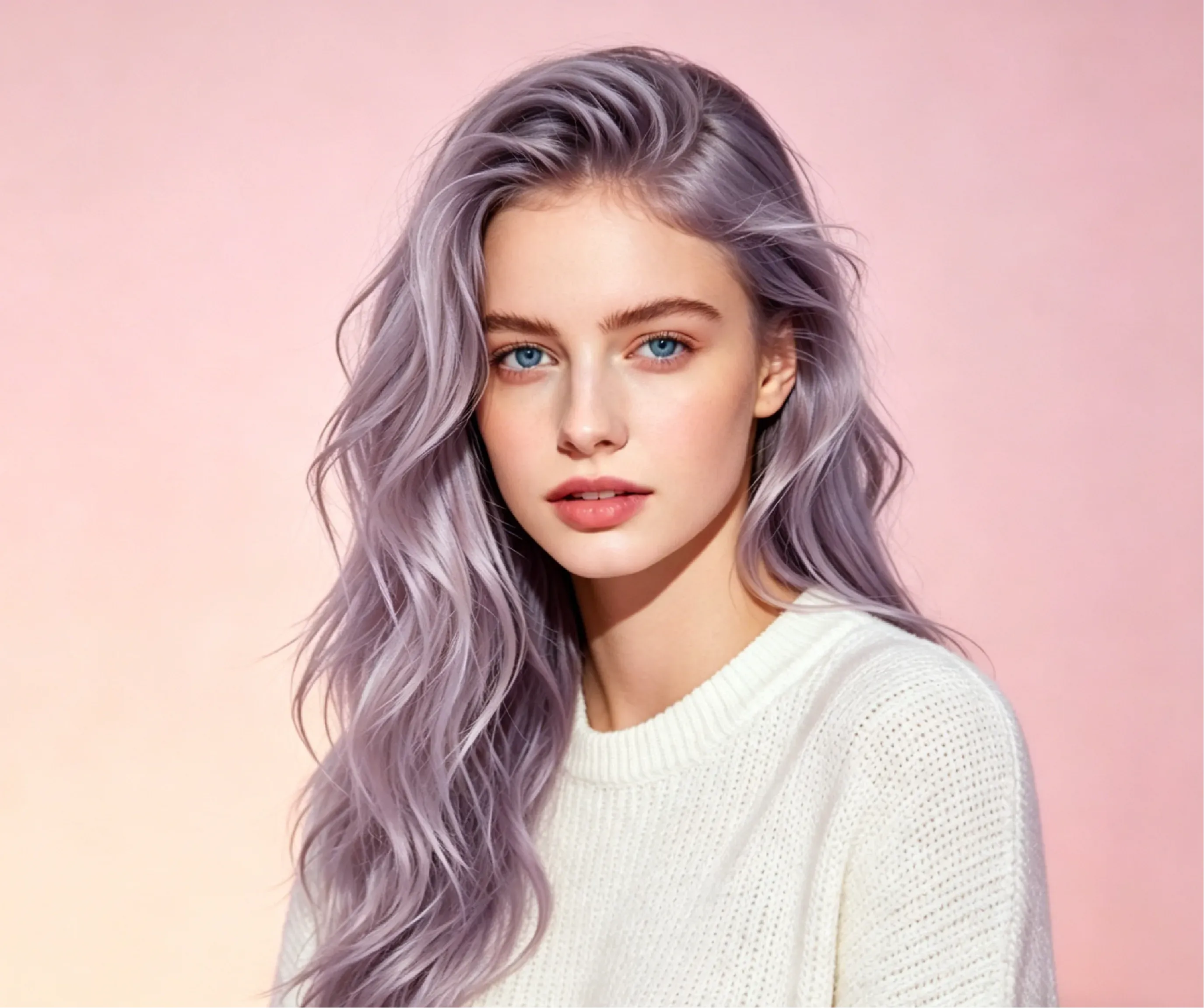
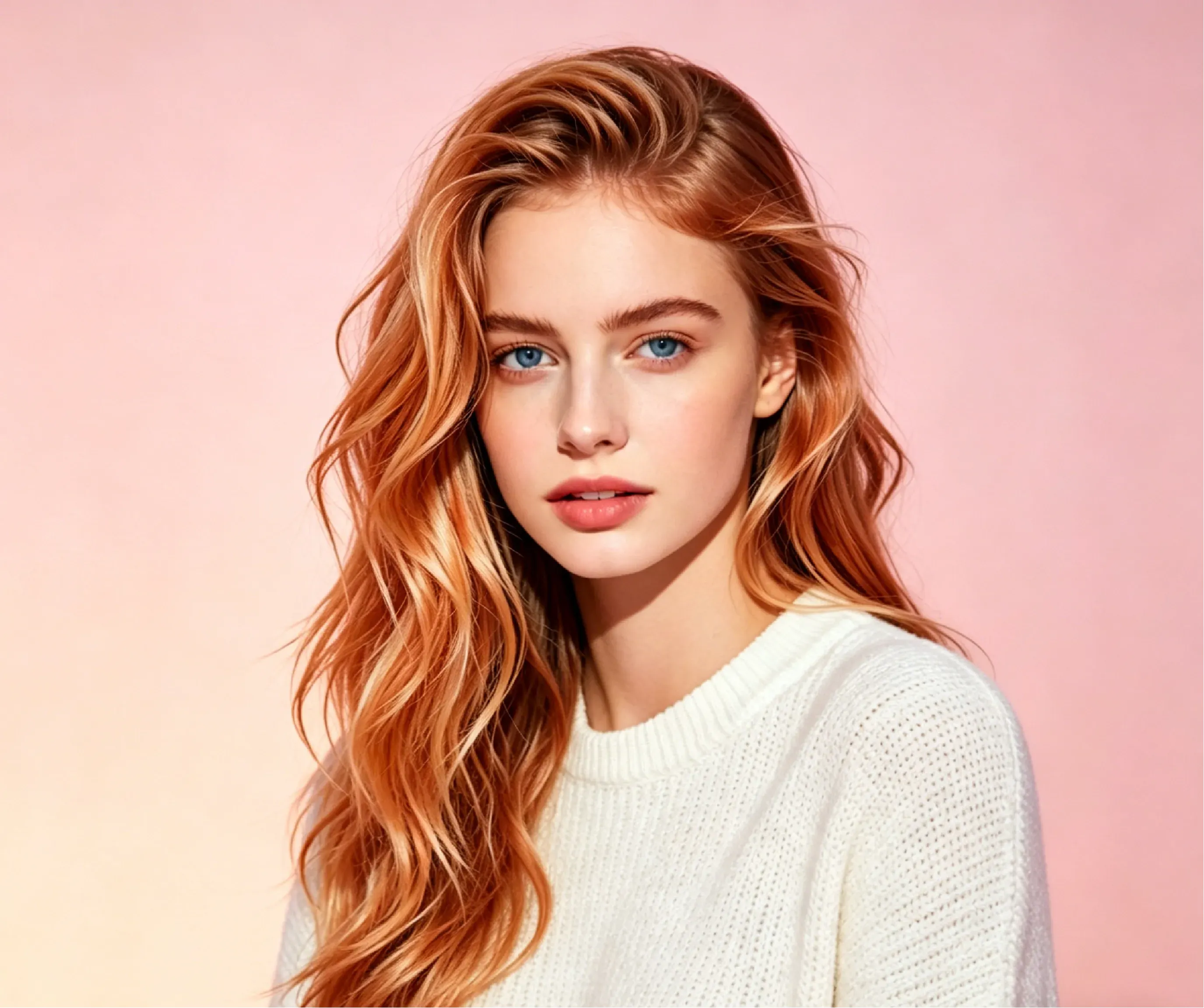
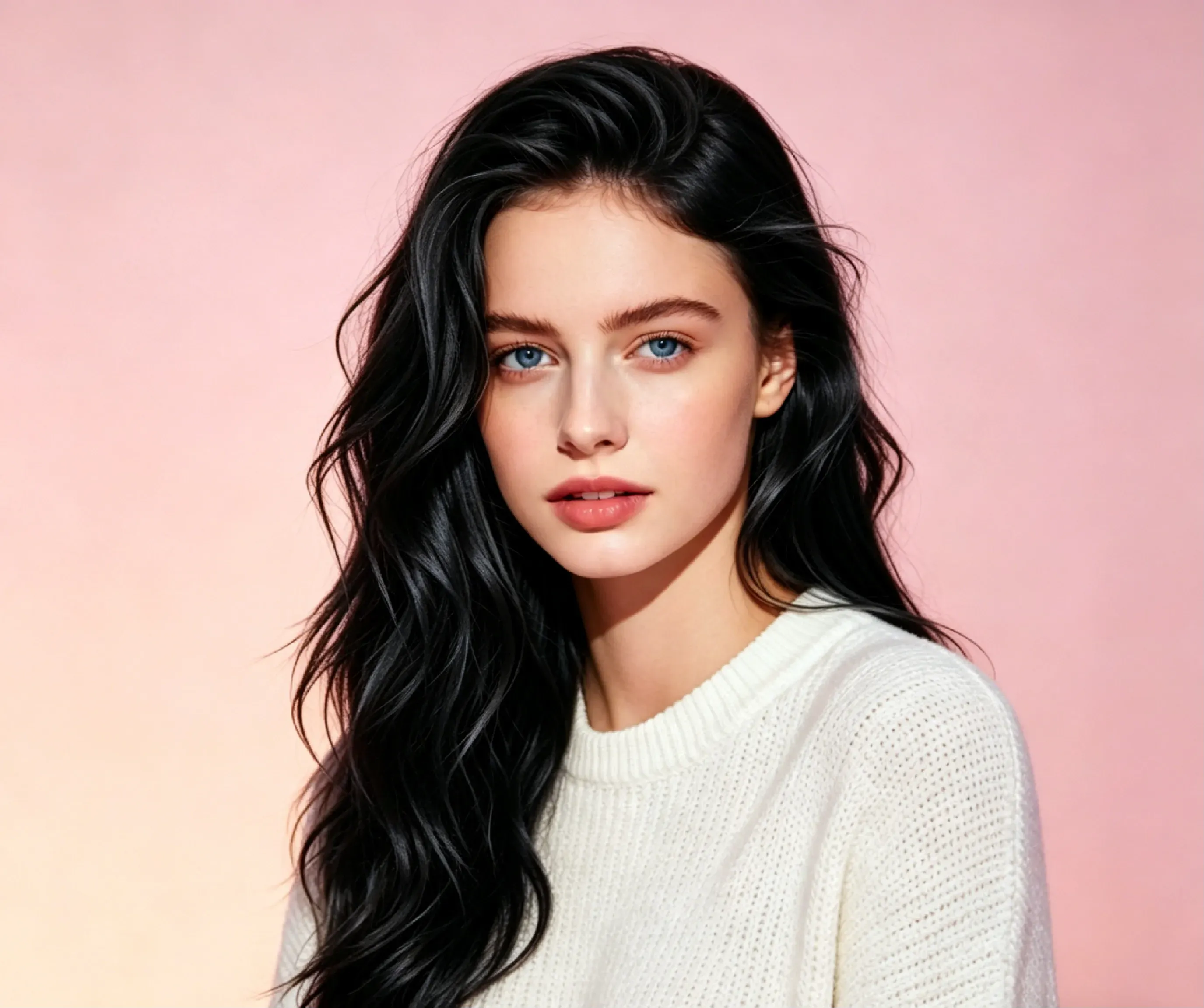
Platinum Ice Hair Color

Platinum Ice Hair Color

TECHNICAL SPECS

SECTION

AI Hair Color Changer

MODULE

image_to_image

SKILL ID

ai_hair_color_changer

Upload Image
photo_camera

Upload Image

TEMPLATE PROMPT
37/2000
Commercial usage license included
MORE IN AI Hair Color Changer
#hair_color_changer

Preview Hair Colors Before Dyeing with AI

Vidoly AI Hair Color Changer lets users test different hair colors on a photo before making a real dye decision. Upload a clear portrait, choose a shade such as blonde, brown, black, red, silver, pastel pink, smoky lavender, platinum ice, blue, orange, or balayage, and let AI recolor the hair while keeping the original texture, highlights, and lighting. It is useful for salon planning, virtual makeovers, cosplay styling, beauty content, and comparing hair dye ideas without permanent commitment.

Preview Hair Colors Free
Real AI Hair Color Examples: Before and After Results

Real AI Hair Color Examples: Before and After Results

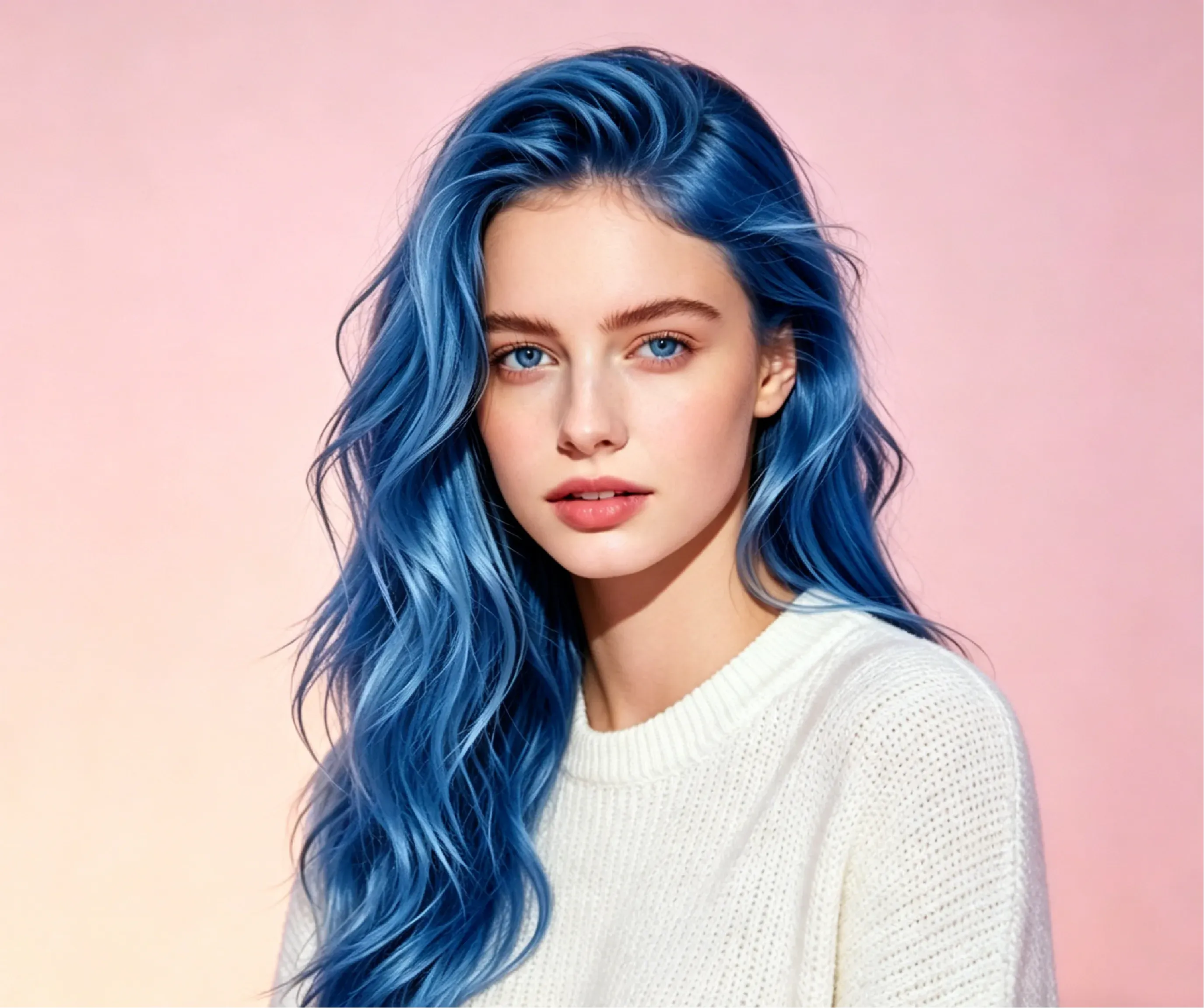
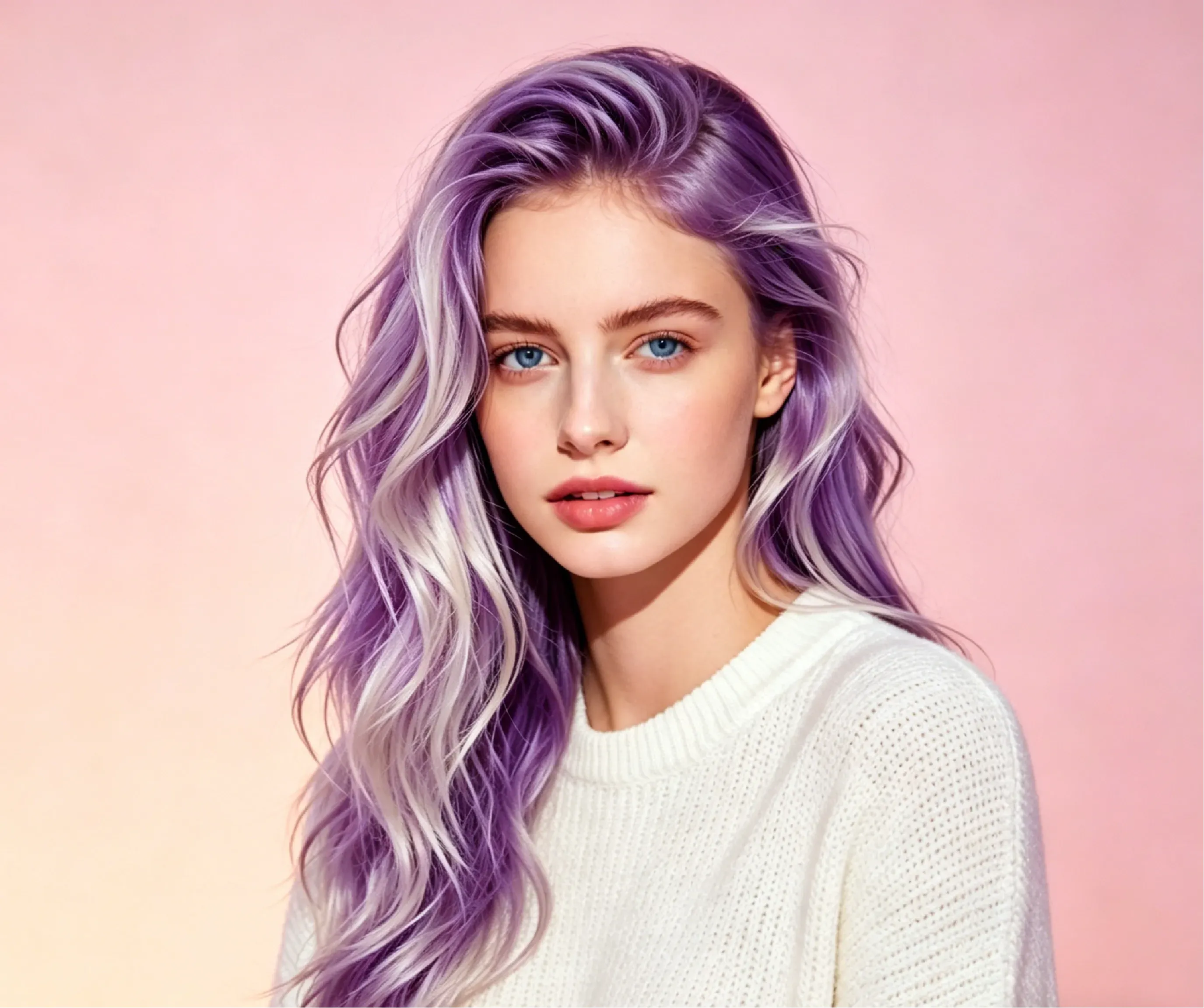
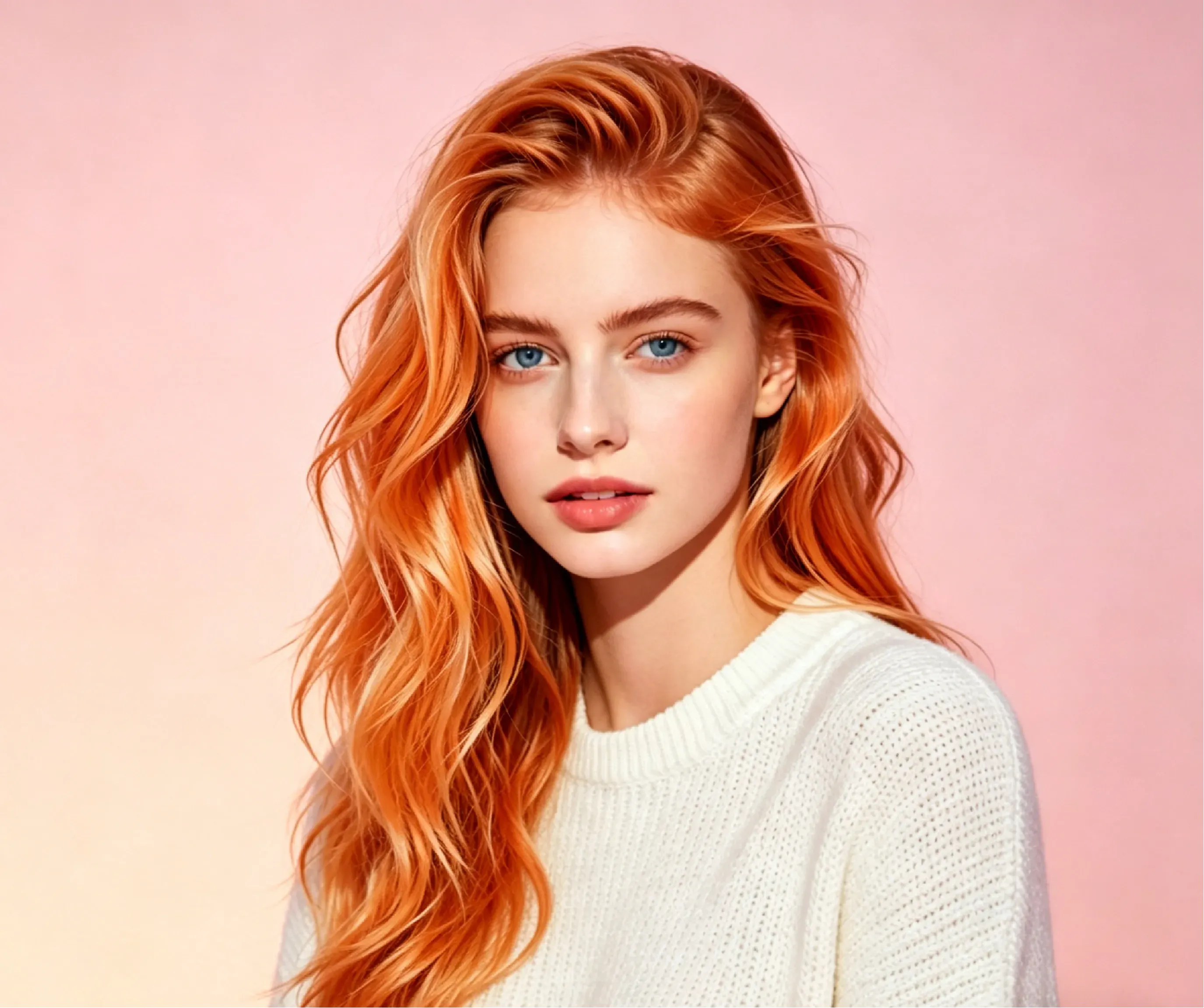
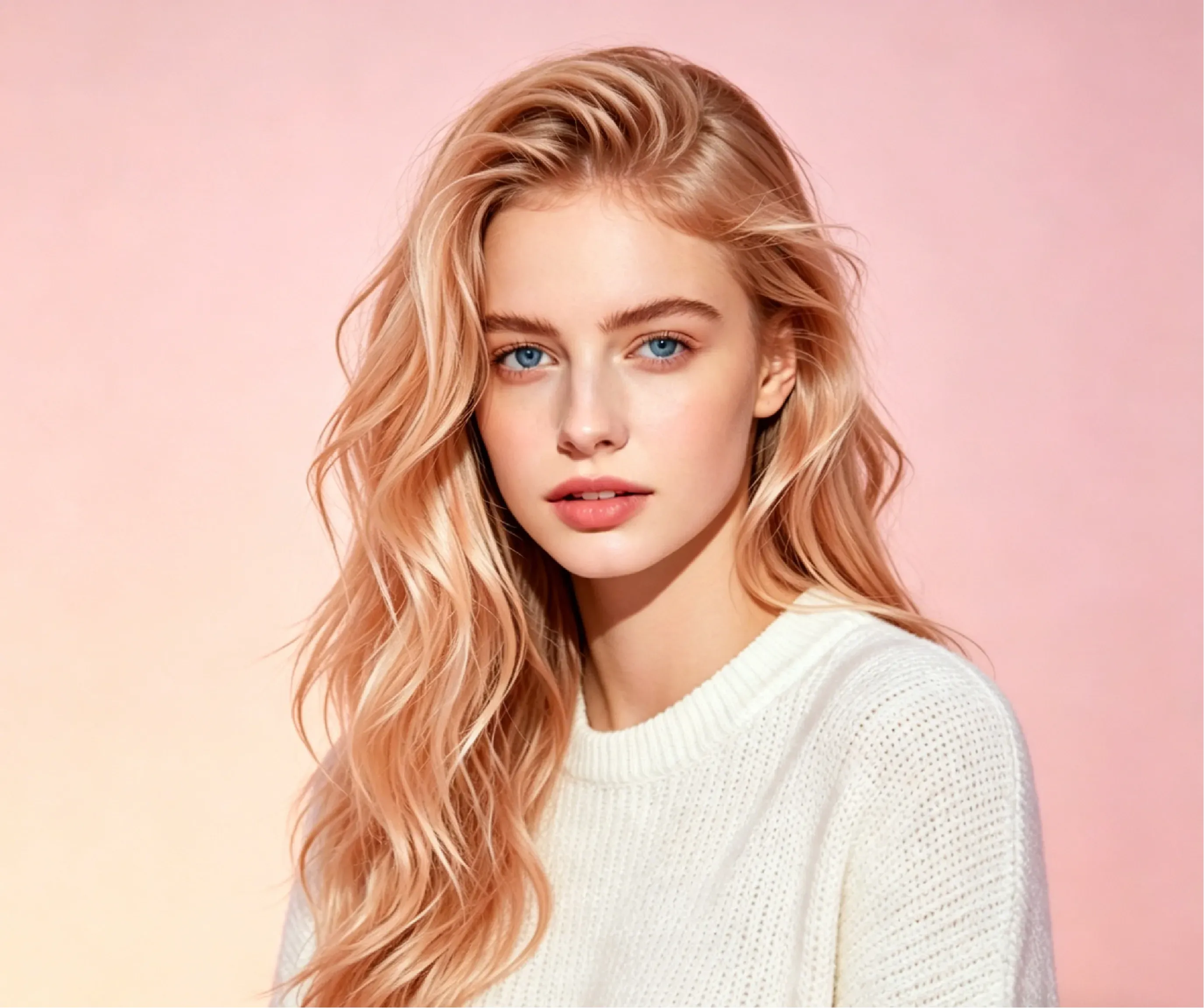
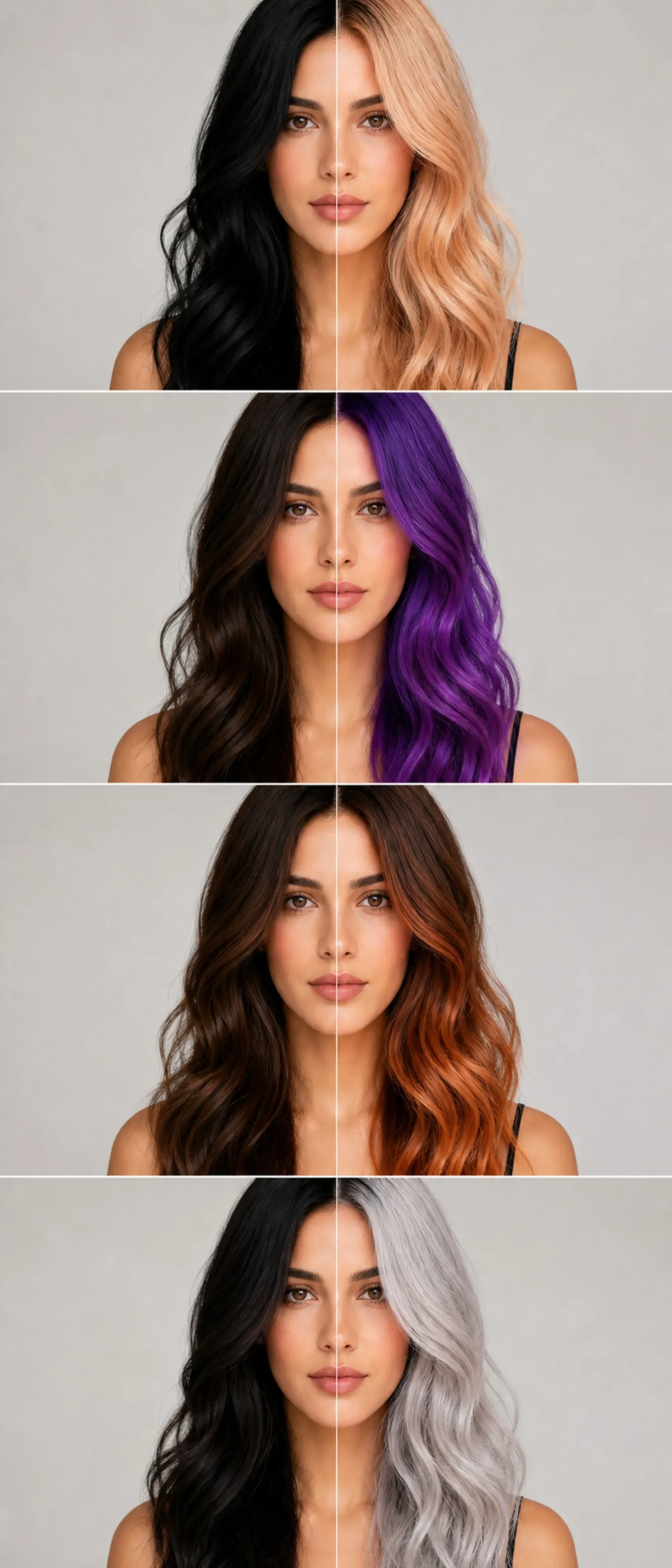
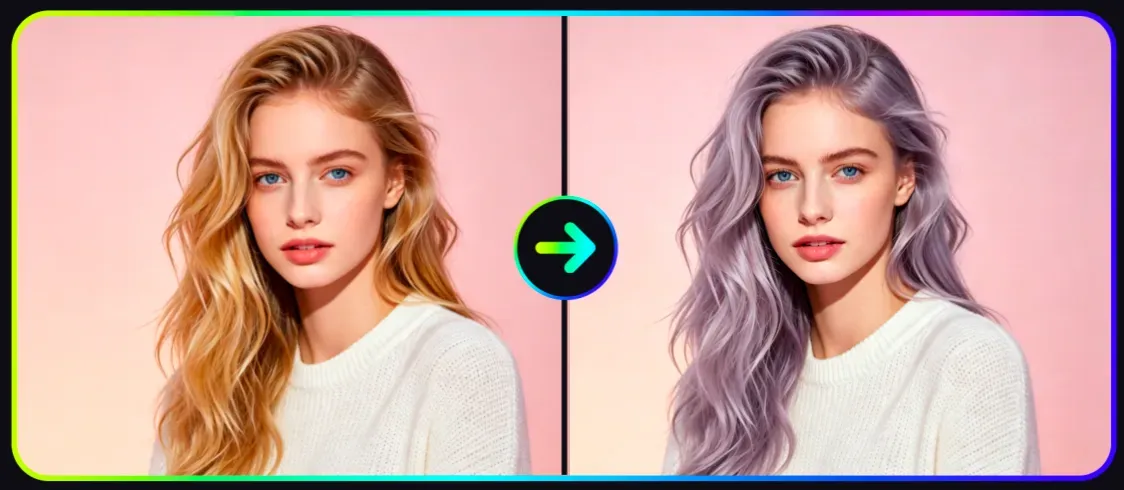
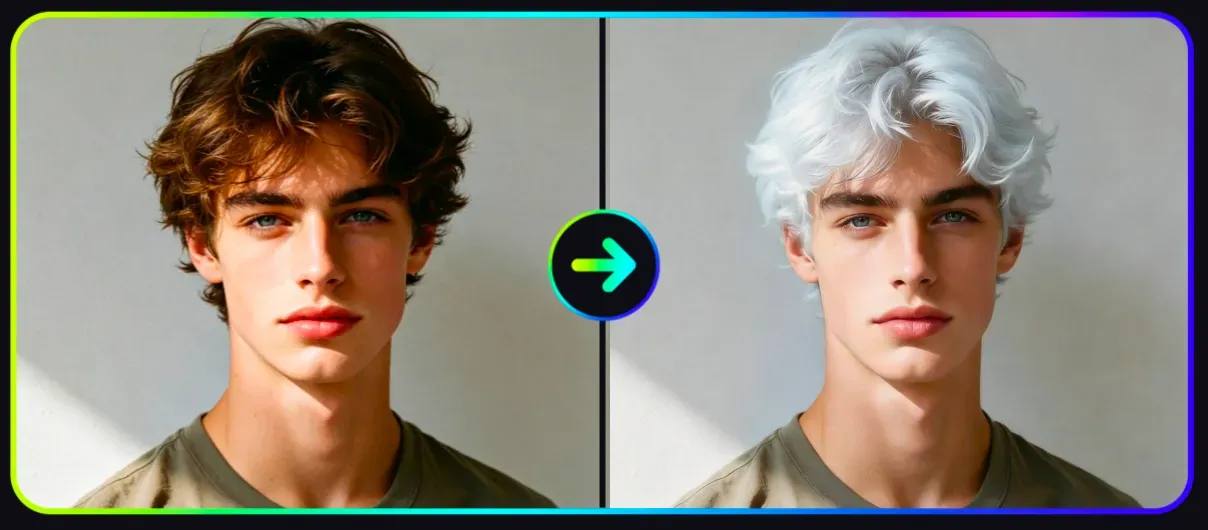
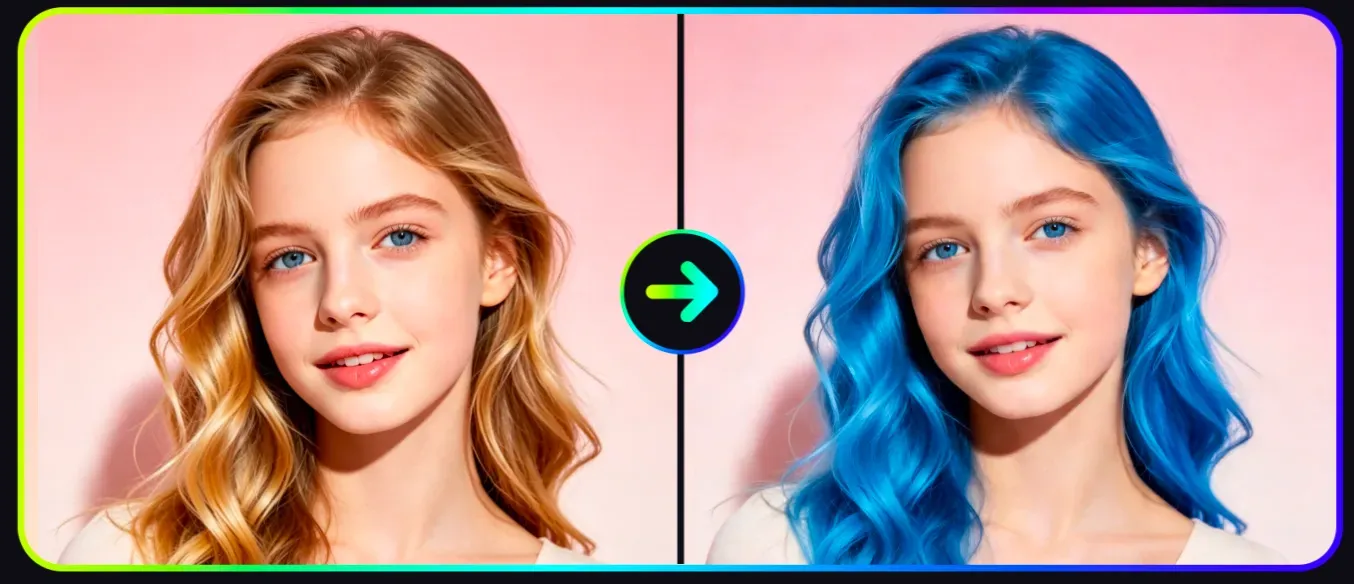
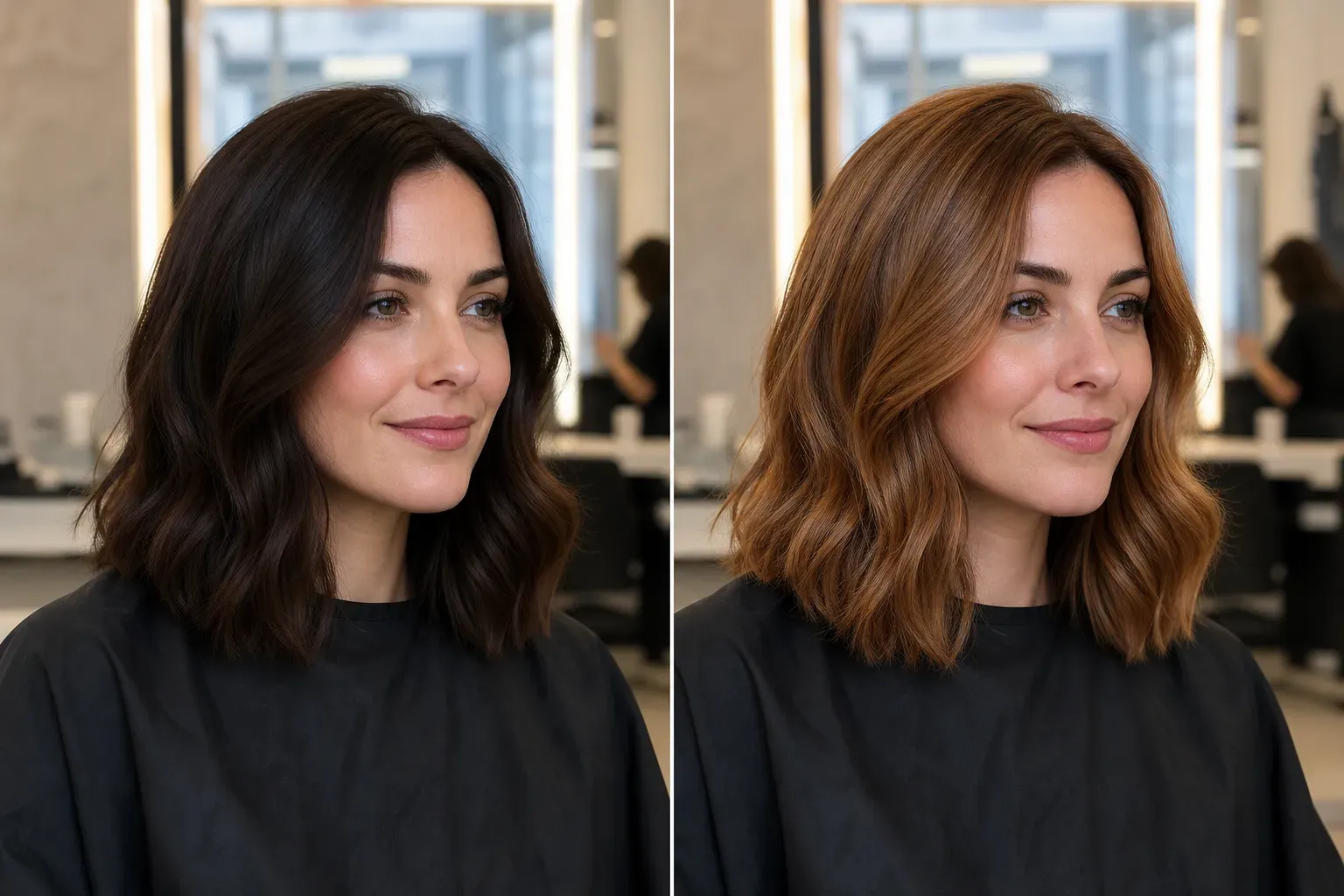
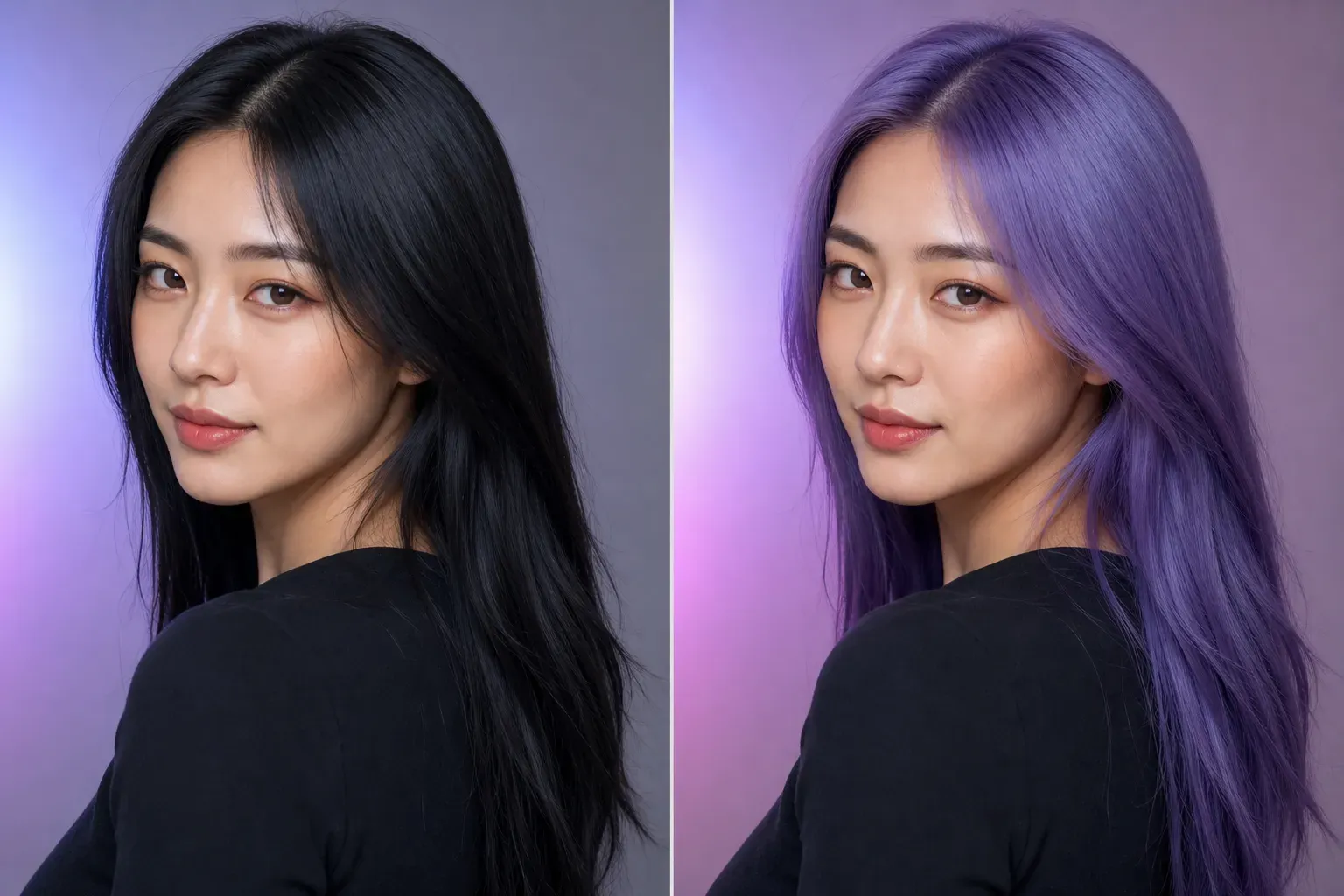
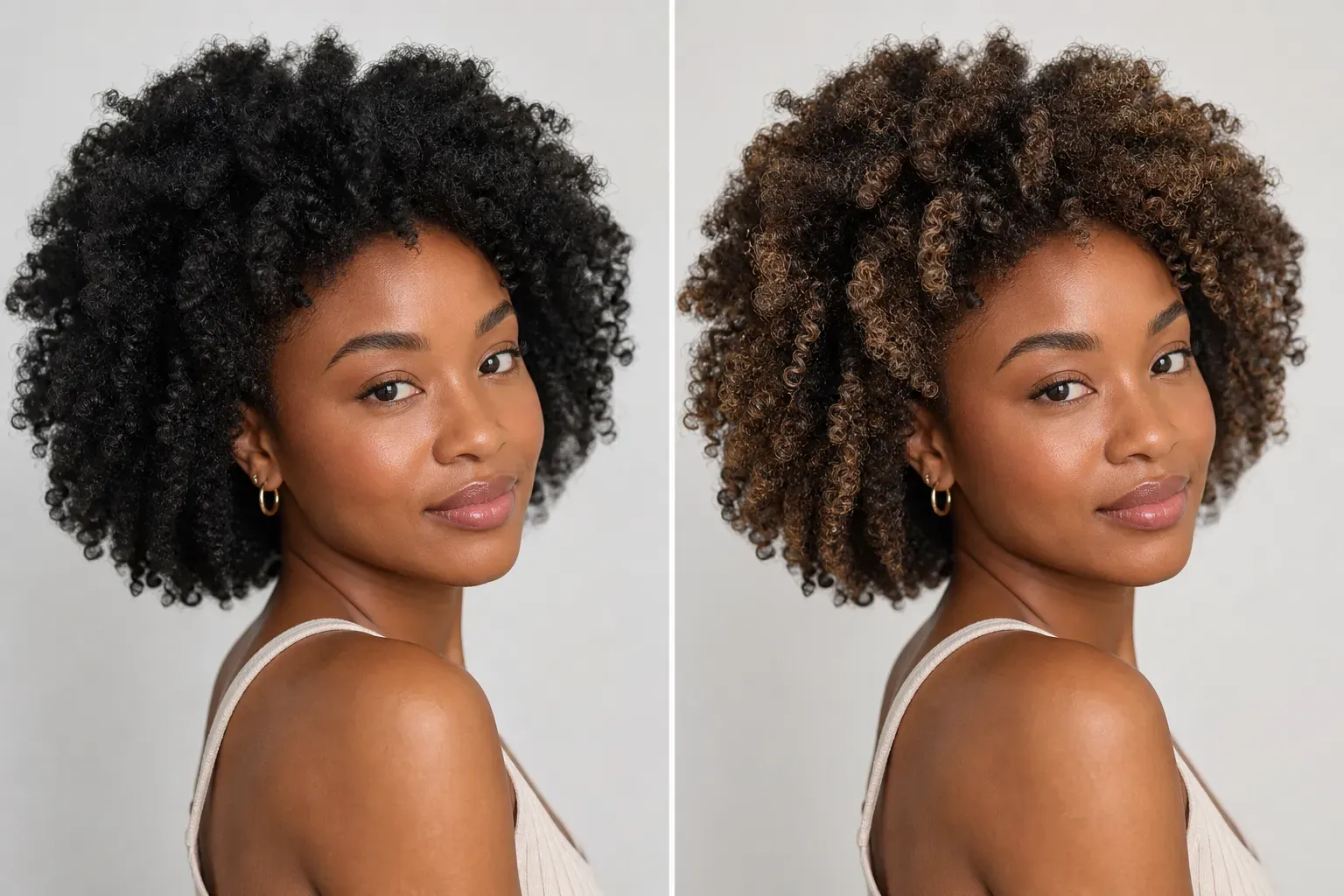
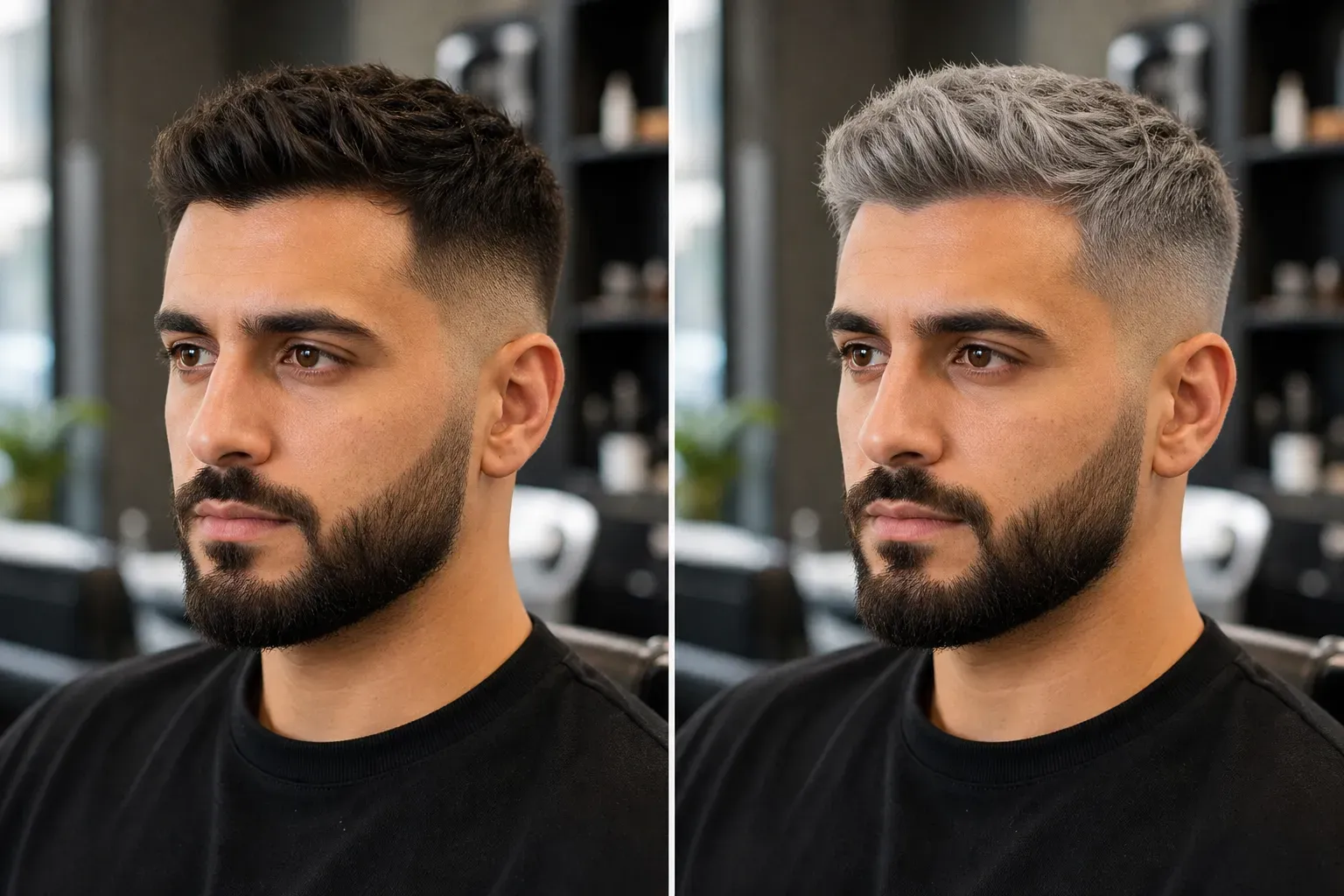
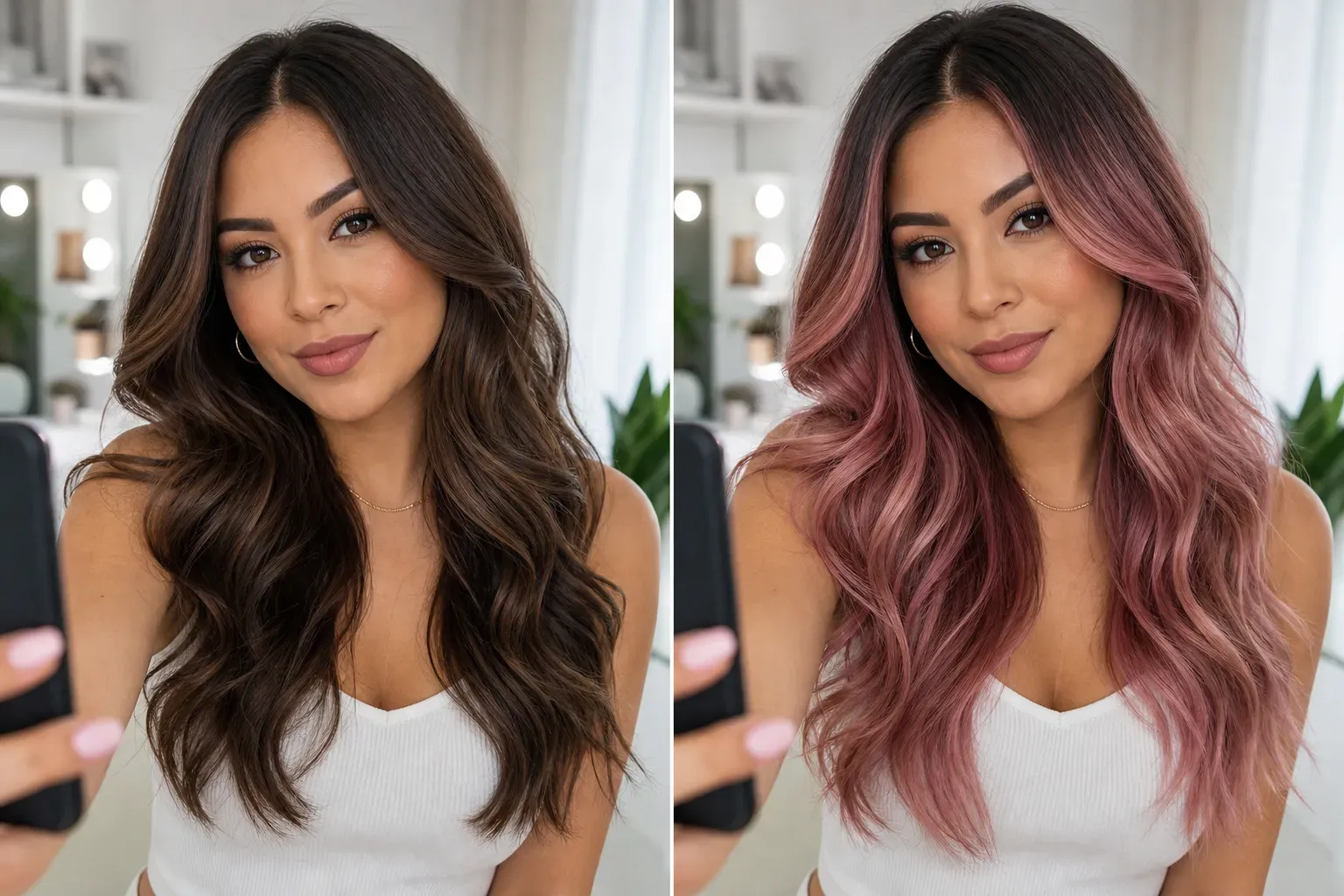
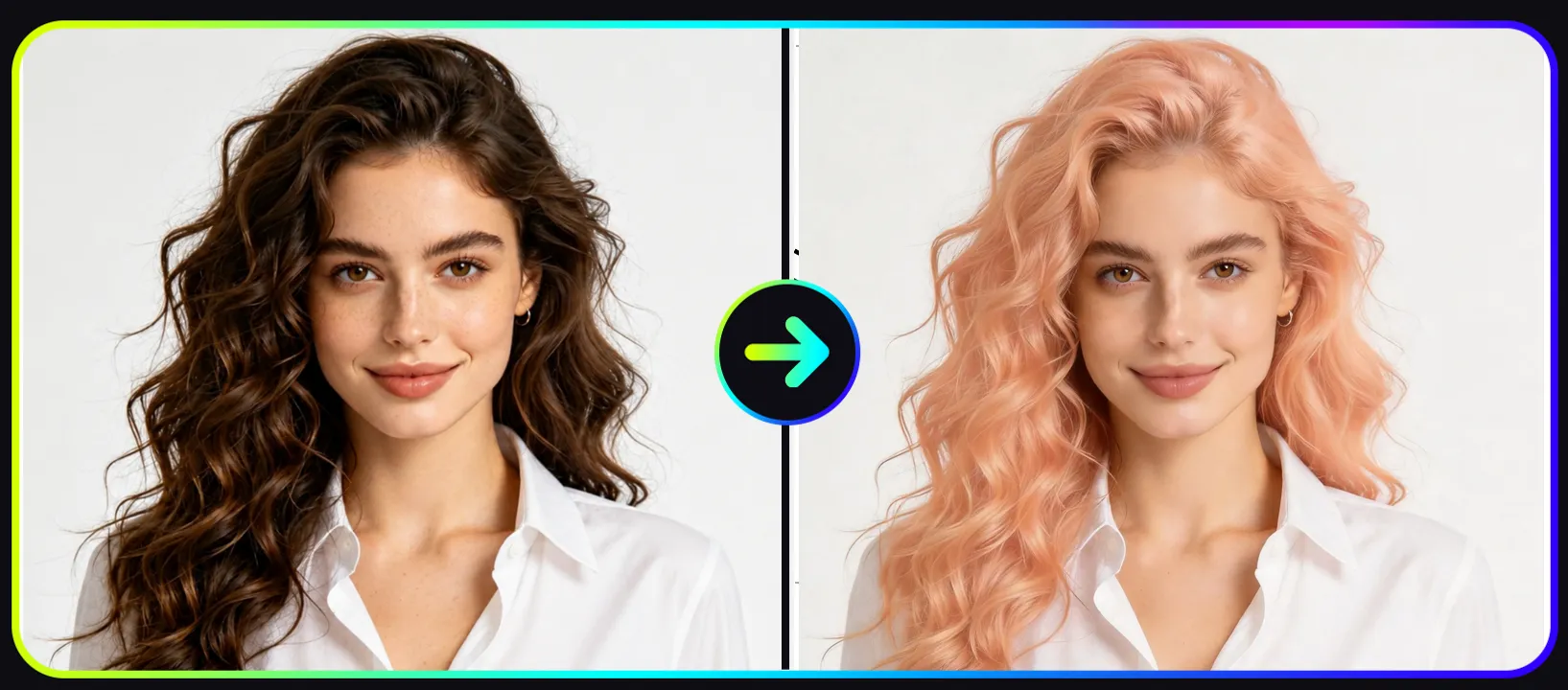
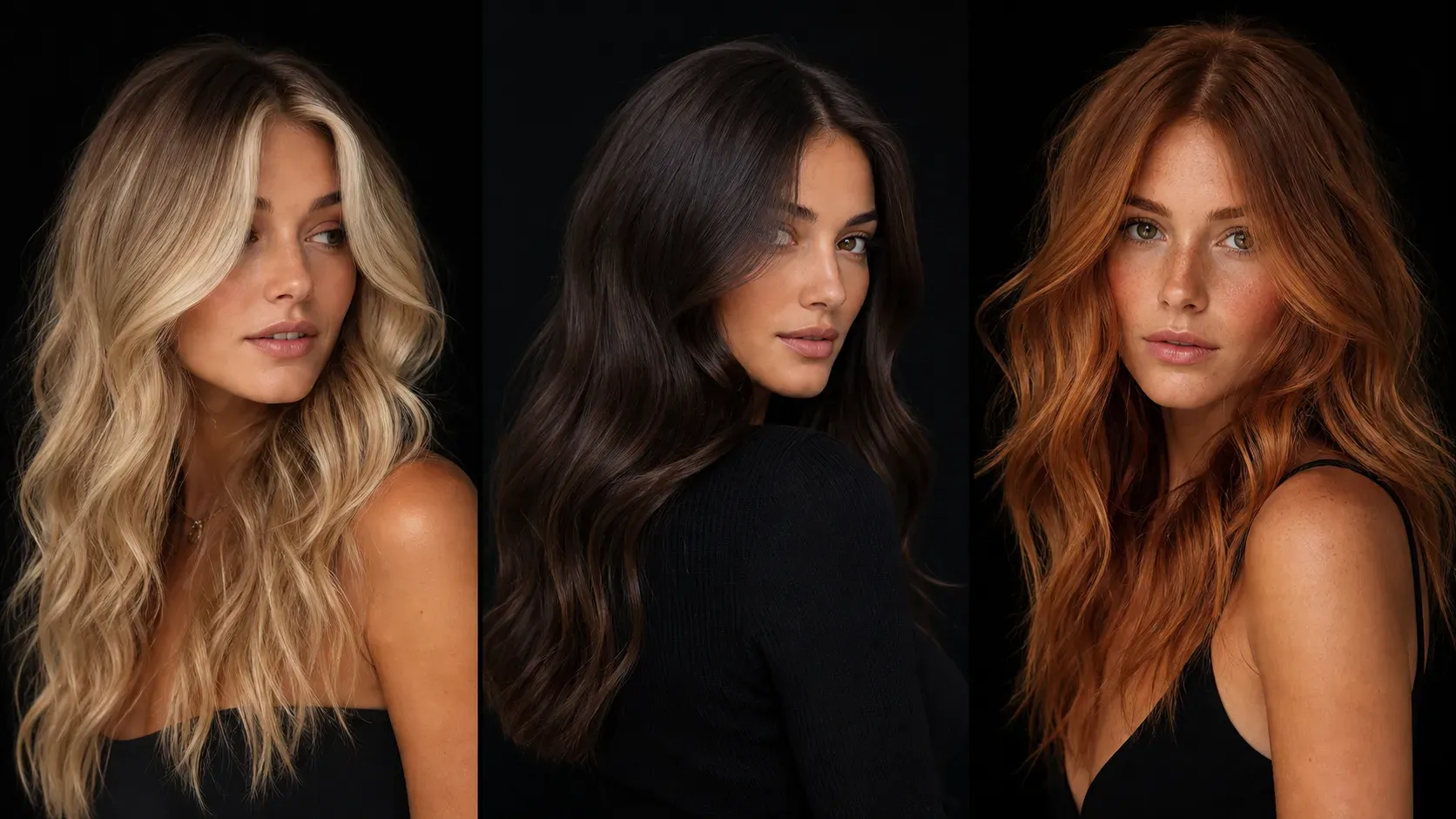
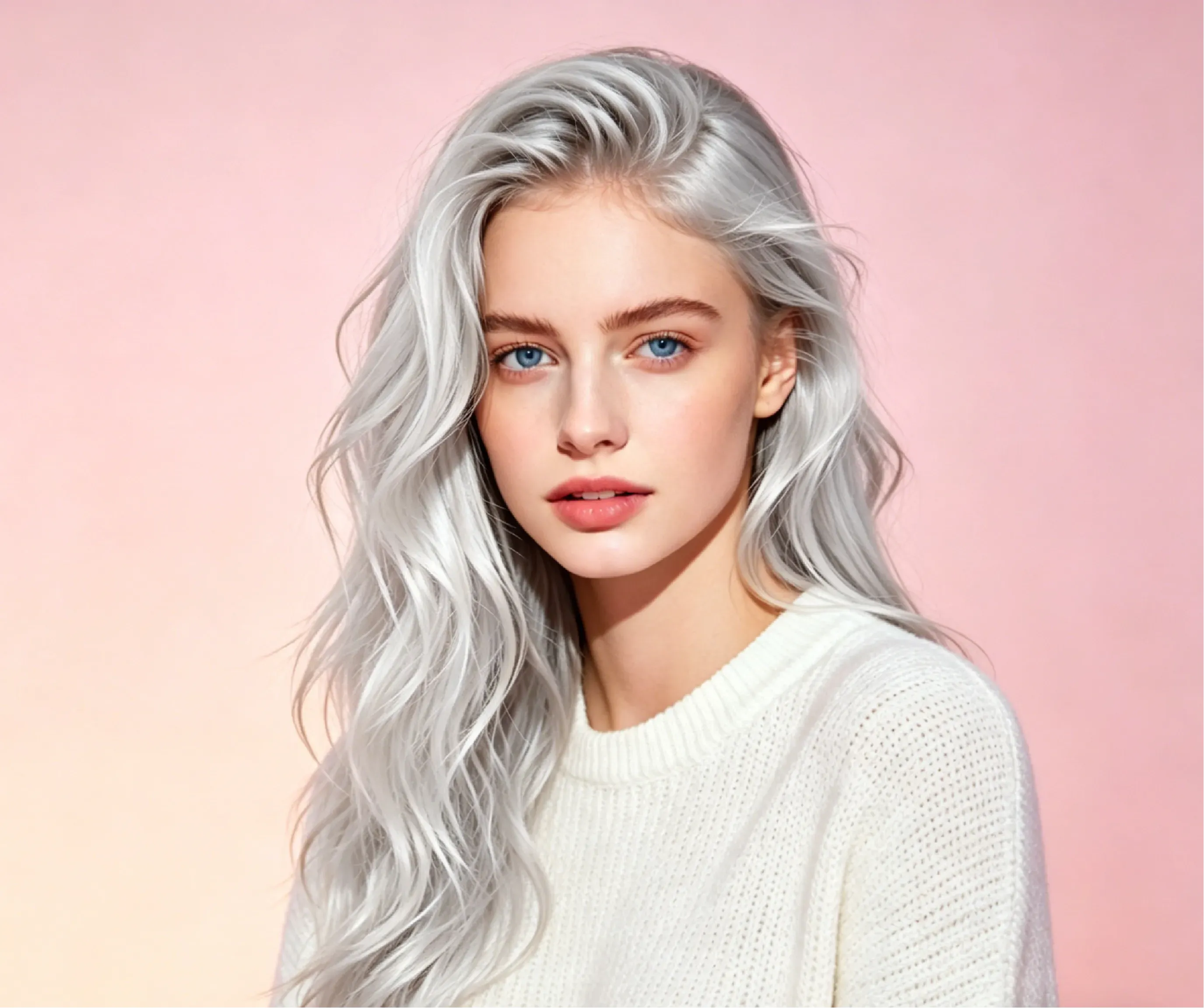
AI hair color previews are most useful when users can compare how the same portrait changes under different color goals. The examples below show how Vidoly AI Hair Color Changer handles dark-to-light color shifts, fantasy colors, texture preservation, and realistic lighting. Case 1: Deep Black to Soft Apricot Blonde (First Image) Challenge: Changing very dark hair into a soft apricot blonde shade is difficult because light pastel tones can easily wash out the hair shape, flatten the strands, or create pale edges around the face and background. AI Performance: Vidoly AI aims to preserve the original strand texture, waves, shadows, and lighting direction while applying a warm apricot blonde tone. The result should look like a hair color preview that follows the natural hair shape instead of a flat color overlay. Best For: Users with black or dark brown hair who want to preview soft blonde, peach blonde, warm beige, or light salon-inspired colors before dyeing. Case 2: Brunette to Fantasy Vibrant Purple (Second Image) Challenge: Fantasy colors such as vibrant purple, lavender, blue, or pink need strong saturation while still keeping the portrait realistic. If the color is applied too evenly, the hair can look like a digital mask. AI Performance: Vidoly AI aims to maintain the natural gloss, shadows, and specular highlights from the original portrait so the purple color follows the existing light and hair volume. This helps the result look closer to a salon color preview rather than a painted layer. Best For: Users testing cosplay colors, festival looks, social media makeovers, music visuals, or bold fashion hair ideas. Case 3: Natural Brown to Copper Balayage (Third Image) Challenge: Balayage and copper tones require gradual color placement, not a single flat recolor. The preview needs to keep darker roots, warm mid-tones, and brighter ends while matching the hair direction. AI Performance: Vidoly AI can create a warmer copper-inspired preview while keeping visible depth between roots, waves, and highlighted sections. Users should check whether the color transition looks natural around the hairline and ends. Best For: Salon planning, seasonal hair color changes, warm skin tone comparisons, and users deciding between auburn, copper, caramel, or golden brown shades. Case 4: Dark Hair to Silver or Platinum Ice (Fourth Image) Challenge: Silver and platinum shades are difficult because they need high brightness without erasing hair detail. On dark hair, the AI may need several attempts to keep shadows, strands, and face edges clean. AI Performance: Vidoly AI aims to brighten the hair color while preserving contrast, highlights, and strand definition. The preview can help users compare silver gray, platinum ice, ash blonde, or icy fashion tones before discussing the look with a stylist. Best For: Users considering dramatic salon changes, gray blending, platinum blonde, silver hair, or cool-toned fashion looks.

How Does an AI Hair Color Changer Work?

How Does an AI Hair Color Changer Work?

AI hair color changers usually use image segmentation to detect the hair region before applying color mapping and tone transformation. The AI identifies visible hair edges, separates hair from the face and background, and applies the selected color while preserving shadows, highlights, strand texture, and lighting direction. This helps the final preview look more natural than a flat color overlay.

What Hair Colors Can You Try with Vidoly AI?

What Hair Colors Can You Try with Vidoly AI?

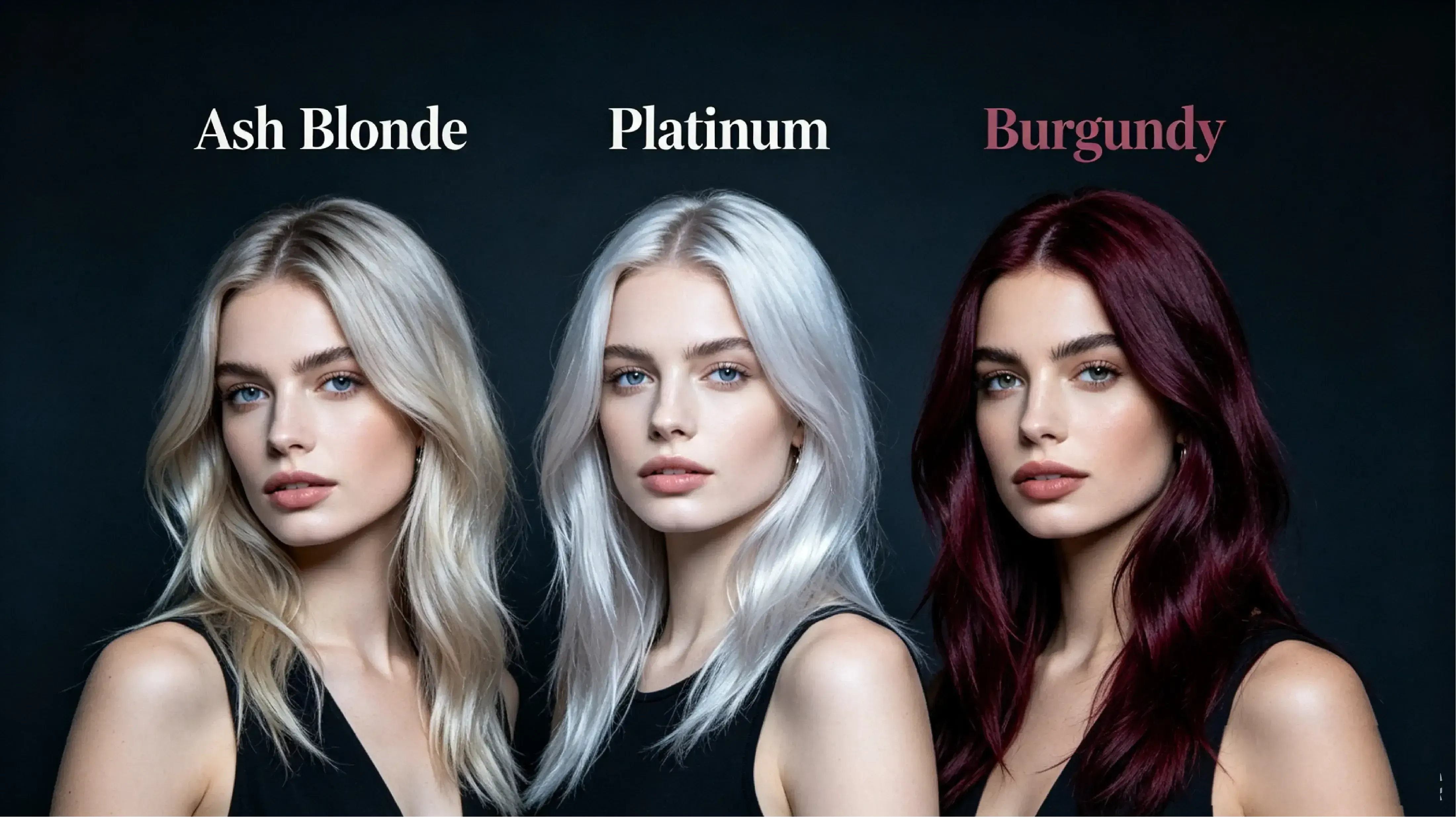
Vidoly AI Hair Color Changer supports both natural and fashion shades. Users can preview black, brown, auburn, blonde, soft apricot blonde, platinum ice, silver, blue, orange, smoky lavender, purple and white highlights, cowboy copper balayage, pastel pink, burgundy, and blue black. These options help users compare subtle color refreshes, salon-inspired shades, bold fashion looks, and social media makeover styles.

What Photos Work Best for AI Hair Color Changes?

What Photos Work Best for AI Hair Color Changes?

AI hair color previews usually work best with clear portrait photos where the hair is visible and separated from the background. Good lighting, visible hair edges, minimal motion blur, and front-facing or side- profile angles can improve accuracy. Photos with hats, heavy shadows, messy backgrounds, covered hair, or hair blending into dark clothing may produce less consistent color results.

AI Hair Color Changer vs Manual Photo Editing

AI Hair Color Changer vs Manual Photo Editing

AI hair color changers are faster than manual editing because users do not need to mask hair strands, paint color layers, adjust blending modes, or retouch highlights in Photoshop. Manual editing gives professionals more control for commercial beauty retouching, but AI is better for quick previews, salon planning, social posts, and comparing many shades quickly. It is especially useful when users want to see several dye options before choosing one.

Best Hair Colors for Different Skin Tones

Best Hair Colors for Different Skin Tones

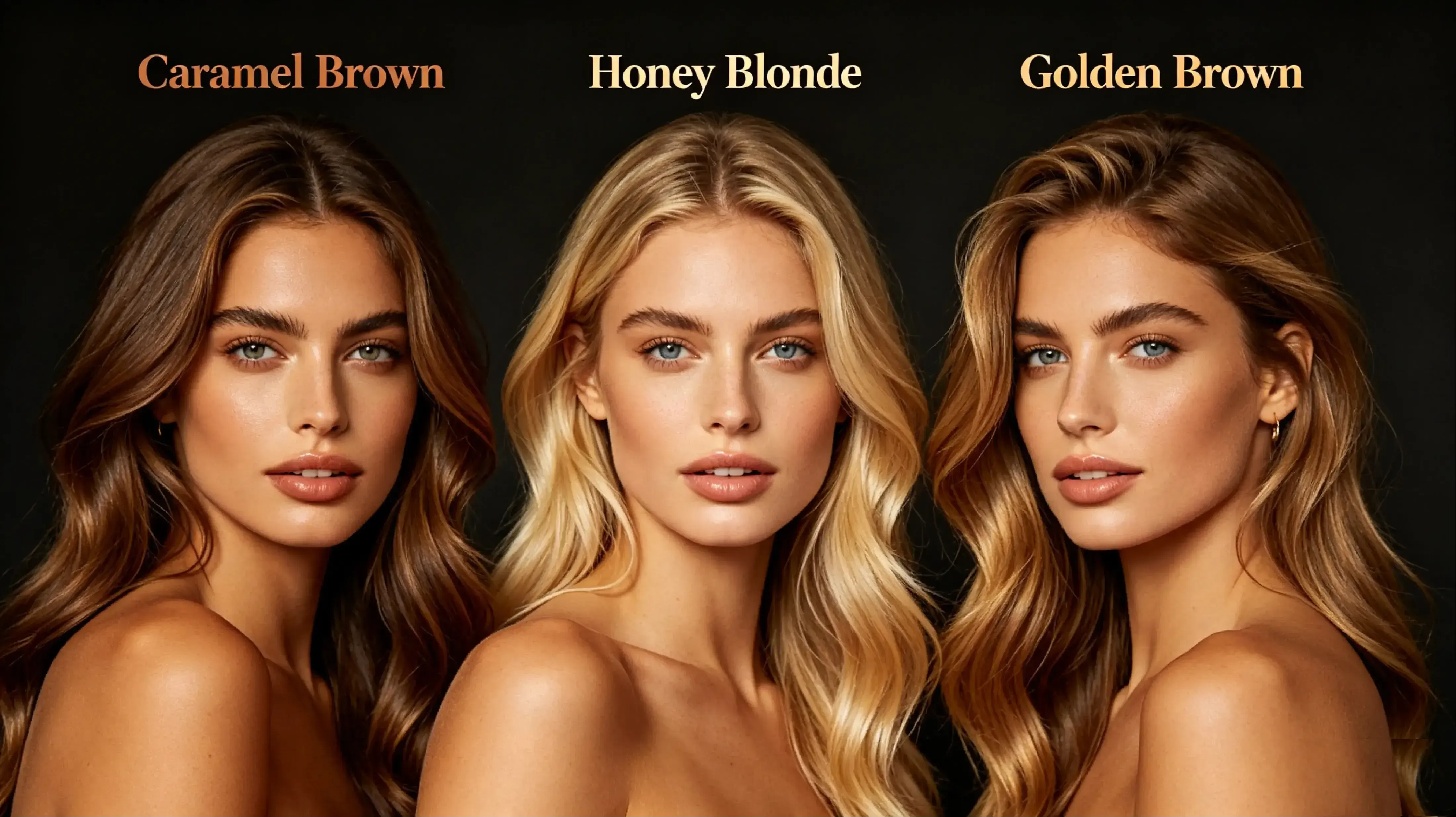
Warm skin tones often pair well with caramel brown, honey blonde, golden brown, and copper red because these shades complement golden or olive undertones. Cool skin tones often work well with ash blonde, platinum, silver, burgundy, and smoky lavender because they balance pink or blue undertones. Neutral skin tones can usually test a wider range, including chocolate brown, soft black, beige blonde, auburn, and muted fashion shades.

What Are the Limitations of AI Hair Color Preview?

What Are the Limitations of AI Hair Color Preview?

AI hair color previews may be less accurate on low-resolution photos, low-light images, heavy shadows, or pictures where the hair blends into the background. Very dark hair may not show pastel shades as clearly as light hair, and complex effects such as balayage, split dye, highlights, or multi-tone color may require several attempts. The result should be treated as a visual preview rather than a guaranteed salon outcome.

Salon Pre-Tester: Preview Hair Color Before Dyeing

Salon Pre-Tester: Preview Hair Color Before Dyeing

Planning a major color change before a salon visit? Use Vidoly AI Hair Color Changer to compare blonde, ash brown, copper, red, silver, or pastel shades on your own portrait before making a real dye decision. Users with warm undertones can preview copper, caramel, chestnut, or honey blonde ideas, while cool-toned users can compare ash brown, silver, mushroom brown, or icy blonde looks. The result can be used as a visual reference for a stylist, but not as a guaranteed salon outcome.

Cosplay and Character Styling: Match Bold Hair Colors

Cosplay and Character Styling: Match Bold Hair Colors

Cosplay creators can test bold colors such as blue, purple, pink, white, orange, silver, or split-tone styles before buying wigs, dye, or costume materials. Upload a clear portrait or costume photo, then compare whether the hair color matches the character palette, outfit, makeup, and lighting. This is useful for TikTok, Instagram, convention planning, and anime-inspired profile visuals.

Curly, Wavy, and Textured Hair: Preserve Shape and Depth

Curly, Wavy, and Textured Hair: Preserve Shape and Depth

Curly, wavy, coily, and layered hair can be harder for AI tools because the hair has more visible edges, shadows, volume, and overlapping strands. Vidoly aims to apply the new color while preserving curl shape, wave direction, highlights, and depth, so the preview does not look like a flat color mask. For better results, use a photo where the hair is well-lit and clearly separated from the background.

Men’s Hair Color Preview: Test Natural and Bold Shades

Men’s Hair Color Preview: Test Natural and Bold Shades

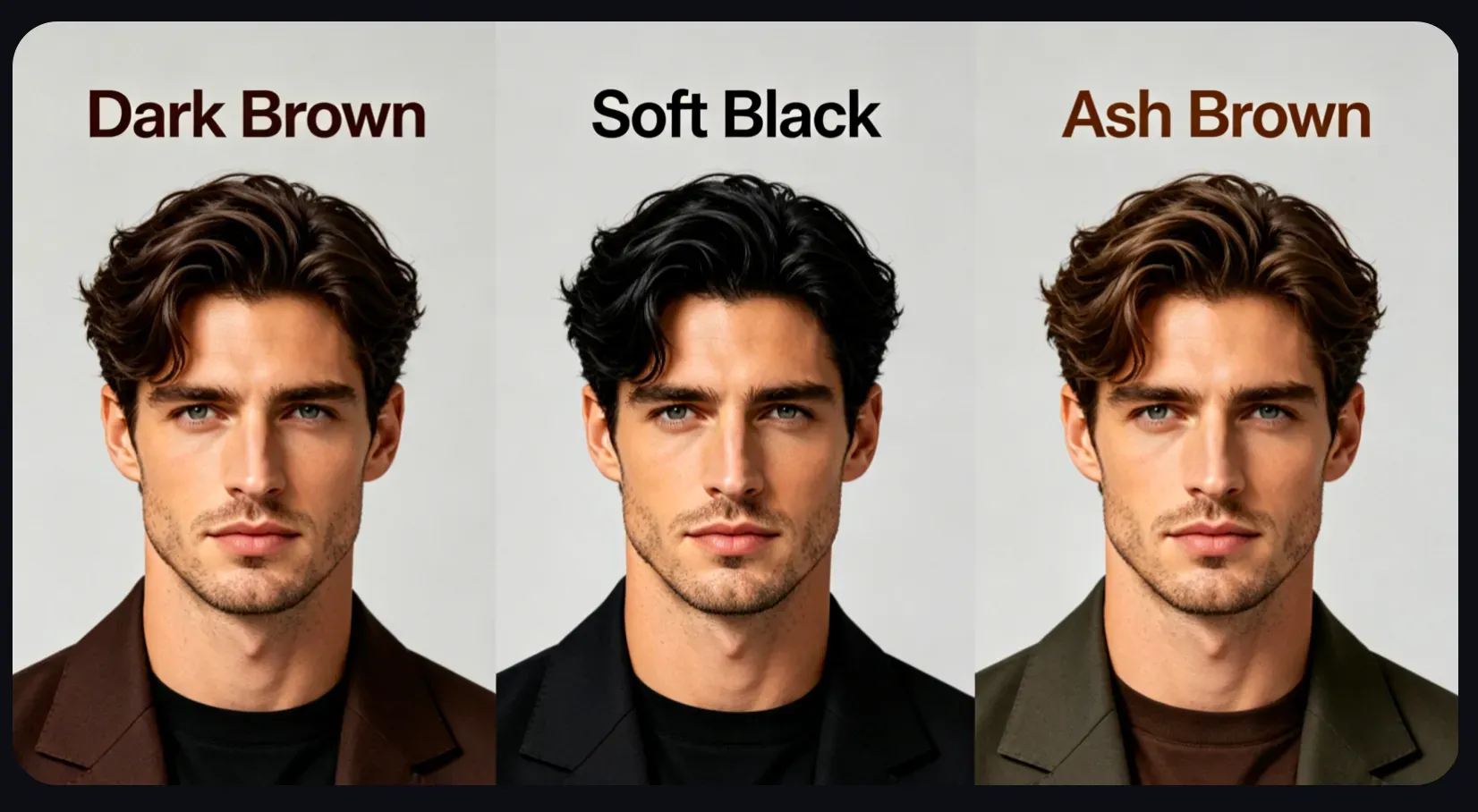
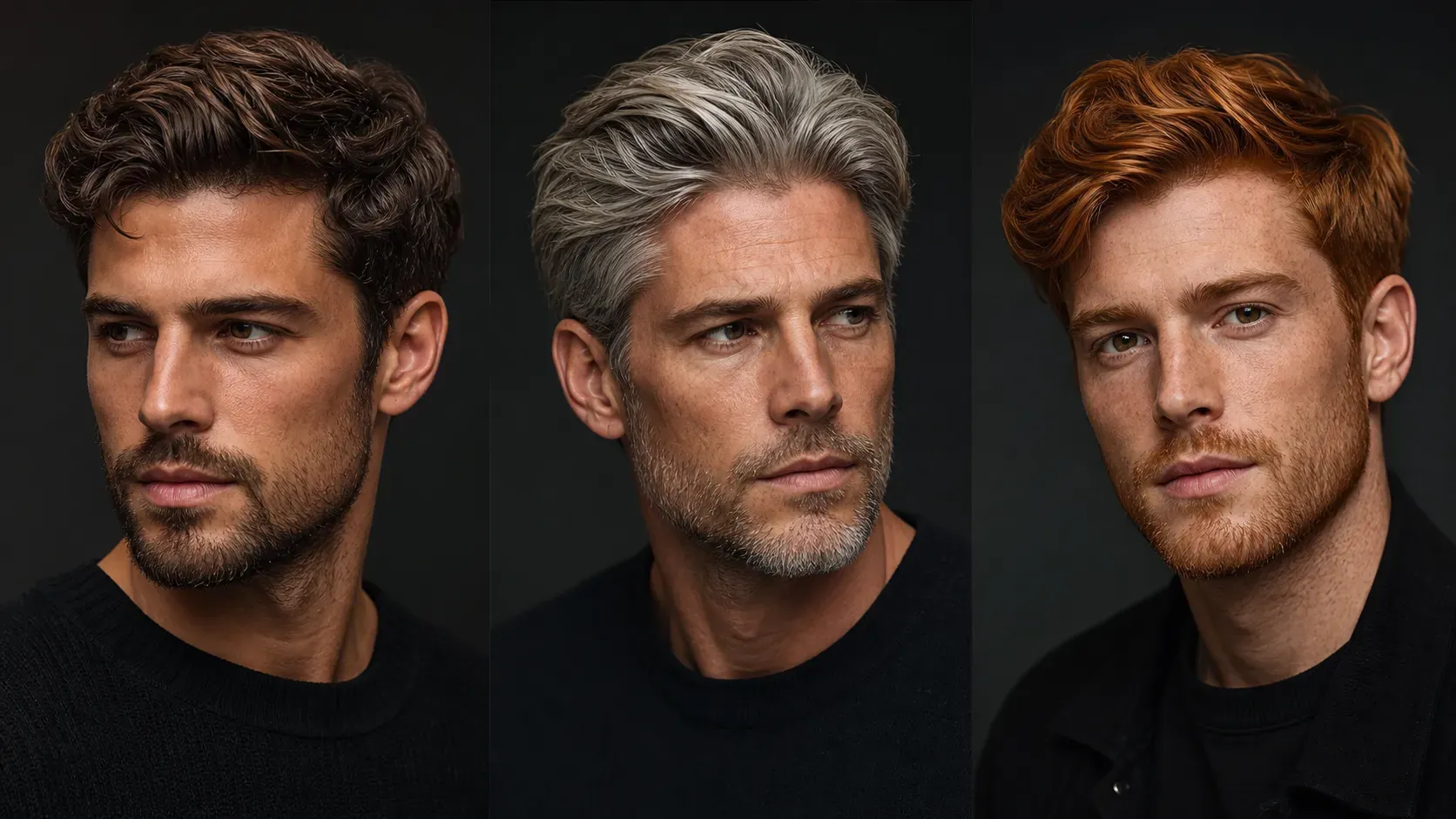
Men can use AI hair color previews to compare natural black, brown, ash brown, silver gray, platinum blonde, blue black, copper, burgundy, or subtle highlight ideas. This is useful for checking color around short hair, fades, textured crops, curls, beards, and hairlines before choosing a dye or salon reference.

Beauty Content Creator: Make Before-and-After Hair Color Visuals

Beauty Content Creator: Make Before-and-After Hair Color Visuals

Beauty creators can generate before-and-after hair color visuals for social posts, makeover videos, thumbnails, profile updates, and style comparison content. Instead of describing a color idea in text, creators can show how blonde, red, purple, silver, pastel, or balayage-inspired styles look on the same portrait.

How To Use Vidoly AI Hair Color Changer?

1

Upload a Clear Portrait Photo

Choose a photo where the hair is visible, well-lit, and separated from the background. A clear portrait helps Vidoly identify the hair region more accurately, including edges near the face, shoulders, and background.

2

Select a Natural or Fantasy Hair Color

Choose from blonde, brown, copper, red, silver gray, pastel pink, lavender, purple, blue, or balayage-inspired looks. Vidoly uses your selected shade as the color goal instead of simply placing a flat overlay on the image.

3

Let AI Detect the Hair Area

Vidoly analyzes the portrait to separate the visible hair from skin, clothing, and background details. This hair-region detection helps the new color stay aligned with the original hair shape, hairline, roots, and flyaways.

4

Preserve Light, Texture, and Hair Volume

The AI applies the new color while aiming to keep natural shadows, highlights, gloss, waves, curls, and strand direction. This makes the preview look closer to a salon-style hair color test rather than a painted digital mask.

5

Review, Compare, and Download

Check the final result around the hairline, roots, face edges, and color intensity. Generate multiple versions if you are comparing shades, then download the preview for salon planning, cosplay styling, beauty content, or social media posts.

FAQs

Can a salon stylist replicate the hair color generated by Vidoly AI?

Vidoly AI Hair Color Changer can be used as a visual reference for a salon consultation, especially when comparing blonde, copper, red, silver, balayage, highlights, or fantasy color ideas. However, the final salon result depends on your natural base color, hair condition, previous dye history, bleaching process, and stylist technique. Treat the AI image as a direction and mood reference, not a guaranteed dye formula.

Why does an AI hair color preview look different from real salon dye?

AI changes the color inside an image, while real dye reacts with your actual hair pigment, porosity, texture, and lighting. Dark hair may need bleaching before pastel, silver, or platinum shades can appear in real life. Use the preview to compare visual options, then ask a stylist whether the color is realistic for your hair type.

Can Vidoly handle dark roots, highlights, balayage, or ombré hair?

Vidoly works best when the hair area is clearly visible and well lit. For multi-tone hair, the AI aims to preserve existing shadows, roots, highlights, and gradient placement while applying the new shade. If you want a rooted blonde, soft balayage, or ombré effect, review the result around the roots and ends before using it as a reference.

Does the AI work on black or very dark hair?

Yes, you can preview lighter colors on black or dark brown hair, including blonde, copper, red, purple, silver, and pastel tones. The preview may look more dramatic than a real salon result because real dark hair often needs bleaching to reach light shades. For realistic planning, generate several options and compare warm, cool, and natural tones.

Will the AI preserve curls, waves, and hair texture?

Vidoly is designed to keep visible hair shape, volume, highlights, shadows, curls, waves, and strand direction while changing the color. Results are usually better when the hair is not heavily blurred, hidden by hats, or blended into a dark background. Curly and coily hair previews should be checked carefully around overlapping curls and fine edges.

Can I use the generated hair color image for social media?

Yes, you can use the generated preview for profile photos, makeover posts, beauty content, cosplay planning, thumbnails, and style comparisons. Before posting, check the hairline, face edges, roots, and any areas where the new color may have touched the skin, clothing, or background.

Can I try fantasy hair colors like pink, blue, purple, or silver?

Yes. Vidoly can preview natural shades and fantasy hair colors, including pastel pink, lavender, neon purple, blue, silver gray, platinum, and split-color looks. Fantasy shades are useful for cosplay, music visuals, festival styling, and social content, but real-world dye results may require bleaching or color correction.

What kind of photo gives the best AI hair color result?

Use a clear portrait where the hair is visible, well lit, and separated from the background. Avoid photos with heavy shadows, motion blur, hats, extreme filters, messy backgrounds, or hair covering too much of the face. Front-facing or three-quarter portraits usually work better than distant full-body photos.

Can men use the AI hair color changer?

Yes. Men can preview black, brown, ash gray, silver, platinum blonde, copper, burgundy, blue black, or subtle highlight ideas. For short hair, fades, textured crops, curls, and beards, check the hairline and side edges carefully because small hair areas leave less visual detail for the AI to preserve.

Is the AI hair color result suitable for a logo, ad, or paid campaign?

It can be used for creative direction, beauty mockups, social visuals, and campaign concepts, but you should review the final image before commercial use. Check resolution, facial consistency, color accuracy, license terms, and whether the image includes any unintended artifacts. For professional ads or printed materials, manual retouching may still be needed.

Can I use the generated hair color image for ads, client previews, or commercial projects?

Vidoly AI Hair Color Changer can be used for creative direction, beauty content drafts, social media campaigns, salon consultation previews, cosplay planning, and client mood boards. Before using the image in paid ads, product pages, or professional campaigns, review the final result for hairline accuracy, face consistency, image resolution, visible artifacts, and platform license terms. For print, brand campaigns, or client-facing deliverables, a designer or retoucher should still check the image before publishing.

Related Reading