
AI Virtual Try-On for Shopify: A Better Holiday Fashion Shopping Experience in 2026
 By Vivi/1 min read
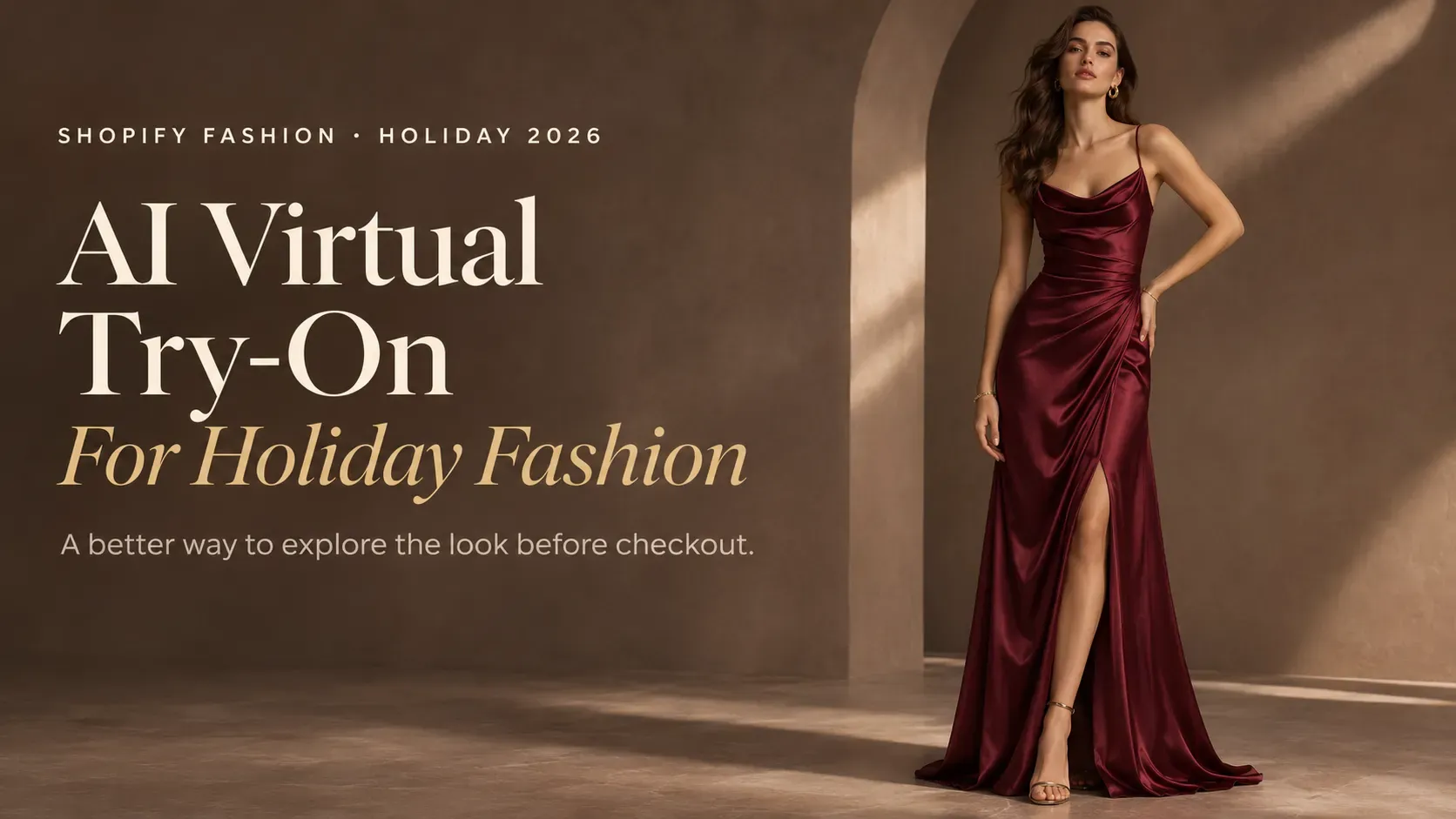
Discover how AI virtual try-on helps Shopify fashion stores create more engaging holiday shopping experiences, from product discovery to purchase decisions.
AI Virtual Try-On for Shopify: A Better Holiday Fashion Shopping Experience in 2026
A shopper discovers a party dress through a TikTok styling video. The outfit looks perfect for an upcoming holiday event, so they visit the brand's Shopify store to explore it further.
On social media, they saw the complete look: the model, the styling, the movement, and the atmosphere. On the product page, they find a few static photos and a size selector.
The product still looks appealing, but the shopping experience feels different. The shopper now has to imagine how the dress might look on them, whether the style matches their preferences, and how it compares with other options.
This is one of the challenges facing online fashion stores: the content that inspires shoppers to discover a product does not always give them enough information to evaluate it.
During the holiday season, this gap becomes especially relevant. Consumers are searching for outfits for Christmas parties, winter gatherings, New Year's celebrations, and seasonal travel. They may already know the style they want, but choosing the right item online still involves a degree of uncertainty.
For Shopify fashion merchants, AI virtual try-on offers another way to support this process. By allowing shoppers to upload a personal photo and generate an AI-powered clothing preview, stores can move beyond relying exclusively on model photography.
It is not a replacement for professional product images or accurate size information. It is an additional visual experience that helps shoppers explore selected clothing in a more personal context.
Here's how AI virtual try-on fits into the 2026 holiday shopping journey, which products are worth testing, and how Shopify merchants can introduce it effectively.
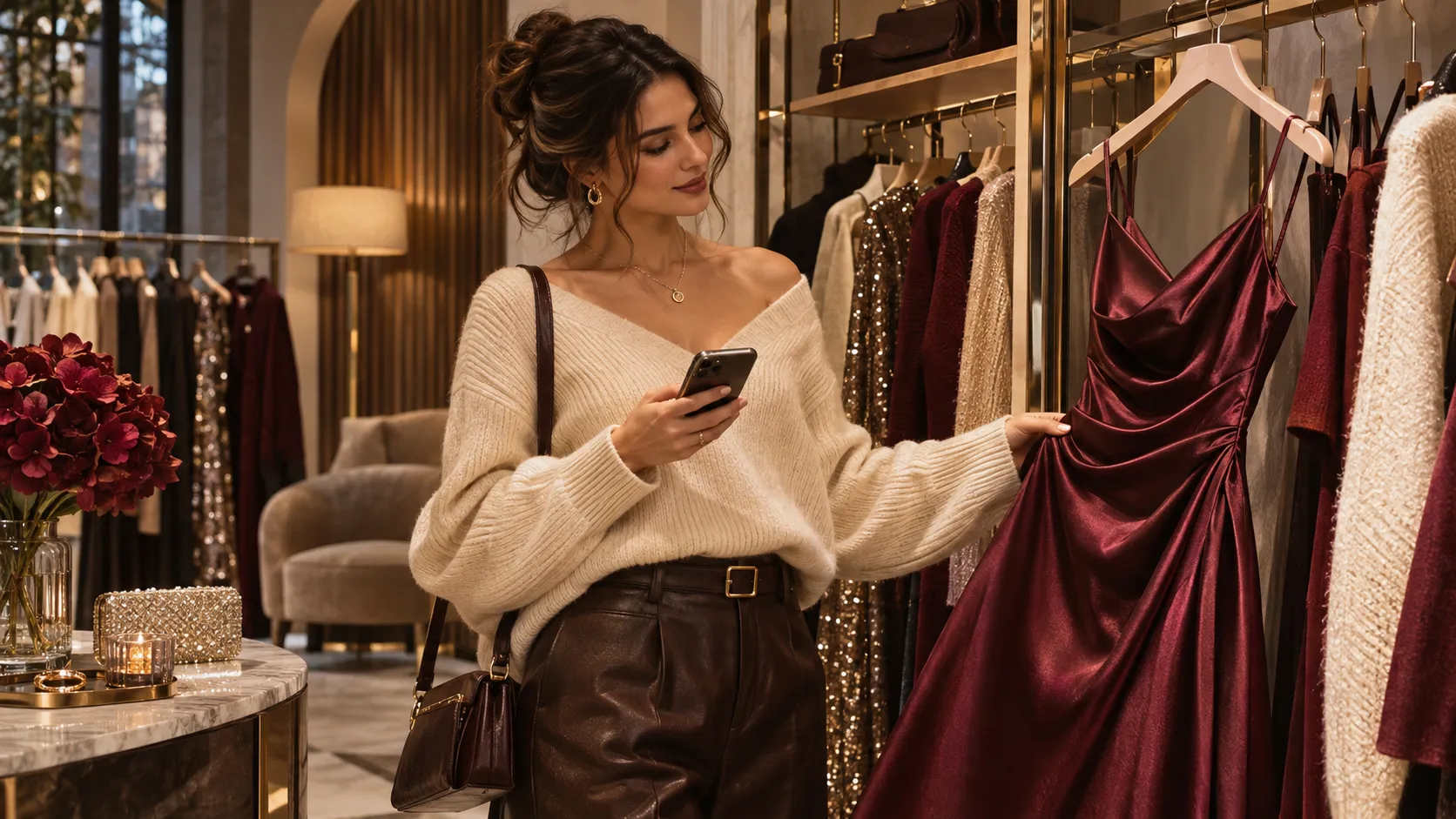
The Holiday Shopping Journey Is Becoming More Visual and AI-Assisted
Fashion discovery increasingly happens across multiple channels.
A shopper might find an outfit through a creator's video, save a seasonal look on social media, search for similar products, or use an AI tool to explore clothing ideas for a specific occasion.
By the time they arrive at a brand's website, they may already have a particular aesthetic or shopping intention in mind.
Recent retail research highlights how quickly this environment is evolving.
Shopify's 2026 Global Holiday Retail Report, based on research involving 18,000 consumers and 7,500 business leaders across nine global markets, found that 65% of surveyed shoppers expect to use AI for at least one shopping task during the 2026 holiday season.
The report points to AI becoming part of product discovery and shopping research. Shoppers may use it to find inspiration, compare options, and research products before purchasing.
Social discovery is also shaping seasonal shopping behavior. According to TikTok's 2026 holiday shopping trends update, #holidayshopping content increased by 263% in September 2026 compared with the previous month.
Content using #christmaspajamas also grew by 297% between August and September.
These figures show growing attention around holiday shopping content on TikTok. They do not directly measure demand for AI virtual try-on, but they illustrate the importance of visual product discovery during the seasonal shopping period.
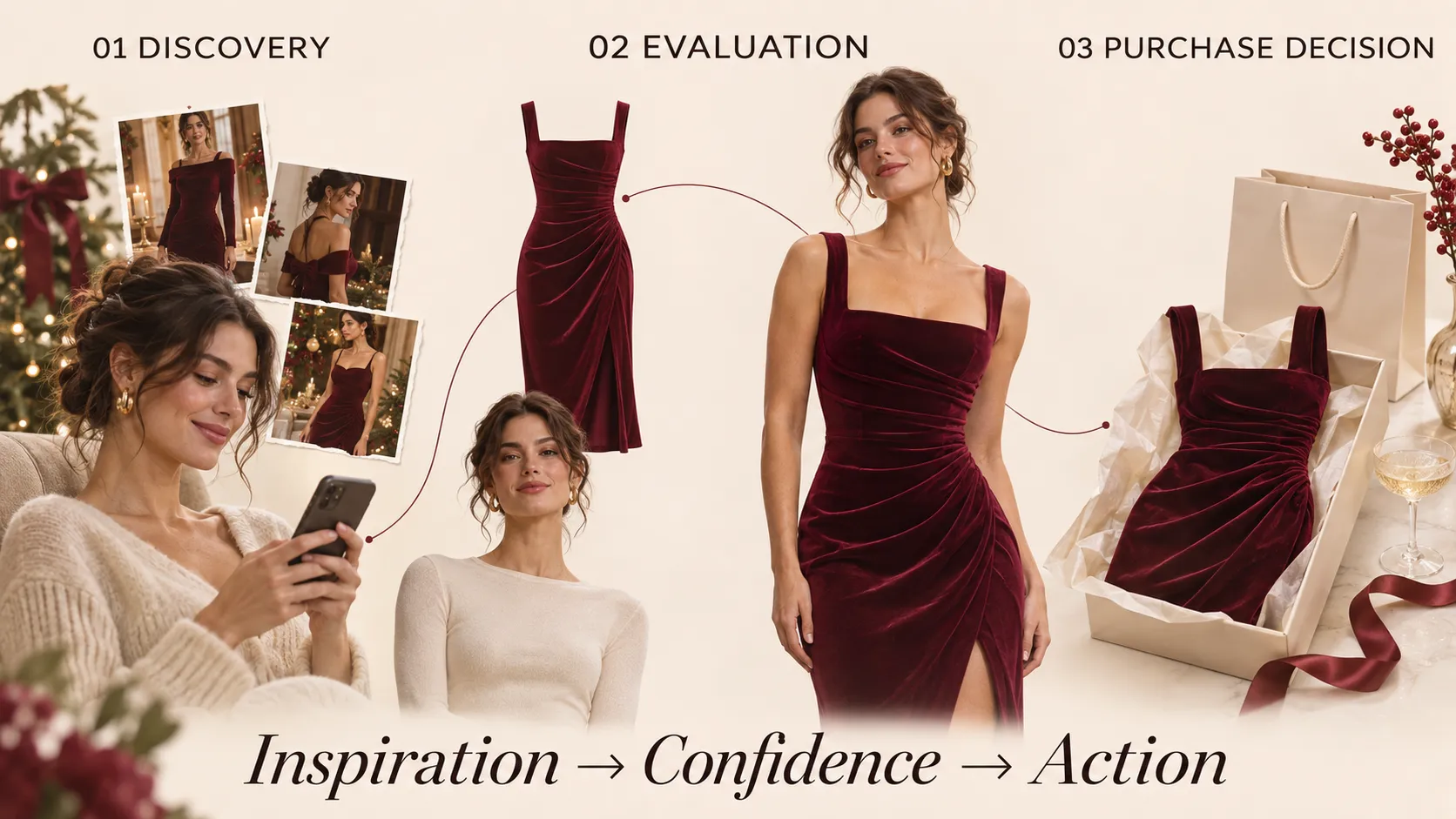
For Shopify merchants, the more useful question is what happens after a shopper discovers a product. The shopping journey can be understood through three stages:
Product Discovery
Shoppers find products through social media, search engines, creators, recommendations, and AI-assisted shopping tools.
Product Evaluation
They review product images, descriptions, customer feedback, available sizes, and other information to decide whether an item is worth considering.
Purchase Decision
They assess the price, delivery options, stock availability, return policy, and overall value before completing the order.
Each stage serves a different purpose. Social media and AI-assisted discovery can introduce shoppers to products, while the product page needs to help them evaluate those products.
AI virtual try-on belongs primarily in the product evaluation stage.
It gives shoppers an additional way to visualize selected clothing rather than asking them to rely entirely on photographs of someone else wearing the garment.
For fashion stores, this is a practical opportunity: improve the experience between discovering an outfit and deciding whether it deserves a place in the cart.
Why Traditional Product Photography May Leave Shoppers with Questions
Professional fashion photography remains essential for ecommerce. It communicates a brand's aesthetic, presents garment details, and helps shoppers understand how a product is styled.
However, different types of product content answer different questions.
| Content format | What shoppers can understand | What may remain unclear |
|---|---|---|
| Product photography | Colors, patterns, garment details | How the item might look when worn |
| Model photography | Styling, silhouette, overall presentation | How the style relates to the shopper's own appearance |
| Lifestyle photography | Occasion, mood, and styling context | How the shopper might visualize the item personally |
| Product video | Movement, styling, and different views | A personalized preview using the shopper's photo |
| AI virtual try-on | A generated visual preview on the shopper's photo | Exact fit, measurements, and physical fabric behavior |
The limitation is not that conventional photography is inadequate. It is that a product page may still require shoppers to do a considerable amount of visual interpretation themselves.
Consider someone choosing between three dresses for a holiday party.
One product page shows a fitted black dress, another features a flowing red dress, and a third presents a more relaxed evening style.
The shopper can compare the model photographs, read the descriptions, and check the size charts. But they still have to imagine how each style might look in their own visual context.
A virtual try-on feature adds another reference point to this comparison.
Instead of viewing only the original model images, the shopper can generate previews using their own photo and explore the selected styles from a more personal perspective.
That is the difference between simply displaying a product and giving shoppers another way to interact with it.
What AI Virtual Try-On Adds to the Fashion Shopping Experience
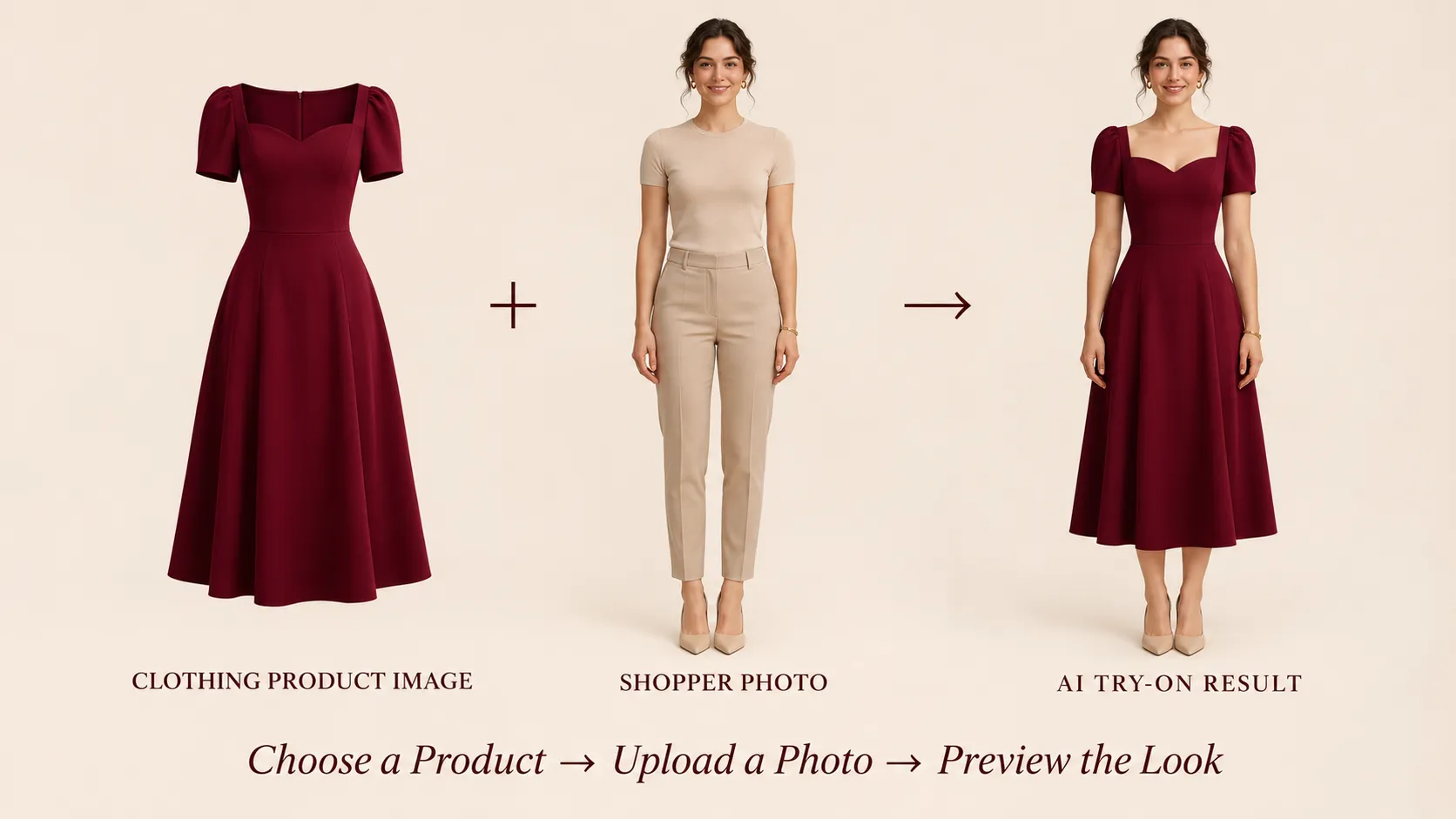
AI virtual try-on allows shoppers to upload a personal photo and generate an AI-created preview of selected clothing on their image.
The general experience is straightforward:
1. A shopper opens a supported clothing product page.
2. They select the virtual try-on option.
3. They upload a suitable personal photo.
4. The AI processes the photo and clothing reference.
5. The shopper views the generated preview alongside the original product information.
The value is not simply the presence of AI technology. It is the additional visual information shoppers can explore.
A more personal way to evaluate styles
Fashion is closely connected to personal preferences and self-expression. A shopper may like a dress because of its color or design but still want another visual reference before deciding whether it suits their preferred look.
Virtual try-on gives them a way to explore the garment using their own photo.
An additional way to compare products
Shoppers often browse multiple options before choosing an outfit.
For example, someone shopping for a New Year's Eve event might compare several dresses with different silhouettes and colors. Generating previews for selected items can add another perspective to that comparison.
A more interactive product page
Traditional product pages primarily involve viewing images, reading descriptions, and selecting variants.
Virtual try-on introduces an interactive step. Shoppers can actively explore a product rather than relying exclusively on static content.
A complement to existing shopping information
The feature should work alongside product photography, size charts, fabric descriptions, and reviews.
It does not replace these resources or guarantee that a garment will fit exactly as shown. Instead, it offers an additional visual reference to help shoppers explore the product.
Which Holiday Fashion Products Should Shopify Merchants Test First?
Not every product needs a virtual try-on feature. Merchants should prioritize products where visual appearance has a meaningful influence on shopping decisions.
For holiday collections, the following categories are worth considering.
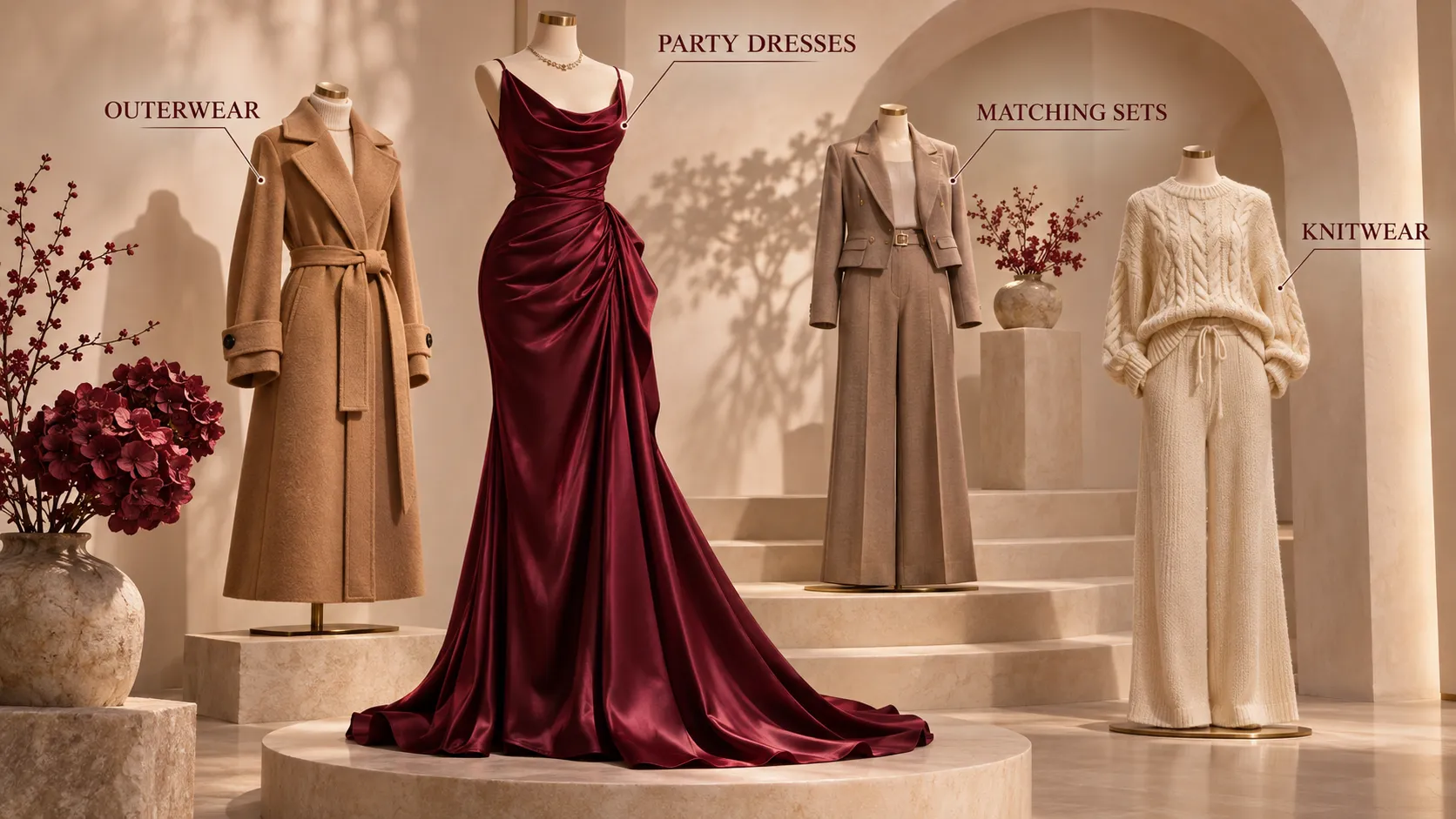
Party Dresses: Exploring Different Looks for Special Occasions
Party dresses are particularly relevant during the holiday season because shoppers often have a specific event in mind.
They may be choosing an outfit for a Christmas dinner, company celebration, evening party, or New Year's Eve event.
A shopper comparing a fitted black dress, a flowing evening dress, and a statement red dress is evaluating more than product specifications. The overall appearance and personal style are important parts of the decision.
Virtual try-on can provide an additional visual reference for exploring these different styles.
Merchant priority: Start with popular dresses that have distinctive silhouettes, colors, or designs and clear product photography.
Coats and Outerwear: Exploring the Overall Winter Look
Outerwear can define the visual character of an entire winter outfit.
A long wool coat, an oversized puffer jacket, and a cropped leather jacket communicate different styling preferences.
Shoppers may want to compare these options before deciding which style they prefer.
Merchant priority: Consider coats and jackets with distinctive shapes or colors, particularly products that receive consistent seasonal traffic.
Matching Sets: Evaluating a Coordinated Outfit
Matching sets appeal to shoppers who want a coordinated look without having to select individual pieces.
They are relevant for holiday travel, family gatherings, and casual seasonal occasions.
The appeal often comes from the overall combination rather than either garment in isolation. A personalized preview can give shoppers another perspective on the coordinated appearance.
Merchant priority: Choose products where the original imagery clearly shows the complete set and the product description explains exactly which items are included.
Knitwear and Holiday Loungewear: Comparing Seasonal Styles
Knitwear and festive loungewear are popular options for colder months.
An oversized sweater, a fitted cardigan, and a matching pajama set each create a different visual impression. Shoppers may compare them based on whether they prefer a relaxed, festive, or more understated style.
Virtual try-on can make that exploration more interactive.
Merchant priority: Test visually distinctive products, but keep fabric composition, texture, thickness, and care information clearly visible. These physical characteristics cannot be established through a generated image alone.
Recommended Testing Priority
If a store has limited time or resources, it does not need to enable virtual try-on across all four categories immediately.
A practical starting order is:
1. Party dresses: Strong occasion-based shopping intent and meaningful visual style differences.
2. Coats and outerwear: Distinctive silhouettes can make visual comparison useful.
3. Matching sets: Coordinated styling creates an interesting visual exploration opportunity.
4. Knitwear and loungewear: Useful for seasonal browsing, with fabric information remaining particularly important.
This is a suggested testing order based on product characteristics, not a proven ranking of conversion performance. Actual priorities should reflect the store's traffic, catalog, and customer behavior.
For more detailed selection criteria, see our guide to choosing the right Shopify products for AI virtual try-on.
How to Introduce AI Virtual Try-On to a Shopify Store
A successful rollout requires more than installing an app. Merchants need to choose suitable products, make the feature easy to access, and evaluate whether shoppers find it useful.
Here is a practical implementation process.
Step 1: Select Products for an Initial Test
Start with a limited product group rather than the entire catalog.
Look for items with:
• Clear and high-quality product photography.
• Distinctive visual styles.
• Existing product-page traffic.
• Relevant seasonal demand.
• Sufficient inventory for the expected shopping period.
A store might begin with its top-performing party dresses and a small selection of winter coats.
The purpose is to identify where the feature adds the most value before expanding it.
Step 2: Prepare the Product Pages
Virtual try-on should complement the existing product page, not replace essential information.
Make sure shoppers can still access:
• Original product images from useful angles.
• Accurate product descriptions.
• Available colors and sizes.
• Size charts and measurement guidance.
• Fabric composition and care instructions.
• Shipping, delivery, and return policies.
This information remains essential because an AI-generated preview cannot guarantee exact sizing or physical fit.
Step 3: Make the Feature Easy to Find
Place the try-on entry point where shoppers can understand and access it without disrupting the normal browsing experience.
Use direct, shopper-friendly wording.
For example:
"See this outfit on your photo"
This communicates the purpose more clearly than a technical explanation of AI image generation.
Merchants should also check the mobile experience. Shoppers discovering products through social platforms may continue browsing on their phones, so the transition from product discovery to trying on an item should be straightforward.
Step 4: Demonstrate the Experience in Holiday Campaigns
A virtual try-on feature can be introduced through more than product-page buttons.
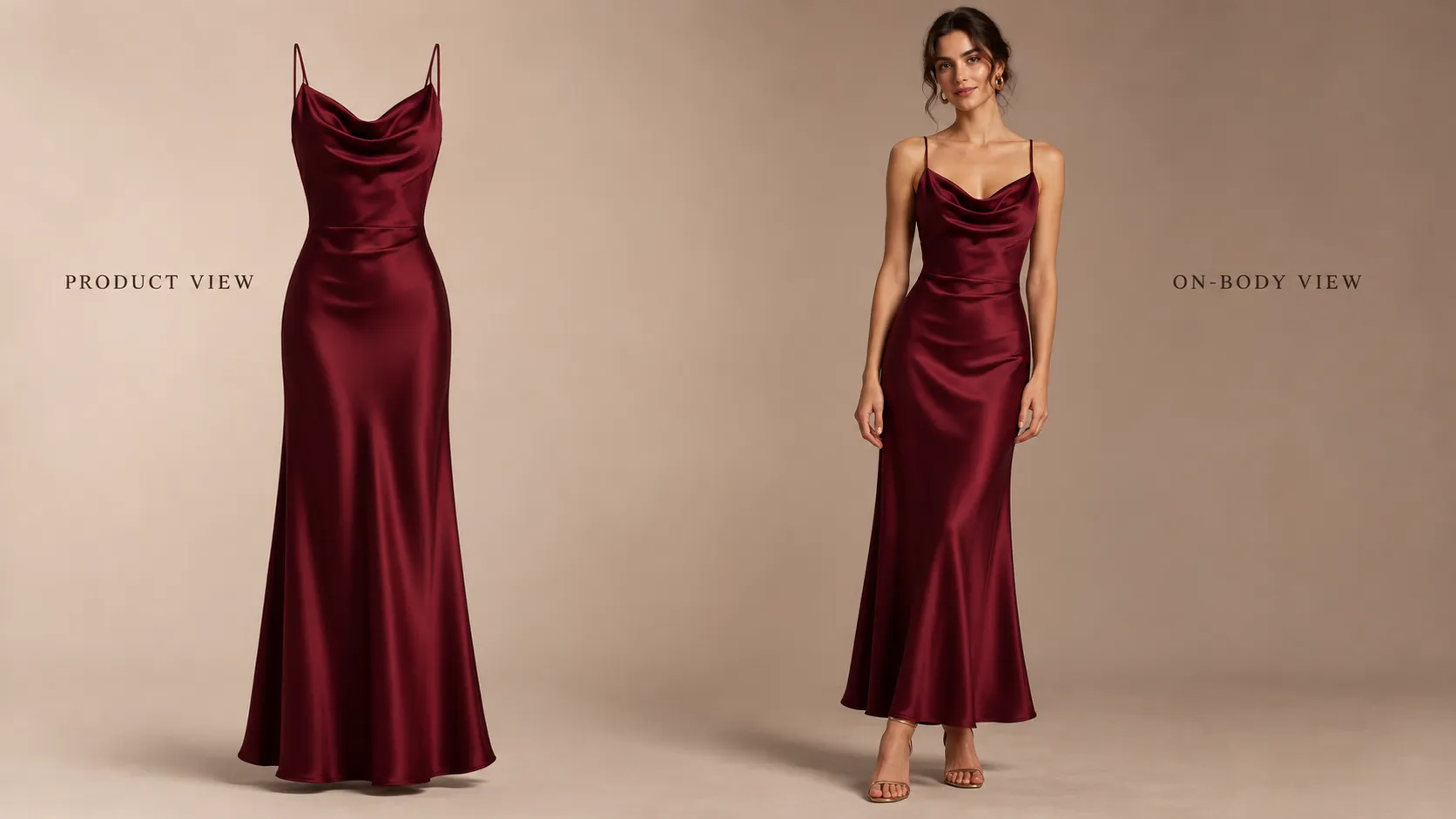
Merchants can create short seasonal content showing:
• The original clothing product image.
• A shopper's uploaded photo.
• The generated try-on result.
• The product page where customers can access the feature.
This format makes the functionality easy to understand.
It can also be incorporated into holiday outfit recommendations, seasonal collection pages, email campaigns, and social media posts.
The message should focus on what shoppers can do, rather than simply announcing that the store has adopted AI.
Step 5: Measure Usage and Commercial Impact
Merchants should evaluate the feature across the full interaction process rather than looking only at how many shoppers generate images.
| Measurement stage | Metrics | What to investigate |
|---|---|---|
| Visibility | Feature exposure | Can shoppers find the feature? |
| Interest | Try-on click rate | Are shoppers interested enough to start? |
| Completion | Try-on completion rate | Can shoppers complete the process? |
| Engagement | Continued browsing, product interaction | Do shoppers keep exploring afterward? |
| Commercial impact | Add-to-cart rate, purchase conversion | Is there a measurable change in shopping behavior? |
| Experience quality | Customer feedback, support issues | Are there usability or result-quality problems? |
The results should guide the next optimization step.
For example:
• Low feature engagement: Check whether the try-on button is visible and whether shoppers understand its purpose.
• High clicks but low completion: Review upload instructions, photo requirements, loading experience, and mobile usability.
• High completion but little add-to-cart activity: Examine product appeal, price, size information, and whether the generated preview is useful enough to support further consideration.
• Higher add-to-cart activity but no improvement in completed orders: Investigate shipping costs, delivery times, checkout friction, and return policies.
These are diagnostic starting points, not automatic proof of cause and effect.
A Simple A/B Testing Approach
For stores with sufficient traffic, a controlled test can help assess whether virtual try-on contributes to measurable changes.
A practical setup would be:
1. Select one product or a group of comparable products.
2. Randomly divide eligible product-page visitors into two groups.
3. Show the existing product-page experience to one group.
4. Show the same experience with the virtual try-on option to the other group.
5. Keep pricing, discounts, product information, and other page elements consistent.
6. Compare feature engagement, add-to-cart behavior, and purchase conversion.
The most useful comparison is between shoppers exposed to different experiences for the same product under similar conditions.
If random visitor-level testing is not possible, merchants can compare similar products or periods, but should recognize that differences in product popularity, traffic sources, and seasonal demand may influence the results.
Avoid declaring success based on a small number of interactions. Make sure the test has enough traffic and purchase activity to support a meaningful conclusion.
How Vidoly Virtual Try-On Fits into the Shopify Shopping Journey
Once merchants have identified the products they want to test, they need a tool that fits their existing store workflow and is straightforward for customers to use.
Vidoly Virtual Try-On for Shopify allows merchants to introduce AI-powered try-on experiences on supported product pages.
The shopper workflow is simple:
Merchant selects products ➔ Shopper opens the product page ➔ Shopper taps Try-On ➔ Shopper uploads a photo ➔ Vidoly generates a preview.
With Photo Try-On, shoppers upload one front-facing, full-body photo. Vidoly's product documentation states that any background works. The generated preview gives customers an additional visual reference while they consider the original product details.
Shoppers do not need to create an account or log in to use the feature, and they do not need to install a separate consumer-facing app.
Vidoly offers two interaction options:
Photo Try-On
Shoppers upload a personal photo to generate a virtual try-on preview. Photo Try-On is available on all Vidoly plans, including the Free plan, making it an accessible option for merchants who want to test the experience.
Live Try-On
Eligible paid plans add real-time Live Try-On through the shopper's camera. This provides a different interaction format for customers who prefer a live camera-based experience.
These options should be evaluated based on the store's needs, expected usage, and budget—not treated as guarantees of fitting accuracy.
Merchants can review the Vidoly Shopify Virtual Try-On features and plans or visit the Vidoly app listing on Shopify.
For a holiday launch, a sensible starting point is to enable the feature on a small selection of seasonal products, demonstrate how it works, and evaluate shopper behavior before expanding.
What AI Virtual Try-On Cannot Replace
AI virtual try-on adds a personalized visual reference, but it is not a substitute for physically trying on a garment.
Merchants should communicate its capabilities accurately.
It cannot guarantee:
• Exact garment sizing or fit.
• Precise body measurements.
• The physical texture, stretch, or weight of fabric.
• How a garment will move in real-world conditions.
• That shoppers will purchase an item or avoid returning it.
A generated preview should therefore be used alongside reliable product information.
A strong fashion product page combines original product photography, model images, product descriptions, customer reviews, size charts, and AI-generated visual previews.
Each resource answers a different question.
The objective is not to make AI responsible for every part of the shopping decision. It is to provide shoppers with another useful way to explore clothing.
Frequently Asked Questions
What is AI virtual try-on for Shopify?
AI virtual try-on is a feature that allows shoppers to upload a personal photo and generate an AI-created preview of selected clothing on their image. Shopify merchants can use it to add a personalized visual experience to supported product pages.
How does AI virtual try-on improve holiday fashion shopping?
It gives shoppers another way to explore seasonal clothing. For example, someone comparing party dresses or winter coats can generate visual previews using their own photo rather than relying exclusively on model photography.
Which Shopify products are suitable for virtual try-on?
Party dresses, coats, jackets, matching sets, knitwear, and holiday loungewear are useful categories to consider. Merchants should prioritize products with clear photography, distinctive styles, and meaningful shopper interest.
Can AI virtual try-on tell customers which clothing size to buy?
No. AI virtual try-on creates a visual preview, not a precise sizing recommendation or physical fitting. Customers should still refer to garment measurements, size charts, and product specifications.
Do shoppers need to download an app to use Vidoly Virtual Try-On?
No separate shopper-facing app installation or account registration is required. Shoppers can access the feature on supported Shopify product pages, upload a photo, and generate a preview.
What is the difference between Photo Try-On and Live Try-On?
Photo Try-On uses an uploaded personal photo to generate a preview. Live Try-On uses the shopper's camera for a real-time experience. Vidoly offers Photo Try-On on all plans, including Free, while Live Try-On is available through eligible paid plans.
How should Shopify merchants measure virtual try-on performance?
Track feature exposure, click rate, completion rate, continued product engagement, add-to-cart behavior, and purchase conversion. Controlled testing can help distinguish the impact of the feature from changes in traffic, pricing, and seasonal demand.
Should every product in a Shopify store have virtual try-on?
No. Merchants can begin with selected products where visual appearance plays an important role in shopping decisions. A smaller test group makes it easier to evaluate shopper interest and usability before expanding.
Make Holiday Fashion Shopping More Personal
The holiday shopping journey increasingly begins with visual inspiration, social discovery, and new ways to research products.
But once shoppers arrive at a Shopify store, they still need useful information to evaluate the clothing they are considering.
Professional photography introduces the product. Product descriptions and size charts explain its details. Customer reviews provide additional perspectives. AI virtual try-on adds another layer by letting shoppers explore a generated visual preview using their own photo.
For fashion merchants, the opportunity is not simply to adopt AI because it is trending. It is to make the product evaluation experience more useful at the point where shoppers are deciding which styles deserve their attention.
This holiday season, start with a few relevant products, introduce a clear try-on experience, and measure how customers respond.
If you want to bring personalized clothing previews to your Shopify store, explore Vidoly Virtual Try-On and consider making it part of your holiday shopping experience.
Let shoppers see how your clothing looks on their own photo.
Add AI-powered virtual try-on to your Shopify store and help customers make more confident seasonal style decisions.
Explore Vidoly Virtual Try-OnRelated Articles
Which Shopify Products Should Use AI Virtual Try-On? A Practical Guide to Choosing the Right Items
How to Prepare Your Shopify Fashion Store for Q4 2026 | AI Virtual Try‑On for Cross‑Border Sellers
Shopify Virtual Try-On: How to Let Customers Try Clothes Before Buying