
Which Shopify Products Should Use AI Virtual Try-On? A Practical Guide to Choosing the Right Items
 By Vivi/1 min read
Learn how to choose the best Shopify products for AI virtual try-on. Discover product selection criteria, image requirements, and tips for running an effective pilot.
Which Shopify Products Should Use AI Virtual Try-On? A Practical Guide to Choosing the Right Items
Not every product in your Shopify store needs AI virtual try-on. The best candidates are products where a personalized visual preview could help shoppers make a more informed decision, the available product images are suitable, and your team can evaluate the results.
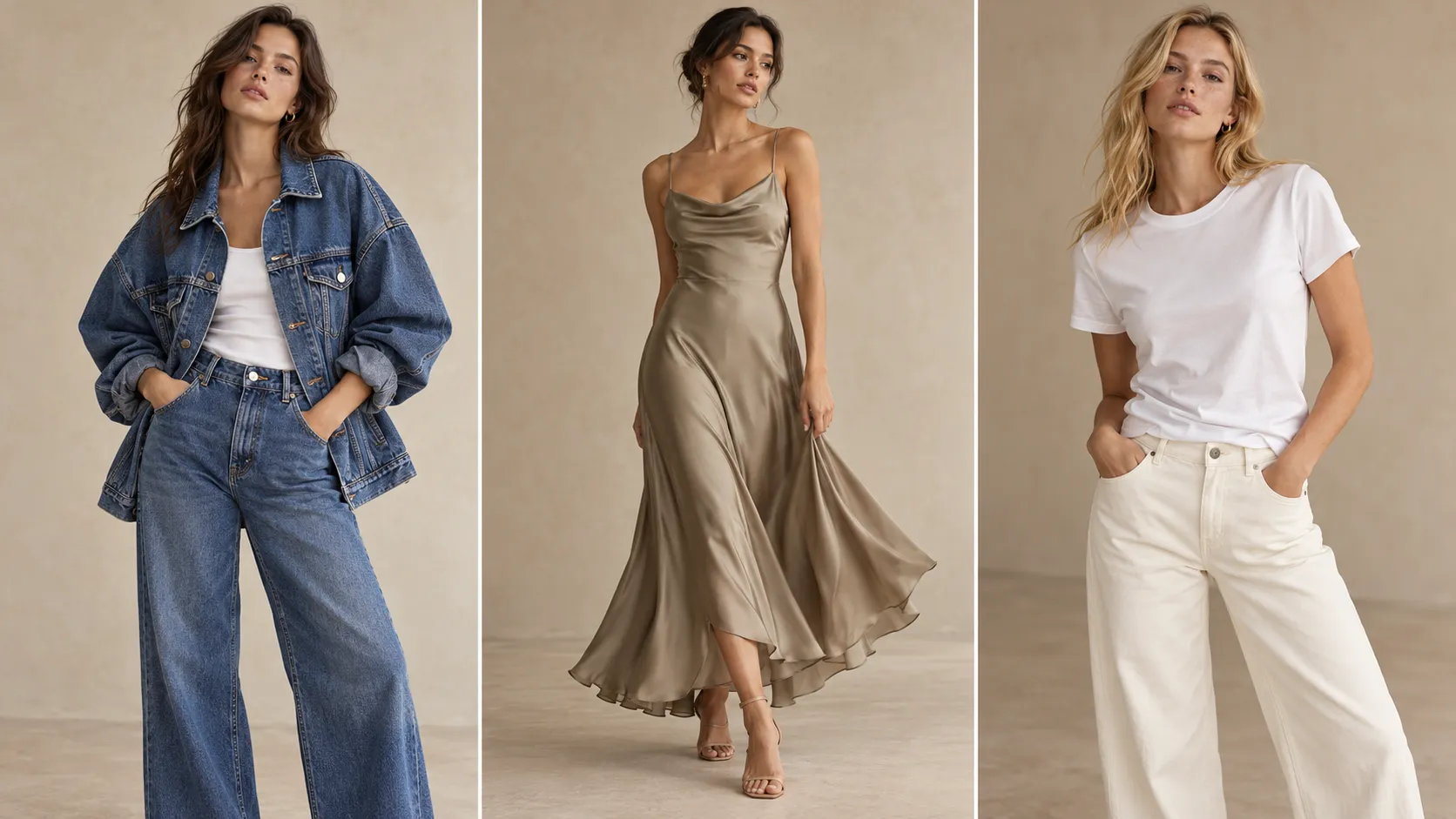
For example, a distinctive denim jacket with clear product photography may be worth testing early. A basic T-shirt may offer less immediate value if its existing product images already answer shoppers' questions. An intricately embroidered dress may have strong visual appeal but require additional quality checks before its generated previews are ready for customers.
The right choice depends on three questions:
Shopper value: Would a personalized visual preview help customers understand the product or explore how it might look on them?
Visual reliability: Can the product be represented adequately using the available images and workflow?
Business priority: Is the product important enough to justify testing now?
This guide explains how to apply these questions to your Shopify product catalog, compare different product scenarios, and run a practical AI virtual try-on pilot without committing to a store-wide rollout.
Which Shopify Products Are Best for AI Virtual Try-On?
Products with distinctive silhouettes, recognizable design details, or a strong visual role in the buying decision are often worth evaluating first. However, the product category alone does not determine whether virtual try-on is a good fit.
| Product type | Potential value | Main consideration | Initial recommendation |
|---|---|---|---|
| Oversized denim jackets | Shoppers may want to visualize the overall silhouette and styling | Is the garment clearly visible in the source image? | Test early if customer interest is meaningful |
| Occasion dresses | The overall appearance and design may influence the purchase decision | Can important details and layers be reviewed in the output? | Test after quality checks |
| Basic cotton T-shirts | A personalized preview may support styling exploration | Does it add value beyond existing product photography? | Test selectively |
| Embroidered or embellished garments | A visual preview may help shoppers explore a distinctive design | Are the details that define the garment adequately represented? | Validate the output first |
| Products whose main selling point is technical rather than visual | A personalized preview may not answer the main question | What specific customer need would try-on address? | Consider other product-page improvements first |
These are starting points rather than universal rankings. A basic T-shirt with strong customer demand may deserve attention before an elaborate dress that receives little traffic. Similarly, a distinctive jacket may need better source images before it becomes a suitable candidate.
The goal is to identify products for which virtual try-on has a clear purpose and can be evaluated reliably.
The Three Questions to Ask Before Selecting a Product
Would a Visual Preview Help the Shopper?
Begin with the customer's buying decision, not the technology.
Look at the product page and ask what shoppers might still want to understand after viewing the existing images and description.
Does the garment have a distinctive shape? Is its overall appearance important to how customers imagine wearing it? Could a personalized preview help shoppers explore a look that conventional product photography does not fully address?
Consider an oversized denim jacket. Its proportions, collar, sleeves, and overall silhouette may be central to how a shopper evaluates its appearance. A personalized preview could provide another way to explore the garment.
A plain white T-shirt presents a different case. If its appearance is already easy to understand from the product page, adding virtual try-on may have less obvious value. However, if customers are interested in personalized styling or the T-shirt is a key item in a fashion-focused collection, testing it may still make sense.
The important question is not whether the product looks interesting. It is whether the feature addresses a meaningful shopping need.
Can the Product Be Represented Reliably?
A product can have a strong use case and still be a poor first candidate if its images are unsuitable or the output cannot meet your quality requirements.
Before testing, review the source photography.
Garment visibility: Is the main item clearly visible, including the overall silhouette and the features shoppers are likely to notice?
Obstructions and cropping: Are sleeves, hems, collars, or other important areas hidden behind the model, accessories, or the edge of the image?
Design complexity: Does the garment have patterns, embroidery, layered fabric, or other details that are particularly important to its appearance?
Image consistency: Are the available images suitable for the products and variants you intend to test?
These checks help identify potential problems before the pilot begins. They do not guarantee that a generated image will be accurate.
After generating a preview, review it against the original product imagery. Check whether the overall appearance and important design details are represented adequately for your intended use. If the result is not acceptable, investigate the source images and workflow before exposing the experience to more customers.
A commercially important product may still need to wait until these conditions are met.
Is the Product Worth Testing First?
Once a product has a clear shopper use case and suitable images, compare it with the other candidates in your catalog.
Four factors can help determine priority:
Customer interest: Does the product attract meaningful attention, questions, or engagement?
Product-page activity: Is there enough relevant activity to make the pilot informative?
Commercial relevance: Is the item important to a key collection or a business priority?
Testing feasibility: Can your team configure the experience, review its output, and monitor relevant results with the resources available?
You do not need an elaborate scoring formula to begin. First remove products that lack a clear use case or cannot meet your quality requirements. Then prioritize the remaining candidates based on their business relevance and how practical they are to test.
This creates an important distinction: a product can be suitable for virtual try-on without being the best product to test first.
Three Product Scenarios: Test, Improve, or Wait?
The same product category can lead to different decisions depending on customer demand, source imagery, and review requirements.
Scenario 1: A Distinctive Denim Jacket With Clear Images
Imagine a Shopify store selling an oversized denim jacket. The full garment is visible, its silhouette is easy to distinguish, and the product attracts consistent customer interest.
A personalized preview could help shoppers explore the jacket's appearance on themselves. The team can also identify the main features that need to be reviewed, such as the collar, sleeves, pockets, and overall shape.
Decision: Test early.
This product combines a plausible shopper benefit with manageable image review and a reason to prioritize it.
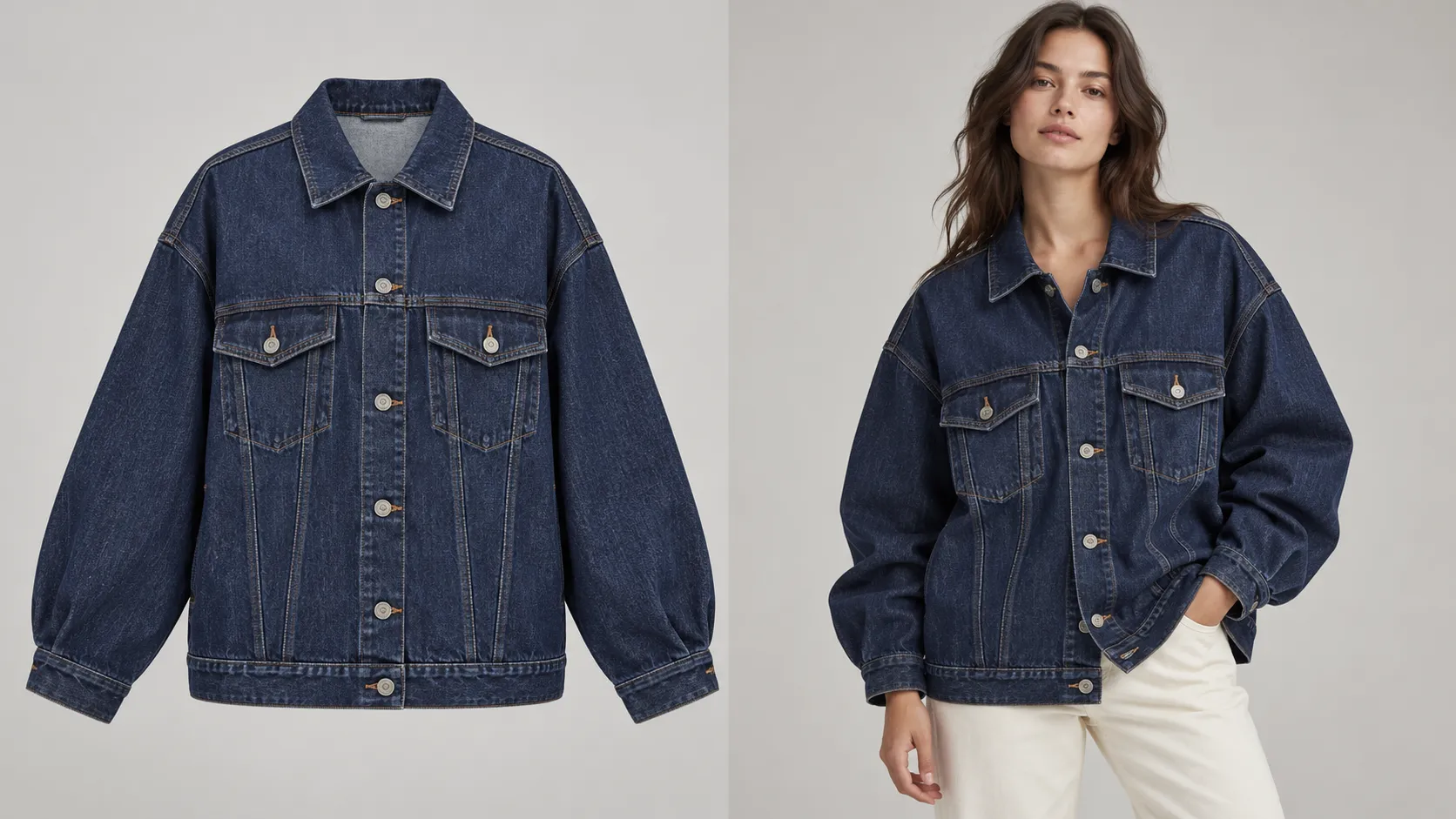
Now consider the same jacket with a different source image. The model's arms cover the front pockets, the sleeves are partially cropped, and the garment's outline is difficult to distinguish.
The product may still be commercially attractive, but the quality of the source imagery introduces a problem.
Decision: Improve the images or validate the output before proceeding.
The product has not changed. The readiness of the testing conditions has.
Scenario 2: A Basic White T-Shirt With Unclear Incremental Value
A basic white T-shirt may be easy to understand from conventional product photography. If shoppers show little interest in personalized previews and the existing product page already addresses their main questions, virtual try-on may not be the best initial investment.
However, the same T-shirt could be a reasonable candidate if it is a key product, receives substantial customer interest, or plays an important role in a styling-focused collection.
Decision: Test selectively when there is a clear use case.
Do not automatically exclude simple garments. Equally, do not assume that every supported product will benefit equally from the feature.
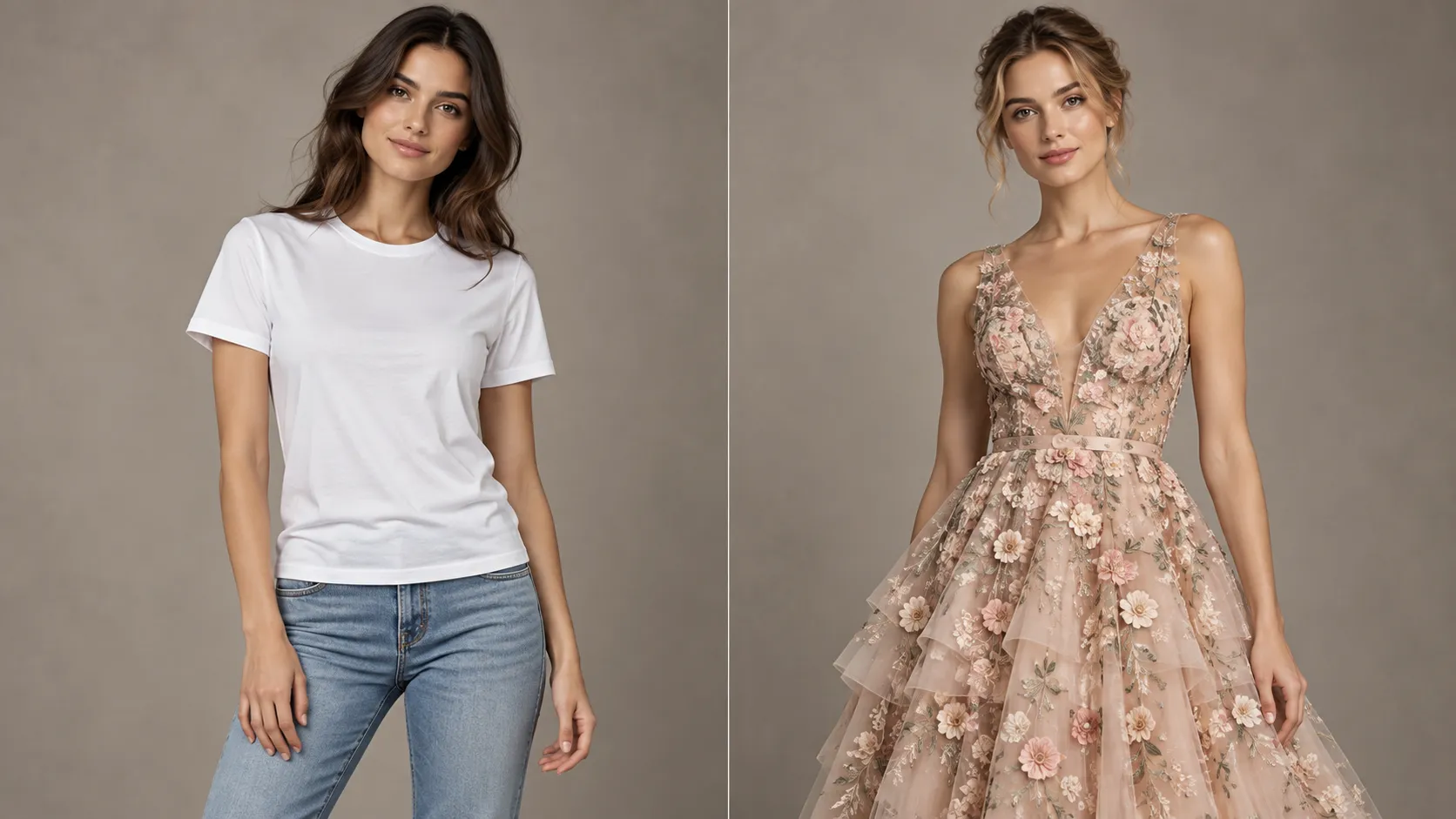
Scenario 3: An Embroidered Dress With High Visual Interest but Difficult Details
An occasion dress may have strong visual appeal because of its embroidery, layered fabric, or decorative elements. Those details may also make output review more demanding.
Before prioritizing the product, identify the features that define its appearance. Then check whether the generated preview represents those features adequately.
If the result is difficult to evaluate or does not meet your quality requirements, the team should not treat the product's visual appeal as sufficient justification for expansion.
Decision: Validate the output first.
The product may still be worth testing later. The immediate priority is establishing whether the experience can represent it acceptably.
These scenarios illustrate why product selection should consider the actual conditions of each SKU rather than relying on a category-level rule.
How to Prioritize Your Shopify Product Catalog
Once you understand the three core questions, use them to narrow your catalog into a manageable pilot.
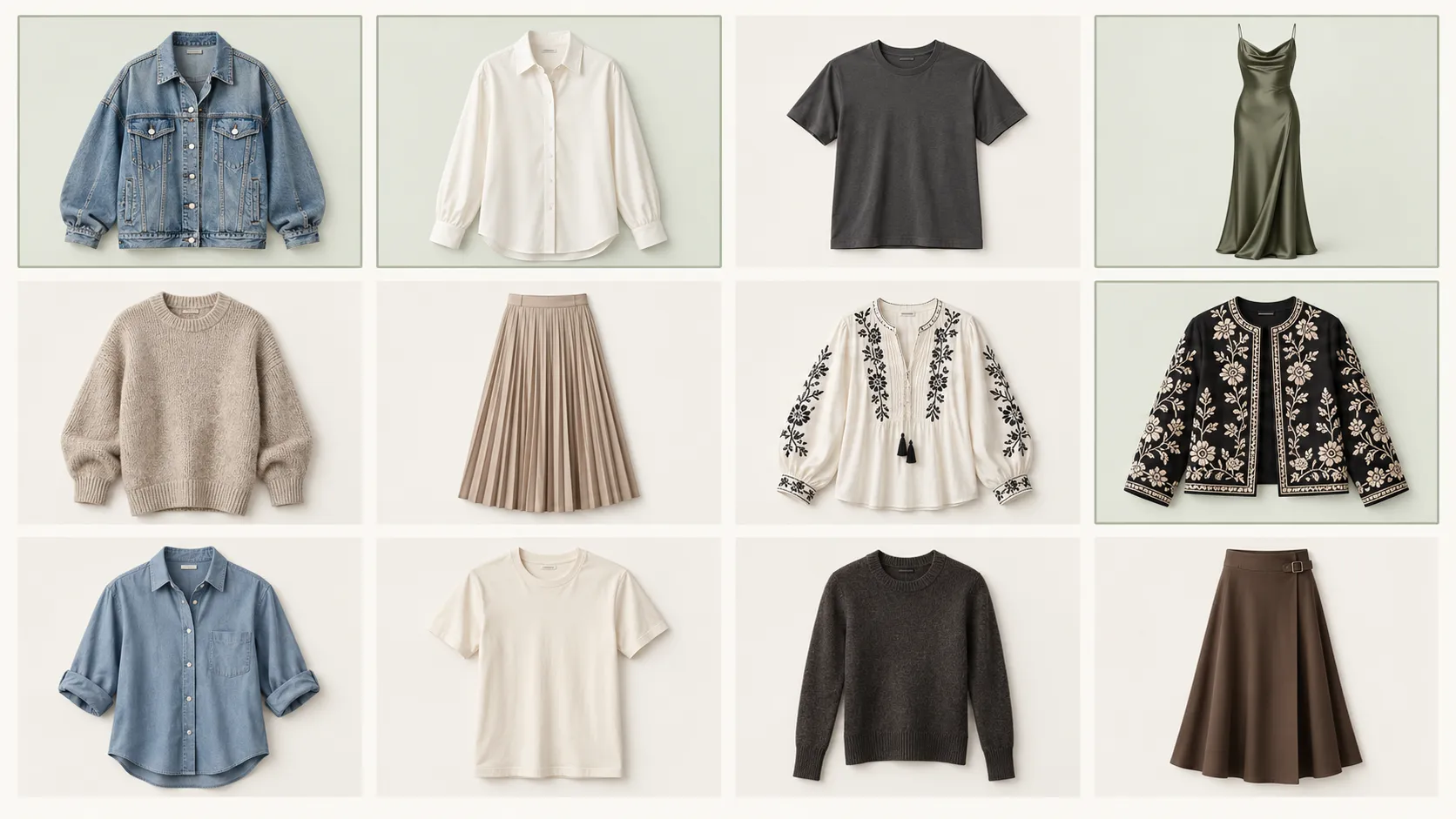
Step 1: Build a Candidate List
Start with a small group of products that differ in silhouette, visual complexity, and customer interest.
For example, a fashion merchant could shortlist one distinctive jacket, one everyday top, one occasion dress, and another product from a commercially important collection.
This gives the team several useful scenarios to evaluate without requiring a storewide rollout.
Step 2: Apply Three Readiness Checks
Use this table to determine whether each product is ready for testing.
| Readiness check | What to examine | Recommended action if it fails |
|---|---|---|
| Shopper value | Is there a clear reason a customer would use a personalized visual preview? | Reconsider the use case |
| Image readiness | Is the garment visible and sufficiently distinguishable in the available imagery? | Improve the source images |
| Output reviewability | Can the team assess the product's important visual features in the generated result? | Define clearer review criteria or test another product |
Treat these as decision gates, not a numerical score. A product with unsuitable imagery should not move to the top of the list simply because it is commercially important.
Step 3: Rank the Products That Pass
For candidates that pass the readiness checks, compare customer interest, product-page activity, commercial relevance, and testing feasibility.
Prioritize products that have a meaningful use case and enough activity to make evaluation worthwhile. If your team has limited resources, begin with the candidate that is easiest to configure and review.
You can introduce more complex garments after establishing a workable process.
The result should be a shortlist of products that are both relevant to your store and practical to evaluate—not an arbitrary list of every item that could theoretically use virtual try-on.
How to Run an AI Virtual Try-On Pilot
A useful pilot needs to answer three separate questions: Does the experience meet your quality standards? Do shoppers use it? Is there evidence to justify further investment?
Evaluate these questions in order.
1. Establish a Baseline
Before introducing the feature, record the starting performance of each selected product.
Depending on your analytics setup, useful metrics may include:
• Product-page sessions
• Add-to-cart rate
• Purchase conversion rate
• Relevant customer questions or feedback
• Product-level return or exchange patterns, if reliable data is available
Not every store will have all these measurements at SKU level. Use the metrics you can collect consistently and document any limitations.
The baseline provides context for later evaluation. It does not establish what effect virtual try-on will have.
2. Check Output Quality
Before interpreting commercial performance, determine whether the generated previews are suitable for the intended customer experience.
Review the overall garment silhouette, visible design details, and consistency with the source product. Pay particular attention to the features that matter most for each item.
For a denim jacket, this may include the collar, sleeves, pockets, and overall shape. For an embroidered dress, the review may need to focus on decorative patterns and layered details.
Record recurring issues rather than relying on a general impression that an image looks good.
If the results do not meet your quality requirements, address the problem before drawing conclusions from customer engagement or conversion data.
3. Measure Customer Engagement
Where tracking is available, observe how customers interact with the feature and how their product-page journey develops.
Potential measurements include virtual try-on engagement, completion of the try-on experience, add-to-cart activity, and purchase behavior.
Each metric answers a different question. Feature engagement can indicate interest in the experience, while downstream shopping actions provide additional context.
However, engagement alone does not demonstrate commercial impact. A change in conversion rate does not prove that virtual try-on caused the change, either.
Consider traffic volume, promotions, pricing changes, seasonality, and other factors that could influence performance. Where practical, use a suitable comparison or controlled test to strengthen your conclusions.
4. Decide Whether to Expand, Improve, or Pause
At the end of the pilot, assign each product to one of three outcomes.
Expand: The generated results meet your quality requirements, shoppers use the feature, and the available evidence supports further testing or broader deployment.
Improve: The use case appears promising, but image preparation, output quality, implementation, or the customer experience needs attention.
Pause: The current use case is weak, the output cannot meet the required quality standard, or the available evidence does not justify additional investment.
A successful pilot does not need to show that every product benefits equally. Its purpose is to help your team identify which products deserve further investment and what needs to change before expanding.
How Vidoly Virtual Try-On Fits Into Your Shopify Store
After identifying suitable products, evaluate a solution that fits your store's workflow.
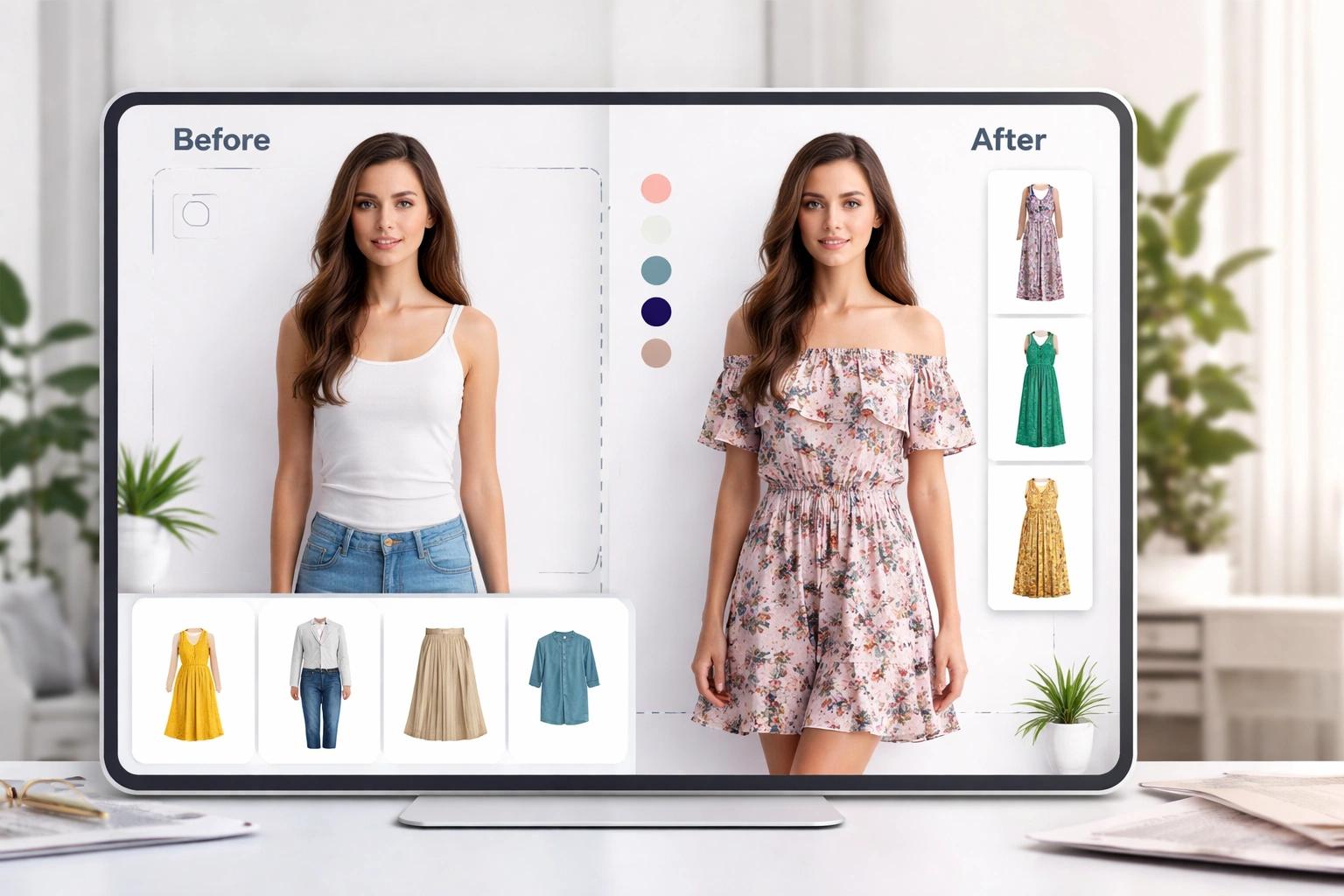
Vidoly Virtual Try-On for Shopify gives merchants a way to explore AI-powered clothing previews within their Shopify shopping experience.
Rather than enabling virtual try-on across the entire catalog immediately, start with a few products that have a clear shopper use case and source images your team can evaluate. Review the app's current functionality, setup requirements, and plan details before deciding how to structure the pilot.
1. Select a small group of candidate products.
2. Check the source images and identify the garment details that matter.
3. Configure and test the experience according to the current app documentation.
4. Review the generated results against your quality requirements.
5. Monitor customer engagement and relevant product-page metrics.
6. Expand only when the experience and available evidence justify doing so.
The objective is not to add another feature to every product page. It is to determine where virtual try-on can provide a useful visual experience for your customers.
If you are ready to evaluate the workflow, explore Vidoly Virtual Try-On on the Shopify App Store and start with the products that make the strongest candidates for your first pilot.
Frequently Asked Questions
Which Shopify products are best suited for AI virtual try-on?
Products with a clear visual shopping use case, suitable source images, and results that can be reviewed against defined quality standards are good candidates. Distinctive jackets and occasion dresses may be worth evaluating, but customer interest and image readiness matter more than product category alone.
Should I enable virtual try-on for every product in my Shopify store?
No. Different products may offer different levels of shopper value, and some may require more image preparation or quality review than others. A small pilot helps you identify suitable candidates before expanding the experience across a larger catalog.
Can AI virtual try-on show customers exactly how a garment will fit?
A visual try-on preview should not be treated as a guarantee of real-world fit, exact sizing, fabric behavior, or final appearance. Customers should still be able to consult size charts, product descriptions, and other relevant product information.
What makes a product image suitable for virtual try-on?
Check whether the garment is clearly visible, its outline can be distinguished, and important features are not unnecessarily obscured or cropped. Then review the generated result to determine whether those features are represented adequately. Suitability depends on the workflow and the quality of the output you can verify.
How should I measure the success of an AI virtual try-on pilot?
Evaluate generated-image quality, customer engagement, and relevant product-page or commercial metrics. Establish a consistent baseline and consider other factors that may influence performance. Feature usage alone does not prove increased sales, and changes in conversion rate should not automatically be attributed to virtual try-on.
Final Thoughts
Choosing the right products for AI virtual try-on is a decision about customer needs, visual reliability, and business priorities—not simply which items look the most interesting.
Start by identifying products where a personalized visual preview could answer a meaningful shopper question. Check whether the source images and generated results can meet your quality requirements. Then prioritize candidates that combine a clear use case with meaningful customer interest and practical testing conditions.
A small, well-designed pilot can help you understand where virtual try-on deserves further investment, which products need better imagery, and where conventional product photography may already be sufficient.
The goal is not to put virtual try-on on every product page. It is to use it where it can provide a useful, reviewable experience for your customers.
Pick the right products, test the experience, and measure what matters.
Start with a focused pilot on Shopify and expand based on real shopper evidence, not a store-wide toggle.
Explore Vidoly Virtual Try-OnRelated Articles
Shopify Virtual Try-On: How to Let Customers Try Clothes Before Buying
How to Prepare Your Shopify Fashion Store for Q4 2026 | AI Virtual Try‑On for Cross‑Border Sellers
How to Translate Product Images on Shopify for Different Languages