
Shopify Virtual Try-On: How to Let Customers Try Clothes Before Buying
 By Vivi/1 min read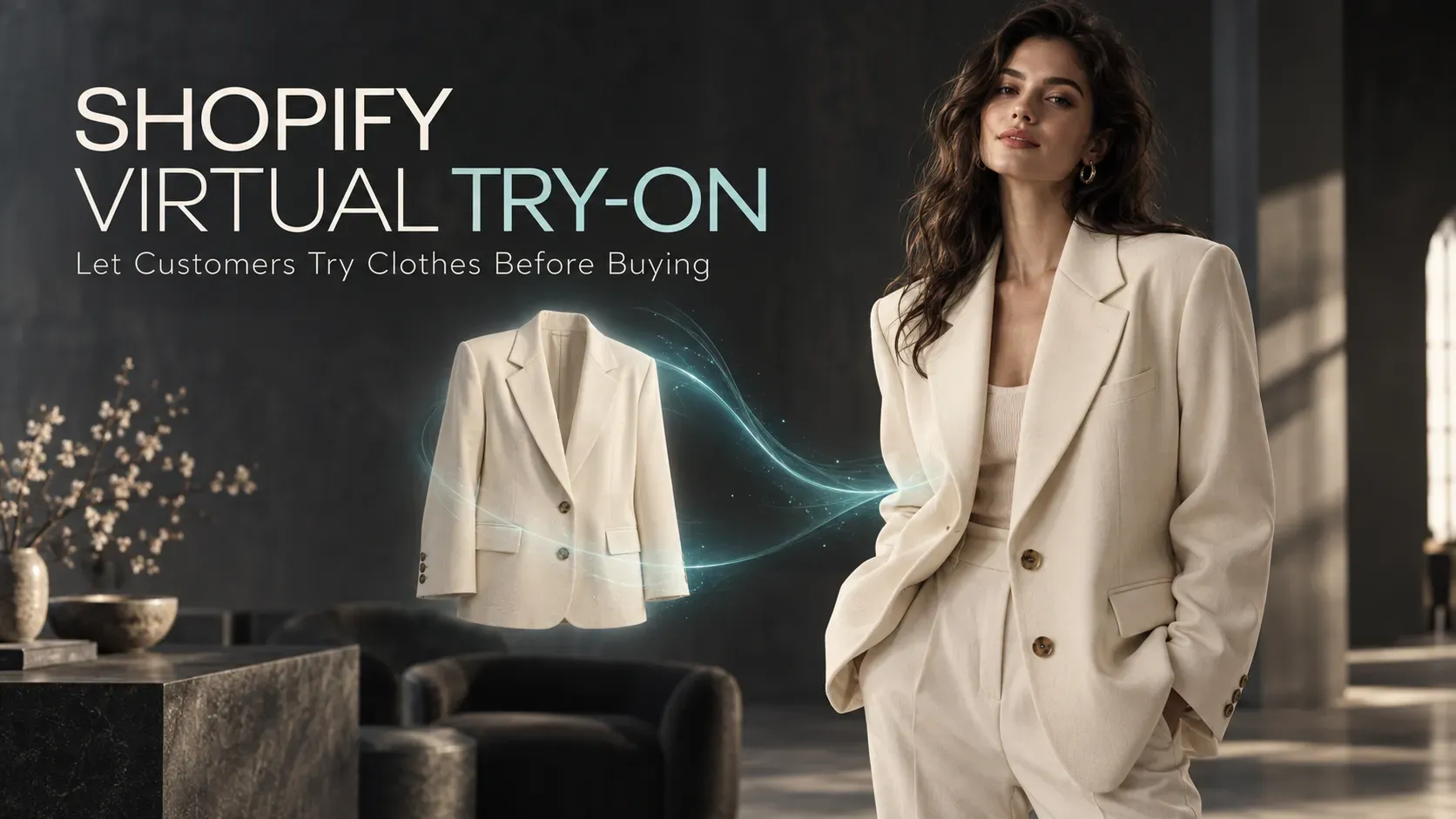
Discover how Shopify virtual try-on helps customers visualize clothing on themselves before buying, and learn how to add AI try-on to your store.
Shopify Virtual Try-On: How to Let Customers Try Clothes Before Buying
You find a jacket you like while browsing a Shopify store. The product photos look great, the model makes the outfit look effortless, and the product description answers most of your questions.
But one question still remains:
"What will this actually look like on me?"
This is one of the biggest visual gaps in online fashion shopping. Traditional product photos show the garment on a model. Size charts provide measurements. Reviews offer opinions from other customers. But none of these assets can directly show shoppers how a specific product may look on their own body.
Shopify virtual try-on adds another layer to the shopping experience by allowing customers to upload a photo and generate a visual preview of themselves wearing the product they are considering. Instead of leaving the store to use a separate AI tool, shoppers can access the experience directly from the product page.
For Shopify fashion merchants, this creates a more interactive way to help customers visualize products before buying.
Quick Answer: What Is Shopify Virtual Try-On?
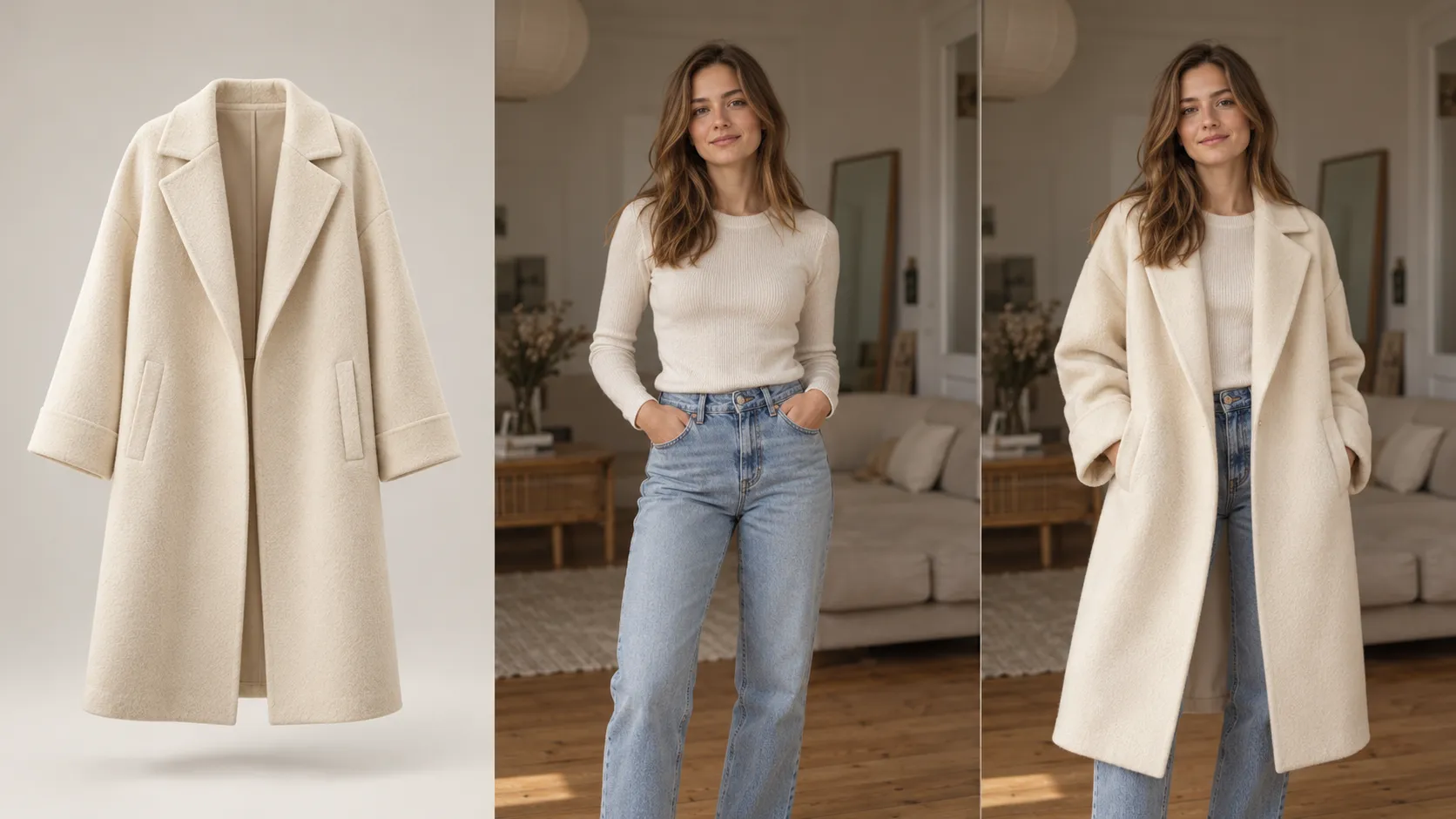
Shopify virtual try-on is an e-commerce feature that allows shoppers to upload a photo of themselves and generate a visual preview of how a specific product may look when worn.
The basic experience is:
View a product ➔ Start Virtual Try-On ➔ Upload a photo ➔ Generate a preview ➔ Continue shopping
Unlike a generic AI image generator, a product-focused virtual try-on experience starts with the actual product being sold.
The goal is not to invent a completely new outfit. It is to help shoppers visualize a specific item from the Shopify catalog on themselves.
This makes virtual try-on especially relevant for:
• Shopify fashion stores
• DTC apparel brands
• Clothing boutiques
• Online clothing retailers
• Stores selling dresses, jackets, tops, pants, and other wearable products
For merchants looking for a dedicated solution, Vidoly Virtual Try On for Shopify is designed to add virtual try-on previews directly to Shopify product pages.
Why Traditional Product Photos Are Not Always Enough
Product photography is still one of the most important parts of an e-commerce store.
A strong Shopify product page may include:
• Professional model photography
• Product-only images
• Multiple product angles
• Size charts
• Product descriptions
• Customer reviews
• Short product videos
Together, these assets answer many shopping questions. But there is still a difference between seeing a product on someone else and visualizing it on yourself.
Consider an oversized jacket. A model photo may show exactly how the jacket looks on a 5'10" model with a particular body shape and styling. A size chart may tell the shopper the chest measurement, sleeve length, and garment length. A review might say that the jacket runs large. But the shopper still has to mentally combine all of that information and imagine the final appearance on their own body.
Virtual try-on addresses this specific visual gap. Instead of asking customers to rely entirely on imagination, a Shopify product page can give them an additional personalized visual reference.
Why Add Virtual Try-On to a Shopify Product Page?
The strongest reason to add virtual try-on is not simply that it makes a product page look more advanced.
It gives shoppers another way to evaluate a product while they are already considering buying it.
1. Give Shoppers More Product Context
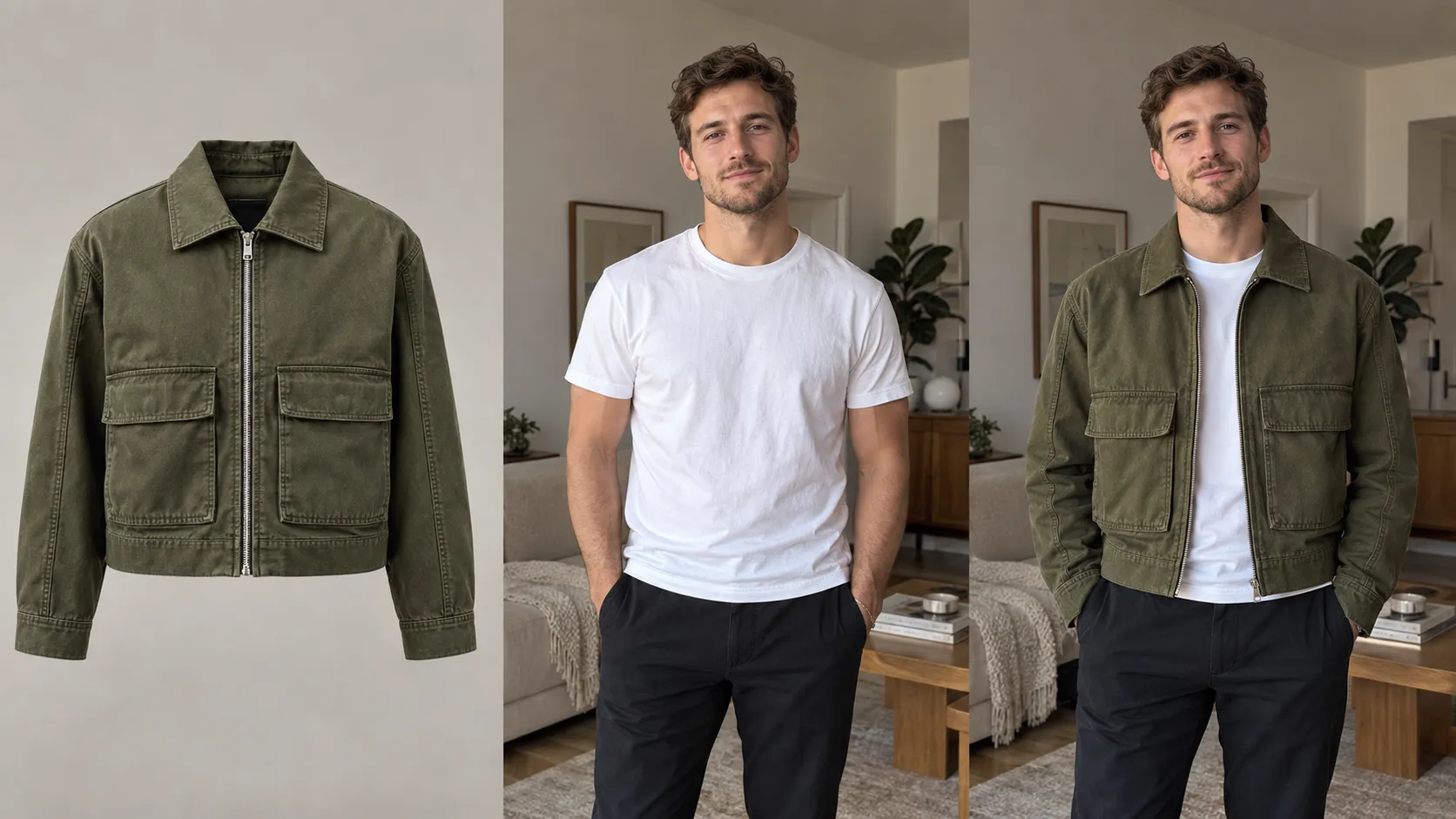
Traditional product images show the product from the merchant's perspective. Virtual try-on adds a shopper-specific perspective.
The customer can see the same product in the context of their own photo, making it easier to evaluate the overall appearance, silhouette, color, and styling.
2. Make Product Pages More Interactive
A traditional shopping journey might look like:
View ➔ Read ➔ Check Size ➔ Buy
Adding virtual try-on creates another possible step:
View ➔ Try ➔ Compare ➔ Decide
This changes the product page from a primarily static information page into a more interactive shopping experience.
3. Keep the Try-On Experience Close to the Purchase Decision
Without an integrated solution, shoppers may have to:
1. Save a product image.
2. Leave the Shopify store.
3. Open an external AI tool.
4. Upload their photo.
5. Upload the product image.
6. Generate an image.
7. Return to the store.
That is a fragmented experience.
4. Give Customers a More Personalized Experience
Every shopper sees the same product photography. Virtual try-on allows customers to generate a preview using their own photo. That makes the experience inherently more personalized without requiring merchants to photograph every product on dozens of different models.
5. Complement Size Charts Rather Than Replace Them
Virtual try-on and size charts solve different problems.
Size charts answer:
"What size should I consider based on the measurements?"
Virtual try-on helps answer:
"How might this product look on me?"
For that reason, merchants should continue providing accurate measurements, sizing information, and product details alongside the try-on experience.
What Does Shopify Virtual Try-On Look Like for Shoppers?
A good Shopify virtual try-on experience should feel like a natural extension of the product page rather than a completely separate application.
Imagine a customer browsing an oversized denim jacket.
Step 1: Browse the Product Page
The shopper lands on the normal Shopify product page.
They can review:
• Product images
• Price
• Description
• Available sizes
• Available colors
• Product specifications
The normal shopping experience remains unchanged.
Step 2: Click "Virtual Try On"
A clear Virtual Try On entry point gives the customer the option to preview the product on themselves.
The try-on feature becomes another way to evaluate the product.
Step 3: Upload a Personal Photo
The shopper uploads a photo from their phone or computer. For apparel, a clear photo where the relevant body area is visible generally provides more useful information than a tightly cropped portrait.
Step 4: Generate the Preview
The AI processes the product reference image and shopper photo to create a personalized visual preview.
The objective is to preserve the important characteristics of the shopper while applying the selected product as naturally as possible.
Step 5: Compare and Continue Shopping
The shopper can compare the generated preview with the original product photos and continue evaluating the item. The result becomes another piece of product information—not a replacement for the size chart, product specifications, or customer reviews.
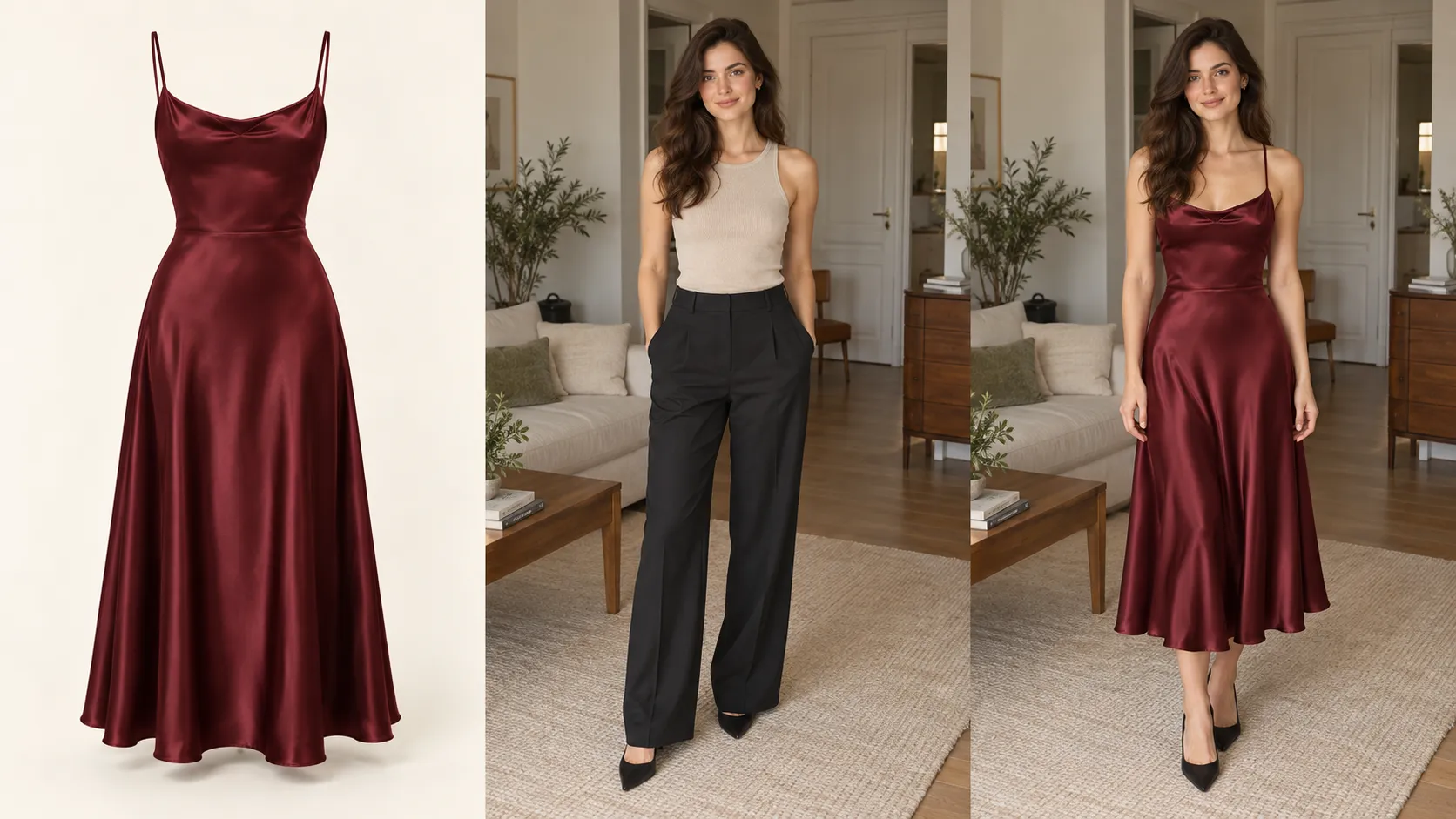
How AI Virtual Try-On Works
AI virtual try-on is different from ordinary text-to-image generation.
A generic image generator might receive a prompt such as:
"Create a woman wearing an oversized black denim jacket."
The resulting image may look realistic, but it does not necessarily represent the actual jacket sold in a Shopify store.
A dedicated AI clothes try-on tool instead works from a specific clothing reference image and a person photo.
The general workflow can be simplified into three stages.
1. Product Image Analysis
The AI analyzes the clothing reference and identifies relevant visual characteristics, such as:
• Color
• Shape
• Sleeves
• Neckline
• Pattern
• Texture
• Silhouette
2. Shopper Photo Analysis
The system analyzes the uploaded image to understand the visible person, including relevant body areas, pose, shoulders, torso, and clothing boundaries.
3. Try-On Preview Generation
The AI combines the product reference and shopper image to create a new visual representation of the shopper wearing the selected product. This is fundamentally different from asking AI to design an entirely new outfit.
The product reference remains the starting point.
Traditional Product Pages vs. Shopify Product Pages With Virtual Try-On
| Dimension | Traditional Product Page | With AI Virtual Try-On |
|---|---|---|
| Product visualization | Product and model photography | Product photography + personalized preview |
| Personalization | Same visuals for every shopper | Preview based on shopper photo |
| Interaction | Browse and compare images | Browse, try, compare, and evaluate |
| Decision support | Reviews, measurements, model photos | Existing information + visual try-on reference |
| Shopping experience | Primarily static | More interactive |
| Product context | See the product on the model | Explore how the product may look on the shopper |
The purpose of virtual try-on is not to make traditional product photography unnecessary. Instead, it adds another layer of product visualization.
What Products Work Well With Shopify Virtual Try-On?
Virtual try-on is most useful when the visual relationship between the product and the person wearing it matters.
Tops and Shirts
T-shirts, shirts, hoodies, sweaters, and similar products can benefit from visual previews of color, neckline, sleeves, and overall silhouette.
Jackets and Coats
Outerwear often depends heavily on proportions.
Customers may want to visualize:
• Shoulder shape
• Jacket length
• Sleeve length
• Oversized cuts
• Overall silhouette
A personalized preview can provide additional visual context.
Dresses
Dresses are another natural use case because their appearance can change significantly depending on body proportions and silhouette. For stores selling dresses, a dedicated AI dress try-on workflow can be useful for visualizing styles such as evening dresses, party dresses, prom dresses, and wedding dresses.
Full Outfits
Stores selling coordinated outfits can also use virtual try-on to help customers visualize how multiple clothing elements work together. The exact product categories available through a Shopify integration depend on the specific app and implementation, so merchants should verify supported products before deploying the feature across their catalog.
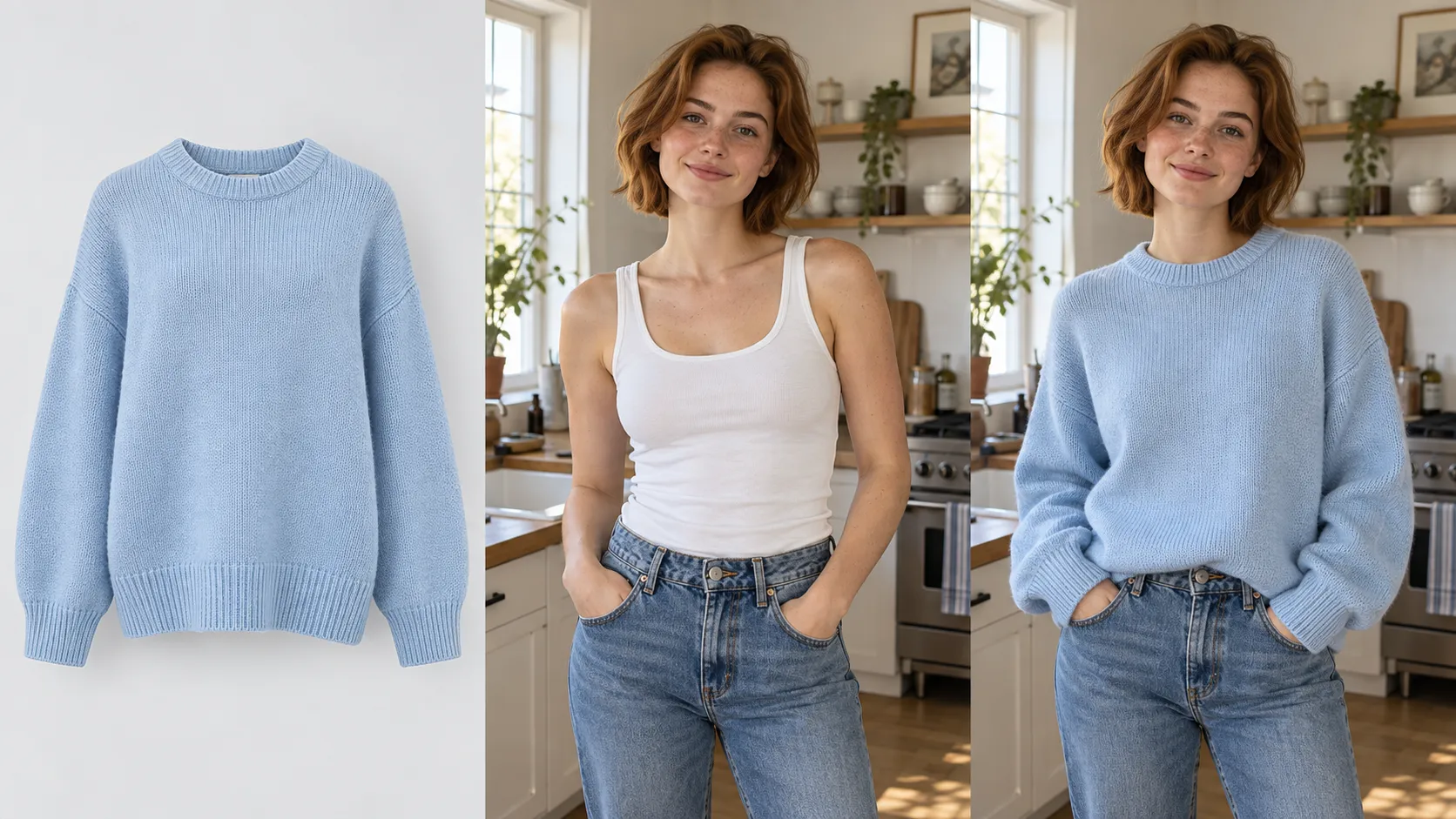
How to Add Virtual Try-On to a Shopify Store
1. Install a Shopify Virtual Try-On App
Start by installing a dedicated virtual try-on app from the Shopify App Store. Vidoly Virtual Try On is designed specifically for Shopify stores and adds virtual try-on previews to product pages.
2. Connect Your Shopify Store
The app connects the try-on experience with the relevant Shopify storefront and product information required for the workflow. This allows merchants to build the experience around products that already exist in their catalog.
3. Use Your Existing Product Images
The product image is an important part of the try-on workflow. Rather than creating a completely separate image-generation process, merchants can use product imagery from their existing Shopify catalog as the visual reference. This makes the feature easier to integrate into an existing e-commerce workflow.
4. Add the Try-On Experience to Product Pages
The next step is to make the virtual try-on entry point available on relevant product pages.
The placement should be easy to discover without competing with the primary product information or purchase controls.
5. Let Shoppers Upload Their Photos
Once the feature is available, shoppers can upload a personal photo when they want to preview the product.
The experience should provide clear instructions so customers understand what type of photo will work best.
6. Generate and Review the Preview
The AI generates a personalized visual preview based on the product reference and shopper photo.
Customers can then use the result as another reference while evaluating the product.
How Vidoly Brings Virtual Try-On to Shopify Product Pages
Vidoly's Shopify app is designed around the product-page shopping experience rather than a separate AI image-generation workflow. The core experience connects three elements:
Shopify product ➔ Shopper photo ➔ AI try-on preview
This allows merchants to introduce virtual try-on without requiring shoppers to manually move product images between different tools. The Shopify App Store listing describes Vidoly Virtual Try On as a tool for adding virtual try-on previews to Shopify stores, using product images to create a more visual shopping experience and helping shoppers compare products with less guesswork.
For merchants, the key value is therefore the connection between the AI capability and the existing Shopify catalog.
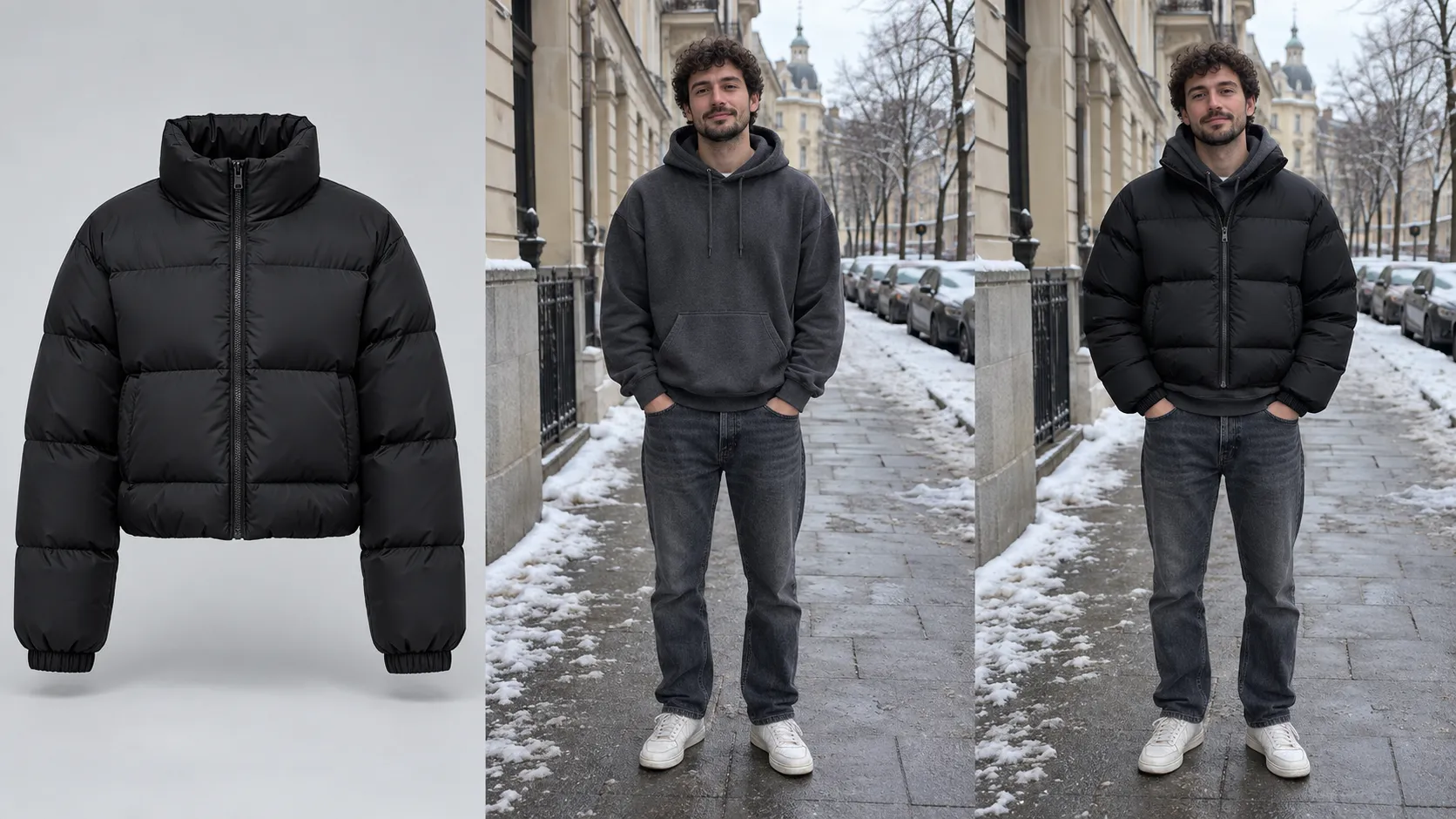
What Makes Shopify Virtual Try-On Different From a Generic AI Image Generator?
This distinction matters for merchants.
A generic AI image generator is primarily designed to create images.
A Shopify virtual try-on app has a different purpose:
Help shoppers visualize products that are actually being sold.
For example, a merchant selling a specific black leather jacket does not simply want an AI-generated image of "someone wearing a black leather jacket."
The merchant wants the shopper to visualize that specific product.
This is why image-based product references are important.
Vidoly's broader AI Virtual Try-On workflow is designed around specific clothing reference images rather than random text-generated outfits. It supports use cases including shirts, hoodies, jackets, pants, dresses, wedding dresses, glasses, and sports equipment.
For Shopify merchants, the distinction is simple:
Generic AI generation creates possibilities. Product-based virtual try-on helps visualize a product.
An Example: From Uncertainty to Visual Reference
Consider a Shopify store selling an oversized denim jacket.
Without Virtual Try-On
The shopper:
• Likes the jacket.
• Looks through the model photos.
• Checks the size guide.
• Reads reviews.
• Wonders whether the oversized silhouette will work with their proportions.
• Tries to imagine the final appearance.
The shopper has product information, but no personalized visual reference.
With Virtual Try-On
The shopper:
• Views the same product photos.
• Clicks Virtual Try On.
• Uploads a personal photo.
• Generates a preview.
• Compares the result with the original product photography.
• Continues evaluating the product using the preview alongside the size chart and other information.
The important difference is not that AI "proves" the jacket will fit. It gives the customer another visual reference that traditional product photography cannot provide.
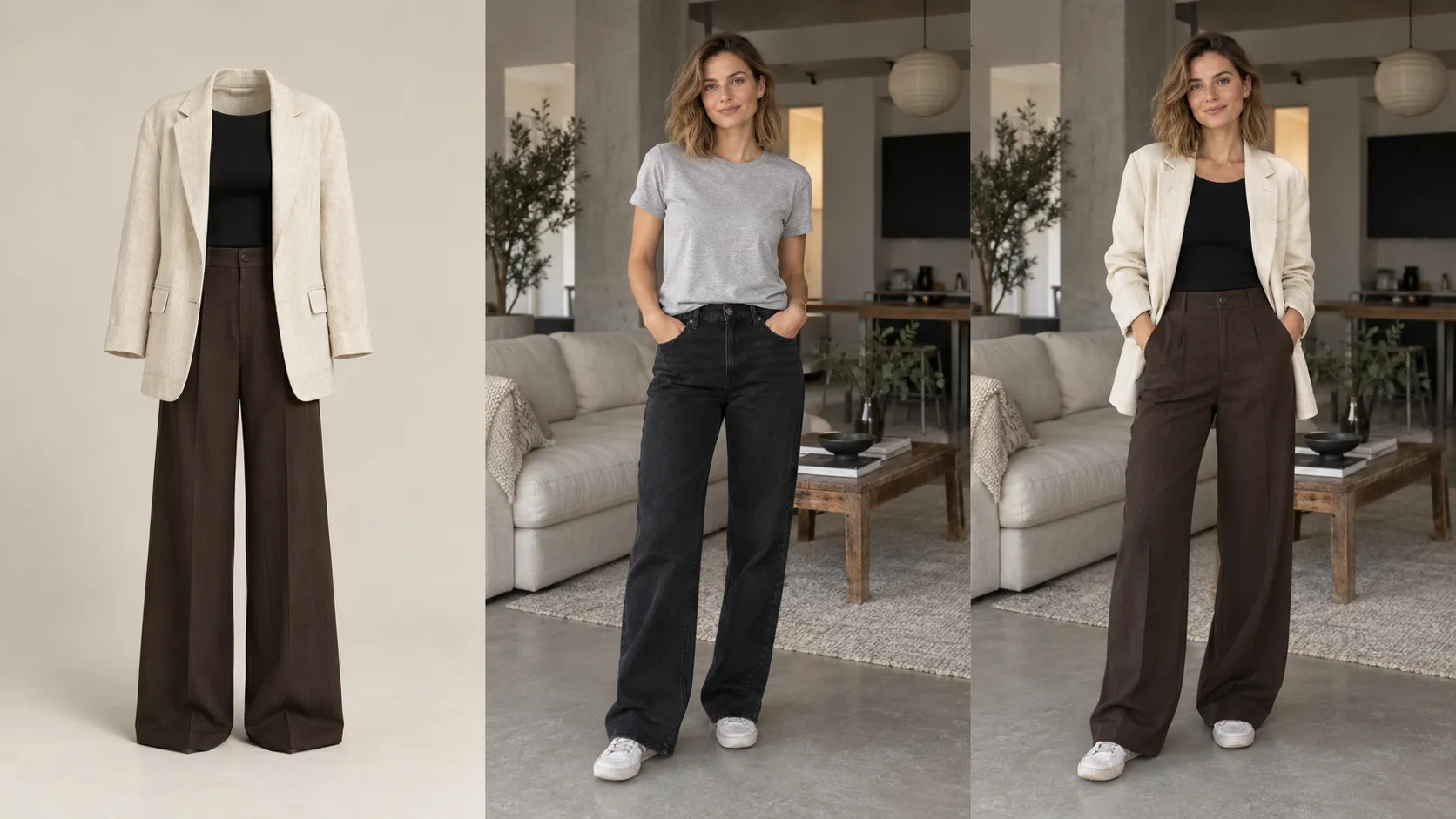
What Virtual Try-On Can—and Cannot—Tell Shoppers
Setting the right expectations is essential.
Virtual try-on should be positioned as a visualization tool, not a digital replacement for physical fitting.
What Virtual Try-On Can Help Visualize
Overall appearance: Customers can get a better visual idea of how the product's color, design, and general style may look on them.
Silhouette and proportions: A preview can provide additional context for jacket length, oversized cuts, sleeves, hemlines, and other visual characteristics.
Styling decisions: Customers can use generated previews as another reference when comparing products or styles.
What Virtual Try-On Does Not Guarantee
Exact sizing: An AI preview is not a precise body-measurement tool. Customers should still use the merchant's size chart and product measurements.
Exact physical fit: A generated image cannot guarantee how tight, loose, heavy, stretchy, or comfortable a garment will feel.
Fabric behavior: Physical characteristics such as weight, stretch, thickness, texture, or lining cannot be fully communicated through an AI image.
Every product detail: Small logos, stitching, embroidery, buttons, and highly intricate patterns may not always be reproduced perfectly.
The most accurate positioning is therefore:
Virtual try-on helps shoppers visualize the product. It does not guarantee physical fit.
What Product Images Deliver the Best Results?
The quality of the product reference image matters.
For Shopify merchants, strong source images should ideally have:
• Clear product visibility
• Accurate colors
• Good lighting
• Strong separation between product and background
• A recognizable silhouette
• Minimal visual obstruction
• Sufficient resolution
• Important logos and design details clearly visible
Shopper photos also matter.
A clear photo with the relevant body area visible is generally more useful than a heavily cropped or obstructed image.
Before enabling virtual try-on across an entire catalog, merchants should test representative products with different materials, silhouettes, colors, and image styles.
Shopify Virtual Try-On Readiness Checklist
Before launching the experience, review these areas.
Product Images
• Are product images clear?
• Is the clothing easy to identify?
• Are colors accurate?
• Are important details visible?
Product Pages
• Is the Virtual Try On entry point easy to find?
• Does it fit naturally into the existing PDP?
• Does the experience work well on mobile?
• Does the design match the storefront?
Shopper Experience
• Is photo upload straightforward?
• Are photo requirements easy to understand?
• Is the try-on workflow easy to follow?
• Can shoppers return to the product page easily?
Product Information
• Is the size chart still available?
• Are product measurements clearly displayed?
• Are important product specifications visible?
• Is the difference between visual preview and actual fit explained?
Privacy
• Is photo processing explained clearly?
• Can shoppers easily find relevant privacy information?
• Are your storefront claims consistent with the app's current privacy practices?
Privacy and Shopper Trust
Photo-upload functionality introduces an important consideration for Shopify merchants.
Customers should understand why their photo is being requested and how it is used as part of the try-on experience.
Merchants should avoid making broad claims about image storage, deletion periods, biometric processing, or data retention unless those claims have been verified against the current app documentation and privacy policy.
This is particularly important for a new Shopify feature because privacy practices and technical implementations can evolve over time.
A transparent approach is better:
• Explain why the image is needed.
• Explain how it is used for the try-on experience.
• Provide access to the relevant privacy information.
• Avoid promising data-handling practices that the merchant cannot verify.

FAQ: Shopify Virtual Try-On
What is Shopify virtual try-on?
Shopify virtual try-on is an e-commerce feature that allows shoppers to upload a photo and generate a visual preview of themselves wearing a specific product from a Shopify store.
How does AI virtual try-on work on Shopify?
The system generally combines a product reference image with a shopper photo. AI analyzes both inputs and generates a visual preview showing the selected product on the shopper.
How do I add virtual try-on to a Shopify store?
The simplest approach is generally to use a dedicated Shopify virtual try-on app. Vidoly Virtual Try On is available through the Shopify App Store and is designed to add virtual try-on previews to Shopify product pages.
Can I add virtual try-on to individual Shopify products?
The exact implementation depends on the Shopify app and store configuration. Merchants should verify how product selection, widget placement, and catalog coverage work before deploying the feature across the entire store.
Is Shopify virtual try-on the same as a virtual fitting room?
Not necessarily. "Virtual fitting room" is a broader term that can describe several technologies, including AI photo-based try-on, AR experiences, 3D avatars, and size recommendation systems. AI photo-based virtual try-on is one type of virtual fitting experience.
Does virtual try-on replace a size chart?
No. Virtual try-on is primarily a visual reference. Customers should continue using size charts, measurements, and product specifications when evaluating sizing.
Do shoppers need to leave the Shopify store?
A Shopify-integrated virtual try-on experience is designed to keep the interaction close to the storefront rather than requiring shoppers to manually transfer product images into an external AI tool.
What type of photo should shoppers upload?
Clear photos where the relevant body area is visible generally work better. For clothing, half-body or full-body images can provide more useful visual information than tightly cropped portraits.
Can virtual try-on guarantee how a product will fit?
No. AI-generated try-on results should be treated as visual previews rather than exact measurements or physical fitting simulations.
What types of products can be used with virtual try-on?
The answer depends on the specific app and implementation. Clothing is a natural use case, including products such as shirts, hoodies, jackets, dresses, and pants. Other AI virtual try-on workflows can also support categories such as glasses and sports equipment. Merchants should verify the supported product categories of their chosen Shopify app before implementation.
Final Takeaway
For Shopify fashion stores, the challenge is not simply showing customers more product images.
It is helping them answer:
"Can I picture myself wearing this?"
Traditional product photography, size charts, reviews, and product descriptions remain essential. AI virtual try-on adds another layer by allowing shoppers to generate a personalized visual reference using their own photo.
For merchants that want to introduce this experience without building a custom AI workflow from scratch, Vidoly Virtual Try On for Shopify provides a Shopify-focused way to bring virtual try-on into product pages. And virtual try-on does not have to exist in isolation. Once a merchant has created realistic product and model imagery, those assets can also support broader e-commerce content workflows, from AI product marketing images to AI video ads for e-commerce.
The result is a more connected product-content workflow:
Product ➔ Virtual Try-On ➔ Product Marketing Assets ➔ Advertising Content
Let shoppers picture themselves in your products before they buy.
Install Vidoly Virtual Try On and turn your existing product catalog into a more interactive, personalized shopping experience.
Install Vidoly Virtual Try On on ShopifyRelated Articles
Can Gemini Remove Image Backgrounds? We Benchmark Tested 6 Complex Scenarios
Can ChatGPT Really Do AI Virtual Try-On? We Tested It vs. Vidoly (With Real Examples)
How AI Replaces a Traditional Fashion Photoshoot: A Step-by-Step E-Commerce Case Study